Is Linktree Legit?
Linktree is legit: its Terms name Linktree Pty Ltd in Collingwood, Victoria, and the company says it was founded in Melbourne in 2016.

Our Linktree review finds a legit, easy link-in-bio tool with a free-forever plan, a 7-day Pro trial and 0% Linktree fees on Pro sales. More than 70 million people use it, the company says. The catches: Free pages may show ads, there are no custom domains, each paid plan covers one Linktree, and its Terms call payments non-refundable.
Linktree is legit and worth it for most creators: a registered Australian company runs it, the free plan never expires, and Pro adds selling with 0% Linktree fees.
Linktree is legit: its Terms name Linktree Pty Ltd in Collingwood, Victoria, and the company says it was founded in Melbourne in 2016.
Linktree has a free plan with unlimited basic links and email and phone sign-ups, but some Free pages may show visitors a short ad.
Linktree Starter, Pro and Premium are reported at $8, $15 and $35 a month on monthly billing, with lower yearly prices.
Linktree is best for creators and small businesses that want one tidy page of links, sign-ups and simple digital sales.
Linktree lets you cancel any time, but its Terms say payments are non-refundable, with a possible exception if you cancel within 72 hours.
Linktree's main drawback is control: no custom domains, ads on some Free pages, and one paid plan per Linktree.
Linktree scores best on features, customization and ease of use, and weakest on support and billing, where payments are non-refundable and support runs through chat. Here is each factor in one line.
Linktree offers unlimited links, featured layouts, link scheduling, QR codes and Instagram auto-replies, with custom designs and branding removal from Pro.
Linktree lists 0% Linktree fees on Pro, but selling digital products needs Pro or Premium and Shops and affiliate earnings are US only.
Linktree has a free-forever plan with unlimited basic links, though Free pages may show ads and each paid plan covers one Linktree.
Linktree earns 4.6 out of 5 for ease of use on Capterra, and reviewers praise a page that takes minutes to set up.
Linktree keeps 28 days of Insights on Free, 90 on Starter and 365 on Pro; lifetime history and CSV export need Premium.
Linktree says payments are non-refundable except a possible 72-hour exception, and support runs through help-center chat with no stated hours.
Linktree is a legit, Melbourne-based link-in-bio tool with a free-forever plan, a 7-day Pro trial and a broad free feature set. It suits creators and small businesses; sellers outside about 40 supported countries, or anyone wanting their own domain, should compare alternatives first.
Our bottom line
Linktree
linktr.ee · Link-in-bio and creator store tool
The default link-in-bio tool, easy and generous on the free plan, with strict billing and no custom domains.
Linktree Pty Ltd runs it under Australian law and claims over 70 million users. Pro lists 0% Linktree selling fees, but Stripe still charges 2.9% plus 30 cents a sale, Free pages may show ads, and its Terms say payments are non-refundable.
Linktree pricing runs from a $0 free plan to Starter, Pro and Premium, reported at $8, $15 and $35 a month on monthly billing. Agency and Enterprise plans are quoted by sales.
*Monthly-billing prices as reported by pricing guides updated in September and October 2026; Starter is reported at $8. Plan features read on linktr.ee/s/pricing on Oct 21, 2026, where prices load by script.
Check these six things before paying for Linktree, because its Terms say payments are non-refundable and plans renew automatically until you cancel.
Linktree reviews on Reddit and Quora call it easy and useful but not a real website, while ChatGPT, Gemini and Grok all describe it as the established link-in-bio tool.
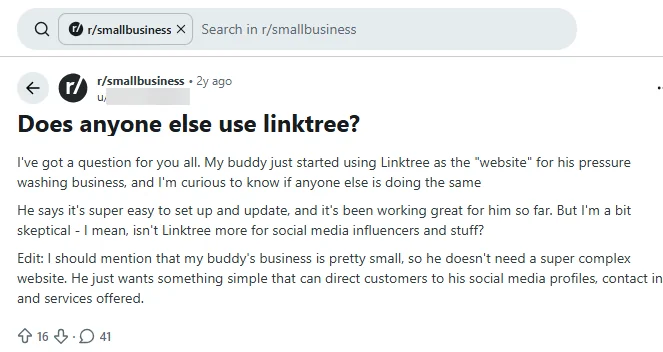
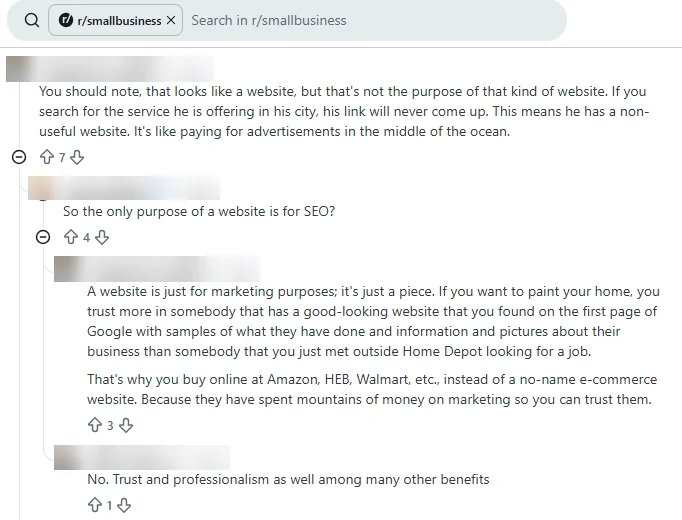
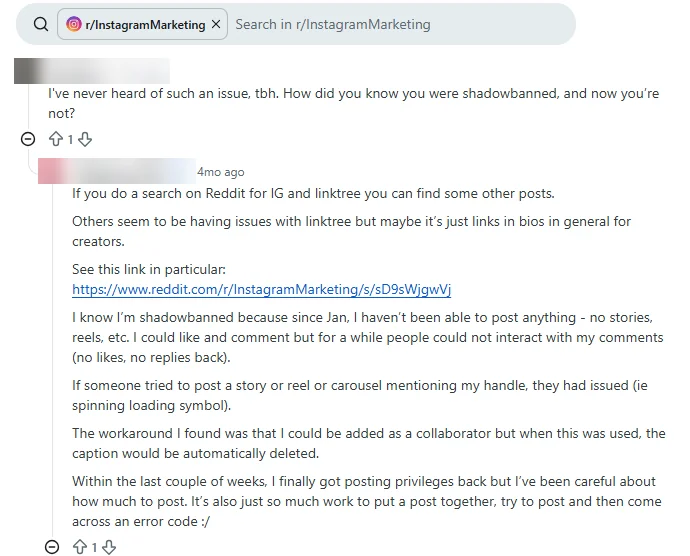
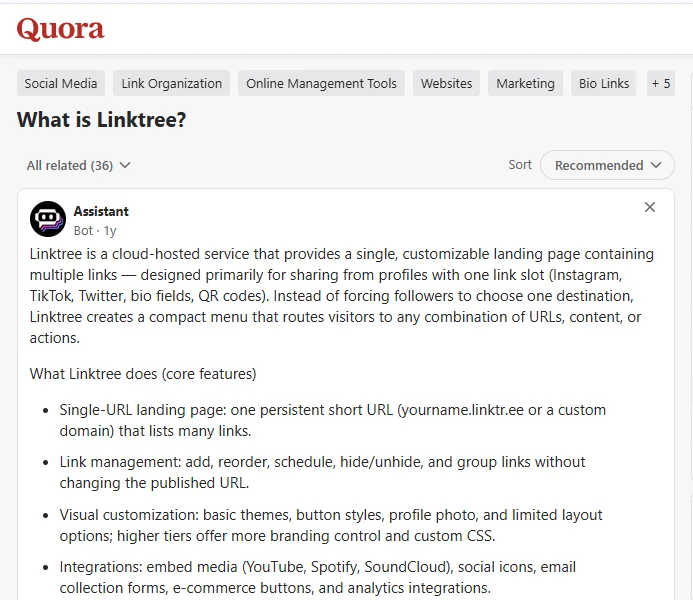
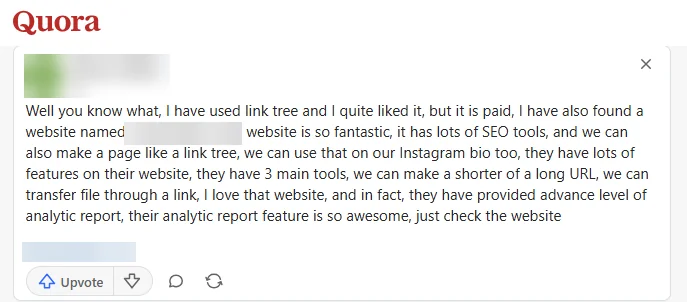
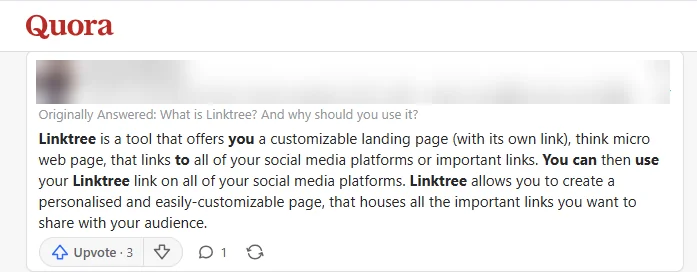
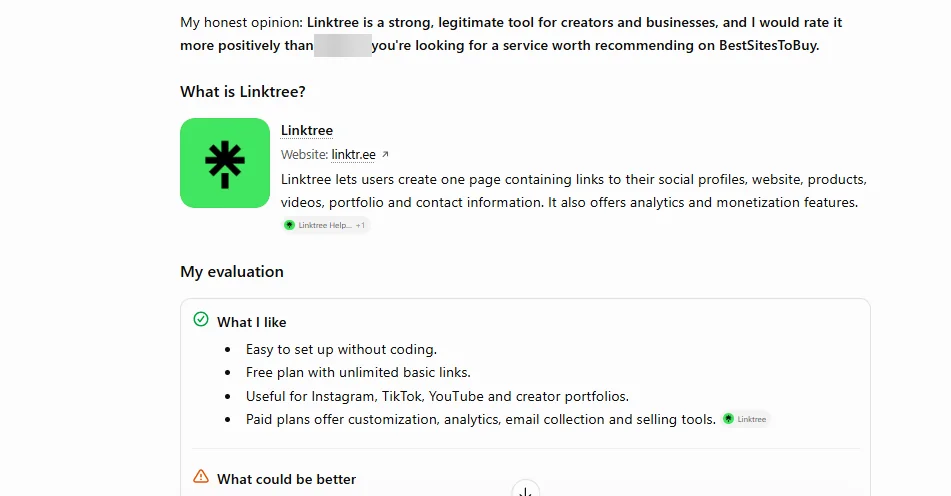
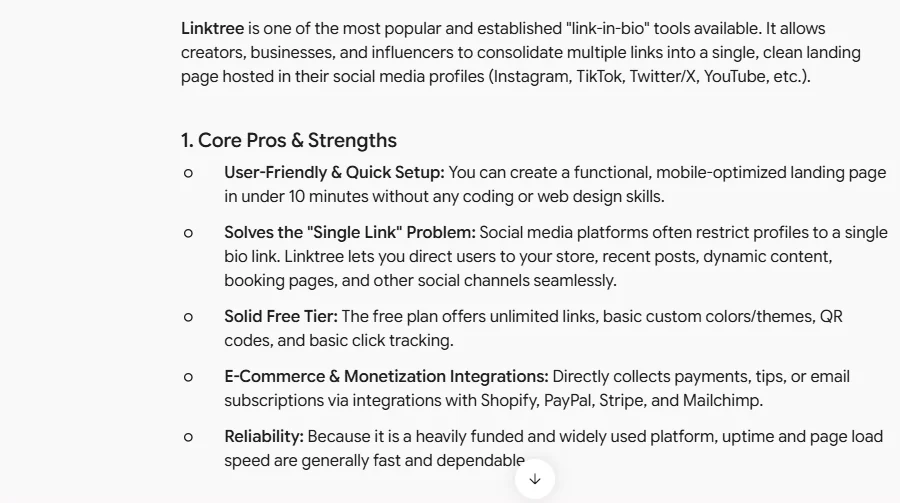
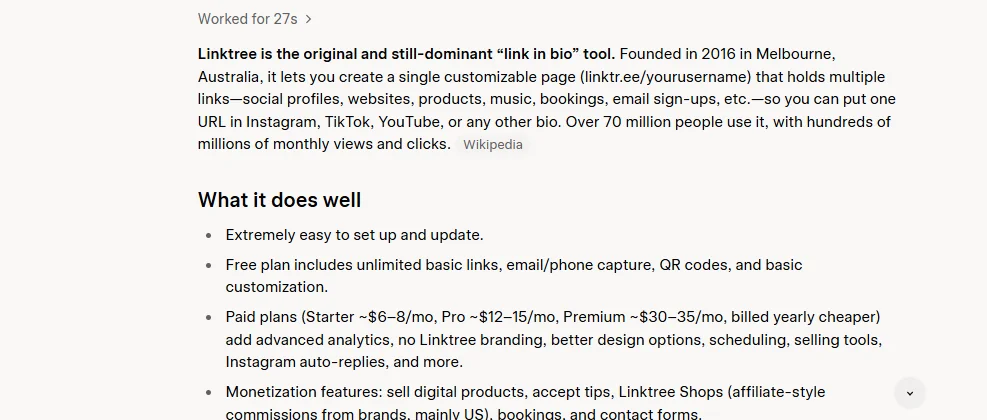
Swipe or scroll sideways to see every screenshot. These are individual opinions we could not verify. Usernames and avatars are blurred, as are another seller's name in the ChatGPT answer and another link-in-bio site in one Quora answer. Some posts are years old and the Quora bot's custom-domain claim is out of step with Linktree's help center, so check current details on linktr.ee.
This full Linktree review checks plans, features, selling fees, billing rules, support and alternatives against Linktree's own pages and public user reviews from October 2026. Jump to the part you need.
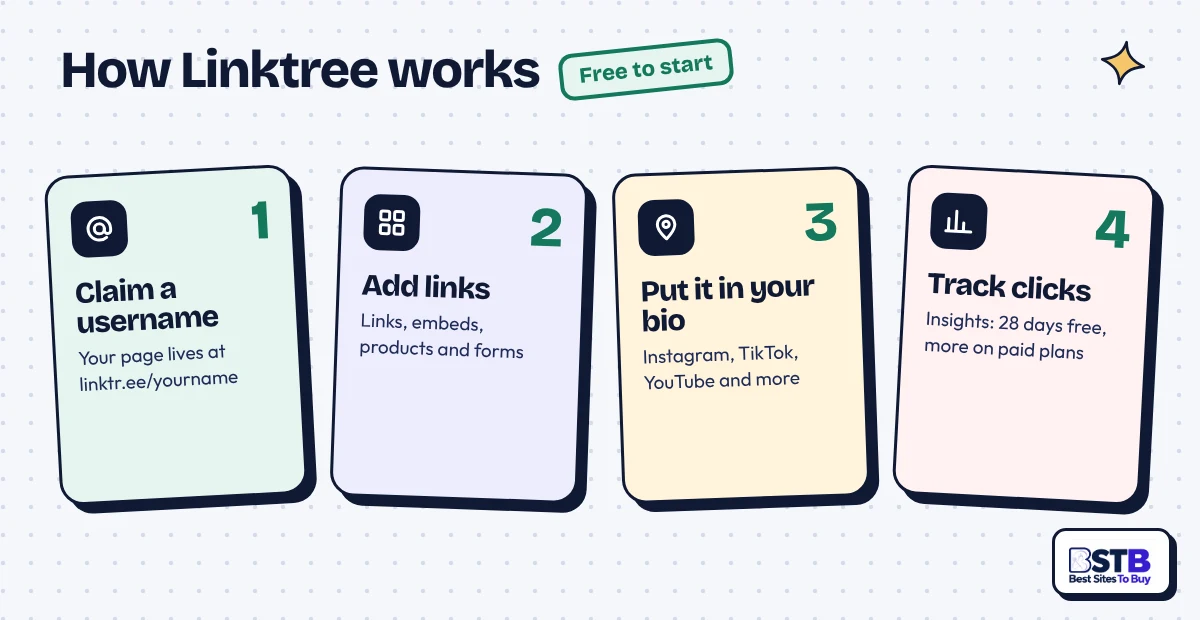
Linktree is a link-in-bio tool that turns one short link, linktr.ee/yourname, into a mobile page of links, sign-up forms, embeds and products you can share from any social bio.
Linktree sells software, not followers or engagement. You build a page, put its link in your bios and send visitors to your website, shop, newsletter or bookings, with Insights, auto-replies, sign-ups and, on paid plans, selling on top.
The company behind it is named in its Terms as Linktree Pty Ltd (ABN 68 608 721 562), 1-9 Sackville St, Collingwood VIC 3066, Australia, and the Terms are "subject to the laws of Victoria and the Commonwealth of Australia". Its About page says it was founded in Melbourne in 2016 by Alex Zaccaria, Anthony Zaccaria and Nick Humphreys, has offices in Los Angeles, San Francisco and London, and serves "70M+" users with about 1.3 billion monthly profile views. Those user numbers are company claims we could not verify.
Linktree bought the rival link-in-bio platform Koji in December 2023 and closed it on January 31, 2024, according to reports at the time, and its Terms also cover its Plann scheduling product. BSTB is not affiliated with Linktree.
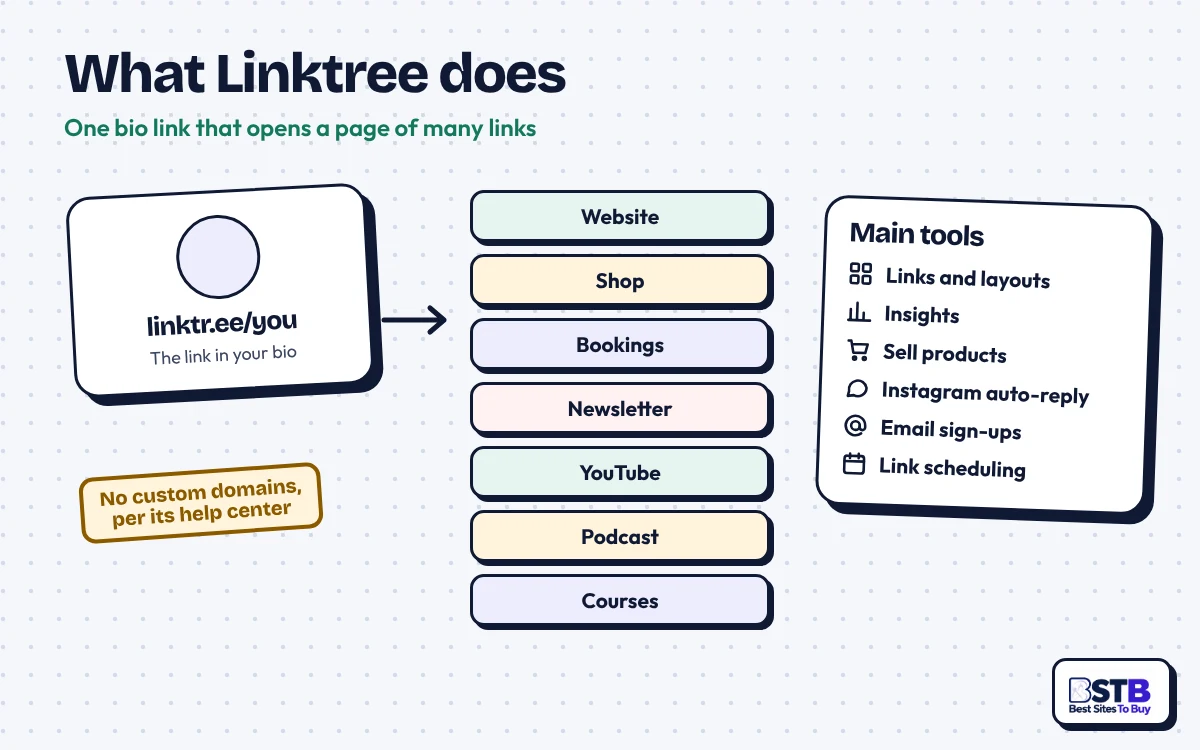
Linktree features cover unlimited links and layouts, Insights, email and phone sign-ups, Instagram auto-replies, link scheduling, QR codes and, from Pro, selling with 0% Linktree fees. Which ones you get depends on the plan.
| Feature | What Linktree offers | Plan needed |
|---|---|---|
| Links | Unlimited basic links, embeds, forms, FAQs and galleries | All plans; 1 Featured Layout link on Free |
| Insights | Views, clicks and traffic sources | 28 days Free, 90 Starter, 365 Pro, lifetime Premium |
| Sign-ups | Email and phone collection | All plans; CSV download and integrations from Pro |
| Auto-replies | Instagram auto-reply DMs | 1,000 a month Free, 1,500 Starter, 2,500 Pro, unlimited Premium |
| Scheduling | Links that go live or expire on a timer | Starter and up; social post scheduling on Premium |
| Design | Custom backgrounds, fonts, themes, hide the Linktree logo | Pro and up |
| Tracking | Meta Pixel, Google Analytics, UTM parameters | Pro and up |
| Selling | Digital products, courses, bookings | Pro and Premium |
| Team | Admin access; team seats on Agency or Enterprise | Premium; Agency or Enterprise by quote |
Read on linktr.ee/s/pricing and Linktree's "About paid plan features" help article (updated October 14, 2026) on October 21, 2026.
Linktree design options start basic and open up on Pro. Free pages get templates and basic colors with the Linktree logo shown. Starter removes ads and adds link thumbnails, prioritized links, video or AI profile images and a verified-badge application. Pro adds custom backgrounds, more themes, font changes, profile image styles and the option to hide the Linktree logo. Capterra reviewers most often name limited free-plan design as a con, so expect to pay if branding matters to you.
Linktree Instagram auto-replies send a link by direct message when someone comments a keyword, on every plan, within the monthly limits in the table above. Link scheduling starts on Starter, while social media post scheduling is a Premium feature.
No, Linktree does not support custom domains on any plan, according to its help center. Every page stays at linktr.ee/yourusername, with no forwarding tools, so look at Carrd or Bio Link if you need your own domain.
Linktree pricing starts at $0 on the free plan, with Starter, Pro and Premium reported at $8, $15 and $35 a month on monthly billing. Yearly billing lowers the monthly cost, to about $6 for Starter and $12 for Pro in the same guides.
| Linktree plan | Monthly billing | Free trial | Key additions |
|---|---|---|---|
| Free | $0 | Not needed | Unlimited basic links, sign-ups; ads may show |
| Starter | $8* | None listed | No ads, unlimited featured links, link scheduling |
| Pro | $15* | 7 days | Custom designs, no branding, 0% Linktree selling fees |
| Premium | $35* | 7 days | Lifetime Insights, data export, social scheduling, AI tools |
| Agency or Enterprise | Team seats, dedicated support and custom contracts through sales | ||
*Prices as reported in pricing guides updated in September and October 2026, not read on linktr.ee: its pricing page loads the figures by script and our read on October 21, 2026 showed only the plan features. Linktree's iPhone app lists Starter, Pro and Premium as in-app purchases at different App Store prices.
Tax is added at checkout in the US and Canada, and Linktree's Terms say it "may periodically adjust subscription or transaction fees" with notice. One long-time Trustpilot reviewer said in October 2026 that Pro had more than doubled in price over five years.
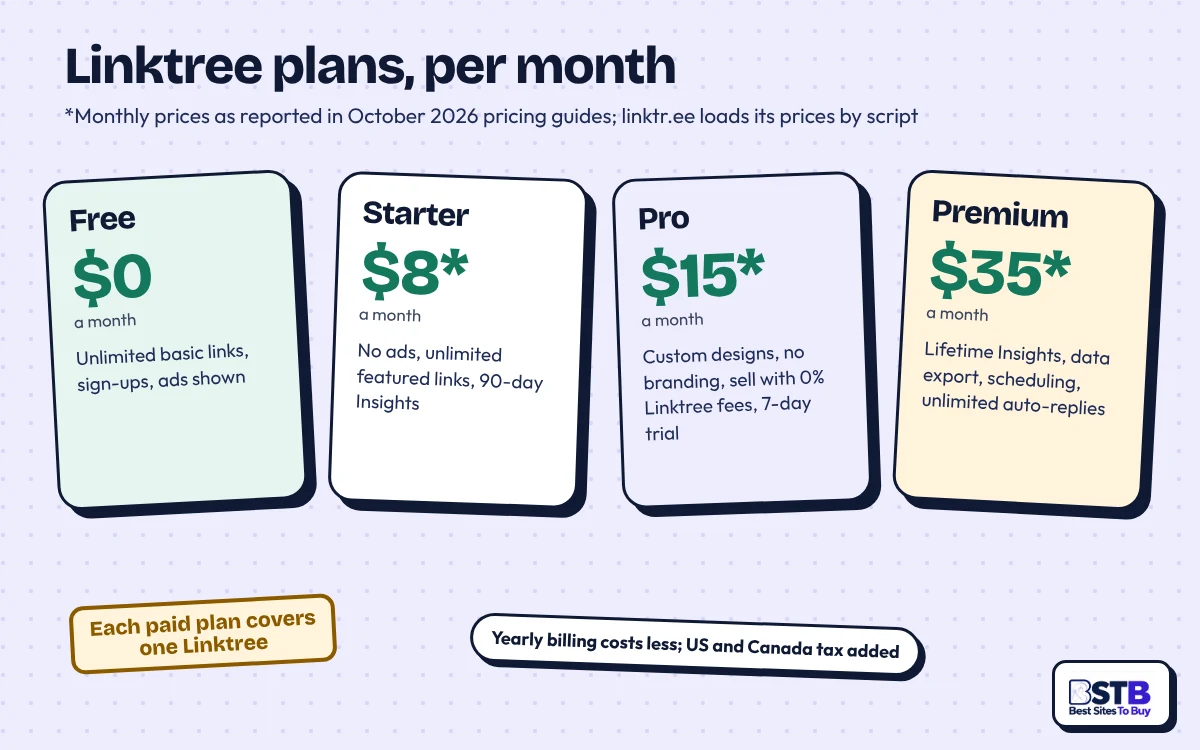
Yes, each Linktree needs its own paid plan. The help center says "Each paid plan applies to one Linktree", so two paid pages cost two plans, even when bought in one checkout.
Linktree Free vs Pro comes down to ads, design, data and selling. Pro removes ads, lets you hide the Linktree logo, keeps 365 days of Insights instead of 28, adds Meta Pixel, Google Analytics and UTM parameters, raises auto-reply DMs to 2,500 a month and unlocks selling digital products, courses and bookings.
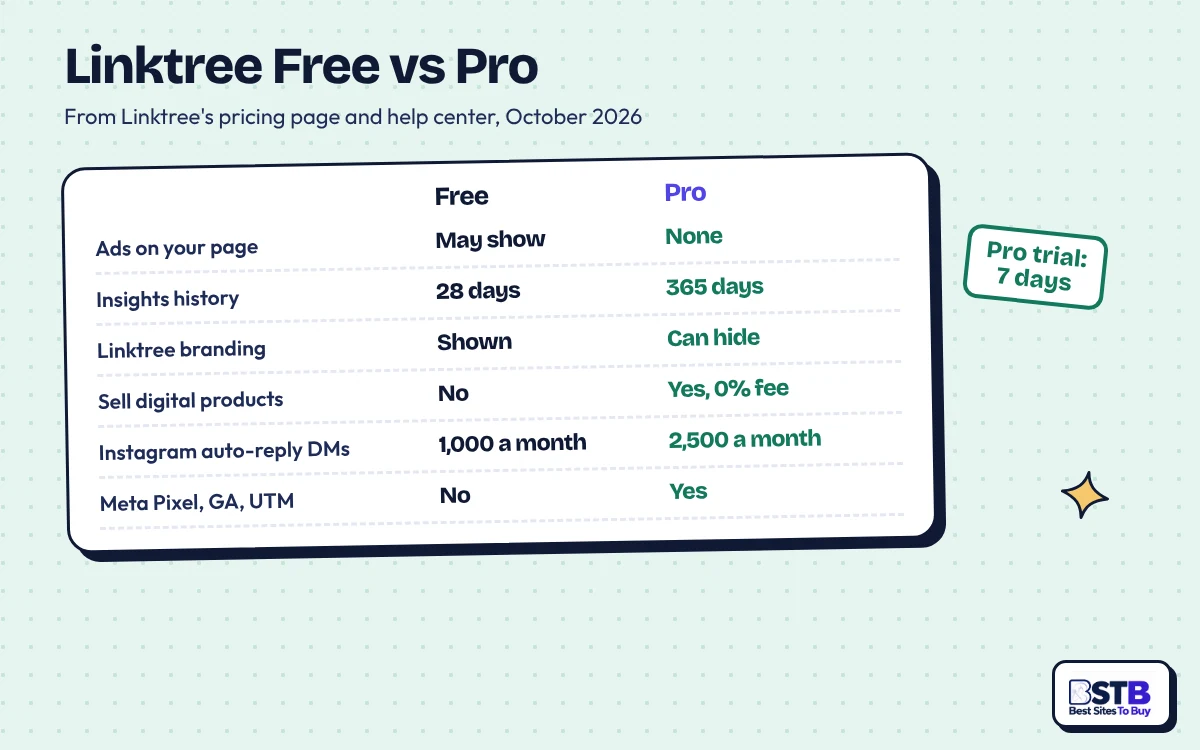
Linktree has a 7-day free trial on Pro and Premium, its pricing page says, and the Free plan has no time limit. The Pro page warns that the "Pro trial auto renews into paid plan", so cancel before day seven if you do not want to pay. Linktree's free plan never expires, so many people never need a trial at all.
Linktree seller fees are 0% on Pro, its pricing page says, but Stripe still charges 2.9% plus 30 cents per direct sale on every plan. Partner earnings carry a $0.25 Stripe fee per payout.
Linktree's fees help article says its own fee "depends on your Linktree plan", while Stripe's is the same everywhere. Older guides list 12% on Free and 9% on Starter, some 9% on Pro too, but Linktree's pricing page on October 21, 2026 lists "Sell and earn with 0% fees" on Pro.
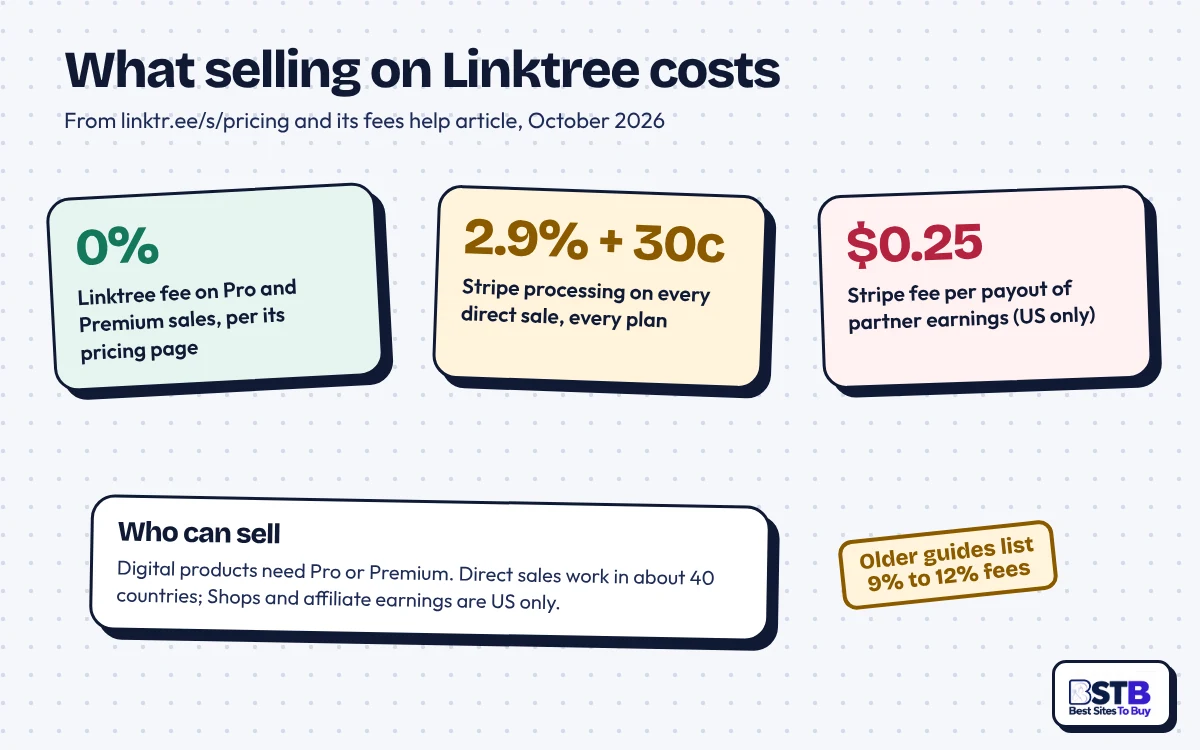
Linktree selling is limited by plan and country. Selling digital products "requires a Pro or Premium plan", payments go through Stripe, and direct earnings (digital products, courses and bookings) work in about 40 countries, including the US, Canada, the UK, most of the EU, Australia, New Zealand, Japan, Singapore, Hong Kong and the UAE. Partner earnings from Linktree Shops, sponsored links and affiliate offers, plus Linktree Rewards, are US only, and adult content cannot be sold.
Linktree works by giving you a page at linktr.ee/yourname that you fill with links and blocks, then share in every social bio and track through Insights. Sign-up is free, and you upgrade only when you need more.
Showing links on Linktree needs only their URLs, not your social media passwords; auto-replies need you to connect Instagram to Linktree. Linktree accounts support multi-factor authentication and one-time login codes.
Linktree is legit and safe to use: a registered Australian company runs it, it publishes dated Terms and a Privacy Notice, and it supports multi-factor login. Both documents took effect on July 5, 2026.
We verified its company details, plan features, dated help center and public ratings on October 21, 2026, but not its user numbers, live prices or real support speed.
The Terms are clear about limits. Linktree has "the right to suspend or terminate your account" if you break them, "aims to notify you beforehand", and caps its liability at the greater of the fees you paid in the last 12 months or AUD $100.
Linktree can ban your Linktree page, but not your social accounts. Its help center says a banned page "most likely" broke its Community Standards, with action ranging from removing content to suspending the account, and offers an "Appeal a Decision form". Some Capterra reviewers report pages flagged or removed for "spam" without a clear explanation. On the social side, the Reddit user above suspected Linktree in an Instagram shadowban but also said it may be "links in bios in general"; we found no evidence that Linktree itself causes bans.
Instagram and TikTok add these security warnings themselves, and Linktree says it cannot control when they appear. Its help center suggests testing your link in a logged-out browser and contacting the platform if the warning stays.
Linktree collects visitor data such as IP address, device, rough location and the links clicked, its Privacy Notice says. Under California law it "sells" some cookie data to advertising and analytics partners for targeted ads, and it may share information with brand partners. It says it complies with the GDPR, processes data mainly in Australia and the US, and takes data requests through its DSAR form or [email protected].
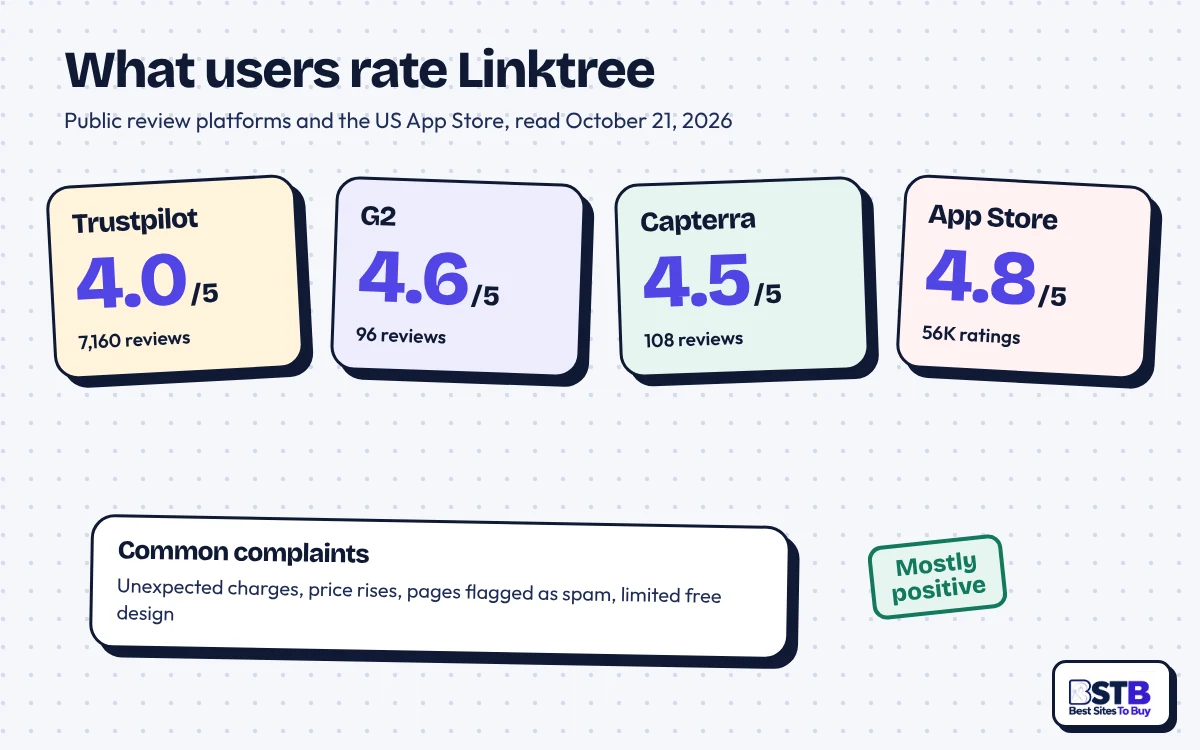
Linktree reviews are mostly positive across public platforms, with complaints focused on billing and flagged pages. On October 21, 2026 it showed a 4.0 TrustScore from 7,160 reviews on Trustpilot (78% five-star, 9% one-star), 4.6 out of 5 from 96 reviews on G2, 4.5 out of 5 from 108 reviews on Capterra and 4.8 from 56K ratings on the US App Store.
Recent Trustpilot praise mentions fast, friendly support; recent complaints mention unrecognized charges, a refund refused as too late and price rises.
Linktree is easy to use for most people, scoring 4.6 out of 5 for ease of use on Capterra, though mobile editing and managing many client pages draw complaints. Building a free page is the quickest test.
Capterra reviewers praise a quick, simple setup; their cons are limited design and analytics on Free, cumbersome multi-client management and harder editing on a phone. The Reddit small-business poster's friend found it "super easy to set up and update".
Linktree is not a strong SEO tool or full website. Its pricing page FAQ says it can work as a website replacement or alongside one, but every page lives on linktr.ee with no custom domain, and Reddit replies above warn that a Linktree page "will never come up" when locals search for a service. Use it as a hub for social traffic, and keep a real website if search visibility matters.
Linktree Insights cover views, clicks and traffic sources, and Pro adds Meta Pixel, Google Analytics and UTM parameters, enough for most creators. Pair link clicks with your social numbers using our Instagram engagement rate calculator or our TikTok engagement rate calculator to see which posts actually send visitors.
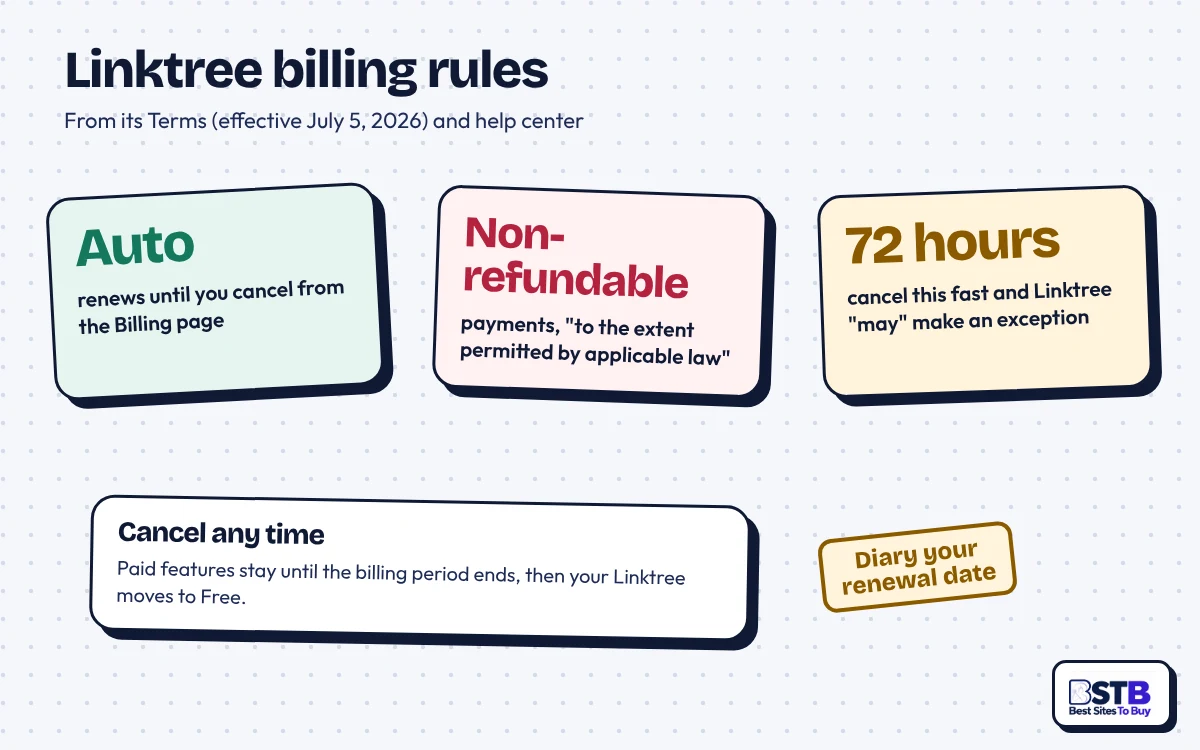
Linktree's refund policy is strict: its Terms say payments are non-refundable "to the extent permitted by applicable law", though Linktree may make an exception if you cancel within 72 hours. You can cancel any time and keep paid features to the end of the period.
| Policy | What Linktree says | Watch out for |
|---|---|---|
| Cancellation | "You can cancel your paid plan at any time from the Billing page." | The plan runs to the end of the period, then moves to Free. |
| Auto-renewal | "YOUR SUBSCRIPTION WILL AUTOMATICALLY CONTINUE" unless you cancel. | Trials also roll into a paid plan. |
| Refunds | "payments are non-refundable", to the extent the law allows. | A 72-hour exception is at Linktree's discretion. |
| Price changes | May "periodically adjust subscription or transaction fees". | With "reasonable prior notice". |
| Card checks | A $1 pre-authorization hold "isn't a real charge". | Some holds take weeks to clear, per its help center. |
These rules explain the Trustpilot reviewer told it was too late for a refund. Cancel from Billing as soon as you decide, ask support within 72 hours of any unintended charge, and check app-store settings if you subscribed on a phone.
Linktree customer support runs through a large help center and a "Contact support" chat button, with no phone line, stated hours or promised reply time. Agency and Enterprise plans add dedicated support.
The help center holds more than 180 articles, most updated in October 2026. Many recent Trustpilot reviews describe a real person fixing issues within minutes, while Capterra reviewers mention slow follow-up and some Trustpilot reviewers could not get charges matched to an account. Keep invoice numbers for anything about money.
Linktree's pros and cons come down to an easy, generous free plan and 0% Linktree fees on Pro, against ads on Free, no custom domains, per-page billing and non-refundable payments. This Linktree review weighs each point against its own pricing page, help center and Terms, so you can judge the fit.
Linktree's biggest advantage is a free plan that does the core job well: unlimited links, sign-ups and Instagram auto-replies with no card needed.
Linktree's main drawback is limited control: your page stays on linktr.ee, Free pages may carry ads, and money paid is non-refundable by default.
Linktree's pros outweigh the cons for most creators and small businesses that want one tidy link with minimal setup. The cons matter more if you need your own domain, run many separate pages or sell from an unsupported country. Start on Free, try Pro for seven days, and pay only once you use what it adds.
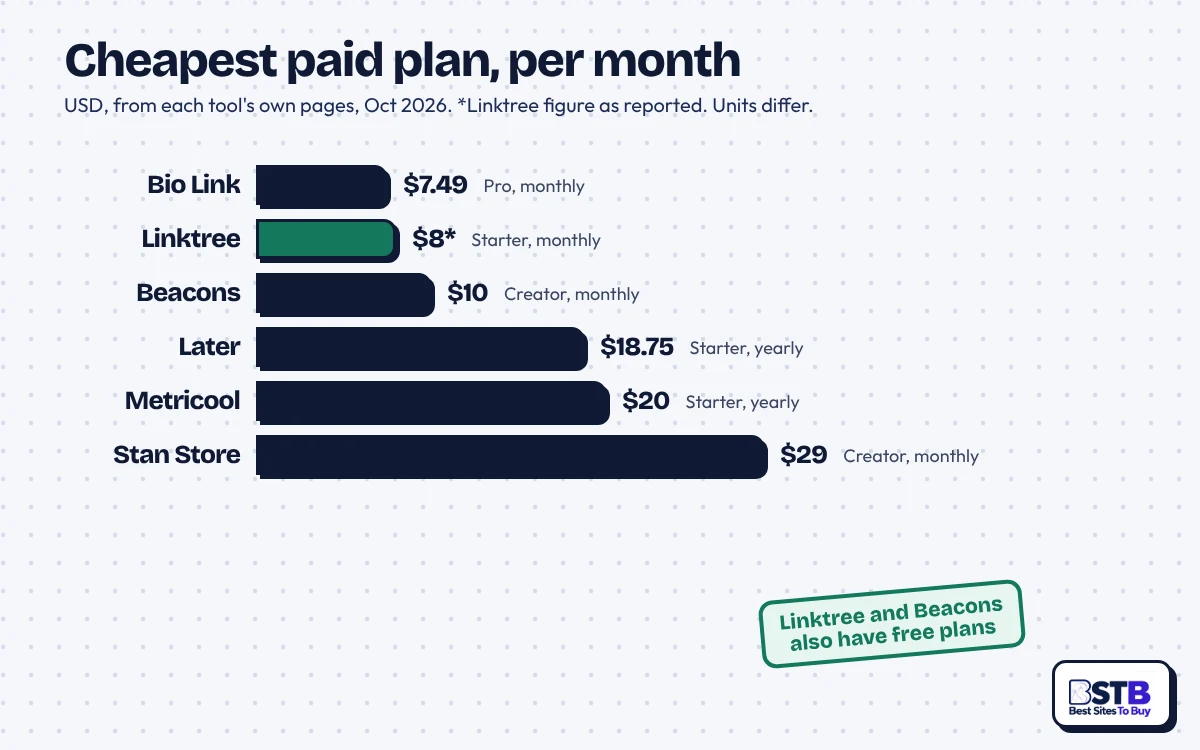
The best Linktree alternatives are Stan Store for selling, Beacons for a free store, Later or Metricool for scheduling, and Carrd or Bio Link for your own domain. Each prices differently, so compare what you would actually use.
| Tool | Cheapest paid plan | Free plan or trial | Selling fee | BSTB review |
|---|---|---|---|---|
| Linktree | Starter $8/mo (reported) | Free forever; 7-day Pro trial | 0% on Pro, plus Stripe | Rated Good |
| Stan Store | $29/mo or $300/yr | No free plan; trial offered | Not listed in plan article | Coming soon |
| Beacons | $10/mo or $100/yr | Free forever | 9%; 0% from $30/mo | Coming soon |
| Later | $18.75/mo billed yearly | 14-day trial | Not a store | Coming soon |
| Metricool | $20/mo billed yearly | Free plan; SmartLinks from Starter | Not a store | Coming soon |
| Carrd | $9/yr (Pro Lite) | 7-day Pro trial, no card | Not stated | Coming soon |
| Bio Link | $7.49/mo (Pro) | Free trial | Not stated | Coming soon |
Read from each tool's own pricing page or help center on October 21, 2026 (Metricool on October 16, 2026), in USD. Self-reported, subject to change, and plans differ in features, so compare like for like.
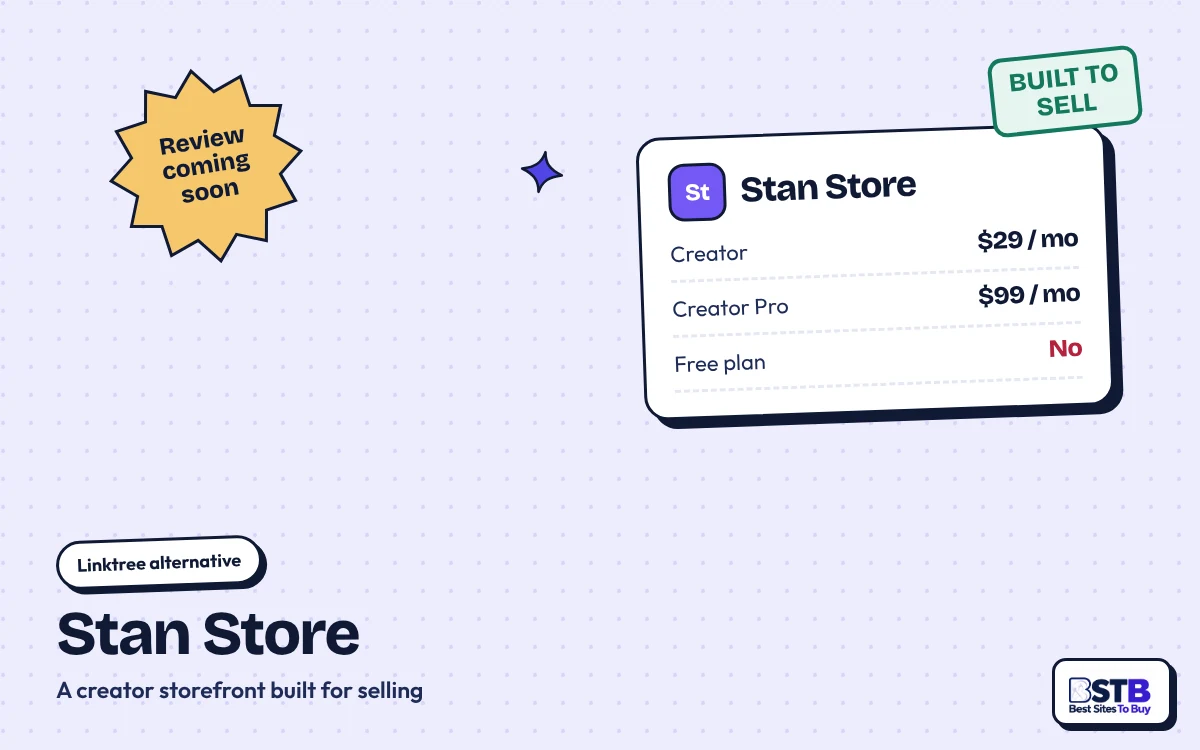
Stan Store is a creator storefront from $29 a month, or $300 a year, on Creator and $99 a month on Creator Pro. Courses, bookings, subscriptions and an Instagram AutoDM are built in, and it has no free plan "at the moment"; its help center mentions a trial. Best for: creators whose bio link is mainly a shop.
Stan Store review coming soon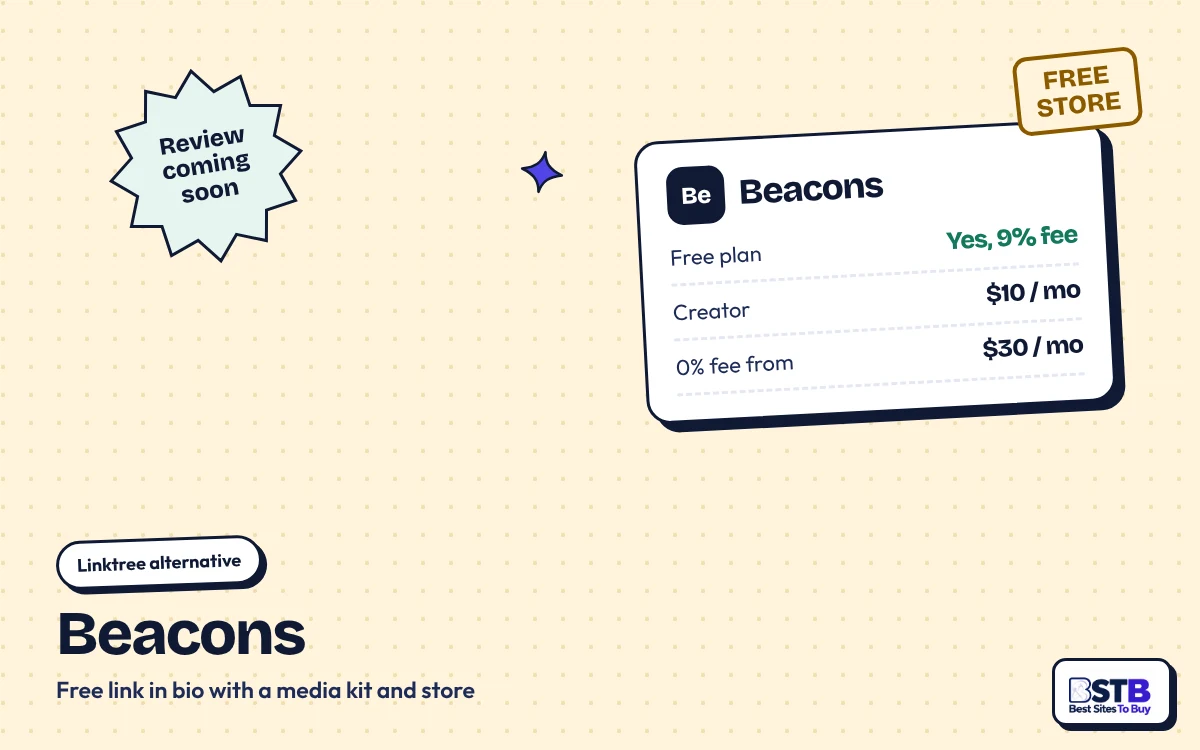
Beacons has a free-forever plan with a link in bio, media kit, unlimited digital products and a 9% seller fee. Creator costs $10 a month, and Creator Plus at $30 a month drops the seller fee to 0%. Best for: free selling with a media kit included.
Beacons review coming soon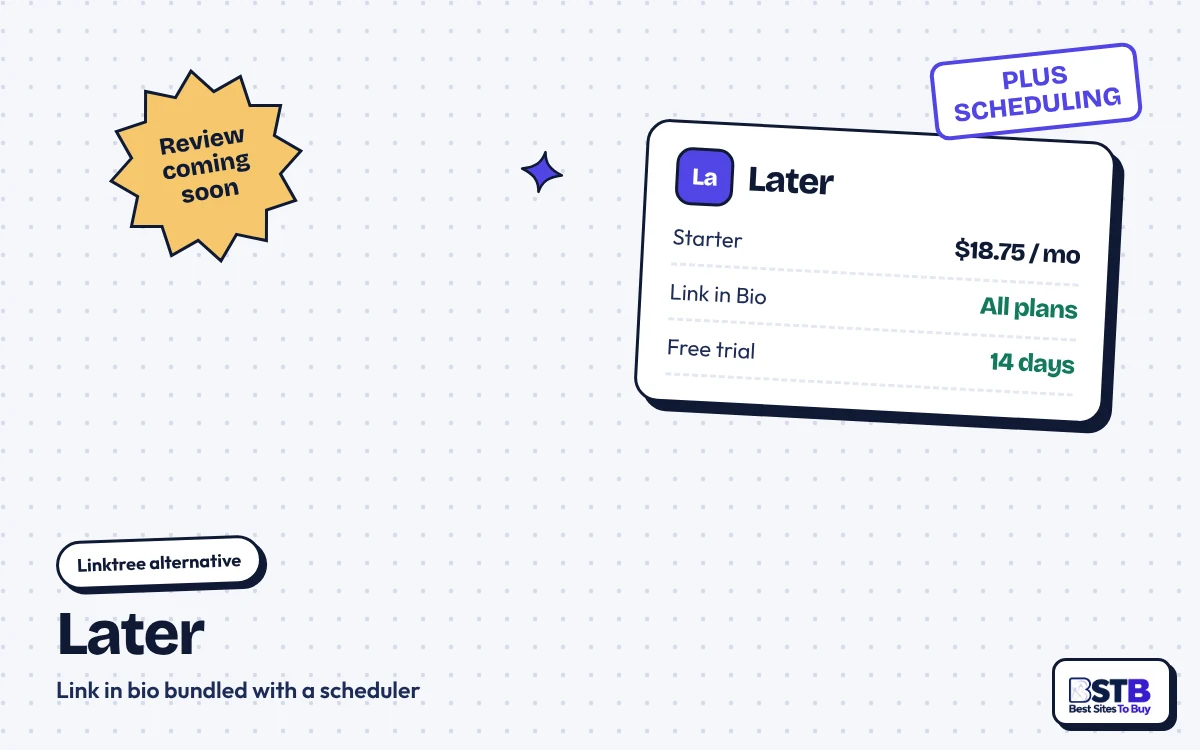
Later includes its Link in Bio page on every plan, starting at $18.75 a month billed yearly for Starter, alongside its social media scheduler. It offers a 14-day trial and no free plan. Best for: teams that already schedule posts and want the link page in the same tool.
Later review coming soon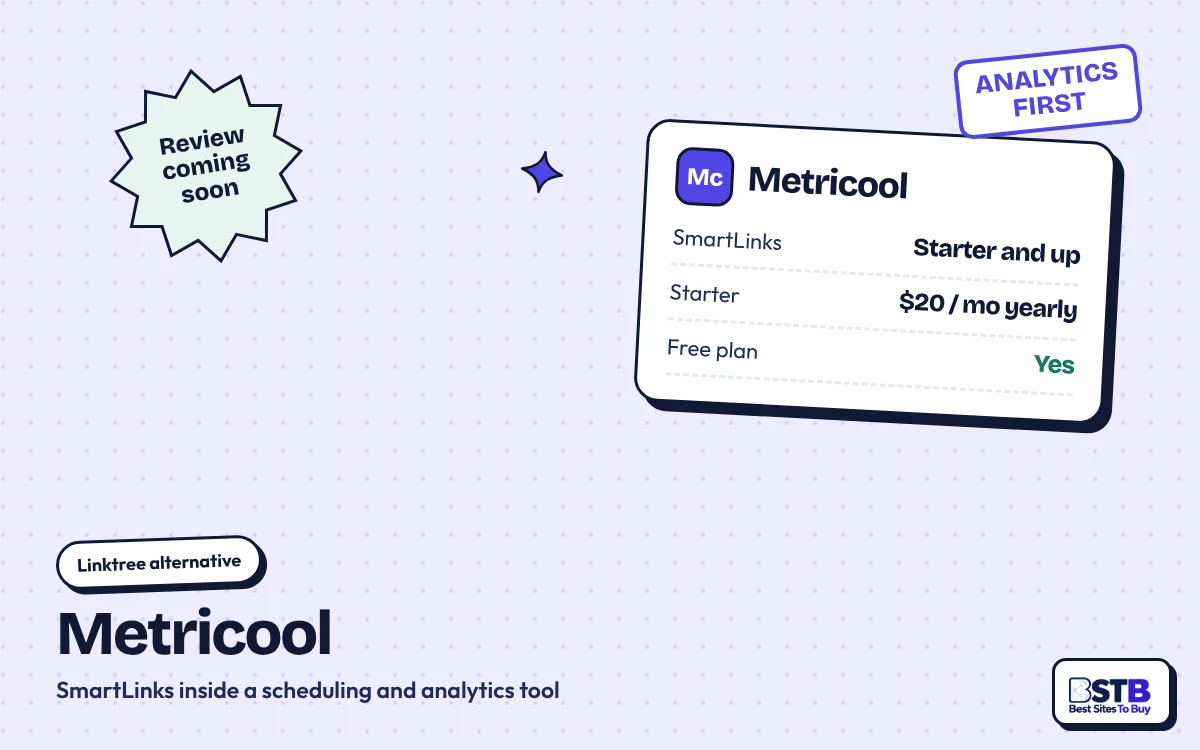
Metricool adds SmartLinks link-in-bio pages from its Starter plan at $20 a month billed yearly, inside a scheduler and analytics tool with a free-forever plan. Best for: managers who want link pages next to analytics and reports.
Metricool review coming soon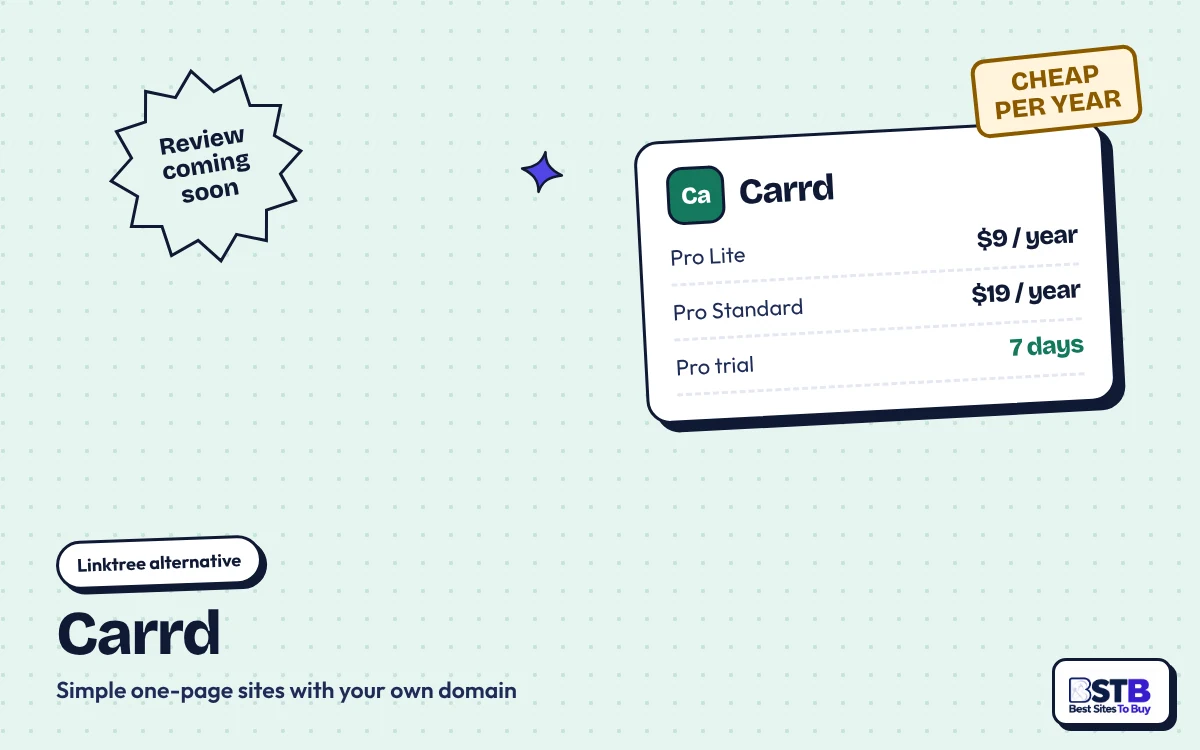
Carrd builds simple one-page sites, with Pro plans from $9 a year for three sites. Pro Standard costs $19 a year, and the 7-day Pro trial needs no card. Best for: a cheap one-page site on your own domain.
Carrd review coming soon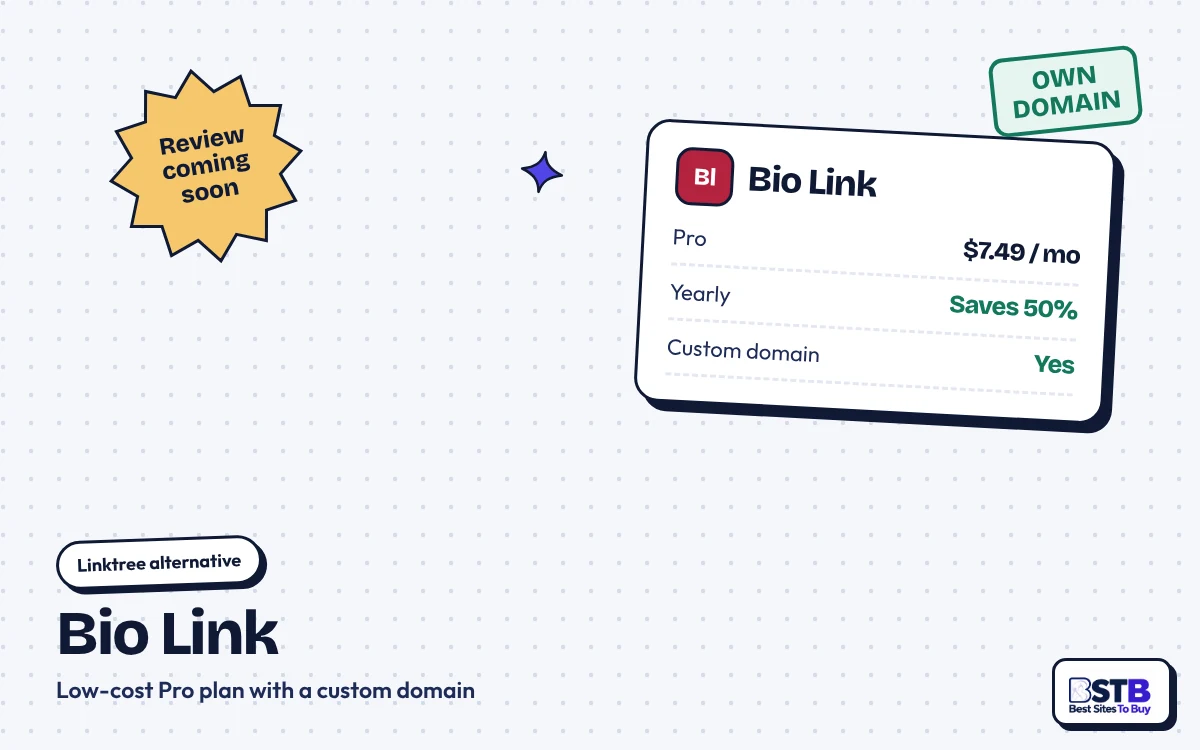
Bio Link's Pro plan costs $7.49 a month, with yearly billing that "saves 50%", and includes a custom domain, branding removal and an email list builder after a free trial. Best for: a low-cost link page on your own domain.
Bio Link review coming soonLinktree is better than Stan Store for a free, all-purpose link page, while Stan Store is built for creators who mainly sell. Linktree has a free plan and Pro is reported at $15 a month; Stan Store starts at $29 a month with no free plan but adds funnels, upsells and affiliate management on Creator Pro.
Linktree is better than Beacons for ease and recognition, while Beacons is better for selling on a free plan. Beacons lets free users sell with a 9% fee; Linktree needs Pro to sell digital products but then charges 0% Linktree fees, per its pricing page.
The right Linktree alternative depends on whether your bio link is a menu, a shop or a website.
You get more from Linktree by featuring and scheduling your main links, reading Insights monthly, using Instagram auto-replies and collecting emails you own. All four use features already in the plans, so they cost time rather than money.
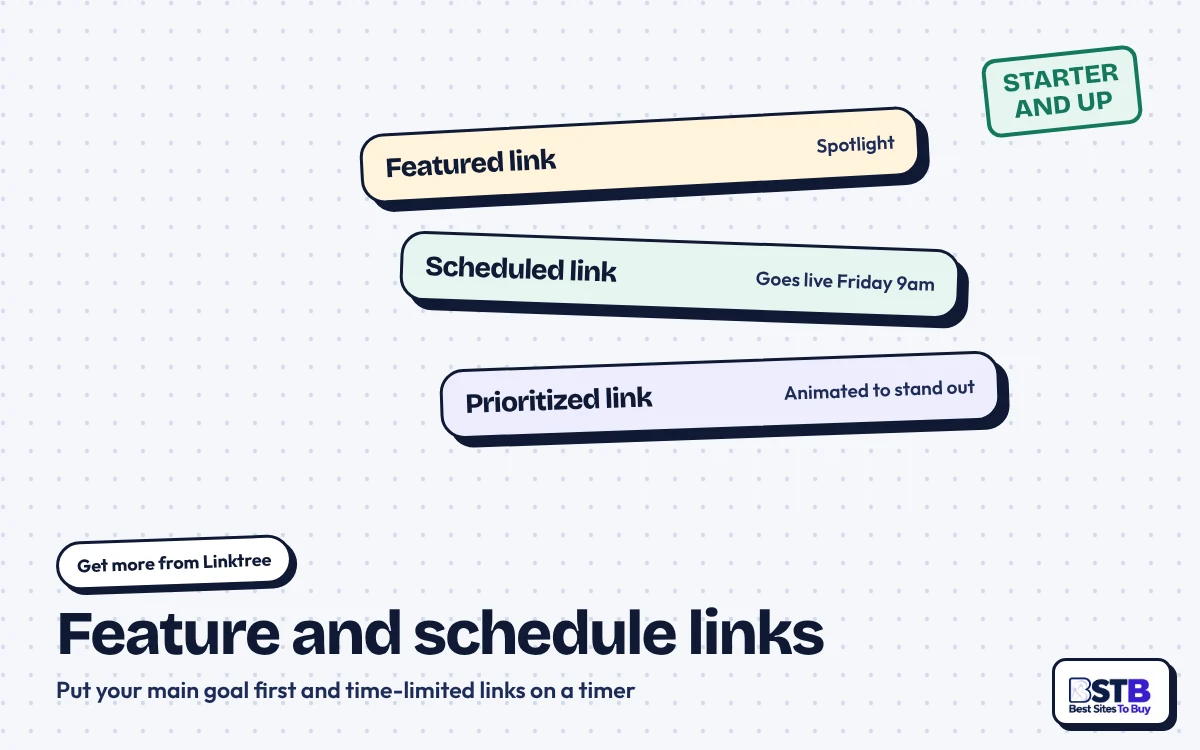
Linktree lets Starter users feature unlimited links, prioritize one with animation and schedule links to go live or expire. Put your single main goal at the top. Best for: launches, drops and limited offers.
Starter plan and above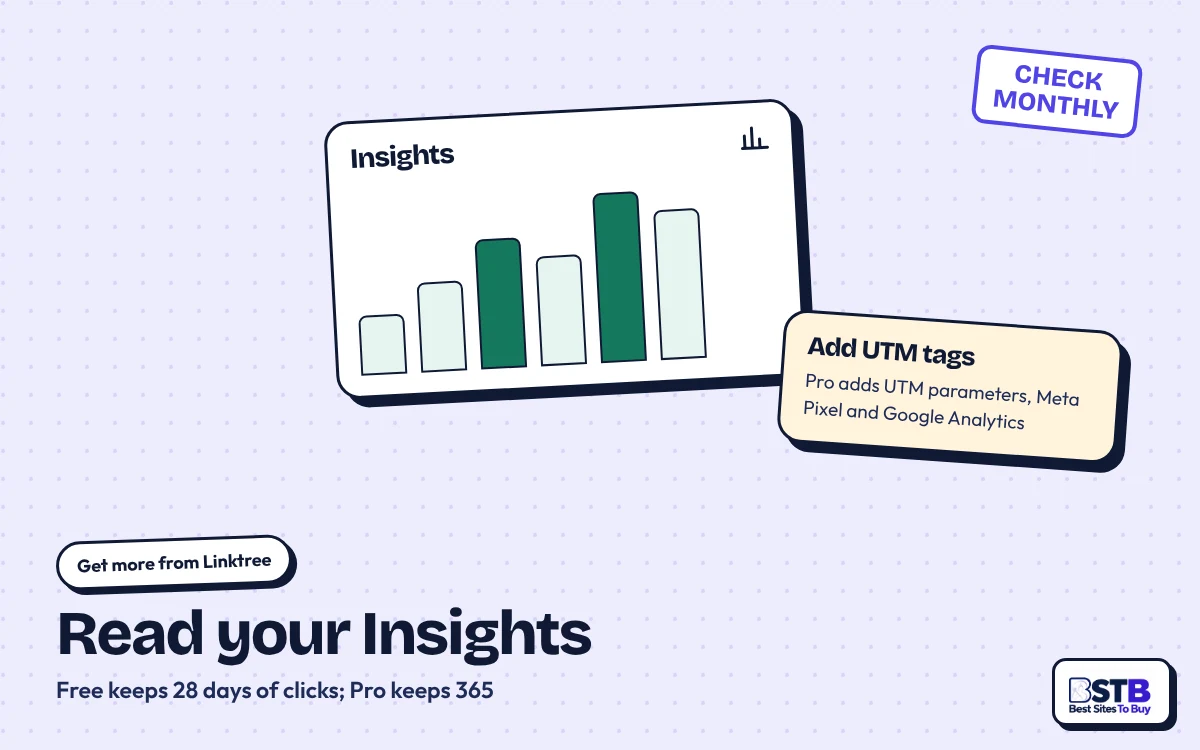
Linktree Insights show which links get clicked; Free keeps 28 days and Pro keeps 365, with UTM tags and Google Analytics. Note your top links each month. Best for: creators testing which content drives clicks.
28 days free, 365 on Pro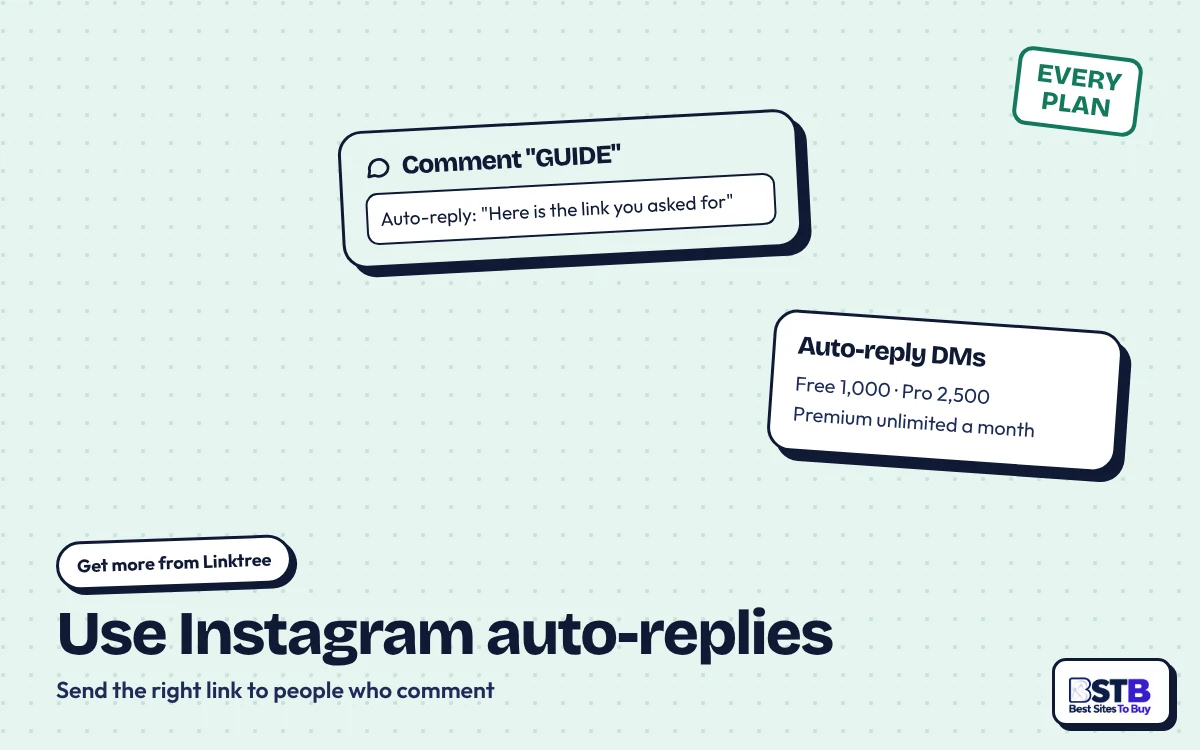
Linktree's auto-replies DM a link to people who comment a keyword, with 1,000 a month even on Free. Keep the message short and on-topic. Best for: Instagram creators sharing guides or offers.
Explore AI tools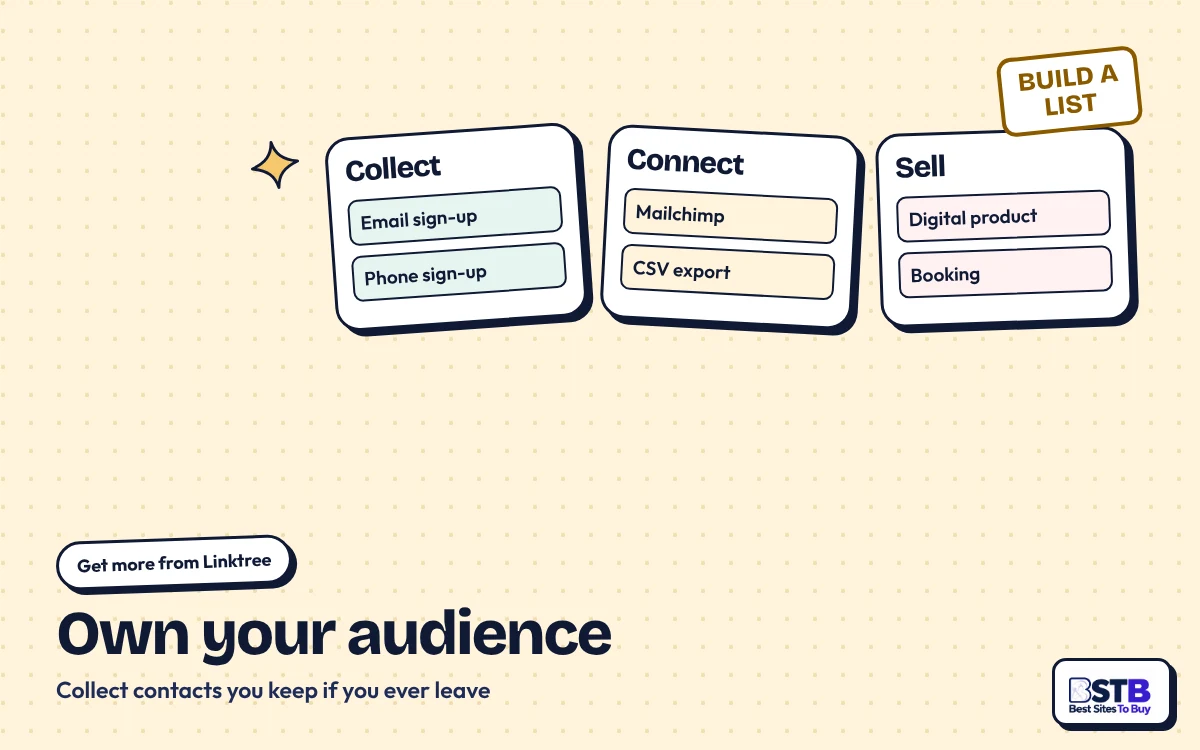
Linktree collects email and phone sign-ups on every plan, and Pro adds CSV downloads and mailing-list integrations. A list you own survives any platform change. Best for: anyone planning to sell later.
Sign-ups on every planThe Linktree free plan goes further when you plan around its limits; for more audience-growth ideas, see the BSTB blog.
Linktree suits creators, influencers and small businesses that want one easy, recognizable link for several destinations. Sellers outside supported countries, brands that need their own domain and agencies running many pages should compare other tools first.
Linktree is a good fit if you answer yes to most of the five questions below.
Linktree is good for creators and influencers because the free plan already includes unlimited links, sign-ups and Instagram auto-replies, and Pro adds 0% Linktree fees on digital products.
Course and product sellers should still compare Pro with Stan Store and Beacons on fees and checkout tools.
Businesses and agencies can use Linktree: Premium adds admin access, and Agency or Enterprise plans add team seats, dedicated support and volume discounts by quote. Every paid page is billed on its own and Capterra reviewers call multi-client management cumbersome, so price the whole roster first.
Anyone who needs their own domain, flexible refunds or selling outside supported countries should look at other tools before paying for Linktree.
Our Linktree review rates it Good: a legit, easy link-in-bio tool with a generous free plan, a 7-day Pro trial and 0% Linktree fees on Pro sales. The main things to watch are ads on Free pages, no custom domains, per-page billing and non-refundable payments.
It does the core job very well, with unlimited links, sign-ups, auto-replies and Insights free, and design, pixels and selling from Pro. Against that, prices were hard to confirm on its own page, each paid plan covers one Linktree, and selling is limited to about 40 countries. Start free, try Pro for seven days, then commit. Our rating: Good.
We reviewed Linktree by reading its pricing page, About page, Terms, Privacy Notice and help-center articles on plans, fees, cancellation, bans and custom domains on October 21, 2026. We checked its ratings on Trustpilot, G2, Capterra and the US App Store, read the Reddit and Quora threads and three AI assistants' answers shown above, and compared six rivals using their own pages. We did not use a paid Linktree account for this review. Read how we review every provider.
These 20 Linktree review FAQs answer whether Linktree is legit and worth it, plus pricing, fees, refunds, bans, support and alternatives. All facts come from pages read on October 21, 2026.
Yes, Linktree is legit: its Terms name Linktree Pty Ltd, ABN 68 608 721 562, in Collingwood, Victoria, and it publishes dated Terms, a Privacy Notice and a large help center.
Its About page says it was founded in Melbourne in 2016 and claims over 70 million users, which we could not verify. See how we review tools and sellers.
Sign up only on linktr.ee or Linktree's official apps, so its Terms and support apply.
Yes, Linktree is worth it for most creators and small businesses, because the free plan covers unlimited links and Pro adds selling with 0% Linktree fees.
It is less worth it if you need your own domain, many separate pages or a refund window. Compare other tools in our BSTB reviews.
Build your page on Free, try Pro for seven days, then decide.
Yes, Linktree has a free plan with no time limit, covering unlimited basic links, email and phone sign-ups and 1,000 Instagram auto-reply DMs a month.
The trade-offs are ads and limits. Linktree's help center says some Free pages "may show visitors a short ad after they select a link", as a limited test, and upgrading removes ads straight away.
Write down your top links monthly, because Free keeps only 28 days of Insights.
Linktree costs $0 on Free, and Starter, Pro and Premium are reported at $8, $15 and $35 a month on monthly billing, with lower prices billed yearly.
Linktree's pricing page loads its prices by script, so on October 21, 2026 we could read the plan features but not the figures; the prices above come from pricing guides updated in September and October 2026.
Check the live price and tax line at checkout before you confirm.
Linktree Pro removes ads, hides the Linktree logo, keeps 365 days of Insights instead of 28, and unlocks custom designs, tracking pixels and selling with 0% Linktree fees.
Pro also raises Instagram auto-reply DMs from 1,000 to 2,500 a month and adds subscriber CSV downloads. To judge whether link clicks match your reach, try our Instagram engagement rate calculator.
Use the 7-day Pro trial to see whether you actually use these features.
Yes, Linktree offers a 7-day free trial of Pro and Premium on its pricing page, and its Free plan never expires.
The Pro page warns that the "Pro trial auto renews into paid plan. Cancel anytime." Its Terms say payments are non-refundable, so cancelling before the trial ends is the safest way to avoid a charge.
Set a reminder for day six of your trial the day you start it.
Linktree lists 0% Linktree fees on Pro sales on its pricing page, but Stripe still takes 2.9% plus 30 cents on every direct sale, on every plan.
Linktree's fees help article says its own fee "depends on your Linktree plan". Older pricing guides list 12% on Free and 9% on Starter, and some list 9% on Pro, so check the fee shown at checkout.
Price products after Stripe's fee, not before it.
Yes, you can sell digital products, courses and bookings on Linktree with a Pro or Premium plan, paid through Stripe, in about 40 supported countries.
Shops, sponsored links and affiliate earnings are US only, and adult content cannot be sold. For tips on growing an audience to sell to, read the BSTB blog.
Check that your country is supported before you build a store page.
No, Linktree does not support custom domains: its help center says every Linktree uses its own linktr.ee/yourusername URL and you can't replace it with your own domain.
It also says it does not provide developer tools for domain forwarding. Some third-party answers, including Quora's bot in the screenshots above, say otherwise, but Linktree's own help article was updated on October 12, 2026.
If your brand needs its own domain, compare Carrd or Bio Link first.
Linktree may show a short ad on some Free pages after a visitor selects a link, as a limited test, and upgrading to any paid plan removes it.
Its help article, updated October 9, 2026, says paid tiers are exempt and that "upgrading removes them straight away". Starter is the cheapest plan without ads.
If ads would hurt a client or sponsor page, budget for Starter from the start.
Yes, you can cancel Linktree at any time from the Billing page, and you keep paid features until the billing period ends before moving to Free.
Cancelling stops renewal but does not refund the current period, because the Terms call payments non-refundable. If these terms change, contact BSTB and we will re-check them.
Cancel as soon as you decide, not on the renewal day.
Linktree's Terms say payments are non-refundable to the extent the law allows, though Linktree may make an exception at its discretion if you cancel within 72 hours.
Its cancellation help article does not mention refunds at all. On Trustpilot, some reviewers in October 2026 report quick refunds, while another was told it was too late for one.
Contact support within 72 hours of any charge you did not intend.
Linktree says a banned page most likely broke its Community Standards, and action can range from removing content to suspending the whole account.
If you think it was a mistake, use its "Appeal a Decision form"; only the account owner gets a reply. Some Capterra reviewers report pages flagged as spam without a clear reason. See how BSTB reviews providers.
Read the Community Standards before linking to giveaways, adult or financial content.
No evidence shows Linktree causes Instagram shadowbans; one Reddit user suspected it but said it may be "links in bios in general".
Linktree's help center says link warnings on Instagram or TikTok come from those platforms and "don't mean anything is wrong with your Linktree". Track reach after changes with our Instagram engagement rate calculator.
Keep your Linktree free of spammy or broken links to avoid platform warnings.
Linktree is reasonably safe for your data: it says it complies with the GDPR, offers multi-factor login, and lets you request or delete data through a DSAR form.
Its Privacy Notice, effective July 5, 2026, also says it "sells" some cookie data to advertising and analytics partners under California law and may share information with brand partners.
Turn on multi-factor authentication for your Linktree account.
Linktree is good for small businesses as a social link hub, but weak for SEO, because pages live on linktr.ee and custom domains are not supported.
Reddit replies in r/smallbusiness warn that a Linktree page will not come up when locals search for a service. Linktree says it can replace or sit alongside a website. More ideas are on the BSTB blog.
Keep a simple website for search, and use Linktree for social bios.
Linktree customer support is reached through the "Contact support" button in its help center, which opens a chat; no phone number, hours or reply time are listed.
Agency and Enterprise plans add dedicated support. Many recent Trustpilot reviews praise fast replies, while some Capterra reviewers mention slow follow-up. If you find outdated details here, contact BSTB.
Keep invoice numbers and screenshots for any billing question.
Linktree Pty Ltd owns Linktree, according to its Terms, with an address at 1-9 Sackville St, Collingwood VIC 3066, Australia, under Victorian and Australian law.
Its About page names co-founders Alex Zaccaria (CEO), Anthony Zaccaria and Nick Humphreys, and lists offices in Melbourne, Los Angeles, San Francisco and London. Linktree bought Koji in December 2023 and runs Plann.
A named company and governing law make billing disputes easier to escalate.
Linktree is better than Stan Store for a free, all-purpose link page, while Stan Store suits creators whose bio link is mainly a shop.
Stan Store starts at $29 a month and has no free plan "at the moment"; Linktree has a free plan and reports Pro at $15 a month. Browse more creator tools in our AI tools for social media directory.
Choose Stan Store if checkout tools matter more than a free plan.
The best Linktree alternatives are Stan Store for selling, Beacons for a free plan with a store, Later or Metricool for scheduling, and Carrd or Bio Link for your own domain.
Each prices differently, by month, year or features, so compare what you would actually use. More tool reviews will appear in our reviews hub.
Pick by goal first: menu, shop or website.
BestSitesToBuy Editorial Team. Researched and fact-checked against Linktree's own pages and public user reviews. Spotted something outdated? Tell us and we'll re-check it.
Disclosure: BestSitesToBuy is independent and not affiliated with Linktree, Stan Store, Beacons, Later, Metricool, Carrd, Bio Link or any social network. We may earn a commission from some links; this never affects our ratings. General information, not legal or financial advice. Prices and policies were checked on October 21, 2026 and may have changed.
Browse all BSTB reviews