Claude Code
4.4/5Paid
Agentic coding tool that reads a repository, edits files, runs commands and opens pull requests from plain-language requests
- Best for: Autonomous coding in the terminal
- Price: Pro $17/mo yearly, includes Claude Code

43 tools
AI agent tools give a language model a goal, access to tools and data, and permission to act: they plan the steps, use apps, check the result and carry on until the job is done. This page ranks the 43 best AI agents software on BSTB by their 9-criterion score, with what each agent can touch, whether a person approves its actions, and what it costs to run.
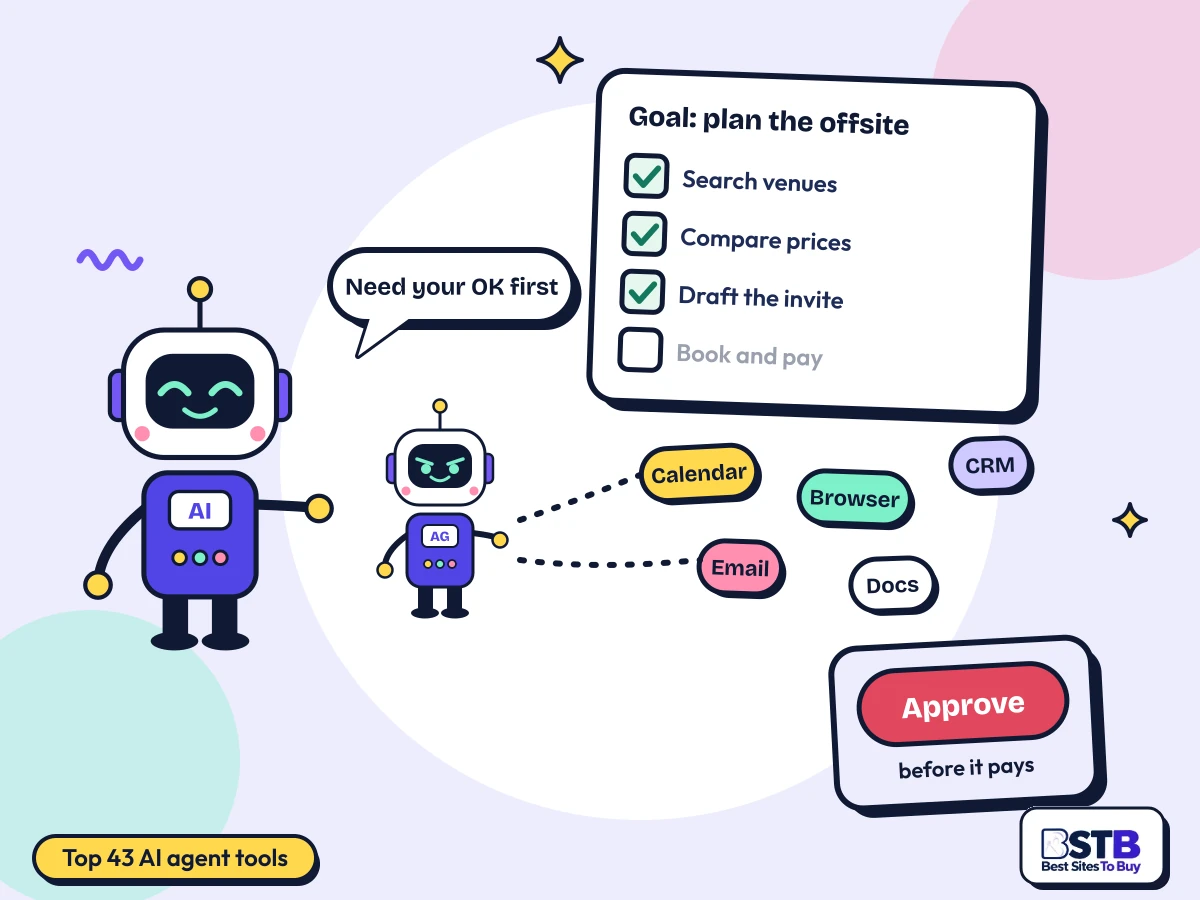
Every one of these AI agent tools online has its own BSTB page with a pricing model, plan prices, the tools and data it connects to, its approval and monitoring options, and a score from the same nine criteria.
Claude Code leads at 4.4/5, followed by seven tools at 4.3/5 including Intercom, Retell AI and n8n; filter the best AI agent tools by price or job.
Showing 43 of 43.
Agentic coding tool that reads a repository, edits files, runs commands and opens pull requests from plain-language requests

Open-source cloud sandboxes giving each AI agent an isolated Linux microVM to run code, commands and browse

Google's general AI assistant for chat, writing, research, coding and media, tied into Google apps

Helpdesk with the Fin AI agent that resolves customer chats, emails, calls and Slack messages and escalates to people

Visual collaboration canvas with board-aware AI Sidekicks and multi-step Flows

Visual workflow automation linking apps, APIs and AI models, with agent nodes and self-hosting

AI SOC analyst agents that triage and investigate security alerts across connected tools and return cited verdicts

Platform for building, testing and deploying voice agents that answer and place phone calls

Anthropic's desktop agent mode where Claude plans and completes multi-step office work in approved folders and apps

OpenAI's coding agent that reads a repo, edits files, runs tests and returns reviewable changes

Perplexity's Chromium browser with a side-panel assistant that summarises pages and runs multi-step browser tasks

Shared-inbox helpdesk in Gmail and Outlook with AI agents that resolve tickets by following written procedures

Customer service AI handling calls, web chat, web voice and email from one console

Testing agent that plans, writes, runs and maintains end-to-end tests from plain-English instructions

Open-source Python/JS framework plus LangGraph and LangSmith for building, tracing and deploying LLM agents

Memory layer that extracts, stores and recalls facts for AI agents and LLM apps

Free self-hosted personal agent taking chat-app instructions to handle email, calendar, browsing, files and shell

Agent-based AI code review that checks pull requests against repo context and team rules

LLM engineering platform with a model gateway, tracing, evaluations and prompt management for agent apps

AI phone agent that answers calls around the clock, handles FAQs, books meetings and routes callers

Enterprise AI customer service agents that follow Playbooks and take actions across chat, email and voice

Cloud Chrome sessions for AI agents via SDK or CDP, with session replay

Email-first executive assistant that spins up agents to schedule, sort inboxes, update CRMs and follow up

No-code platform for assembling AI assistants and multi-step workflows grounded in company files, meetings and apps

No-code builder for support and sales agents trained on your docs and deployed to web, email, messaging and phone

Support platform where an autonomous agent closes routine Tier 1 tickets and drafts replies for human staff

Multi-agent framework and hosted platform for teams of agents sharing tasks, tools and memory

Governed agent platform for B2B revenue work: account research, meeting briefs, follow-ups and CRM updates

Managed service that builds and runs five growth agents for SEO, outreach, community, newsletters and social

Hosted Chrome profiles with persistent sessions and proxies that scripts and AI agents drive via Playwright, Puppeteer or MCP

AI recruiter that runs first-round voice, video and SMS screening interviews, scores and ranks candidates

AI lab whose Sculptor app runs several coding agents in parallel containers, plus a waitlisted personal AI OS

Open-source Rust agent runtime from NEAR AI running background automations while keeping credentials from the model

No-code builder that turns forms, documents and site content into chat, phone and messaging support assistants

Team AI assistant in Slack, email and iMessage that runs research, reports and scheduled routines across connected apps

General agent that plans and carries out multi-step work like research, slides, websites and browser tasks

Open-source desktop workspace for running parallel Claude Code and Codex sessions with block-by-block diff review

Managed cloud hosting for OpenClaw assistants with personas and memory, reachable on messaging apps

No-code builder for AI agents and multi-agent teams that run business tasks across connected apps

Web infrastructure API that lets AI agents search, read and act on live websites

Automation platform combining AI agents, software robots and human approvals inside governed processes

Accounts payable automation that captures, codes, approves and pays invoices, with agentic helpers

Ticketing, approvals and help desk inside Slack and Teams, with AI that drafts replies and answers from docs
AI agent tools let a language model act, not just answer. You give the agent a goal and access to tools, and it plans the steps, uses the tools, checks the result and keeps going until the task is done.
A chatbot replies to a message. An agent is given a job, such as resolving a refund ticket or fixing a failing test, and works through it on its own: it looks up the order, checks the policy, issues the refund in the billing system and writes back to the customer. The difference is tools. Of the 124 agent tools BSTB opened in this category, 110 connect to external tools, apps or APIs, and 91 claim to complete multi-step tasks without step-by-step instructions.
Agents come in three shapes, and most buying mistakes come from picking the wrong one. Ready-made agents do one job out of the box, like Intercom's support agent or ZenCall.ai's phone answering. No-code builders such as Relevance AI, Lindy AI and Cassidy let you assemble your own. Frameworks such as LangChain and crewAI are for developers writing agents in code.
The category as published is broad and partly stale. Of the 178 tools tagged AI agents on BSTB, 54 look off-topic from their listing alone, such as ad platforms, video studios and 3D generators. Among the 124 opened, several are discontinued or archived, one plan is listed twice under two scores, and one governs agents rather than running them. None of those are on this page.
An agent loops: it reads the goal, picks a step, calls a tool, reads the result and repeats until the goal is met or it needs approval.
A task in plain language, plus any rules: what it may do, what needs approval, when to stop.
The model picks the next action, such as searching, reading a file or calling an API.
Through an integration, an API or MCP, the agent acts in another system and reads the result.
It compares the result with the goal, then takes the next step, asks for approval, or finishes.
Resolve support tickets end to end, answer phone calls, write and test code, research and fill in records, run back-office checks, and automate multi-step tasks across your apps.
Pick by the job: customer support, phone calls, a no-code builder, a business function, coding, autonomous computer use, or frameworks and infrastructure. Each tool sits in the group where it is strongest.
AI tools to deploy customer support agents on chat, email and help desks, trained on your help content with a hand-off to people.
Agents that answer and make calls: booking, triage and after-hours cover, priced by the minute or by plan.
AI tools to build agents for business tasks without code: describe the job, connect apps, add approval steps.
AI agent tools for business teams: sales, security operations, hiring, accounts payable and growth marketing.
Agents that write, test and review code: from a terminal agent to pull request review and test automation.
AI tools to create autonomous AI agents, and AI tools to automate multi-step tasks in a browser or on your desktop.
AI tools to connect agents to external tools: frameworks, sandboxes, cloud browsers, memory and monitoring for builders.
A ready-made agent does one job well from day one. An agent you build in a no-code tool or framework does exactly your job, but takes setup, testing and upkeep. Start ready-made if one fits.
| Ready-made agent | Agent you build | |
|---|---|---|
| Time to value | Days, often hours | Weeks of building and testing |
| Fit to your process | The vendor's way of working | Exactly your steps and rules |
| Skills needed | Configuration only | No-code logic, or code for frameworks |
| Pricing | Per seat, minute or resolution | Platform fee plus model usage |
| Control and approvals | What the vendor offers | Wherever you place them |
| Best for | Support, phone, a single function | Unique processes, many connected systems |
| On this page | Intercom, ZenCall.ai, Claude Code, Manus | Relevance AI, Lindy AI, n8n, crewAI |
Many vendors offer both: a ready-made agent you can later customise. Check whether customising requires a higher plan.
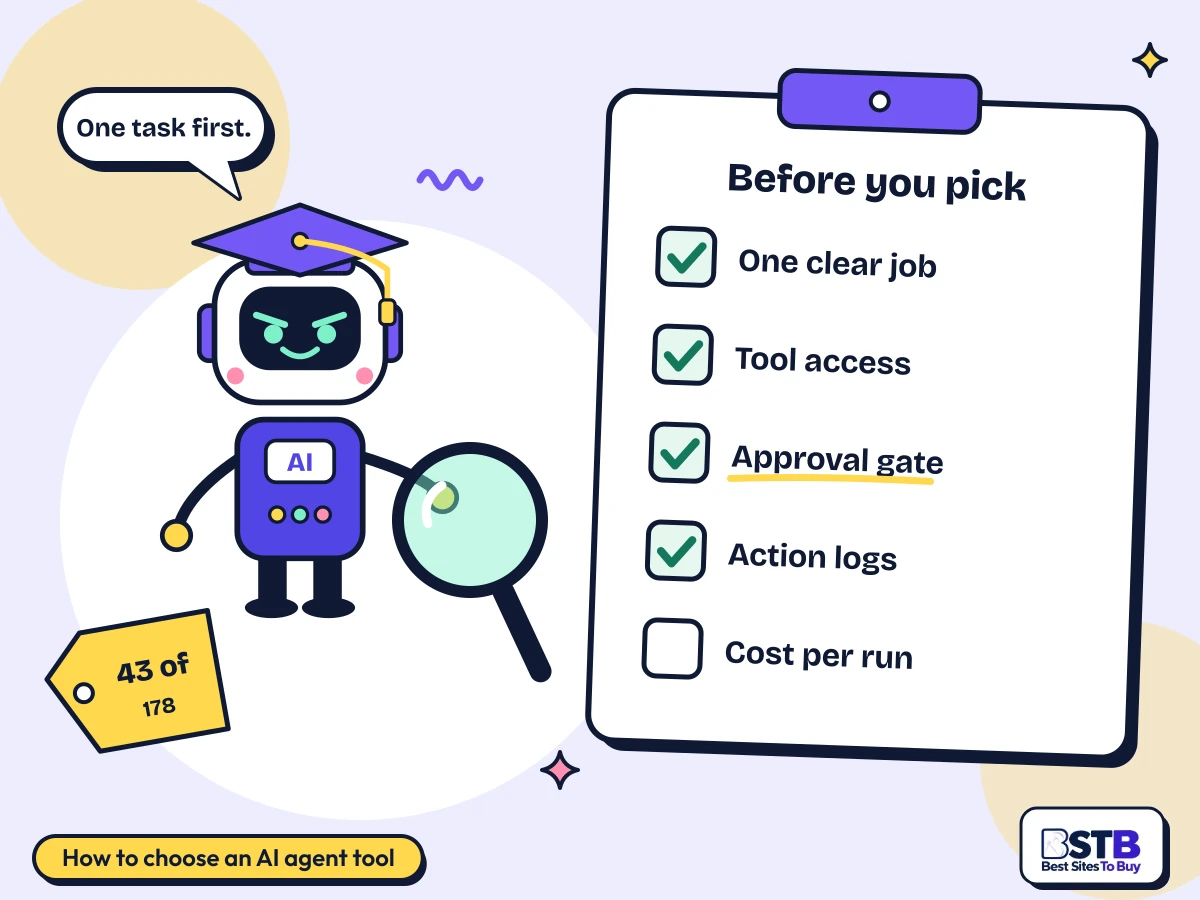
A good one does a clear job reliably, connects to the tools it needs, asks before risky actions and logs every step. A predictable cost per task comes next.
These overlap with BSTB's nine scoring criteria. Accuracy and Reliability and Data Privacy and Security weigh most here, because agents act.
Pick one narrow task, start read-only, add an approval before it acts, and test on real cases while watching the log. Widen permissions only once it has earned them.
"Answer order-status questions" beats "handle support". Narrow agents fail less.
Let it look up data and draft answers before it can change anything.
Before refunds, emails to customers or code merges, a person says yes.
Run 20 real examples and read every action in the log, not just the final answer.
Remove an approval only when the agent has handled that action correctly many times.
Start from one job, check the agent connects to the systems it needs, confirm it asks before acting and logs every step, then price one real task. AI agent tools for beginners should be ready-made.
Support, phone, coding or a back-office task. Use the job filter above the grid.
List the systems the agent must read and change, and check each one is supported.
Find where approvals go and whether you can require them for specific actions.
Run a test task and read the log. You should see every step and tool call.
Price one real task, including model usage, then multiply by monthly volume.
Free AI agent tools exist for testing: 26 of the 43 here have a free plan, free credits or a free open-source edition. Paid pricing varies more than in any other category, from per seat to per minute.
Builders and frameworks are often free to start: n8n, LangChain, crewAI and OpenClaw are free to self-host, and Chatbase and Jotform AI Agents have free plans. Ready-made agents usually price by usage: Retell AI by the minute, CoSupport AI from $0.04 per AI response, and Intercom per seat. Enterprise agents such as Ada, Prophet Security and Vic.ai are quote only. Several tools have recently retired free plans, including Relevance AI.
| Pricing model | Tools on this page | What you get | Tools |
|---|---|---|---|
| Free | 3 of 43 | Everything free, no paid tier | OpenClaw, Imbue, Nimbalyst |
| Freemium | 23 of 43 | Free plan with limits, paid upgrade | E2B, Google Gemini, Miro, n8n, Codex, Comet, LangChain, Mem0, Respan, Browser Cloud by TestMu AI, Carly AI, Cassidy, Chatbase, crewAI, Dhisana AI, Gologin Cloud Browser, IronClaw, Jotform AI Agents, Lindy AI, Manus, PaioClaw, TinyFish, UiPath |
| Paid | 17 of 43 | Paid only, sometimes with a trial | Claude Code, Intercom, Prophet Security, Retell AI, Claude Cowork, Hiver, Hostcomm AI Agent, KaneAI, Qodo, ZenCall.ai, Ada, CoSupport AI, enso, HeyMilo AI, Relevance AI, Vic.ai, Wrangle |
Prices come from each tool's BSTB page; most are marked reported because official pages conflict or hide them. Three cautions. Model usage is often billed on top of the platform fee. A per-resolution or per-minute price is cheap per unit and expensive at volume. And self-hosted is free software, not free running costs.
Agents can take wrong actions confidently, follow instructions hidden in the content they read, run up costs in loops, and hold broad access to your systems. Limit permissions, require approvals and watch the logs.
BSTB scores every one of these AI agents on the same nine criteria, and the overall score is the mean of the nine.
Scores are based on each tool's official pages, documentation, published pricing and hands-on checks where available. For agents, reliability and data privacy weigh most heavily, because agents act on your behalf. Every overall score on this page matches the mean of its nine criteria to one decimal, checked in code for all 124 tools BSTB opened in this category. Read more about how BSTB tests and scores tools.
AI agents overlap with these categories. Browse them or see the full AI tools directory.
Quick answers on agents vs chatbots, building without code, autonomy, tools and data, approval steps, suitable tasks, monitoring and security.
An AI agent works towards a goal by taking actions with tools; a chatbot replies to messages. The agent decides the next step itself and acts in other systems.
Ask a chatbot how to issue a refund and it explains. Ask a support agent such as Intercom or Chatbase, and it can look up the order, check the policy and process the refund, if you let it. That ability to act is what makes agents useful and what makes approval steps important.
Many products called agents are chatbots with one or two actions. Check what the tool can actually change.
Use a no-code agent builder: describe the job, connect the apps it needs, add approval steps, then test it on real cases. 18 of the 43 tools here have a no-code builder.
Relevance AI builds multi-agent teams without code, Lindy AI runs team agents from Slack, Cassidy grounds agents in your company knowledge, and n8n adds agent steps to visual workflows. For support, Jotform AI Agents and Chatbase train an agent on your help content in minutes.
No competitor page walks through building an agent step by step; the steps above are BSTB's own.
Yes, within limits. 91 of the 124 agent tools BSTB opened claim multi-step autonomy, but reliability drops on long, vague tasks, so narrow jobs with approvals work best.
Coding agents such as Claude Code and Codex and general agents such as Manus can plan and execute dozens of steps. In practice, agents do well when the goal is clear and the tools are few, and they struggle when they must judge ambiguous situations or recover from unexpected errors.
No competitor covers how far autonomy really goes. Treat a vendor's autonomy claim as a starting point for testing.
Through integrations, APIs and the Model Context Protocol (MCP). The agent chooses a tool, sends it a request, reads the result and decides what to do next.
Tools can be anything with an interface: a CRM, a calendar, a database, a web browser, a code sandbox. E2B gives agents a safe sandbox for running code, Browser Cloud by TestMu AI and GoLogin Cloud Browser give them cloud browsers, TinyFish lets them act on websites by API, and Mem0 gives them long-term memory. Knowledge bases add your documents so the agent answers from your content.
Yes, and you should for anything costly or irreversible. 31 of the 43 tools on this page offer an approval step or human hand-off.
Lindy AI pauses for sign-off before irreversible actions, crewAI has approval gates, Relevance AI uses approval and escalation rules, and support agents such as Intercom and Ada hand off to a person when unsure. Place approvals before payments, deletions, messages to customers and code merges.
Competitors mention approvals only inside other answers; none shows which tools support them.
Repetitive, rule-bound tasks with a clear finish and a checkable result: support tickets, call answering, code fixes, data entry, lead research and alert triage.
The jobs agents do best in this list are customer support (Intercom, Ada, Chatbase), phone answering (Retell AI, ZenCall.ai), coding and testing (Claude Code, KaneAI, Qodo), and back-office work such as security alerts (Prophet Security). Avoid giving agents tasks with high stakes and no clear right answer, such as legal judgements or hiring decisions, without close human review.
Read the action log: every step, tool call, input and result. 36 of the 43 tools here describe logs, traces or analytics for agent actions.
Builders such as n8n and Relevance AI log each run step by step, crewAI adds tracing, and Respan is built specifically for monitoring and evaluating agents across tools. Review logs daily at first, set alerts for failures and spending, and sample successful runs too, since a confident wrong answer looks like success.
The main risks are over-broad permissions, prompt injection from content the agent reads, wrong actions taken confidently, and data passing to vendors and model providers.
Prompt injection is the agent-specific one: a web page, email or document can contain instructions that redirect the agent, for example to send data somewhere. The defences are the same as for any powerful account: least-privilege access, approval before risky actions, logs, and limits on what tools an agent can reach while reading untrusted content. 24 of the 43 tools here name security certifications on their BSTB page.
No competitor explains prompt injection in plain language, although it is the risk most specific to agents.
A ready-made agent does one job out of the box, a builder lets you assemble agents without code, and a framework lets developers write agents in code.
Ready-made: Intercom, ZenCall.ai, Claude Code. Builders: Relevance AI, Lindy AI, Cassidy, n8n. Frameworks: LangChain and crewAI. Infrastructure tools such as E2B and Mem0 support agents built with any of these.
Often you cannot undo it automatically, which is why approvals and logs matter. Some actions, like a sent email or a payment, are irreversible.
Prevention beats recovery: keep irreversible actions behind approval, test in a sandbox or with read-only access first, and use the action log to trace and fix what went wrong. Code agents are the exception, since version control lets you roll back changes.
Every tool is scored from 1 to 5 on nine criteria, and the overall score is the mean of the nine. Reliability and data privacy matter most for agents.
The nine criteria are Accuracy and Reliability, Ease of Use, Functionality and Features, Performance and Speed, Customization and Flexibility, Data Privacy and Security, Support and Resources, Cost-Efficiency and Integration Capabilities. Read more about how BSTB tests and scores tools.
Card ratings on the category listing show 0.0 because they count user reviews. The editorial score on each tool's page is the one used here.
The list is reviewed regularly and whenever a tool changes its pricing, is renamed, or shuts down. Status badges on the cards flag recent changes.
Agent products change faster than any other category: in this listing several have been renamed, pivoted, merged or shut down, and free plans have been retired. If you spot an out-of-date price or a tool that should be listed, tell the team through the contact page.
Where a price is marked reported, confirm it with the vendor before subscribing.
Send us your tool's name, website and pricing. The BSTB team reviews every submission before it joins the AI tools directory.