Best AI Transcription Tools 2026: Audio to Text - BSTB
21 tools~
21 Best AI Transcription Tools for Recordings, Meetings, Interviews and Subtitles
AI transcription tools turn speech in audio and video recordings, meetings and interviews into editable text, with speaker labels, timestamps and subtitles. This page ranks the 21 best AI transcription tools on BSTB by their 9-criterion score, with what each one transcribes, how it exports, how it handles your data, and what it costs.
Top 21 of 53 tools 17 of 21 free to start
Why You Can Trust BSTB's AI Tool Listings
Every tool here has its own BSTB page with a pricing model, plan prices, language counts, export formats, security claims and a score from the same nine criteria. Three duplicate listings and 16 tools where transcription is not the main job were left off.
Speech recognition API and companion app that turns live and recorded speech into text in 60+ languages, with speaker labels, built-in translation and TTS.
Meeting assistant that records Zoom, Meet, Teams, Slack and in-person meetings, writes structured notes and action items and makes past calls searchable.
Best for: Meeting and in-person notes with actions
Transcribes uploaded audio and video, in-app recordings and online meetings into editable text in 100+ languages, with speakers, summaries and translation.
Best for: Files and meetings with SRT and VTT export
Meeting assistant that transcribes calls live, joins Zoom, Meet and Teams or records via apps, and produces summaries, action items and searchable notes.
Best for: Live meeting transcripts with speaker labels
Bot-free meeting recorder that captures calls and in-person talks, then delivers transcripts, templated summaries, action items and a search assistant.
Best for: Bot-free recording across many platforms
Turns audio and video files or media links into editable, speaker-labelled transcripts, then builds summaries, action items, mind maps, quizzes and chat answers.
Best for: Cheap file transcription processed in the EU
No tools match those filters. Try another option or price.
The basics
What Are AI Transcription Tools?
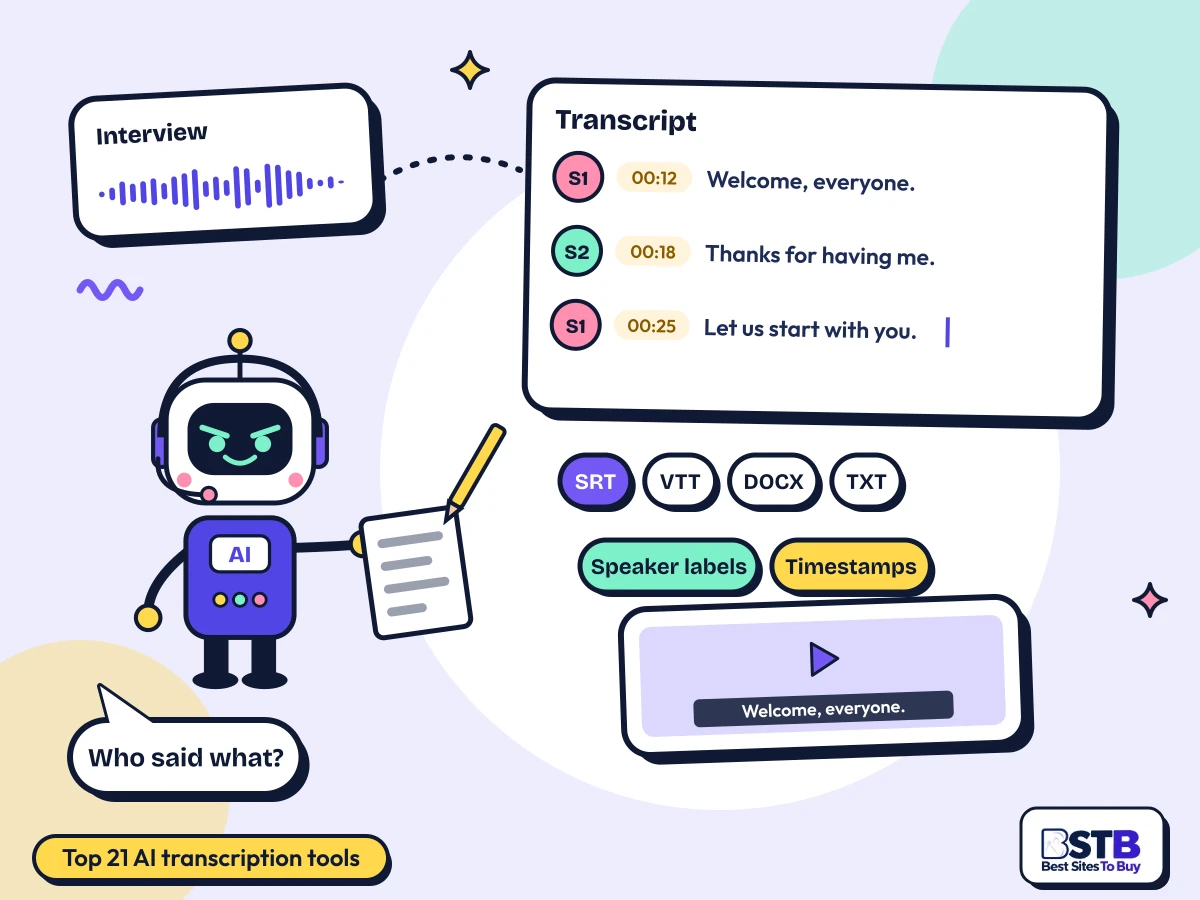
AI transcription tools use speech recognition to turn spoken audio into written text, then add speaker labels, timestamps, subtitles and summaries you can edit and export.
There are three main types. Meeting assistants such as Fireflies.ai, Otter.ai and Granola capture Zoom, Meet and Teams calls and return a transcript with notes. File tools such as TurboScribe, Sonix and Transcript.LOL transcribe recordings you upload, from interviews to lectures. Developer APIs such as AssemblyAI and Soniox add speech-to-text to your own product.
All of these AI transcription tools online work in a browser or app, and most add AI summaries: 37 of the 53 tools in this category do. Fewer cover the basics that researchers and video editors need: only 14 mention subtitles, 13 name export formats and 6 mention timestamps.
The category has some clutter. Three tools are listed twice, four have no transcription at all, and several are medical scribes, dictation apps or video editors where transcription is a side feature. None of those are on this page.
How Do AI Audio to Text Tools Work?
A speech recognition model converts the audio into words, a second step separates and labels speakers, and the tool adds punctuation, timestamps and summaries before you edit and export.
You record or upload
A meeting, interview, voice memo, podcast or video.
Speech becomes text
The model recognises words and adds punctuation.
Speakers are labelled
Voices are separated and tagged as Speaker 1, 2, and so on.
You edit and export
Fix names and terms, then export TXT, DOCX, SRT or VTT.
What Can You Do With AI Transcription Tools?
Transcribe recordings and interviews, turn meetings into searchable notes, create subtitles for video, translate transcripts, and add speech-to-text to your own apps.
Recordings to text: voice memos, lectures and podcasts.
Meeting notes: transcripts, summaries and action items.
Interviews: speaker-labelled transcripts for research and reporting.
Subtitles: SRT or VTT files for video.
Many languages: dozens of languages, plus translation.
Apps: speech-to-text through an API.
By job
Best AI Transcription Tools by Job
Pick by the job: meeting bots, bot-free notes, uploaded files, interviews with speaker labels, subtitles, or a speech-to-text API. Tools that do several jobs well appear in more than one group.
Meeting bots
AI tools to convert meetings into text: a bot joins Zoom, Google Meet or Teams, then sends a transcript and notes.
Transcript.LOL: Cheap file transcription processed in the EU
Know the difference
Meeting Assistants vs File Transcription Tools
Meeting assistants capture calls and turn them into notes. File transcription tools turn recordings you already have into accurate, exportable text. Many people need one of each.
Several tools do both: Notta, MeetGeek, Transkriptor and Krisp transcribe meetings and uploaded files.
What to look for
What Makes a Good AI Transcription Tool?
A good one is accurate on your audio, labels speakers, supports your languages, exports what you need, and is clear about how it stores your recordings.
Accuracy on your audioVendor claims run to 99%, but test with your own accents and noise. 13 of 53 publish a figure.
Speaker labelsSeparates and names speakers. 22 of 53 mention it.
Your languages36 of 53 state a language count; check mixed-language audio too.
Useful exportsTXT, DOCX, PDF, SRT and VTT. Only 13 of 53 name export formats.
Clear data handlingEncryption, retention, deletion and no training on your audio. 44 of 53 state something.
A free plan to test36 of 53 have one. Test with a real recording first.
These overlap with BSTB's nine scoring criteria, which also weigh speed, support and integrations.
Step by step
From Recording to Clean Transcript, Step by Step
Record clean audio, upload it with the right language and speaker settings, review the names and terms the model misheard, then export in the format you need.
Record cleanly
One mic per speaker where you can, and little background noise.
Set the language
Choose the spoken language and turn on speaker labels.
Review the transcript
Fix names, jargon and numbers; rename speakers.
Check the timing
For subtitles, check line length and sync.
Export
DOCX or PDF for reading, SRT or VTT for video, TXT for analysis.
Buyer checklist
How to Choose an AI Transcription Tool
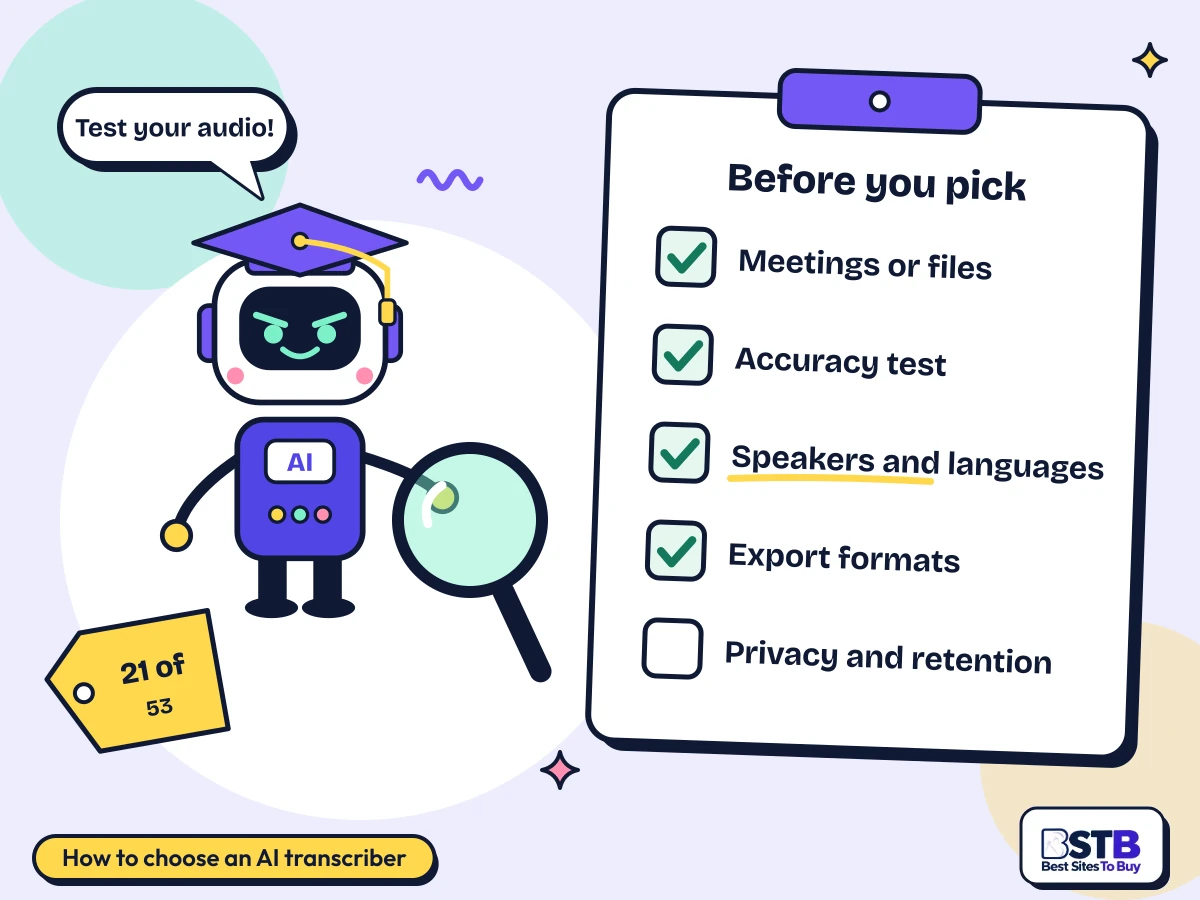
The best AI audio to text tools depend on your audio. Decide between meetings and files, test accuracy on your own audio, confirm languages and speaker labels, check the exports, and read the data and retention terms.
Meetings or files
Meeting bots differ from upload tools; some do both.
Accuracy test
Upload a real recording with your accents and noise.
Speakers and languages
Speaker labels and your languages, including mixed audio.
Export formats
DOCX, SRT or VTT, with timestamps if you need them.
Privacy and retention
Check deletion, storage region and training use.
Test it on your own recording first.
Pricing
Free vs Paid AI Transcription Tools
Free AI transcription tools are good for testing: 17 of the 21 here have a free plan. Paid plans remove minute caps, add languages, exports, integrations and admin controls.
File tools are cheap at volume: TurboScribe and Transcript.LOL are $10 a month billed yearly for unlimited transcription, and Sonix is $10 an hour pay as you go. Meeting assistants charge per seat: Fellow from $7, Krisp $8, Fireflies.ai $10 and Granola $14 a user a month. APIs charge by the hour: Soniox from $0.10 and AssemblyAI from a reported $0.21.
Prices come from each tool's BSTB page; those marked reported need checking. Trint shows prices only after login. Free plans often cap minutes per file or per month.
Use with care
Limits of AI Transcription, and Handling Confidential Recordings
AI transcription struggles with heavy accents, crosstalk, noise and jargon, accuracy claims are best-case vendor figures, and recordings can hold sensitive data that needs careful handling.
Best-case accuracy: vendor figures such as 99% assume clear audio.
Crosstalk and noise: overlapping speakers lower accuracy most.
Names and jargon: always review proper nouns and numbers.
Consent: tell people they are being recorded and follow local law.
Training on your data: some tools train on de-identified or anonymised data; others say they never do.
Retention: check how long audio and transcripts are kept and how to delete them.
Our method
How BSTB Rates AI Transcription Tools
BSTB scores every one of these AI transcription tools on the same nine criteria, and the overall score is the mean of the nine.
Accuracy and Reliability
Ease of Use
Functionality and Features
Performance and Speed
Customization and Flexibility
Data Privacy and Security
Support and Resources
Cost-Efficiency
Integration Capabilities
Scores are based on each tool's official pages, documentation, security pages, published pricing and hands-on checks where available. For transcription, accuracy, data privacy and integrations weigh most. Every overall score on this page matches the mean of its nine criteria to one decimal, checked in code for all 53 tools in the category. Read more about how BSTB tests and scores tools.
Related AI Tool Categories
AI transcription tools overlap with these categories. Browse them or see the full AI tools directory.
AI Transcription Tools: Frequently Asked Questions
Quick answers on converting recordings to text, real-time meetings, accents, speaker labels, subtitles, languages, timestamps and confidential recordings.
How can I convert an audio recording into text using AI?
Upload the file to a transcription tool such as TurboScribe, Sonix or Transcript.LOL, choose the language and speaker labels, review the result, then export it.
TurboScribe transcribes audio and video files up to 10 hours each. Sonix returns time-stamped, speaker-labelled transcripts. Transcript.LOL accepts 20+ formats including MP3, WAV, MKV and MOV. Twenty-six of the 53 tools in this category transcribe uploaded files, which makes them the simplest AI transcription tools for beginners.
Upload: MP3, WAV, M4A, MP4 or MOV.
Set the language: and turn on speaker labels.
Review: names, jargon and numbers.
Export: DOCX, PDF, TXT, SRT or VTT.
Can AI transcribe meetings in real time?
Some can. Otter.ai transcribes Zoom, Meet and Teams calls live, but most meeting bots send the transcript after the call ends.
Otter.ai offers live transcription in meetings. Fireflies.ai, MeetGeek and tl;dv join calls and deliver transcripts and notes afterwards. For developers, Soniox and AssemblyAI offer streaming speech-to-text. Granola, Bluedot and Fellow's botless app capture calls from your own device, without a bot joining.
No competitor answers this as a question.
How accurate is AI transcription with accents?
Accuracy drops with strong accents, fast speech, crosstalk and noise. Vendor figures of 95 to 99% are best-case results on clear audio, not accented speech.
Fireflies.ai claims 95%, Transkriptor up to 99%, and TurboScribe and Transcript.LOL 99.8% on clear audio. None of the tools here publishes accuracy by accent. Test with a real recording of your speakers, and use human review, such as Rev's human transcribers, when accuracy matters.
Competitors mention accents without giving numbers.
Can AI identify different speakers in a recording?
Yes. Twenty-two of the 53 tools label speakers, separating voices as Speaker 1, Speaker 2 and so on, and most let you rename them.
Sonix, Transkriptor, Notta and Otter.ai label speakers in transcripts. Transcript.LOL detects speakers and lets you rename them, and Trint carries renamed speakers into exports. Speaker separation is weakest when people talk over each other.
No competitor answers this as a question.
How do I transcribe a video and create subtitles?
Upload the video to a tool that exports SRT or VTT, such as TurboScribe, Transkriptor, Transcript.LOL or VEED.IO, check the text and timing, then add the file to your video.
TurboScribe, Transkriptor and Transcript.LOL export SRT and VTT subtitle files. VEED.IO adds subtitles directly in its video editor and exports SRT, VTT or TXT. Descript creates automatic captions as you edit. Keep lines short and check sync before publishing.
No competitor walks through a subtitle workflow.
Can AI transcribe multiple languages?
Yes. Thirty-six of the 53 tools state a language count, from 16 on Krisp to 100+ on Fireflies.ai, Transkriptor, MeetGeek and Circleback.
TurboScribe lists 98+ transcription languages, Transcript.LOL 70+, Soniox 60+, Notta 58, Sonix 54+ and Trint 50+. Several also translate transcripts. Mixed-language audio, where speakers switch languages, is harder; test it before relying on it.
Can I export transcripts with timestamps?
Yes, but check first: only 6 of the 53 tools mention timestamps on their BSTB page. Subtitle files such as SRT and VTT always carry timestamps.
Sonix produces time-stamped transcripts, Trint has word-level timecodes, and tl;dv adds timestamps to jump to moments. TurboScribe, Transkriptor and Transcript.LOL export SRT and VTT, which are timed by design. Check whether DOCX or PDF exports keep timestamps in the plan you choose.
No competitor answers this as a question.
How should confidential recordings be handled by transcription tools?
Get consent to record, choose a tool that encrypts data, does not train on your audio, and lets you delete files, and check where data is stored.
Fellow says it never trains on customer data and offers zero-day retention. Transcript.LOL processes in the EU and does not train on content. TurboScribe encrypts at rest and deletes permanently. Otter.ai uses de-identified data for training, and Granola trains on anonymised data unless you opt out. For health data, check for a HIPAA agreement.
Consent: tell everyone they are recorded.
No training: check the vendor's policy.
Retention: set deletion periods.
Storage region: EU or US as required.
This is general information, not legal advice.
Is AI transcription as accurate as a human transcriber?
Not yet on difficult audio. Rev quotes 96%+ for its AI transcripts and 99%+ for human transcription, and human review still helps with accents, jargon and crosstalk.
Rev offers both AI and human transcription, so you can upgrade important files. For most meetings and clean recordings, AI is accurate enough when you review names and numbers.
Which AI transcription tools are best for business?
Meeting assistants with admin controls and security certifications suit teams, and APIs suit products. Many tools here state SOC 2, and several offer HIPAA agreements.
For AI transcription tools for business, look at Fireflies.ai, Fellow and Circleback for meetings, and AssemblyAI or Soniox to build speech-to-text into your own product. Check single sign-on, retention controls and data residency on the plan you buy.
How does BSTB score AI transcription tools?
Every tool is scored from 1 to 5 on nine criteria, and the overall score is the mean of the nine. Accuracy and data privacy matter most here.
The nine criteria are Accuracy and Reliability, Ease of Use, Functionality and Features, Performance and Speed, Customization and Flexibility, Data Privacy and Security, Support and Resources, Cost-Efficiency and Integration Capabilities. Read more about how BSTB tests and scores tools.
Card ratings on the category listing show 0.0 because they count user reviews. The editorial score on each tool's page is the one used here.
How often is this list of AI transcription tools updated?
The list is reviewed regularly and whenever a tool changes its pricing, is renamed, or shuts down. Status badges on the cards flag recent changes.
Transcription tools change plans often, and one tool here has been renamed. If you spot an out-of-date price or a tool that should be listed, tell the team through the contact page.
Where a price is marked reported, confirm it with the vendor before subscribing.
Get it listed here.
Get Your AI Transcription Tool Listed on BSTB
Send us your tool's name, website and pricing. The BSTB team reviews every submission before it joins the AI tools directory.