Best AI Project Management Tools 2026: Free & Paid - BSTB

Psst! 21 planners inside

21 Best AI Project Management Tools in 2026 for Planning, Scheduling and Tracking Work

AI project management tools take the admin out of running work: they draft the plan, schedule the tasks, turn meetings into follow-ups, write the status update nobody wants to write and flag the deadline that is about to slip. This page ranks the 21 best AI project management tools on BSTB by their 9-criterion score, each with its pricing model, free plan, what it actually manages and a plain-English summary.

Top 21 of 73 tools 13 of 21 free to start
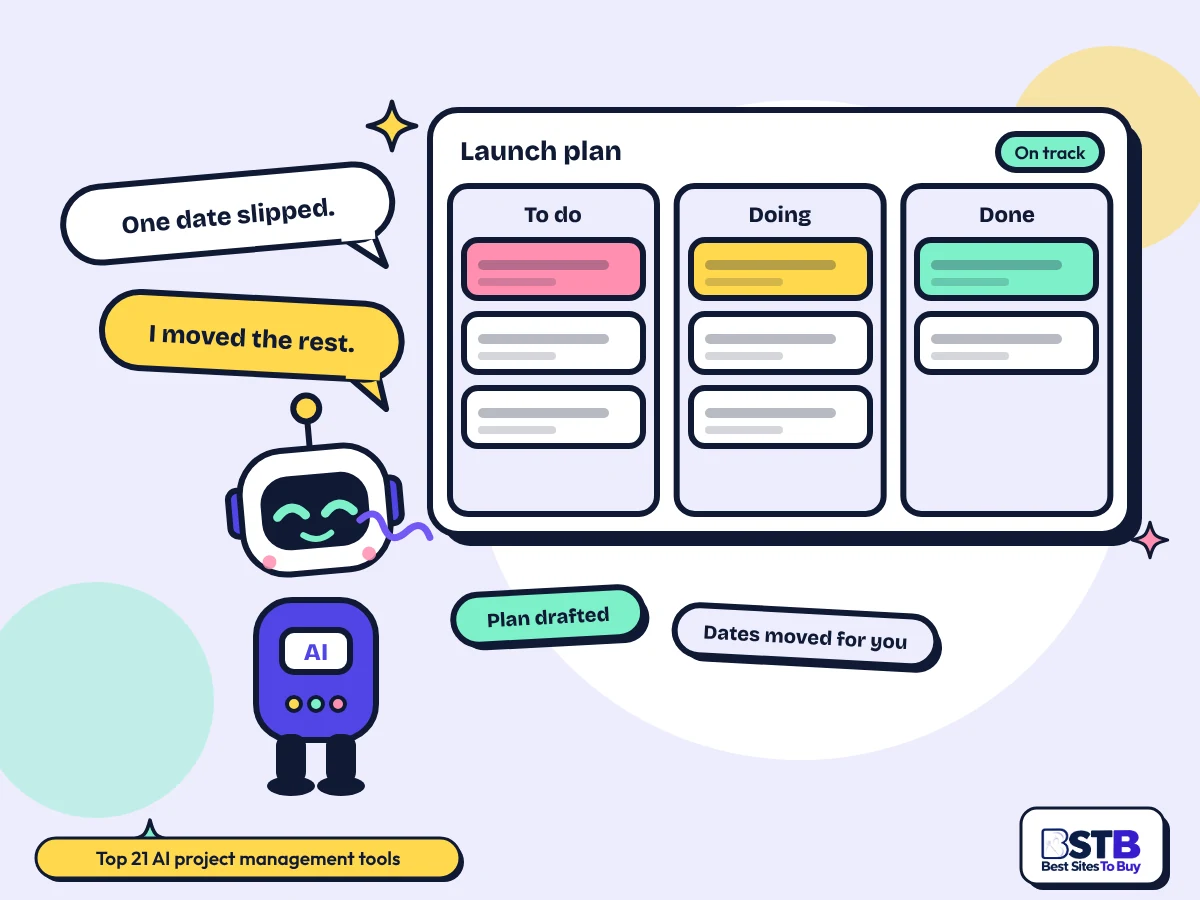
Best AI project management tools: Scout the BSTB robot beside a kanban board headed Launch plan, saying one date slipped and I moved the rest

Why You Can Trust BSTB's AI Tool Listings

Every AI project management tool on this page has its own BSTB page with a pricing model, plan prices, what it actually manages and a score from the same nine criteria.

  • One scoring method for every tool
  • Prices taken from each tool's official pages
  • Plain summaries of what the tool actually does

See how BSTB tests and scores AI tools.

The directory

Top 21 AI Project Management Tools, Ranked by BSTB Score

Notion AI and Reclaim lead at 4.4/5, with Asana and Miro at 4.3/5; filter by price or by whether you want a full platform or a helper on top of one.

Show:

Showing 21 of 21. Picked from the 73 tools listed in the BSTB Project Management category, ranked by overall score.

Top rated

Notion AI

4.4/5Freemium

An AI layer across a docs and database workspace, drafting pages, writing meeting notes and answering questions over everything in it.

  • Best for: Teams already running projects in Notion
  • Price: Free $0 (AI features limited); Plus $10/seat/mo; Business $20/seat/mo annual; custom agents $10 per 1,000 credits
Read the Notion AI review
Top rated

Reclaim

4.4/5Freemium

Finds room in the calendar for tasks, habits and focus time, then moves them automatically when meetings change.

  • Best for: Protecting time to actually do the work
  • Price: Lite $0; Starter $10/seat/mo annual ($12 monthly); Business $15/seat/mo annual; Enterprise $22/seat/mo
Read the Reclaim review

Asana

4.3/5Freemium

Work management platform with list, board, timeline and goal views, and an AI layer that summarises status and flags risk.

  • Best for: Teams that need goals tied to tasks
  • Price: Personal $0; Starter $10.99/user/mo annual ($13.49 monthly); Advanced $24.99/user/mo annual; Enterprise on request
Read the Asana review

Miro

4.3/5Freemium

Visual canvas for planning and process mapping, with AI agents that cluster notes and turn a board into a written plan.

  • Best for: Planning before it becomes a task list
  • Price: Free $0; Starter $8/member/mo yearly ($10 monthly); Business $20/member/mo yearly; Enterprise from 30 members
Read the Miro review

ClickUp

4.2/5Freemium

Tasks, docs, chat and dashboards in one suite, with ClickUp Brain writing updates and answering questions across the workspace.

  • Best for: One tool instead of four
  • Price: Free Forever $0; Unlimited $7/user/mo annual ($10 monthly); Business $12/user/mo annual; AI add-ons from $9/user/mo
Read the ClickUp review

Smartsheet

4.2/5Paid

Spreadsheet-style work management with project views, automations and Smart Agents, built for portfolios rather than single projects.

  • Best for: Spreadsheet habits at enterprise scale
  • Price: Pro $9/member/mo annual ($12 monthly); Business $19/member/mo annual ($24 monthly); Enterprise on request
Read the Smartsheet review

Trello

4.2/5Freemium

Atlassian's kanban boards with an Inbox, Planner and automation, plus Atlassian Intelligence for writing and summarising cards.

  • Best for: The simplest board that still scales
  • Price: Free $0; Standard $5/user/mo annual ($6 monthly); Premium $10/user/mo annual; Enterprise $17.50/user/mo annual
Read the Trello review
Companion app in beta

Ari by Ariso

4.1/5Paid

Sits in meetings, records what was agreed, then tracks the resulting projects and chases the follow-ups with the people who own them.

  • Best for: Managers who lose work between meetings
  • Price: Free $0 for up to 6 months; Startup $1 per user a day; Enterprise on request
  • Status: Companion app in beta (see review)
Read the Ari by Ariso review

GanttPRO

4.1/5Paid

Dedicated Gantt scheduling with an AI planner that builds a dated plan from a text brief, a voice note or an uploaded file.

  • Best for: Dated plans with real dependencies
  • Price: 14-day free trial; Core $7/user/mo annual; Advanced $10/user/mo; Business $17/user/mo; Enterprise $25/user/mo
Read the GanttPRO review
Plan names inconsistent

Jestor

4.1/5Freemium

No-code builder that turns a plain-language description into tables, forms and automations, which teams use as custom trackers.

  • Best for: Building the tracker you actually want
  • Price: Free $0; Growth $15/user/mo or $200/mo flat; Pro $30/user/mo or $500/mo flat; Endure Operations on request
  • Status: Plan names inconsistent (see review)
Read the Jestor review
Availability unclear

Jigso

4.1/5Freemium

Workplace assistant that watches and answers questions across Slack, Jira, Salesforce and Drive, so status comes to you.

  • Best for: Status without chasing anyone
  • Price: Free or trial $0; Pro from $20/month (unconfirmed)
  • Status: Availability unclear (see review)
Read the Jigso review

Taskade

4.1/5Freemium

Project workspace where AI agents run tasks and automations alongside the team, with an app builder attached.

  • Best for: Agents doing project steps, not just notes
  • Price: Free $0 forever; Pro $10/mo annual; Business $25/mo annual; Max $100/mo; Enterprise $250/mo; credit packs from $5
Read the Taskade review
Repositioned more than once

Ambient

4.0/5Paid

Records leadership meetings and returns briefings and follow-ups, aimed at the people who run projects rather than the projects themselves.

  • Best for: Leadership teams, not delivery teams
  • Price: 7-day free trial; Pro $500 a year (about $42 a month); Business on request
  • Status: Repositioned more than once (see review)
Read the Ambient review
Acquired by Trimble, branding may change

Document Crunch

4.0/5Paid

Reads construction contracts and flags the risky clauses with page citations, covering the document risk side of a project.

  • Best for: Construction contract risk
  • Price: 14-day free trial; subscription and enterprise priced on request
  • Status: Acquired by Trimble, branding may change (see review)
Read the Document Crunch review

FuseBase AI

4.0/5Freemium

Branded client portal holding shared docs, tasks and AI agents, so client-facing project work lives outside your internal tools.

  • Best for: Running projects with clients in the room
  • Price: Free $0; Solo $39/mo ($32 yearly); Essentials $99/mo ($82 yearly); Advanced $399/mo; Unlimited custom
Read the FuseBase AI review
Renamed from Moxtra

Moxo

4.0/5Paid

Runs client-facing workflows and milestones through branded portals, with AI agents moving each step along.

  • Best for: Client onboarding as a tracked flow
  • Price: Team $5,000 per year; Scale and Enterprise on request
  • Status: Renamed from Moxtra (see review)
Read the Moxo review
Now a managed service

ZAPT

4.0/5Paid

Builds job and operations trackers to order for small teams, now delivered as a managed service rather than self-serve.

  • Best for: A tracker built for one business
  • Price: ZAPT subscription GBP 125 per month; 7-day free trial reported
  • Status: Now a managed service (see review)
Read the ZAPT review

Motion

3.9/5Paid

Project and task manager whose AI builds the schedule itself, reshuffling everything automatically when a deadline moves.

  • Best for: Letting the tool decide the order
  • Price: Free trial 7 days reported, card needed; Pro AI $19/seat/mo; Business AI $29/seat/mo; extra credits 19 to 25 cents per 100
Read the Motion review
Paid prices not published

Squad AI

3.9/5Freemium

Turns customer feedback and company goals into roadmaps, requirements and the decisions behind them.

  • Best for: Product planning before delivery starts
  • Price: Trial $0; Hobby $0; Pro, Team and Enterprise priced on request
  • Status: Paid prices not published (see review)
Read the Squad AI review
Android app in beta

BeforeSunset

3.8/5Freemium

Turns a brain dump into a time-blocked day, planning one person's work rather than a team's project.

  • Best for: One person's day, not a team's project
  • Price: Free $0; Pro $19.99/mo or $99.99/year on the App Store; web and team prices reported but unconfirmed
  • Status: Android app in beta (see review)
Read the BeforeSunset review
The basics

What Are AI Project Management Tools?

AI project management tools add automation and prediction to the work of planning and tracking projects. They draft plans, assign and reschedule tasks, summarise progress and turn conversations into tracked actions. None of them is an AI project manager in the sense of owning the outcome.

There are two kinds, and buyers routinely confuse them. Full platforms such as Asana, ClickUp and Smartsheet are project management systems that have added an AI layer, so the AI works on data already in the tool. Standalone helpers such as Reclaim, Ari by Ariso and Squad AI sit on top of whatever you already use and solve one part of the job, usually scheduling, meetings or planning.

What they are genuinely good at is the writing and the reshuffling: status updates, meeting follow-ups, moving a plan when a date slips. What they are weakest at is prediction, because a model forecasting your delivery date needs a long history of how your team actually works, and most teams have never recorded one.

How Does AI Project Management Work?

The tool reads the work already in your system, generates the task, plan or summary you asked for, applies your rules about who does what and when, then updates as things change.

  1. It reads your existing work

    Tasks, documents, comments and calendars are the input. A tool with no history to read gives generic output, which is why the first weeks feel underwhelming.

  2. It generates or reschedules

    A plan from a brief, tasks from a transcript, a status update from this week's activity, or a new order for your day.

  3. Your rules constrain it

    Working hours, priorities, dependencies and who is available. These settings do more for output quality than the model does.

  4. It updates when things move

    The real value is the reshuffle. When one date slips, the tool moves what depends on it rather than waiting for someone to notice.

What Can You Do With an AI Project Management Tool?

Draft a plan from a brief, turn a meeting into tracked actions, write the status update, protect focus time, spot the slipping deadline and stop chasing people for updates.

  • Draft a plan from a brief: a dated plan with dependencies, in seconds rather than an afternoon, with task management handled from there.
  • Turn meetings into actions: the follow-ups get captured and assigned instead of living in someone's notes.
  • Write the status update: generated from what actually happened, not from what people remember.
  • Protect focus time: scheduling tools book the work into the calendar and defend it against meetings.
  • See the slip early: risk flags surface the task that is quietly late before the deadline does.
  • Stop chasing updates: status comes to you, which is the single biggest time saving for a manager.
By kind of help

Best AI Project Management Tools by Kind of Help

Pick by what you want the AI to do: run the whole project, build the schedule, handle documents and search, turn meetings into actions, or let you build a tracker that fits how you actually work.

Full PM platforms with AI built in

Full project management platforms with AI built in. The AI works on data already in the system.

  • Asana: Teams that need goals tied to tasks
  • ClickUp: One tool instead of four
  • Smartsheet: Spreadsheet habits at enterprise scale
  • Trello: The simplest board that still scales
  • Taskade: Agents doing project steps, not just notes

Scheduling, timelines and capacity

Scheduling, timelines, capacity and prediction. These decide when work happens rather than what it is.

  • Reclaim: Protecting time to actually do the work
  • Miro: Planning before it becomes a task list
  • GanttPRO: Dated plans with real dependencies
  • Motion: Letting the tool decide the order
  • Squad AI: Product planning before delivery starts
  • BeforeSunset: One person's day, not a team's project

Project docs, contracts and search

Project documents, contracts, specs and search across the tools where project knowledge actually lives.

Build your own trackers and portals

Build-your-own trackers, client portals and operations workflows, for teams whose process does not fit a standard board.

  • DevRev: Support and engineering on one backlog
  • Jestor: Building the tracker you actually want
  • Moxo: Client onboarding as a tracked flow
  • ZAPT: A tracker built for one business

Meetings turned into actions

Meetings turned into tracked follow-ups, for managers who lose work in the gap between conversations.

  • Ari by Ariso: Managers who lose work between meetings
  • Ambient: Leadership teams, not delivery teams
Know the difference

Full Platform vs Standalone Helper

AI project management software comes in two shapes. A platform replaces your project system and its AI sees everything. A helper keeps your current system and solves one part well. Four of the five competitor pages only cover platforms, which is why buyers miss the second option.

Full PM platform with AIStandalone AI helper
What it replacesYour project management systemNothing, it sits on top
What the AI seesEverything in the platformOnly what you connect it to
Time to valueWeeks, after migrationDays, sometimes hours
Cost shapePer seat, for the whole teamOften per seat for a few people
Best whenYou are changing systems anywayThe system is fine, one part of the job is not
On this pageAsana, ClickUp, Smartsheet, Trello, Taskade, GanttPRO, MotionReclaim, Ari by Ariso, Squad AI, Ambient, Jigso, BeforeSunset
What to look for

What Makes a Good AI Project Management Tool?

A good one works with the history you already have, explains why it moved something, keeps your project data out of model training, prices credits honestly and lets a human approve anything it changes.

  • Useful without much historyPrediction needs months of data. A tool that is useless until you have fed it a year of projects is a tool you will abandon in week three.
  • Explains its reasoningWhen the AI moves a deadline or reassigns a task, you need to see why. Unexplained changes get overridden, and then nobody trusts the schedule.
  • Your data stays yoursProject data includes client names, budgets and performance problems. Check whether it trains the vendor's models and where it is stored.
  • Credits that do not strand youCredit-based AI stops mid-sprint when it runs out. Find out what happens to in-flight work before you depend on it.
  • A human approves changesAgents that act on their own are the 2026 selling point and the 2026 risk. Sign-off should be configurable, not assumed.
  • Fits your existing stackMost teams are not replacing Slack, Jira or their calendar. The tool has to read them, not ask you to leave them.

These overlap with BSTB's nine scoring criteria, which also weigh ease of use, speed, support and cost-efficiency.

Step by step

How to Roll One Out Without Losing the Team

Five steps: start with one project, turn off autonomous changes, let it watch before it acts, check its first predictions against what really happened, then widen only what proved useful.

  1. Start with one project

    Not the whole portfolio. One real project with a real deadline tells you more than a pilot everyone ignores.

  2. Turn off autonomous changes

    Run it in suggest mode first. A tool that silently reorders someone's week loses the team in a fortnight.

  3. Let it watch first

    Prediction and summarisation both improve with history. Give it a few weeks of real activity before you judge the output.

  4. Check the first forecasts

    Compare what it predicted against what happened. If the deadline flags were wrong, find out whether it is the data or the tool.

  5. Widen what worked

    Most teams keep the summaries and the scheduling and quietly drop the predictions. That is a fine outcome, and cheaper than the full suite.

Buyer checklist

How to Choose an AI Project Management Tool

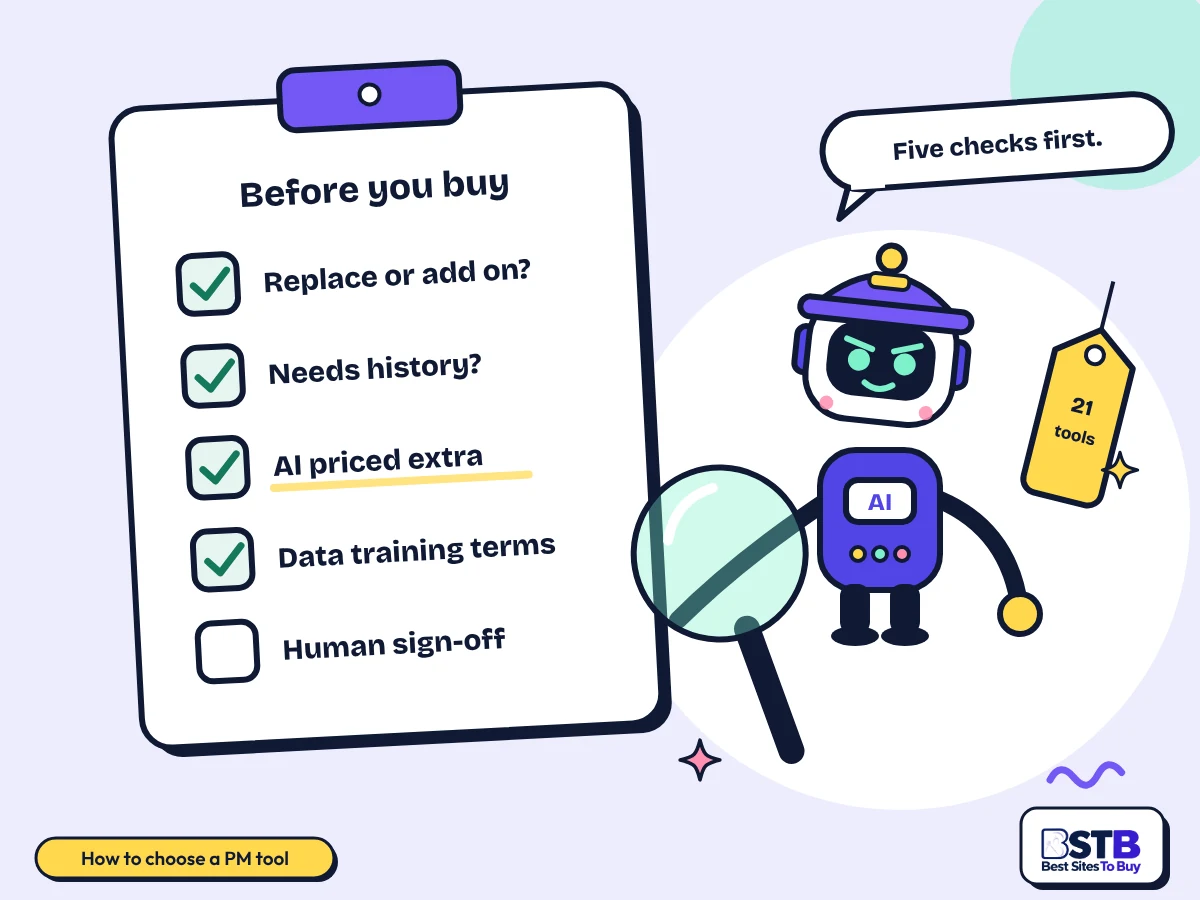
Decide first whether you are replacing your system or adding to it, then test it on a live project, check what the AI costs on top of the seat price, read the data terms and confirm it reads the tools you already use.

  1. Replace or add

    This removes most of the list. Use the Kind of help filter above the grid.

  2. Test on live work

    A sample project proves nothing. Run one real project through it for two weeks.

  3. Price the AI separately

    Several platforms charge for the AI on top of the per-seat price. Add both before comparing.

  4. Read the data terms

    Client names, budgets and performance notes sit in these systems. Check training and retention.

  5. Check the integrations

    If it cannot read your calendar, your chat and your repo, the AI is working half blind.

How to choose an AI project management tool: a checklist reading replace or add on, needs history, AI priced extra, data training terms and human sign-off
Whether the AI is priced on top of the seat is the number most buyers miss.
Pricing

Free vs Paid AI Project Management Tools

Free AI project management tools are common here: 13 of the 21 have a free tier and 8 are paid or trial only, with per-seat plans from about $5 to $29 a month and several platforms charging for the AI on top.

Pricing modelTools in the top 30What you getTools
Free0 of 21Everything free, no paid tier
Freemium13 of 21Free plan with limits, paid upgradeNotion AI, Reclaim, Asana, Miro, ClickUp, Trello, DevRev, Jestor, Jigso, Taskade, FuseBase AI, Squad AI, BeforeSunset
Paid8 of 21Paid only, sometimes with a trialSmartsheet, Ari by Ariso, GanttPRO, Ambient, Document Crunch, Moxo, ZAPT, Motion

Prices come from each tool's BSTB page. Two things make this category hard to compare: the AI is often an add-on rather than part of the seat price, and credit allowances decide how much you can actually use it. One tool here is priced at $5,000 a year flat and another at a monthly figure in pounds, so convert before you compare. Confirm on the vendor's own site before you buy.

Use with care

Limits, Forecast Accuracy and Data

AI predictions need a long history your team probably does not have, summaries miss what was never written down, credits run out mid-sprint, and nobody on this page publishes how accurate their forecasts actually are.

  • Forecast accuracy is unpublished: every tool claims predictive analytics and not one states an error rate. Treat early predictions as a guess.
  • It needs history: months of completed work, consistently tracked. Teams that track loosely get the weakest results.
  • It only knows what was recorded: the decision made in a corridor never reaches the summary, and the plan quietly diverges from reality.
  • Credits run out: mid-sprint, usually at the worst moment. Check what happens to in-flight work.
  • Agents acting alone: autonomous changes are fast and occasionally wrong. Keep human sign-off on anything that moves a date.
  • It will not fix the real problem: unclear ownership and unrealistic deadlines are management problems. No tool on this page solves either.
Our method

How BSTB Rates AI Project Management Tools

BSTB scores every one of these project management tools on the same nine criteria, and the overall score on each card is the plain average of the nine.

  • Accuracy and Reliability
  • Ease of Use
  • Functionality and Features
  • Performance and Speed
  • Customization and Flexibility
  • Data Privacy and Security
  • Support and Resources
  • Cost-Efficiency
  • Integration Capabilities

Scores are based on each tool's official pages, documentation, pricing and public user feedback. Read the full method on how BSTB tests and scores tools.

Related AI Tool Categories

Project management tools overlap with these categories. Browse them when you need a narrower tool, or go back to the full AI tools directory.

FAQs

AI Project Management Tools: Frequently Asked Questions

PLACEHOLDER - rewritten once the client FAQ list arrives.

What Should You Look For in an AI Project Management Tool?

Whether it works with the history you already have, whether it explains its decisions, what the AI costs on top of the seat price, and whether a human has to approve anything it changes.

Feature lists in this category all read the same. The things that actually separate these tools are how much data they need before they are useful, and how much control you keep over what they do without asking.

  • Works early: prediction that needs a year of history is prediction you will never use.
  • Shows its reasoning: unexplained schedule changes get overridden and then ignored.
  • Separate AI pricing: several platforms bill the AI on top of the per-seat cost.
  • Human sign-off: configurable approval before an agent moves a date or reassigns work.

Ask what the tool does in week one, not what it does once it knows your team.

Is There a Free AI Project Management Tool?

Yes. 13 of the 21 tools here have a free tier, including Trello, Asana, ClickUp and Taskade, but the AI features are usually the first thing the free plan limits.

The pattern across this category is that the project management is free and the AI is not. Free plans typically cap AI actions, credits or seats, so a free tier tells you the platform is usable and almost nothing about the AI.

  • Free platform, paid AI: the most common shape here by a wide margin.
  • Credit caps: free AI is usually metered, not unlimited.
  • Seat limits: several free plans stop being free at the team size you actually have.
  • Properly free to try: Taskade and Trello give the most usable free experience in this set.

Check what the free plan allows per month, not just whether AI is listed as included.

What Are AI Project Management Tools?

They are project management systems, or helpers that sit on top of one, that use AI to draft plans, schedule work, summarise progress and turn conversations into tracked tasks.

The category covers two very different products. One replaces the system you run projects in. The other leaves your system alone and automates one part of the job. Most comparison pages only describe the first.

  • Platforms: Asana, ClickUp, Smartsheet, Trello, Taskade, GanttPRO, Motion.
  • Helpers: Reclaim, Ari by Ariso, Squad AI, Ambient, BeforeSunset.
  • What the AI does: drafts, schedules, summarises, predicts and chases.
  • What it does not do: decide priorities or fix an unrealistic deadline.

If you already like your project tool, you may want a helper rather than a replacement.

Which AI Project Management Tools Suit Small Businesses and Startups?

Small teams do better with a free platform plus one helper than with an enterprise suite. Trello or Taskade plus Reclaim covers most of what a small team needs.

Enterprise platforms price per seat and assume a portfolio, a programme manager and a migration. A five-person team gets more from a simple board and a scheduling tool than from a suite whose best features need an admin to configure.

  • Trello: 4.2/5; the simplest board here that still scales.
  • Taskade: 4.1/5; free forever tier with agents included.
  • Motion: 3.9/5; builds the schedule for you, strong for small delivery teams.
  • Avoid early: Smartsheet and Moxo are priced for larger organisations than a typical small business.

Count the seats you will pay for in a year, not the seats you have today.

How Much Do AI Project Management Tools Cost?

Per-seat plans here run from about $5 to $29 a month, with the AI often charged on top. One tool is priced at $5,000 a year flat and two charge only on request.

The comparison trap is the AI add-on. A platform at $12 per seat with a $9 per seat AI package costs $21, not $12, and the cheap-looking option can end up the expensive one once the AI is switched on for everybody.

  • Typical seat price: $7 to $25 a month on annual billing.
  • AI add-ons: several platforms bill the AI separately per seat.
  • Flat annual: Moxo starts at $5,000 a year rather than per seat.
  • Priced on request: DevRev and Squad AI publish no paid prices at all.

Price the AI for everyone who will use it, not just the person trialling it.

Do You Need Technical Skills to Set One Up?

Not for the platforms or the helpers. The build-your-own tools are the exception: making a tracker that fits your process takes someone comfortable with data structure, even when no code is involved.

The real setup cost is not technical, it is decisional. Someone has to define priorities, working hours, dependencies and who approves what. Teams that skip that step get output that looks confident and schedules the wrong things first.

  • No skills needed: Trello, Asana, Motion, Reclaim, Taskade.
  • Some structure thinking: Jestor, ZAPT, Smartsheet.
  • The real work: defining priorities and rules, which is management not configuration.
  • Budget for it: a day of setup decisions saves weeks of wrong output.

If nobody owns the configuration, the tool will make the decisions for you.

How Do AI Project Management Tools Improve Delivery?

They remove admin rather than improving decisions. Status updates, rescheduling and meeting follow-ups are the measurable wins, and they are where almost all of the time saving comes from.

The claimed win is better forecasting. The observed win is less chasing. A manager who stops writing status reports and stops asking people for updates gets hours back a week, and that is real whether or not the prediction features ever work.

  • Admin removed: status updates, follow-ups, rescheduling. Reliable and immediate.
  • Earlier warning: risk flags surface a slip before the deadline, when the data is good.
  • Fewer dropped actions: meeting outcomes become tracked tasks automatically.
  • Not improved: priority calls, scope decisions and whether the deadline was ever realistic.

Measure the hours of admin removed. That number is defensible; the forecasting is not yet.

Can AI Turn Meeting Transcripts Into Tasks and Status Updates?

Yes, and it is the most reliable feature in the category. Ari by Ariso at 4.1/5 and Ambient at 4.0/5 both record meetings and produce tracked follow-ups.

Accuracy is high for explicit commitments and low for implied ones. If somebody says they will send the file by Friday, it gets captured. If the team collectively decides something without saying it as an action, it does not.

  • Ari by Ariso: 4.1/5; tracks the resulting projects and chases the owners.
  • Ambient: 4.0/5; briefings and follow-ups for leadership teams.
  • Jigso: 4.1/5; monitors Slack, Jira and Drive rather than meetings.
  • Still check it: implied decisions and verbal caveats are what gets missed.

Read the generated actions once before they go out. Wrong owners are the usual error.

Does an AI Project Management Tool Train on Your Project Data?

It depends entirely on the vendor, and none of the five competitor pages ranking for this term mentions the question. Project systems hold client names, budgets, salaries and performance problems.

Enterprise plans usually promise no training on customer data, while free and lower tiers often reserve broader rights. The gap between the two is where the risk sits, because a free trial is exactly how most of this data first reaches a vendor.

  • Check the tier: training terms frequently differ between free and enterprise plans.
  • Ask where it is stored: data residency matters if you work with EU or regulated clients.
  • Sub-processors: most of these tools call a third-party model. Ask which one.
  • Client confidentiality: agency and consultancy work may already prohibit this.

If the terms are vague on training, assume the broader reading and check before you upload real projects.

How Accurate Are AI Deadline and Risk Predictions?

Nobody publishes an accuracy figure. Every tool in this category advertises predictive analytics, and not one of them, nor any of the five competitor pages, states an error rate or a benchmark.

Prediction quality depends on your history, not the vendor's model. A team that has tracked estimates against actuals for a year gets useful forecasts. A team that has not gets confident-looking output based on almost nothing.

  • Needs months of history: consistently tracked, with estimates recorded and compared.
  • Garbage in: loosely tracked work produces confident and wrong forecasts.
  • Test it: compare its first predictions against what actually happened.
  • Treat as a prompt: a flag is a reason to look, not a fact about the future.

Ask any vendor for their forecast accuracy on teams like yours. The answer tells you a lot.

How Do AI Credits Work and What Happens When They Run Out?

Most tools here meter AI use in credits or actions. When they run out, the AI features stop until the next cycle or until you buy more, and only one competitor page even hints at this.

This matters more than it sounds. Credits tend to be consumed fastest during the busiest week of a sprint, which is exactly when the summaries and rescheduling are worth having. Several tools here sell top-up packs for that reason.

  • Metered by action: a summary, a generated plan or an agent run each cost credits.
  • Shared or per seat: a shared pool can be drained by one heavy user.
  • Top-ups exist: Taskade, Motion and Notion AI all sell additional credits.
  • Ask the failure mode: does in-flight work finish, or stop where it is?

Estimate a busy month, not an average one. Averages hide the week that matters.

Is There an AI Project Management Tool for Freelancers and Solo Users?

Yes, and the category largely ignores you. Every competitor page assumes a team and one explicitly excludes individual productivity apps. Motion, Reclaim and BeforeSunset are built for one person.

For a team of one the useful AI is scheduling, not collaboration. There is no status to report and nobody to chase, so the value is in deciding what to do next and protecting the time to do it.

  • Motion: 3.9/5; auto-schedules your tasks around your commitments.
  • Reclaim: 4.4/5; defends focus time and reschedules automatically.
  • BeforeSunset: 3.8/5; turns a brain dump into a time-blocked day.
  • Skip: per-seat platforms, where you pay for collaboration you will not use.

A solo user needs a planner, not a project management system.

Do These Tools Support Agile, Waterfall and Portfolio Planning?

Platforms do, helpers mostly do not. Agile boards and sprints are standard across the platforms here, while waterfall dependencies, capacity planning and multi-project portfolios are a smaller group.

No competitor page covers methodology fit, which is strange given it is the first question most project managers ask. Dated dependency planning in particular is a narrower field than the category size suggests.

  • Agile and sprints: Asana, ClickUp, Taskade, Trello, DevRev.
  • Dated dependencies: GanttPRO is the dedicated option here, with Smartsheet behind it.
  • Portfolio and capacity: Smartsheet and Asana handle resource planning at the enterprise tiers.
  • Not covered: earned value and formal PRINCE2 reporting are rare across this whole set.

If you need critical path and dependencies, shortlist on that first. It eliminates most of the category.

How Does BSTB Score AI Project Management Tools?

BSTB scores every project management tool on nine criteria: accuracy and reliability, ease of use, functionality, performance, customisation, data privacy, support, cost-efficiency and integrations.

The score on each card is the plain average of those nine. Scores come from each tool's official documentation, pricing pages and public user feedback, and every tool keeps its own page with the full breakdown.

  • Nine criteria: each scored separately, then averaged.
  • Evidence: official docs, pricing pages, public reviews.
  • Ranking here: the grid is ordered by overall score, ties alphabetically.
  • Full method: see how BSTB tests and scores tools.

Integration capability carries weight here, because a tool that cannot read your stack is working blind.

How Often Is This List of AI Project Management Tools Updated?

BSTB rechecks this list whenever a tool changes its pricing, plans or availability, and reviews the whole category on a rolling basis as new tools are listed.

This category has seen heavy consolidation. Several products have been acquired, renamed or shut down in the last eighteen months, and AI add-on pricing changes more often than the base plans do. Each tool's own BSTB page carries the last checked figures.

  • Rolling review: rechecked as tools launch, change price or disappear.
  • Status flags: shown on the card when a tool cannot be confirmed as generally available.
  • Per-tool pages: the detail lives on each tool's own review page.
  • Spotted a change: tell us through the contact page.

Always confirm the current AI add-on price on the vendor's own site before paying.

Psst! Built an AI project management tool?

Get Your AI Project Management Tool Listed on BSTB

Send us your tool's name, website and pricing. The BSTB team reviews every submission before it joins the AI tools directory.

List your AI project management tool on BSTB: a rocket labelled BSTB-1 carrying Scout towards a directory card with a freemium badge and a nine point score
On this page