Adobe Firefly
Adobe's generative app for images, video, audio and vectors, mixing Firefly models with partner models from OpenAI, Google, Black Forest Labs and others.
- Best for: Commercially safer brand imagery
- Price: Free $0; Standard $9.99/mo
21 tools
Text to image AI tools turn a written description into a picture: you type what you want to see and the model paints it, usually in under a minute. This page ranks the 21 best text to image tools on BSTB by their 9-criterion score, with what each one is good at, whether it has a free plan, and what you are allowed to do with the images.

Every one of these text to image AI tools online has its own BSTB page with a pricing model, plan prices, what the free tier allows and a score from the same nine criteria.
Adobe Firefly and Stable Diffusion lead at 4.3/5, and four tools tie at 4.2/5. Filter by price or by the kind of image you need.
Showing 21 of 21.
Adobe's generative app for images, video, audio and vectors, mixing Firefly models with partner models from OpenAI, Google, Black Forest Labs and others.
Stability AI's open-weight image model family (SD 3.5 Large/Medium, legacy SDXL) that can be self-hosted free or used via API, cloud partners or Stable Assistant.
Canva's built-in prompt-to-image feature, now delivered via Dream Lab and Magic Media, that drops generated pictures straight into Canva designs.
Prompt-driven image and video studio with its own and partner models, custom model training, editing, upscaling and an API.
Browser generator (formerly Freepik's) that offers 15+ in-house and partner image models with references, editing, upscaling and image-to-video.
Independent lab's image and video generator, used on the web or in Discord, that returns four stylised images per prompt with V8.2 and Niji 7 models.
Developer cloud for running, fine-tuning and deploying 50,000+ open and commercial models (including FLUX and Ideogram image models) through an API.
Picsart developer API that reaches 100+ image, video, text and audio models through one integration, billed in credits per call.
Low-cost browser generator for FLUX, SD and SDXL models with image-to-image, ControlNet, inpainting, upscaling and text-to-video, plus a pay-per-request API.
Free Mac app that runs Stable Diffusion models offline for prompt-based generation, editing, upscaling and local model training.
Image generation and editing tools inside Jasper's marketing platform (now the AI Image Suite) that produce on-brand campaign visuals from prompts.
Browser illustration tool for picture books that keeps cartoon characters stable across pages, poses them in scenes and exports print-ready PDFs.
Volunteer GPU network (now AI Horde) that runs community Stable Diffusion models for free via web clients, plugins and a REST API, with a kudos priority system.
CapCut's (ByteDance) image and video generator that turns prompts and reference pictures into posters, product shots, short clips and talking avatars via Seedream, Seedance and partner models.
Browser image generator that can steer pose, shape and camera angle from an uploaded 3D model or reference image, with LoRA filters and inpainting.
HubX media platform that lets users make and edit images, videos and avatars from prompts or photos using 50+ partner models.
Stability AI's image workspace, now an enterprise brand studio for prompt generation, canvas refinement, reference steering and private brand-tuned models.
Browser story studio where an AI agent turns a short pitch into manga chapters, comics, webtoons and anime episodes, with a separate image generator.
Web generator and editor (also branded Nana Banana) that makes images from prompts and edits uploaded photos with plain-language instructions, built on Nano Banana models.
Browser generator (formerly DALL-E mini) giving nine pictures per prompt in six styles, plus describe-to-edit, background removal, upscaling and SVG export.
Third-party browser hub (Black Technology LTD, not Stability AI) for text-to-image, image-to-image and video using SDXL and premium partner models, plus a large prompt library.
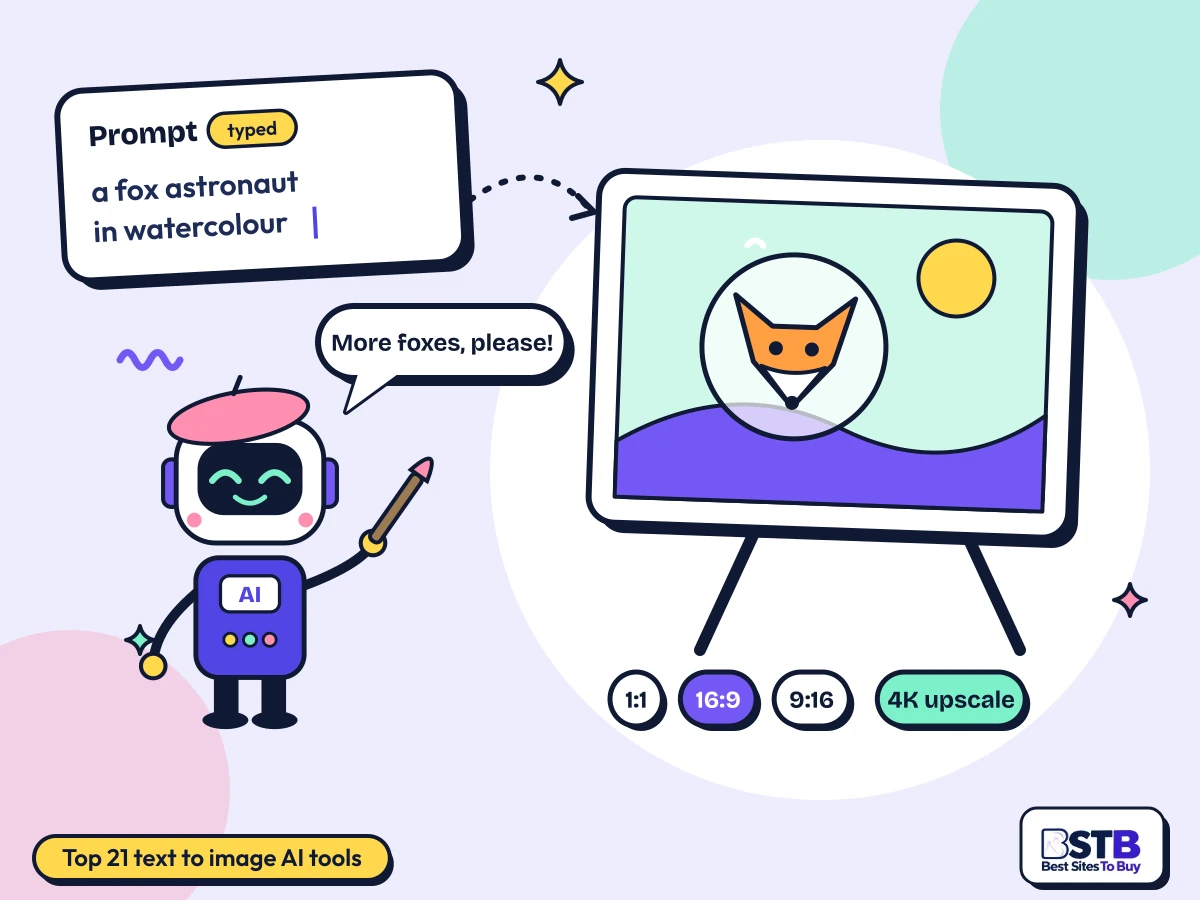
Text to image AI tools generate a new image from a written prompt. You describe the subject, style and setting in words, and the model produces one or more pictures that match.
An AI text to image generator does not search for an existing picture. It builds a new one, pixel by pixel, from patterns it learned during training. That is why the same prompt gives a different result each time, and why the wording of the prompt matters so much.
Tools differ less in whether they can make an image, since every one of the 32 tools BSTB reviewed offers some style control, and more in the details that decide whether the image is usable: whether you can set the aspect ratio (17 of 32 say so), whether text inside the image comes out readable (only 2 of 32 claim it), whether you can keep a character consistent (22 of 32), and what the licence lets you do with the result (18 of 32 state their commercial terms).
The category as published is wider than the name. Of the 32 tools tagged Text to image on BSTB, one is a selfie retouching app with no generator at all, two are retired, and six are video, voice, chat, photo-editing or invitation tools where image generation is a side feature. They are not on this page.
These AI tools to turn written prompts into images start from random noise and remove it step by step, steering each step towards what your words describe.
A language model turns the words into a numeric description the image model can follow: subject, style, mood, lighting.
The image model begins with a field of random pixels, which is why two runs of one prompt never match exactly.
Over dozens of steps the model removes noise in the direction your prompt points, until a picture appears.
Most tools return two to four options at once. You pick one, refine the prompt, or edit part of it.
Make illustrations for a story or a post, sketch concept art, produce product and marketing images, design characters, and explore styles you could not paint yourself.
Pick by the job: concept art, illustrations with consistent characters, photoreal images, easy online styles, brand work, or open models you run yourself. Each tool sits in the group where it is strongest.
AI tools to make concept art from text: strong styles, mood and composition, the look game and film artists reach for first.
AI tools to create illustrations from descriptions, built around keeping the same character from one picture to the next.
AI tools to generate photorealistic images. Only 2 of 32 tool pages here claim photoreal output outright, so these give you the models most used for it.
Text to image AI tools for beginners, and AI tools to create images in different styles from presets, all in a browser with a free start.
Text to image AI tools for business: clearer commercial terms, brand controls, team plans and images that drop into marketing work.
Run an open model on your own machine, borrow volunteer GPUs, or call image models from your own product through an API.
A hosted generator runs in your browser and handles everything for a monthly fee. An open model runs on your own hardware or API, costs less per image and keeps prompts private, but takes setup.
| Hosted generator | Open model you run | |
|---|---|---|
| Setup | Sign up and type | Install, download a model, tune settings |
| Cost | Subscription or credits | Free software; you pay for hardware or GPU time |
| Privacy | Prompts go to the vendor | Prompts can stay on your machine |
| Control | Presets and sliders | Every setting, custom models, negative prompts |
| Licence | The vendor's terms per plan | The model's licence, often permissive for small use |
| Best for | Beginners, marketing teams | Developers, high volume, privacy needs |
| On this page | Adobe Firefly, Midjourney, Leonardo AI, Canva Text to Image | Stable Diffusion, DiffusionBee, Stable Horde, Replicate |
Several hosted tools run open models underneath. The difference is who controls the settings and where your prompts go.
A good one follows the prompt closely, lets you set the shape, keeps characters consistent and states its usage rights clearly. A free tier you can test properly comes next.
These overlap with BSTB's nine scoring criteria, which also weigh speed, support, privacy and integrations.
Five steps: subject first, then style and lighting, set the aspect ratio, pick and refine the best variation, then upscale and check the licence before you publish.
Who or what, doing what, where. "A red fox in a space helmet on the moon" beats "cool fox picture".
Name a medium and lighting: watercolour, studio photo, soft morning light. This changes more than any other words.
Choose 16:9, 1:1 or 9:16 before generating. Cropping afterwards loses the composition.
Choose the closest variation and change one thing at a time. Rewriting everything starts you over.
Upscale for print or large screens, then confirm your plan allows the use you have in mind.
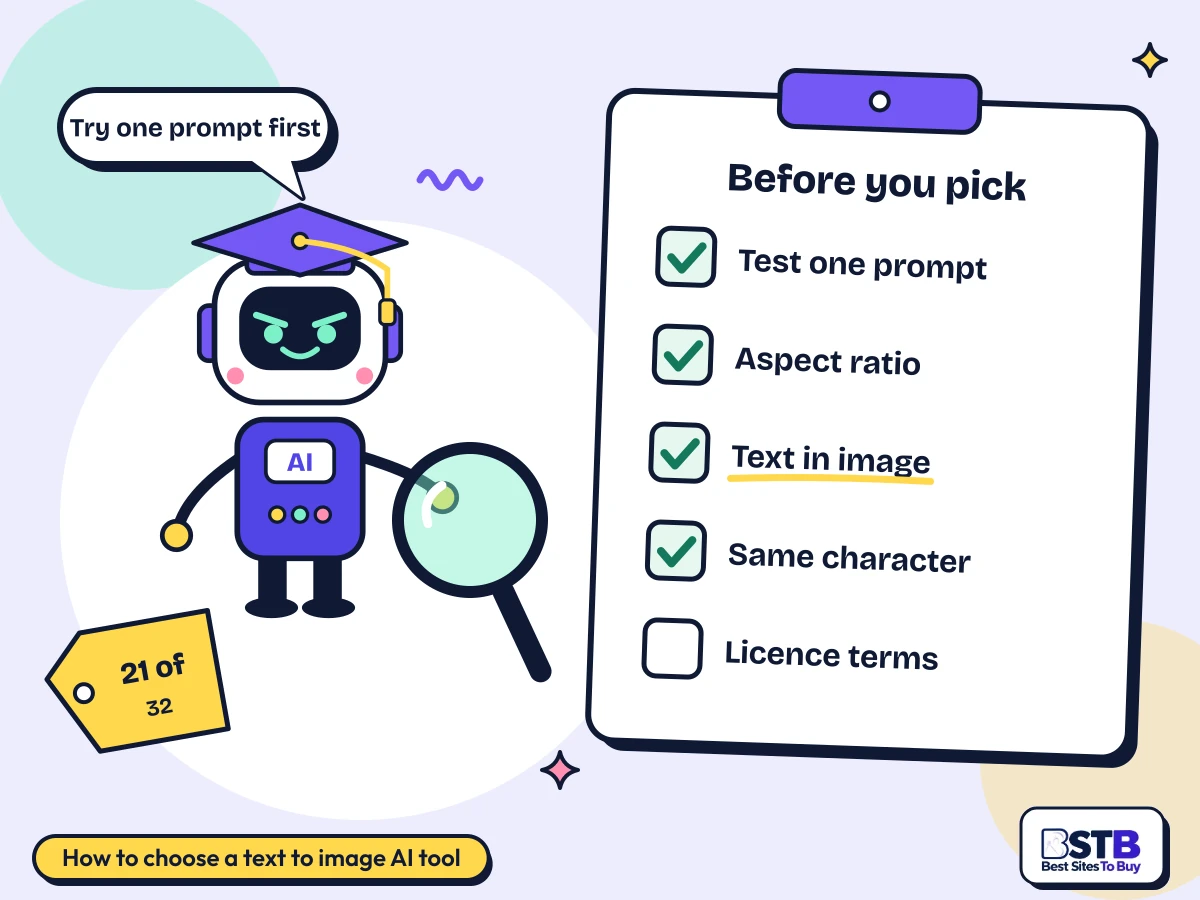
Run one real prompt in three free tiers, check aspect ratio and text rendering, confirm character consistency for a series, and read the licence. The best AI text to image generator is the one that passes your test.
The same prompt in three tools shows the difference faster than any review. Use the job filter above to pick three.
If you need banners, phone wallpapers or print sizes, make sure you can set them before generating.
Need a word on a poster or a label? Only 2 of 32 tool pages claim readable text, so test it.
For a comic, a mascot or a book, test whether the same character survives three prompts.
Commercial terms vary by plan. Free tiers are often personal use only or watermarked.

Free text to image AI tools are easy to find: 15 of the 21 tools here have a free plan or free credits. Paid plans buy more images, higher resolution, faster queues, privacy and commercial rights.
Entry plans run from about $10 to $15 a month. Adobe Firefly Standard is $9.99 a month for 2,000 credits, Midjourney Basic is $10 a month with no free plan, and Canva Text to Image is included in Canva Pro at $144 a year. Free allowances vary widely: Magnific AI Image Generator gives 20 images a day, NanaImage one credit a day, and DiffusionBee and Stable Horde are free outright.
| Pricing model | Tools on this page | What you get | Tools |
|---|---|---|---|
| Free | 2 of 21 | Everything free, no paid tier | DiffusionBee, Stable Horde |
| Freemium | 13 of 21 | Free plan with limits, paid upgrade | Adobe Firefly, Stable Diffusion, Canva Text to Image, Leonardo AI, Magnific AI Image Generator, Dezgo, Dreamina, CGDream, DaVinci AI, Makiverse, NanaImage, Craiyon, Stable Diffusion Web |
| Paid | 6 of 21 | Paid only, sometimes with a trial | Midjourney, Replicate, AI HUB by Picsart, Jasper Art, Neolemon, DreamStudio |
Prices come from each tool's BSTB page. Three cautions. Free outputs are sometimes watermarked: Craiyon and Dreamina say so. Credits are not images, since better models and higher resolutions cost more credits each. And commercial rights often start on the paid plan, not the free one.
Text inside images is still unreliable, hands and counts go wrong, the same prompt never gives the same image twice, and usage rights depend on your plan. Check all four before relying on a tool.
BSTB scores every one of these text to image tools on the same nine criteria, and the overall score is the mean of the nine.
Scores are based on each tool's official pages, documentation, published pricing and hands-on checks where available. For image generators, prompt accuracy, output quality and licence clarity weigh most. Every overall score on this page matches the mean of its nine criteria to one decimal, checked in code for all 32 tools in the category. Read more about how BSTB tests and scores tools.
Text to image overlaps with these categories. Browse them or see the full AI tools directory.
Quick answers on how generators work, writing prompts, aspect ratio, text in images, consistent characters, style control and usage rights.
They turn your words into a numeric description, start from random noise, and remove that noise step by step until an image matching the description appears.
This process is called diffusion. A language model encodes the prompt, then an image model trained on very large sets of captioned pictures gradually shapes the noise towards your description. Because every run starts from different noise, the same prompt gives a different image each time unless you reuse the seed.
Some newer tools use other architectures, but the user experience is the same: describe, generate, pick, refine.
Type the description into a text to image tool, set the aspect ratio, generate, then pick the closest result and refine it with small prompt changes.
Start with a free tier. Canva Text to Image gives up to 20 AI uses a month free, Magnific AI Image Generator 20 images a day, and Craiyon is free with a watermark. Put the subject first, then the setting, style and lighting. If the first result is close, change one detail at a time rather than rewriting the whole prompt.
No competitor page we checked walks through this step by step, so the order above is BSTB's own.
A specific subject, a clear setting, a named style or medium, and lighting. Short, concrete prompts usually beat long lists of adjectives.
Models weigh the first words most, so lead with the subject. Name a medium (oil painting, product photo) instead of vague words like beautiful. Where a tool supports negative prompts, use them to remove what you keep getting; only 7 of 32 tool pages say they support them, including Stable Diffusion, Dezgo and Midjourney.
Keep a note of prompts that work. Most tools let you reuse them with a new subject.
Usually, yes. 17 of the 32 tool pages say you can set the aspect ratio, and 23 state a maximum resolution or offer an upscaler.
Set the shape before you generate, because the model composes the picture for that frame. Midjourney, Leonardo AI, Dreamina and Stable Diffusion all let you choose it. For large prints, generate at the tool's native size and upscale; Magnific AI Image Generator and several others include an upscaler.
15 of 32 tool pages do not mention aspect ratio at all. Test it in the free tier before paying.
Some can, but it is the weakest area. Only 2 of 32 tool pages claim readable text, Dreamina and Stable Diffusion Web, and 4 say text renders poorly.
Short words, such as a shop name or a poster headline, work best. Long sentences usually come out garbled. Dreamina is built around posters with readable text. For anything that must be spelled correctly, generate the image without text and add the words in a design tool.
Leonardo AI, Craiyon and Dezgo pages all say text rendering is weak. That is honest, not a flaw unique to them.
Use a reference image, a character lock or a fixed seed. 22 of the 32 tool pages offer at least one of these, and two tools here are built around it.
Neolemon is designed for picture books and keeps one character across many pages, and NanaImage focuses on keeping the same face across images. Leonardo AI lets you train a custom model on your own images for a repeatable style. Describing the character identically every time helps, but on its own it rarely holds across more than a few images.
Two tool pages, Photosonic AI and AI2image, say plainly they have no consistency feature.
Yes. Every one of the 32 tools offers some style control, through presets, style reference images or a choice of models.
The simplest route is naming the style in the prompt: watercolour, anime, oil painting, pixel art. Presets in DaVinci AI and Craiyon do the same with one click. Midjourney is known for a strong default look, and Leonardo AI and Stable Diffusion let you load or train models for a specific style.
Because every tool has style control, judge the quality of the styles, not the length of the preset list.
It depends on the tool and the plan. 18 of 32 tool pages state commercial terms, and 14 say nothing, so check the licence before you sell or publish an image.
Typical patterns: paid plans allow commercial use, free plans are sometimes personal use only or watermarked, and some vendors keep a licence to your images. Adobe Firefly is positioned as commercially safer because it is trained on licensed and public domain content. Open models such as Stable Diffusion come with their own licence, which is free for small users and paid for large companies.
BSTB is not a law firm. For anything high stakes, such as packaging or a book cover, ask a lawyer and read the vendor's current terms.
Often nobody, in the strict sense. In the US, an image made purely by AI without enough human creative input cannot be registered for copyright.
Vendor terms usually assign you whatever rights they hold, but they cannot give you a copyright the law does not recognise. Human contributions such as substantial editing, compositing or arrangement can be protected. Rules differ between countries and are still being tested in court.
This is general information, not legal advice.
Most tool pages do not say. Only 7 of 32 state a policy; Adobe Firefly, Magnific AI Image Generator and Neolemon say they do not train on your content.
Leonardo AI excludes only paid private content from training, and one other tool may reportedly train on customer content, which BSTB could not confirm. Some tools also make images public by default: Midjourney images are public by default, and Stealth Mode is only on its Pro and Mega plans. For full privacy, a local tool such as DiffusionBee keeps everything on your own Mac.
Free outputs often do. Craiyon and Dreamina say their free images are watermarked, and some vendors add invisible labels that identify an image as AI-made.
Visible watermarks usually disappear on a paid plan. Invisible labels and content credentials are different: they are built into the file to show it was generated, and paid plans generally keep them. Removing them may break the vendor's terms.
Yes, in most current tools. Inpainting changes a selected area, outpainting extends the canvas, and variations regenerate around an image you like.
Midjourney, Leonardo AI, Adobe Firefly and Canva Text to Image all offer editing after generation. Editing one area is faster and cheaper than regenerating, and it keeps the parts that already work. For heavier changes, BSTB's Image Editing category covers dedicated tools.
Yes. Stable Diffusion is an open-weight model you can run locally, and DiffusionBee packages it as a free, offline app for Mac.
Running locally needs a reasonably powerful graphics card or an Apple Silicon Mac, plus some setup. In return, prompts never leave your machine and there are no credit limits. Without the hardware, Stable Horde lends volunteer GPUs for free, and Replicate rents GPU time by the second.
Every tool is scored from 1 to 5 on nine criteria, and the overall score is the mean of the nine. Prompt accuracy and licence clarity matter most here.
The nine criteria are Accuracy and Reliability, Ease of Use, Functionality and Features, Performance and Speed, Customization and Flexibility, Data Privacy and Security, Support and Resources, Cost-Efficiency and Integration Capabilities. Read more about how BSTB tests and scores tools.
Card ratings on the category listing show 0.0 because they count user reviews. The editorial score on each tool's page is the one used here.
The list is reviewed regularly and whenever a tool changes its pricing, is renamed, or shuts down. Status badges on the cards flag recent changes.
Image generation changes quickly: in this category alone two products were retired and several renamed. If you spot an out-of-date price or a tool that should be listed, tell the team through the contact page.
Where a price is marked reported, confirm it with the vendor before subscribing.
Send us your tool's name, website and pricing. The BSTB team reviews every submission before it joins the AI tools directory.