Best AI Avatar Generators 2026: Free AI Avatar Makers - BSTB

13 tools

13 Best AI Avatar Generators for Talking Avatars, Virtual Presenters and Profile Avatars

AI avatar generators create a digital version of a person: a talking presenter that reads your script on video, an avatar made from your photo, or an animated profile picture. This page ranks the 13 best AI avatar creators on BSTB by their 9-criterion score, with what each one makes, how many languages it speaks, its consent rules, and what it costs.

Top 13 of 30 tools 10 of 13 free to start
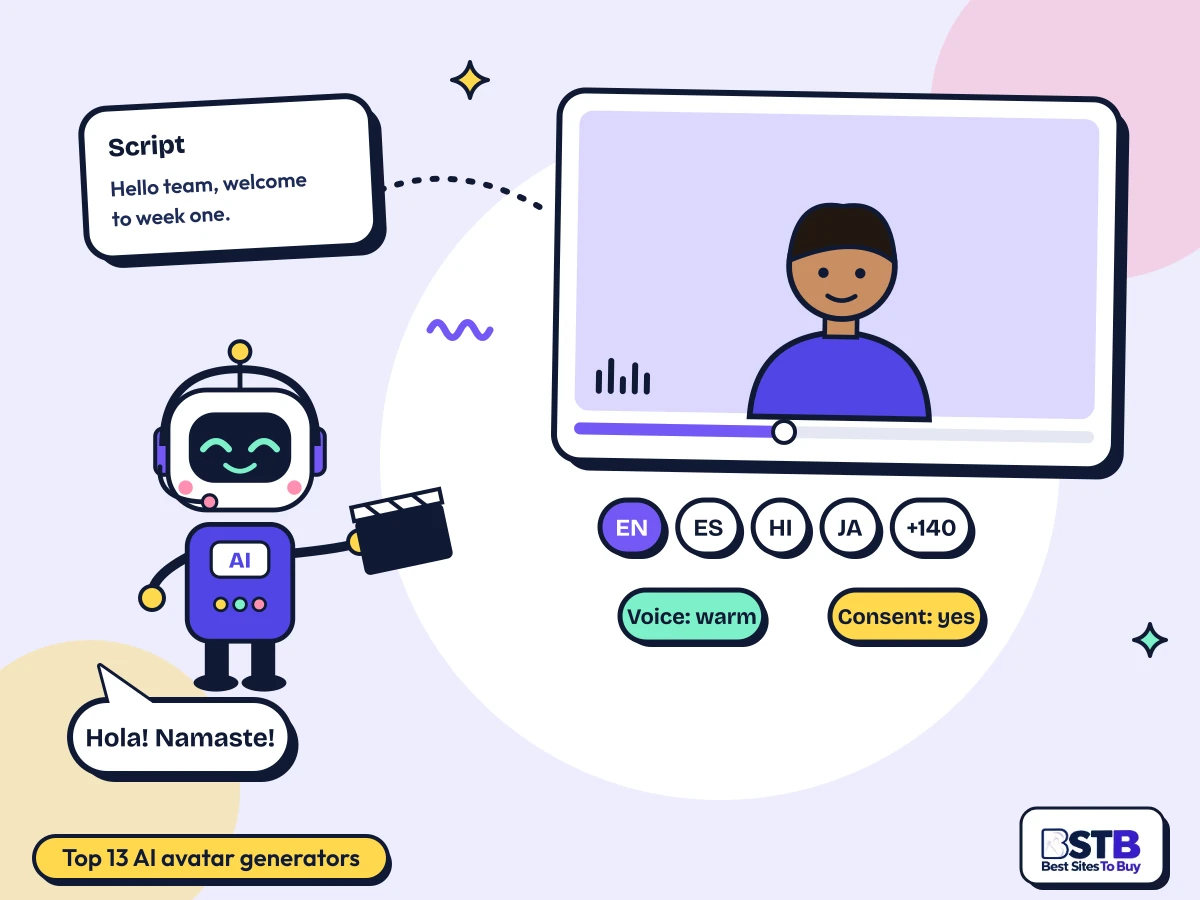
Best AI avatar generators: Scout the BSTB robot with a headset and clapperboard turning a script into a talking presenter video

Why You Can Trust BSTB's AI Tool Listings

Every one of these AI avatar generators online has its own BSTB page with a pricing model, plan prices, languages, consent rules, commercial terms and a score from the same nine criteria.

  • One scoring method for every tool
  • Prices taken from each tool's official pages
  • Plain summaries of what the tool actually does

See how BSTB tests and scores AI tools.

The directory

Top 13 AI Avatar Generators, Ranked by BSTB Score

HeyGen leads at 4.3/5 and AI Studios follows at 4.1/5; filter the best AI avatar generators by price or by the kind of avatar you need.

Show:

Showing 13 of 13.

HeyGen

4.3/5Freemium

Browser studio and API that turns scripts, slides, photos or audio into videos fronted by lifelike AI presenters, with voice cloning, captions and lip-synced translation.

  • Best for: Polished presenter videos at scale
  • Price: Free 3 videos/mo; Creator $29/mo
Read the HeyGen review

AI Studios

4.1/5Freemium

DeepBrain AI's cloud studio that renders presenter videos from scripts, documents or links using a large avatar and voice library, and dubs existing footage.

  • Best for: A huge library of ready-made presenters
  • Price: Free 3 videos/mo; Personal $24/mo yearly (reported)
Read the AI Studios review

Topview AI

4.0/5Freemium

Browser video agent that plans and generates product ads, social clips and short dramas from a script, reference video or product URL, including AI presenter shots.

  • Best for: Avatar product ads from a link
  • Price: Free $0; Basic $18/mo yearly
Read the Topview AI review
Now owned by Panopto

Elai.io

3.9/5Freemium

Browser video maker, now owned by Panopto, that converts scripts, slide decks and article links into narrated videos fronted by AI presenters.

  • Best for: Training videos built from slides
  • Price: Free 1 minute; Creator $29/mo
Read the Elai.io review

JoggAI

3.9/5Freemium

Web app that produces avatar presenter videos, talking photos and product ads from a script, a photo or a product URL, with translation and voice cloning.

  • Best for: Avatar ads from product links
  • Price: Free 200 credits; Starter $24/mo yearly (reported)
Read the JoggAI review

Lucidpic

3.9/5Freemium

Browser studio that generates realistic photos and short clips of people from prompts or from characters trained on your own pictures, with an API.

  • Best for: Consistent realistic brand models
  • Price: Up to $10 free credits; Business $96/mo
Read the Lucidpic review

Akool

3.8/5Freemium

Generative video suite covering face swap, talking photos, streaming and presenter avatars, video translation and voice cloning, via web app and API.

  • Best for: Face swap and streaming avatars
  • Price: Free, watermarked; Starter $12/seat/mo yearly (reported)
Read the Akool review

PixAI

3.8/5Freemium

Anime-style art generator working from prompts or uploaded pictures, with community models, LoRA training, inpainting, upscaling and short animated clips.

  • Best for: Anime-style characters and avatars
  • Price: Free daily credits; Starter $12/mo (reported)
Read the PixAI review
The basics

What Are AI Avatar Generators?

AI avatar generators create a digital person who can stand in for you or a presenter. Most turn a written script into a video of an avatar speaking it; others turn a photo into a stylised or animated avatar.

The category covers two quite different products. Talking video avatars, such as HeyGen, AI Studios and Elai.io, are virtual presenters: you type a script, choose an avatar and a voice, and get a video of the avatar speaking it in any of dozens of languages. Image avatars, such as Mirror AI and PixAI, turn a selfie or a prompt into a cartoon, anime or stylised character for profiles and stickers.

Of the 30 tools BSTB lists here, only 11 make talking videos, 15 create an avatar from a photo and 15 let you make a custom avatar of yourself. 12 name the number of languages they speak, 12 state a consent policy, and only 7 state commercial-use terms. Just 4 make animated profile avatars, despite the category name suggesting many more.

The category as published also carries dead weight. Five tools have no avatar feature at all or are dead, including a chat app in bankruptcy proceedings and two discontinued products. One vendor is listed twice, two are headshot generators already covered on Portrait Generators, and several are video, fashion or language-learning tools. None of them are on this page.

How Do AI Avatar Generators Work?

For talking avatars, you write a script, pick an avatar and voice, and the tool generates video with matching lip movement. For image avatars, a model redraws your photo in a chosen style.

  1. You pick or create an avatar

    Choose from a stock library or record a short video or photo of yourself to make a custom one.

  2. You add a script

    Type or paste what the avatar should say, or upload slides for a training video.

  3. You choose voice and language

    A stock voice, a cloned voice, and one of dozens of languages.

  4. It renders the video

    Speech, lip-sync and gestures are generated. You export or translate it.

What Can You Do With an AI Avatar Creator?

Make training and onboarding videos without filming, translate one video into many languages, produce product ads with a presenter, animate a photo, and create avatars for social profiles.

  • Training videos: a presenter for courses and onboarding, updated by editing the script.
  • Translation: one video re-voiced in dozens of languages with lip-sync.
  • Product ads: presenter-led ads made from a product link.
  • Talking photos: a still photo animated to speak a line.
  • A digital twin: a custom avatar of you, made with your consent.
  • Profile avatars: cartoon, anime or animated profile pictures.

By job

Best AI Avatar Generators by Job

Pick by the job: talking avatars from a script, virtual presenters for training, branded avatars for marketing, avatars from photos, or animated profile avatars. Tools that do two jobs well appear in both groups.

Talking avatars from a script

AI tools to create talking avatars that read a written script in a chosen voice and language.

  • HeyGen: Polished presenter videos at scale
  • AI Studios: A huge library of ready-made presenters
  • JoggAI: Avatar ads from product links
  • Akool: Face swap and streaming avatars
  • TalkPix AI: Cheap talking photos, no subscription

Virtual presenters for training

AI tools to create virtual presenters for training, onboarding and course videos, with large libraries of ready-made avatars.

Branded avatars for marketing

AI tools to build branded digital avatars for ads and product videos. The AI avatar generators for business marketing teams.

Avatars from photos

AI tools to generate avatars from photos: talking photos, face-based avatars and consistent models from your images.

  • Lucidpic: Consistent realistic brand models
  • Akool: Face swap and streaming avatars
  • Avatar AI: Stylised avatars from your selfies
  • TalkPix AI: Cheap talking photos, no subscription

Animated profile avatars

AI tools to make animated profile avatars, stickers and anime characters for social accounts. Only 4 of 30 tools here do this.

  • Avatar AI: Stylised avatars from your selfies
  • Mirror AI: Cartoon selfie stickers
  • PixAI: Anime-style characters and avatars
Know the difference

Talking Video Avatar vs Image Avatar

A talking video avatar is a presenter that speaks your script on video. An image avatar is a stylised picture of you for profiles. They solve different problems and are priced differently.

Talking video avatarImage avatar
What you getA video of a presenter speakingA still or animated picture
InputA script, plus a photo or video for a custom avatarA selfie or a text prompt
Main useTraining, marketing, translationProfiles, stickers, fun
PricingPer video minute or creditsFree tier or small packs
Consent stakesHigh: it speaks as a real personLower, but still your face
On this pageHeyGen, AI Studios, Elai.io, AkoolMirror AI, PixAI, Avatar AI

TalkPix AI sits in between: it animates a single photo so it speaks, priced per credit rather than per month.

What to look for

What Makes a Good AI Avatar Generator?

The best AI avatar creator has natural lip-sync, speaks your languages, makes custom avatars under clear consent rules and states commercial rights. Plain pricing comes next.

  • Natural lip-syncMouth movement that matches the words. Test with your own script, not the demo.
  • The languages you needFrom 75+ to 175+ among tools that state a figure. Check the accent and voice quality, not just the count.
  • Custom avatars, done properlyA digital twin needs your recording and your consent. 15 of 30 tools offer custom avatars.
  • Clear consent rules12 of 30 state a consent policy. Look for identity checks on custom avatars.
  • Commercial rights by planOnly 7 of 30 state commercial terms. Free plans are often watermarked.
  • Plain minute pricingMinutes, credits or videos per month. Work out the cost of one real video.

These overlap with BSTB's nine scoring criteria. Accuracy and Reliability and Data Privacy and Security weigh most here, because avatars can speak as real people.

Step by step

Make a Talking Avatar Video, Step by Step

Write a short script, choose a stock avatar or record your own with consent, pick a voice and language, preview the lip-sync, then render and add captions before you publish.

  1. Write a short script

    Short sentences read more naturally. Aim for under two minutes per video.

  2. Choose the avatar

    A stock presenter, or a custom one recorded from you with your consent.

  3. Pick voice and language

    Match the accent to your audience. Translations can follow later.

  4. Preview the lip-sync

    Watch a short section first. Fix names and numbers the voice mispronounces.

  5. Render and caption

    Export, add captions, and label the video as AI-generated where your platform asks.

Buyer checklist

How to Choose an AI Avatar Generator

Decide between talking video and image avatars, check you can make your own, confirm the languages and consent rules, and price the minutes you will really use.

  1. Talking video

    For presenters and training; image avatar tools are a different product.

  2. Your own avatar

    Check what recording it needs and whether identity is verified.

  3. Languages

    Count matters less than voice quality in your main language.

  4. Consent rules

    Required for any real person, including you. 12 of 30 tools state them.

  5. Minutes per plan

    AI avatar generators for beginners usually allow 1 to 3 free minutes a month; price your real volume.

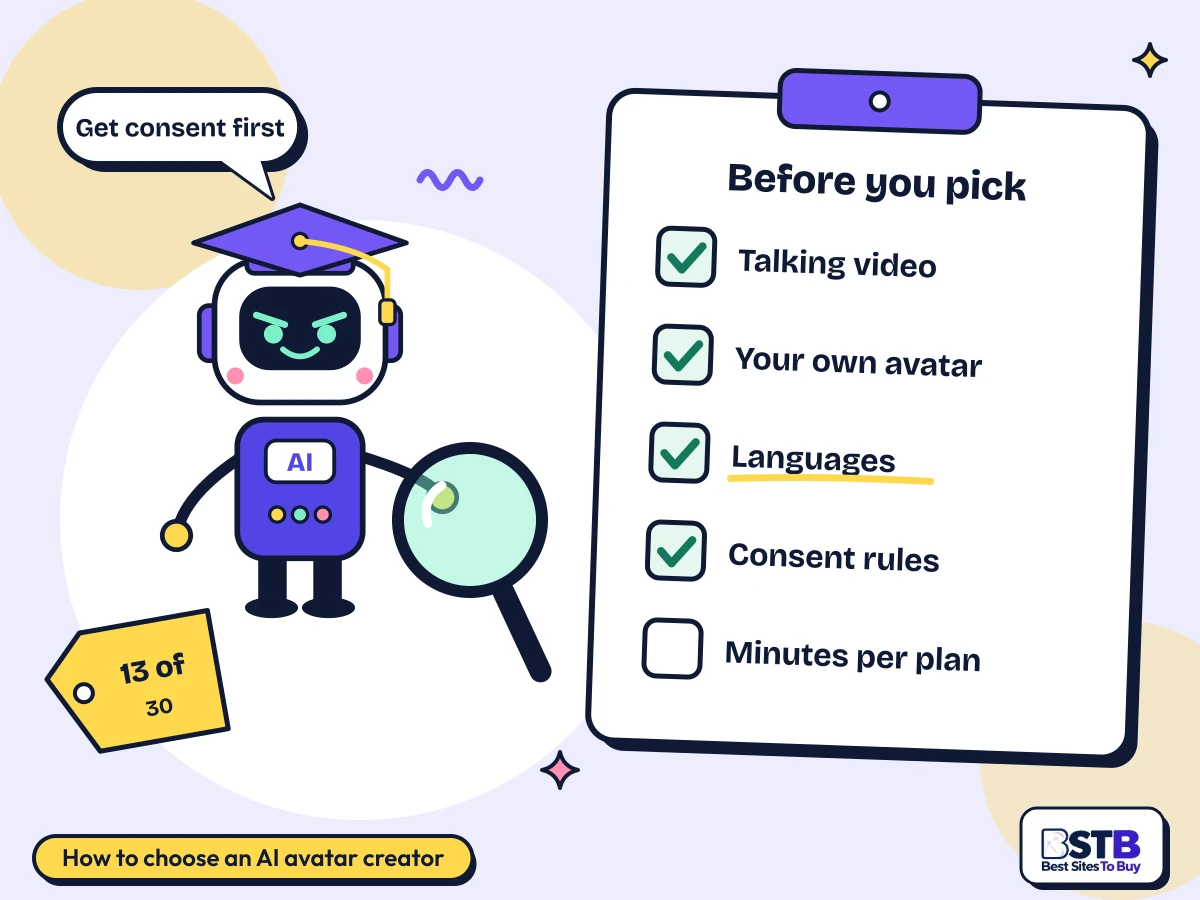
How to choose an AI avatar generator: a checklist reading talking video, your own avatar, languages, consent rules and minutes per plan
Get consent first, then count the minutes.
Pricing

Free vs Paid AI Avatar Generators

Free AI avatar generators let you test, not produce: 10 of the 13 here have a free plan, usually 1 to 3 short videos a month, often watermarked. Paid plans buy minutes, custom avatars and commercial rights.

HeyGen and AI Studios each give 3 free videos a month up to a minute long, and Elai.io gives one free minute. Paid video plans start around $24 to $29 a month: HeyGen Creator is $29 a month and Elai.io Creator $29. TalkPix AI avoids subscriptions, at $1.99 for a first talking photo and $5 for 50 credits. Marketing tools such as Lucidpic reach $96 a month for business use.

Pricing modelTools on this pageWhat you getTools
Freemium10 of 13Free plan with limits, paid upgradeHeyGen, AI Studios, AI Video Course Generator, Topview AI, Elai.io, JoggAI, Lucidpic, Akool, Mirror AI, PixAI
Paid3 of 13Paid only, sometimes with a trialAvatar AI, TalkPix AI, Wondershare Virbo

Prices come from each tool's BSTB page; several are reported or shown only in an app. Three cautions. Free output is often watermarked: AI Studios, Akool and the AI Video Course Generator say so. Custom avatars and voice cloning usually need a paid plan. And re-rendering after a script change uses minutes again.

Use with care

Limits and Consent

Avatars can look slightly off, translated voices vary in quality, commercial rights are rarely stated, and making an avatar of a real person needs their consent. Check all four before you publish.

  • The uncanny edge: lip-sync and gestures are good but not perfect; viewers often notice in long videos.
  • Language counts flatter: a tool may list 150+ languages; quality varies a lot between them.
  • Rights are often unstated: only 7 of 30 tool pages state commercial terms.
  • Consent is not optional: HeyGen verifies identity for custom avatars; AI Studios needs documented consent; Akool and TalkPix require rights to the face and voice.
  • Disclosure rules: some platforms and places require AI-generated people to be labelled.
  • Free plans watermark: 6 of 30 tools say free output is watermarked.
Our method

How BSTB Rates AI Avatar Generators

BSTB scores every one of these AI avatar creators on the same nine criteria, and the overall score is the mean of the nine.

  • Accuracy and Reliability
  • Ease of Use
  • Functionality and Features
  • Performance and Speed
  • Customization and Flexibility
  • Data Privacy and Security
  • Support and Resources
  • Cost-Efficiency
  • Integration Capabilities

Scores are based on each tool's official pages, documentation, published pricing and hands-on checks where available. For avatar generators, realism, language quality and consent controls weigh most. Every overall score on this page matches the mean of its nine criteria to one decimal, checked in code for all 30 tools in the category. Read more about how BSTB tests and scores tools.

Related AI Tool Categories

Avatars overlap with these categories. Browse them or see the full AI tools directory.

FAQs

AI Avatar Generators: Frequently Asked Questions

Quick answers on avatars from photos, speaking a script, talking avatar videos, voice and appearance, languages, training videos, consent and commercial use.

How can I create an AI avatar from a photo?

Upload a clear, front-facing photo to a photo-to-avatar tool and choose what you want: a talking photo, a stylised avatar or a custom presenter. 15 of the 30 tools here work from photos.

TalkPix AI animates a single photo so it speaks a line. Akool and HeyGen can build talking avatars from your photo. Avatar AI turns selfies into stylised avatars, and Mirror AI into cartoon stickers. Use good light, a neutral expression and no sunglasses.

  • Talking photo: TalkPix AI, Akool.
  • Custom presenter: HeyGen, AI Studios, JoggAI.
  • Stylised avatar: Avatar AI, PixAI, Mirror AI.

Can AI avatars speak using a written script?

Yes, it is the main job of talking avatar tools. You type or paste a script and the avatar speaks it with matching lip movement. 11 of the 30 tools here make talking videos.

HeyGen, AI Studios, Elai.io and Akool turn scripts into presenter videos, and Elai.io can start from your slides. Short sentences, phonetic spellings for unusual names, and pauses written as punctuation make the delivery more natural.

No competitor answers this as a question.

How do I create a talking avatar video?

Write the script, choose a stock avatar or make your own, pick a voice and language, preview the lip-sync, then render and export the video.

Most tools follow this order. HeyGen and AI Studios start from a template or a blank scene, Elai.io from slides, and Topview AI and JoggAI from a product link for ads. Keep each video short and preview a section before rendering the whole thing.

  • Script: short, plain sentences.
  • Avatar: stock or your own, with consent.
  • Voice: stock or cloned.
  • Render: then add captions.

No competitor walks through making a talking avatar video.

Can I customize an avatar's voice and appearance?

Usually yes. 12 of the 30 tools here offer voice choice or voice cloning, and 15 let you create a custom avatar of yourself.

Appearance customisation ranges from outfit and background changes on stock avatars to a full digital twin made from your own recording. HeyGen, AI Studios and Akool offer custom avatars and voice options; voice cloning usually needs a paid plan and your consent.

Can AI avatars speak multiple languages?

Yes. Talking avatar tools commonly support dozens of languages: HeyGen states 175+, Akool 155+, AI Studios 150+, Wondershare Virbo 80 and Elai.io 75+.

Most tools also translate an existing video into other languages with matching lip-sync. Quality varies more than the counts suggest, so test the languages you need with a native speaker before publishing.

Can businesses use AI avatars for training videos?

Yes, and it is one of the most common uses. Presenter tools let you update a training video by editing the script instead of reshooting.

Elai.io builds training videos from slides, AI Video Course Generator creates avatar-led course videos, and AI Studios and HeyGen offer large presenter libraries and team plans. Check whether the tool exports to your learning platform and whether commercial use is included on the plan you buy.

Do I need consent to create an avatar of another person?

Yes. Every tool here that states a policy requires the person's consent, and many laws protect a person's likeness and voice. Only 12 of the 30 tools state a policy.

HeyGen verifies identity for custom avatars, AI Studios requires documented consent for avatars and voice clones, Topview AI requires that you are the person shown or hold written consent, and TalkPix AI requires explicit consent to animate real people. Get written consent, keep it on file, and never make an avatar of someone who has not agreed.

No competitor covers consent at all. This is general information, not legal advice.

Can I use an AI avatar commercially?

Usually on a paid plan, but check the terms. Only 7 of the 30 tool pages state commercial terms, and free plans are often watermarked.

Topview AI, Akool, Lucidpic, Avatar AI and TalkPix AI state commercial terms on their BSTB pages. For any avatar of a real person, commercial use also needs that person's consent for that purpose.

No competitor answers commercial use as a question.

How is a talking avatar priced?

Mostly by video minutes or credits per month, with custom avatars and voice cloning on higher plans. Re-rendering after a script change uses minutes again.

Free plans allow about 1 to 3 short videos a month. TalkPix AI sells credits instead of subscriptions, and Wondershare Virbo sells weekly and yearly plans in its app.

Should I label AI avatar videos?

Often yes. Many platforms and some laws expect AI-generated people to be disclosed, and labelling protects trust with viewers.

Add a short line in the video or description saying the presenter is AI-generated, especially for adverts and anything that could be mistaken for a real person speaking.

How does BSTB score AI avatar generators?

Every tool is scored from 1 to 5 on nine criteria, and the overall score is the mean of the nine. Realism, languages and consent controls matter most here.

The nine criteria are Accuracy and Reliability, Ease of Use, Functionality and Features, Performance and Speed, Customization and Flexibility, Data Privacy and Security, Support and Resources, Cost-Efficiency and Integration Capabilities. Read more about how BSTB tests and scores tools.

Card ratings on the category listing show 0.0 because they count user reviews. The editorial score on each tool's page is the one used here.

How often is this list of AI avatar generators updated?

The list is reviewed regularly and whenever a tool changes its pricing, is renamed, or shuts down. Status badges on the cards flag recent changes.

Avatar tools change ownership and pricing often. If you spot an out-of-date price or a tool that should be listed, tell the team through the contact page.

Where a price is marked reported, confirm it with the vendor before subscribing.

Get it listed here.

Get Your AI Avatar Generator Listed on BSTB

Send us your tool's name, website and pricing. The BSTB team reviews every submission before it joins the AI tools directory.

List your AI avatar generator on Best Sites To Buy: the BSTB-1 rocket flying past a video play card towards a tool card
On this page