Best AI Writing Generators 2026: Free AI Writers - BSTB
Psst! 30 drafting tools inside~
30 Best AI Writing Generators in 2026 for Articles, Copy and First Drafts
AI writing generators turn a topic, a brief or a few notes into a draft: blog posts and articles, website copy, product descriptions, emails, essays and outlines. This page ranks the 30 best AI writing tools on BSTB by their 9-criterion score, each with its pricing model, free plan, the writing jobs it handles and a plain-English summary, so you can compare free AI writing generators and paid platforms in one place.
Top 30 of 97 tools 20 of 30 free to start
Why You Can Trust BSTB's AI Tool Listings
Every AI writing tool on this page has its own BSTB page with a pricing model, plan prices, the writing jobs it handles and a score from the same nine criteria.
No tools match those filters. Try another option or price.
The basics
What Are AI Writing Generators?
AI writing generators draft text from an instruction. You give a topic, a brief or an outline, and the tool returns a complete first draft you then edit, fact-check and make your own.
They fall into three camps. General assistants such as Notion AI, Monica and Microsoft Copilot write anything, inside the tools you already use. Writing platforms such as Jasper and Copy.ai add brand voice, templates and team workflow. SEO tools such as SEOWriting AI and Quick Creator start from a keyword and publish straight to your site.
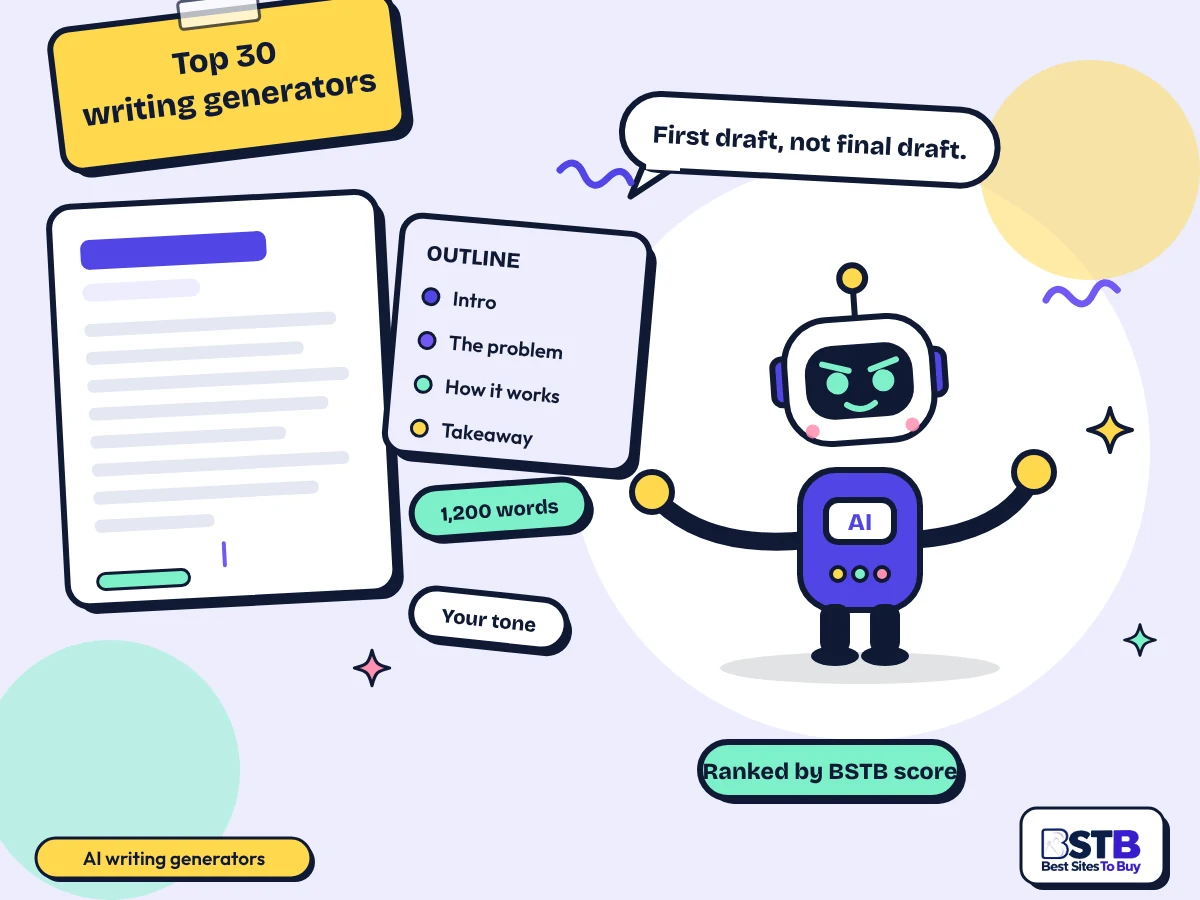
The useful mental model is that all of them produce a first draft and none of them produces a final one. The draft is fluent, structurally sound and confidently wrong in places, so the work shifts from writing to editing, checking and adding the specifics only you know.
How Do AI Writing Tools Produce a Draft?
The tool expands your brief into an outline, writes each section in turn, then applies a tone and any brand rules you set. It predicts likely wording, which is why it sounds right and can still be wrong.
It builds an outline
From your topic it plans sections and headings. This is the step worth editing, because everything after it follows the plan.
It writes section by section
Long drafts are produced in parts and stitched together, which is why a 2,000-word article can repeat a point in two places.
It applies tone and brand rules
Tone settings and brand voice profiles adjust vocabulary and register. They shape the surface, not the substance.
It fills gaps with plausible text
Where the model lacks a fact, it writes what a fact would look like. Statistics, quotes, studies and prices are the usual casualties.
What Can You Write With an AI Generator?
Blog posts and articles, website and landing copy, product descriptions at volume, emails and social posts, essays and study drafts, plus outlines and briefs that make your own writing faster.
Articles and blog posts: a structured draft of 800 to 2,000 words from a brief, ready for editing.
Website and landing copy: headlines, sections and calls to action, usually needing the heaviest rewriting.
Product descriptions: the strongest commercial case: hundreds of listings from a spreadsheet of attributes.
Emails and social posts: short formats where the draft is often close to usable.
Essays and study drafts: outlines, theses and cited drafts, subject to your institution's rules.
Outlines and first drafts: the highest-value use for people who can already write.
By writing job
Best AI Writing Generators by Job
Pick by what you are writing: long-form articles and books, SEO content that publishes to your site, short marketing copy, essays and study work, or a general assistant that handles all of it adequately.
Articles, books and long-form
AI tools for generating articles, blog posts, books and other long-form drafts.
A general assistant is cheapest and most flexible, a writing platform adds brand voice and team workflow, and an SEO tool starts from a keyword and publishes to your site. Most people over-buy.
General assistant
Writing platform
SEO content tool
Starts from
Any prompt
A template or brand brief
A keyword or topic cluster
Best for
Everyday drafting, emails, notes
Teams producing marketing content
Publishing search content at volume
Brand voice
You paste the guidelines each time
Stored and applied automatically
Usually a basic tone setting
Publishing
Copy and paste
Export or integrations
Direct to WordPress, Shopify or a CMS
Typical cost
Free to about $20 a month
$29 to $69 per seat a month, and up
$19 to $129 a month
Examples on BSTB
Notion AI, Monica, Sider, Copilot, DeepSeek
Jasper, Copy.ai, Writecream
SEOWriting AI, Quick Creator, SEOzilla, Werd
What to look for
What Makes a Good AI Writing Generator?
A good AI writing tool holds a brief, keeps a consistent voice across a long draft, cites or flags what it cannot verify, exports cleanly into your workflow, and prices in a way that survives real usage.
Holds the briefIt should follow the audience, angle and exclusions you set, not drift back to a generic treatment by section three.
Consistent voiceTone should hold across 2,000 words. Platforms with a stored brand profile do this better than a raw prompt.
Honest about factsThe best tools cite sources or flag unverified claims. The worst invent statistics with total confidence.
Exports into your workflowGoogle Docs, WordPress, your CMS. Copy and paste is fine until it is 40 product descriptions.
Pricing that survives usageWord and credit caps decide the real cost. A $29 plan that runs out mid-month is a $90 plan.
A free plan you can test20 of the 30 tools here are free to start. Test on your hardest brief, not a sample topic.
These overlap with BSTB's nine scoring criteria, which also weigh ease of use, support, privacy and integrations.
Step by step
How to Get a Publishable Draft Out of an AI Writer
Five steps: write a real brief, fix the outline before any prose, generate section by section, replace every unverified fact, then rewrite the opening and closing in your own voice.
Write a brief, not a topic
Audience, angle, length, tone, what to include and what to leave out. "Blog post about CRM software" produces exactly the article you would expect.
Fix the outline first
Most tools show an outline before drafting. Reorder it, cut the filler sections and add the one angle only you have. SEOWriting AI, Quick Creator and Jasper all let you edit it.
Generate in sections
Section by section beats one long generation: you catch repetition early and keep control of the argument.
Check every fact
Statistics, studies, quotes, prices, dates and names. If the tool cannot show you a source, treat the claim as unwritten.
Rewrite the opening and the ending
These are the most formulaic parts of any AI draft and the two a reader judges you on. Write them yourself.
Buyer checklist
How to Choose an AI Writing Generator
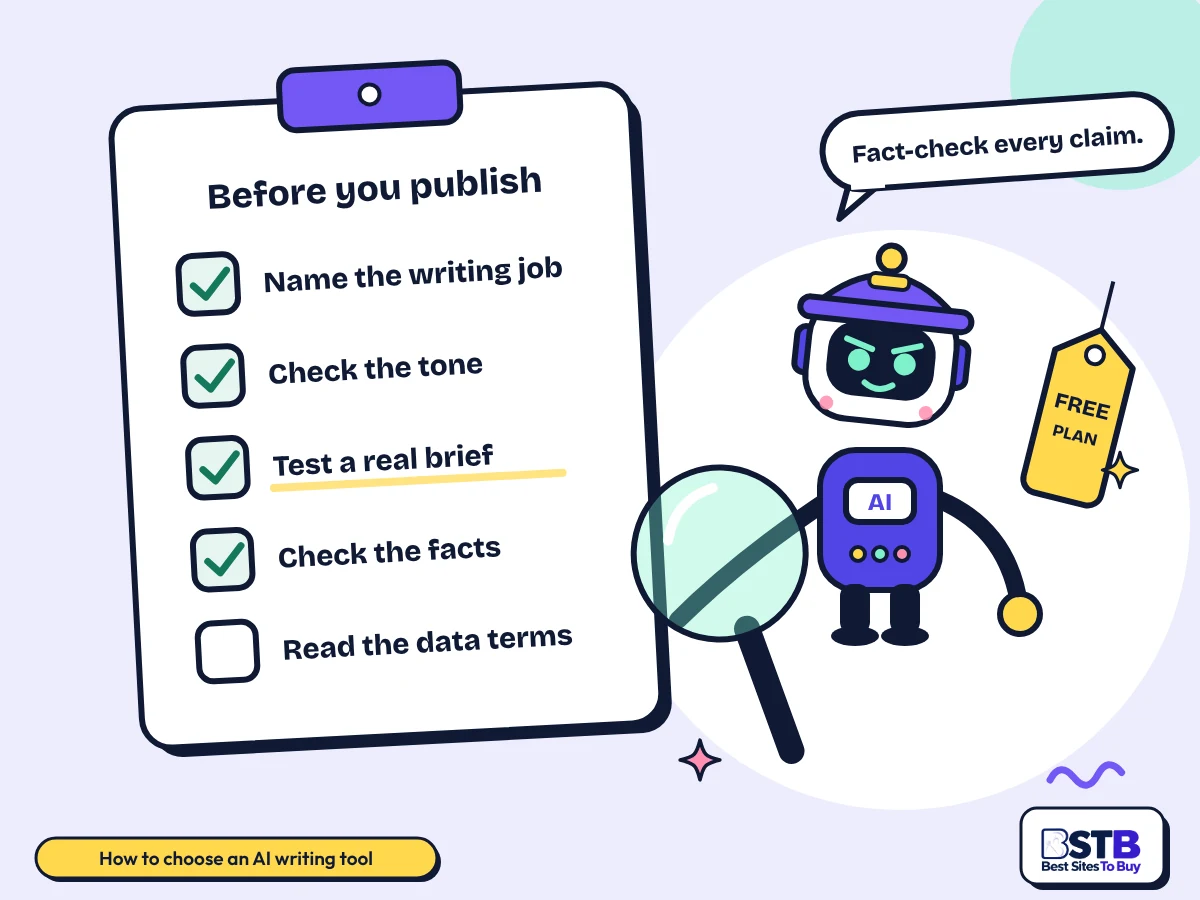
Choose by the writing job, then test a real brief on the free plan, check how it handles your brand voice, work out the true cost at your volume, and read the data terms before pasting client material.
Name the writing job
Long-form, SEO, short copy, essays and general drafting are different products. Use the Writing job filter above the grid.
Test a real brief
Your hardest piece, not a demo topic. The difference between tools shows up on specialist subjects, not on "benefits of remote work".
Check the voice handling
Paste your style guide and see whether it holds for 1,000 words. If you need this often, a platform with a stored brand profile pays for itself.
Work out the real cost
Credits, words and seats. Ten product descriptions a day is a different plan from two blog posts a month.
Read the data terms
Confirm whether your inputs train the model before putting client briefs, unpublished research or customer data into a free tool.
Five checks to run before you publish anything a model wrote.
Pricing
Free vs Paid AI Writing Generators
Two thirds are freemium: 20 of the 30 here are free to start and 10 are paid or trial only. General assistants run free to about $20 a month, while marketing platforms reach $59 to $79 per seat.
Prices come from each tool's BSTB page. The spread in this category is the widest of any we have scored: a free assistant and a $1,000-a-month go-to-market platform both sit under the same keyword. Work out the cost at your real volume, because credit and word caps decide it, not the headline price. Confirm on the vendor's site before you buy.
Use with care
Limits, Accuracy and Telling Readers
AI drafts invent facts, repeat themselves across long pieces, flatten your voice and cannot tell you what they got wrong. Everything published needs a human check, and some of it needs a disclosure.
Invented facts: statistics, studies, quotes and prices are produced with the same confidence as everything else. Verify every one.
Repetition in long drafts: sectional generation means the same point can appear twice in a 2,000-word piece.
Flattened voice: unedited AI writing reads the same everywhere, which is the single clearest tell.
Shallow on specialist topics: the thinner the training material, the more generic and the more wrong the draft.
Search guidance: Google's own guidance rewards helpful, people-first content however it was produced, and penalises bulk low-value pages. Volume alone is not a strategy.
Disclosure and rules: academic work, journalism and some client contracts require you to say AI was used. Check before you publish.
Our method
How BSTB Rates AI Writing Generators
BSTB scores every one of these AI writing tools on the same nine criteria, and the overall score on each card is the plain average of the nine.
Accuracy and Reliability
Ease of Use
Functionality and Features
Performance and Speed
Customization and Flexibility
Data Privacy and Security
Support and Resources
Cost-Efficiency
Integration Capabilities
Scores are based on each tool's official pages, documentation, pricing and public user feedback. Read the full method on how BSTB tests and scores tools.
Related AI Tool Categories
Writing generators overlap with these categories. Browse them when you need a narrower tool, or go back to the full AI tools directory.
Quick answers on generating a full article, building an outline, matching a tone, editing AI text so it reads naturally, long-form work, fact-checking, plagiarism and commercial use.
Can AI Generate a Complete Article From a Topic?
Yes. SEOWriting AI, Quick Creator, SEOzilla and Jasper turn a keyword or topic into a full structured article with headings, intro and conclusion, typically 800 to 2,000 words.
Complete is not the same as publishable. Expect a sound structure and generic substance: the draft will be missing your examples, your data and the one argument that makes the piece worth reading.
SEOWriting AI: 4.0/5; keyword to formatted post with metadata and WordPress publishing.
Quick Creator: 3.9/5; topic planning, article and landing page in a brand voice.
SEOzilla: 3.9/5; researches, writes and schedules posts with approval before publishing.
Jasper: 3.9/5; brand knowledge applied across every draft.
Budget as much time for editing as you saved on drafting. That is still a large net gain.
How Can I Create an Outline With an AI Writing Tool?
Ask for the outline alone before any prose: give the topic, audience and length and request headings with a one-line note on each section, then edit it before generating the draft.
Outlining is the highest-value use of these tools for people who can already write. You get the structure in seconds, fix what is missing, and keep full control of the actual sentences.
Ask for headings only: plus one line per section on what it covers.
Edit before drafting: cut filler sections, reorder, add your angle.
Tools that show the outline: Jasper, SEOWriting AI, Quick Creator, Inkfluence AI.
General assistants: Notion AI, Copilot, Monica all outline well from a short brief.
A good outline makes a mediocre writing tool produce a decent draft. The reverse is not true.
Can AI Writing Tools Match a Specific Tone?
Up to a point. Tone presets handle formal, casual and confident well. Matching a specific brand voice needs a platform that stores your guidelines and examples, such as Jasper or Copy.ai.
The honest limit is that tone settings change vocabulary and sentence length, not judgement. The things that make a voice recognisable, what it refuses to say and what it finds funny, do not transfer from a dropdown.
Presets: formal, casual, friendly, confident; available in most tools here.
Stored brand voice: Jasper and Copy.ai apply guidelines across every draft.
Prompt method: paste three paragraphs of your own writing and ask it to match them.
Reality check: voice usually survives about 500 words before drifting back to neutral.
Write the first and last paragraph yourself. Readers judge voice at the edges.
How Do I Edit AI-Generated Content to Sound Natural?
Cut the throat-clearing opening, vary the sentence length, delete the hedging, replace generic examples with real ones, and rewrite the conclusion. Most AI tells are structural rather than grammatical.
Unedited AI writing has a rhythm: evenly sized paragraphs, triads, a summary sentence at the end of every section and an ending that restates the opening. Breaking that pattern does most of the work.
Cut the first paragraph: it almost always says nothing. Start at the second.
Vary sentence length: AI writes to a uniform length; real writing does not.
Delete hedges: it is important to note, in today's landscape, can help you.
Add specifics: a real number, a real example, a real objection you have heard.
Read it aloud. Anything you would not say in a meeting comes out.
Can AI Writing Tools Help With Long-Form Content?
Yes, with supervision. Inkfluence AI and Automateed draft whole books chapter by chapter, and article tools handle 2,000 words, but long drafts repeat themselves and lose the thread without editing.
The failure mode of long-form AI writing is structural: because the draft is generated in sections, the same point can be made twice and an argument built in section two can be contradicted in section five.
Books and ebooks: Inkfluence AI 4.0/5 and Automateed 3.7/5 outline and draft chapters.
Long articles: Jasper, Copy.ai and the SEO tools handle 2,000 words comfortably.
The method: generate section by section against a fixed outline.
Always check: repetition across sections, and claims that contradict each other.
Read a long draft end to end before editing line by line. The structural problems only show at full length.
How Can I Check AI-Generated Writing for Accuracy?
Verify every specific claim against a source you can open: statistics, studies, quotes, prices, dates and names. If the tool cannot give you a source, treat the sentence as unwritten.
Fabricated detail is the most expensive failure in this category, because the draft reads authoritative. Tools that cite as they write, such as Textero and Semrush Content Toolkit, make this much faster.
Check first: numbers, studies, quotes, prices, dates, laws and names.
Ask for sources: then open them. Invented citations look real.
Citing tools: Textero AI Essay Writer, PerfectEssayWriter, Semrush Content Toolkit.
Rule of thumb: if you could not defend the claim in a meeting, cut it.
A single invented statistic does more damage to trust than a whole weak article.
Can AI Writing Tools Avoid Plagiarism?
AI drafts are generated rather than copied, so they are not plagiarism in the usual sense, but they can reproduce phrasing from training data and they do not cite the sources behind their claims.
The practical risk is uncited ideas rather than copied sentences. If a draft states a fact that came from somewhere, it needs a source, and that source is your job to find and attribute.
Run a check: Smodin, QuillBot and several essay tools bundle plagiarism checking.
Add citations: trace each factual claim to a source you can link.
Academic work: follow your institution's rules on AI assistance and declare it where required.
Related: see the paraphrasing tools category for rewriting and citation tools.
A clean plagiarism report does not mean the ideas were attributed. Those are different checks.
Can Generated Content Be Used for Commercial Purposes?
Generally yes. The major tools grant you rights to the output on paid plans, and some free tiers restrict commercial use. Check the terms of the specific tool, because they differ and they change.
Two other things matter commercially. Copyright protection for purely AI-generated text is limited in several jurisdictions, and some clients and publishers now require disclosure of AI assistance in contracts.
Usually granted: ownership or a broad licence to the output on paid plans.
Check the free tier: some restrict commercial use or add attribution requirements.
Copyright: protection for unedited AI output is limited in several countries. Substantial editing helps.
Client contracts: an increasing number ask you to declare AI use. Read before you sign.
None of this is legal advice. For contracts of any size, check with your own adviser.
Does Google Penalise AI-Generated Content?
No, not for being AI-generated. Google's guidance rewards helpful, people-first content however it was produced, and acts against bulk low-value pages made to manipulate rankings, which is what mass AI publishing often is.
The distinction is usefulness, not authorship. An AI-assisted article with real expertise, original examples and accurate facts is fine. Two hundred thin pages generated from a keyword list are the thing that gets hit.
Fine: AI-assisted drafts that are edited, accurate and genuinely useful.
Risky: bulk publishing, thin rewrites of other people's pages, keyword-stuffed volume.
What helps: first-hand experience, original data, named authors, accurate citations.
Tools that publish at scale: SEOzilla and Quick Creator; use the approval step rather than full automation.
No competitor page we checked addresses this, despite it being the first worry most people have.
Which AI Writing Tools Are Free?
20 of the 30 here are free to start. DeepSeek, Grammarly, Microsoft Copilot, Monica, Sider and Writecream all have genuinely usable free tiers, usually capped by requests, credits or words.
For everyday drafting a free general assistant is often enough. Paid plans are worth it when you need brand voice held across many pieces, direct publishing, team seats or volume that breaks a free cap.
Free and generous: DeepSeek chat, Writecream Free Forever, Microsoft Copilot.
Watch for: credit caps that make a cheap plan expensive at real volume.
Start free for a month. Most people discover which limit they actually hit.
How Does BSTB Score AI Writing Generators?
BSTB scores every AI writing tool on nine criteria: accuracy and reliability, ease of use, functionality, performance, customisation, data privacy, support, cost-efficiency and integrations.
The score on each card is the plain average of those nine. Scores come from each tool's official documentation, pricing pages and public user feedback, and every tool keeps its own page with the full breakdown.
Nine criteria: each scored separately, then averaged.
Evidence: official docs, pricing pages, public reviews.
Ranking here: the grid is ordered by overall score, ties alphabetically.
BSTB sells no writing tool, so nothing here is ranked first for being ours.
How Often Is This List of AI Writing Generators Updated?
BSTB rechecks this list whenever a tool changes its pricing or feature set, and reviews the whole category on a rolling basis. It is the largest category we score, at 97 listed tools.
This category changes constantly: tools are acquired, repositioned towards AI search visibility, or quietly shut down. Each tool's own BSTB page carries the last checked figures.
Rolling review: rechecked as tools launch, change price or disappear.
Repositioning tracked: Writesonic is now an AI search visibility platform, not a plain writer.
Status flags: shown on the card when a tool cannot be confirmed as running.