Best AI Image Editing Tools 2026: Free Photo Editors - BSTB

Psst! 32 generators inside

32 Best AI Image Generators in 2026 for Realistic Photos, Illustrations, Product Shots and Concept Art

AI image generators turn a written description into a picture: a photorealistic scene, an illustration, a product shot or a piece of concept art. This page ranks the 32 best AI image generators on BSTB by their 9-criterion score, each with its pricing model, what it generates best and a plain-English summary, plus what each one says about commercial use.

Top 32 of 104 tools 25 of 32 free to start
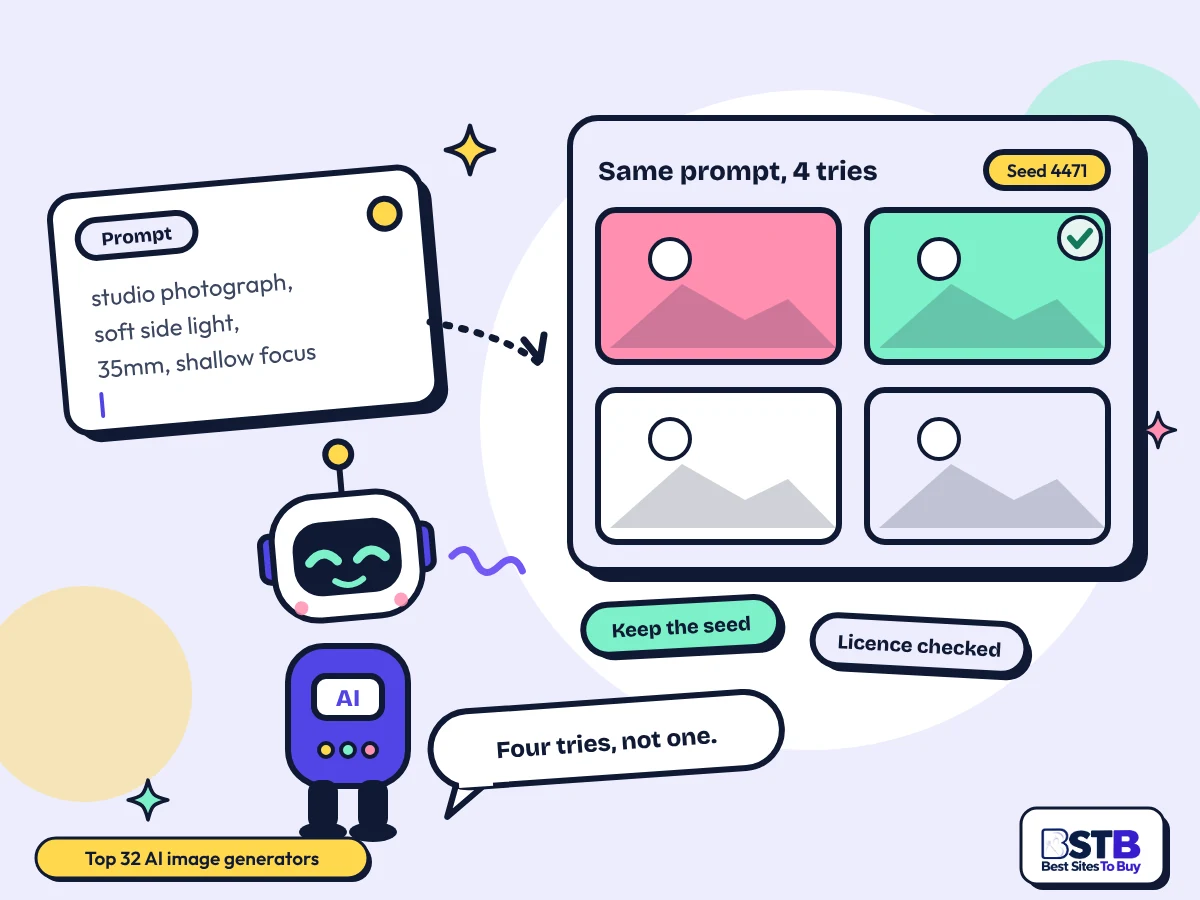
Best AI image generators: Scout the BSTB robot beside a prompt card reading studio photograph soft side light 35mm and a panel of four candidate images from the same prompt with one ticked

Why You Can Trust BSTB's AI Tool Listings

Every one of these AI image generators online has its own BSTB page with a pricing model, plan prices, what it generates and a score from the same nine criteria.

  • One scoring method for every tool
  • Prices taken from each tool's official pages
  • Plain summaries of what the tool actually does

See how BSTB tests and scores AI tools.

The directory

Top 32 AI Image Generators, Ranked by BSTB Score

Adobe Firefly and Stable Diffusion lead at 4.3/5, with Magnific at 4.2/5; every one of these AI image generation tools can be filtered by price or by whether you want an all-purpose generator, an open model or a product-shot tool.

Show:

Showing 32 of 32. Picked from the 104 tools listed in the BSTB Image Generators category, ranked by overall score.

Custom Models in public beta

Adobe Firefly

4.3/5Freemium

Adobe's generative app for images, video, audio and vector, trained on licensed material and backed by enterprise indemnification.

  • Best for: Commercial work that must be safe
  • Price: Free $0; Standard $9.99/mo; Pro $19.99/mo; higher tiers above
  • Status: Custom Models in public beta (see review)
Read the Adobe Firefly review
DreamStudio branding has changed

Stable Diffusion

4.3/5Freemium

The open-weight model family you can run on your own hardware or call by API, and the base most other tools are built on.

  • Best for: Running it yourself, no per-image fee
  • Price: Community licence free to self-host; Enterprise licence on request
  • Status: DreamStudio branding has changed (see review)
Read the Stable Diffusion review
Availability of some variants unclear

FLUX.1

4.1/5Freemium

Black Forest Labs' open-weight model family, strong on prompt following and widely used inside other tools.

  • Best for: Open weights with current quality
  • Price: schnell weights free; dev weights free for non-commercial use; commercial licence and API priced separately
  • Status: Availability of some variants unclear (see review)
Read the FLUX.1 review

Pollinations

4.1/5Freemium

Open-source API that returns a generated image from a plain prompt URL, with no account needed to start.

  • Best for: Developers wanting a URL, not an SDK
  • Price: Free models and Quest Pollen $0; Pollen packs about $1 each
Read the Pollinations review

Artlist AI

4.0/5Paid

Licensed generative media suite covering images, video, voice and music, with a commercial licence and output excluded from training.

  • Best for: Licensed media with indemnification
  • Price: Free trial $0; AI Starter $19.99/mo ($11.99/mo billed yearly); higher tiers above
Read the Artlist AI review
One feature discontinued

Graswald

4.0/5Paid

Enterprise fashion imagery platform built to replace product photo shoots rather than to generate art.

  • Best for: Fashion brands replacing shoots
  • Price: Enterprise and agency terms both contact for pricing
  • Status: One feature discontinued (see review)
Read the Graswald review

Grok

4.0/5Freemium

xAI's assistant with Imagine for generating images and short clips inside a conversation rather than a studio.

  • Best for: Generating inside a chat
  • Price: Free $0; SuperGrok $30/mo (reported, unconfirmed); higher tiers above
Read the Grok review
Feature availability varies by region

Meta AI

4.0/5Freemium

Assistant inside WhatsApp and Instagram that generates and edits images where the conversation already is.

  • Best for: Generating where you already chat
  • Price: Meta AI free; Meta One Core $7.99/mo; Meta One Premium higher
  • Status: Feature availability varies by region (see review)
Read the Meta AI review

OpenArt

4.0/5Paid

Multi-model studio with consistent characters, video and 3D worlds alongside still image generation.

  • Best for: Characters kept consistent across images
  • Price: Free trial $0, about 40 credits over seven days (reported); paid tiers above
Read the OpenArt review

Thinkdiffusion

4.0/5Paid

Cloud GPU workspaces running ComfyUI and Stable Diffusion WebUI, so you get the open stack without owning a graphics card.

  • Best for: The open stack without the hardware
  • Price: Hobby pay as you go; TD-Pro $29.99/mo ($19.99 yearly); higher tiers above
Read the Thinkdiffusion review

AIEASE

3.9/5Freemium

One-click photo suite that both generates images and cleans up existing ones, aimed at speed over control.

  • Best for: Quick results without settings
  • Price: Free $0; Pro $9.99/mo (shown against $19.99); higher tiers above
Read the AIEASE review

Caspa AI

3.9/5Freemium

Generates product photography scenes and lifestyle shots for listings, so a plain product photo becomes a styled one.

  • Best for: Listings that need lifestyle shots
  • Price: Free credits $0, 10 credits with no card; paid tiers above
Read the Caspa AI review

Dezgo

3.9/5Freemium

Pay-per-request browser and API generator running FLUX and SDXL, with no subscription to forget about.

  • Best for: Paying only for what you generate
  • Price: Free $0; Power Mode prepaid from $10, charged per request
Read the Dezgo review
Maintenance status unclear

DiffusionBee

3.9/5Free

Free Mac app that runs Stable Diffusion entirely on your own machine, with no account and no per-image cost.

  • Best for: Mac users who want it offline
  • Price: macOS app free; source code free under AGPL-3.0; Windows build listed separately
  • Status: Maintenance status unclear (see review)
Read the DiffusionBee review
Scope has changed since launch

Kinovi

3.9/5Freemium

One account covering more than 30 video, image and audio models, bought as one-off credit packs rather than a subscription.

  • Best for: Credits without a subscription
  • Price: Free credits $0; Starter $9.99 one-time; XL $99.90 one-time
  • Status: Scope has changed since launch (see review)
Read the Kinovi review

Lucidpic

3.9/5Freemium

Generates realistic stock photographs of people who do not exist, which sidesteps model releases entirely.

  • Best for: Stock people without a model release
  • Price: Free credits $0, up to $10 introductory credits; Business $96 and above
Read the Lucidpic review
Now runs as AI Horde

Stable Horde

3.9/5Free

Free crowdsourced generation running on volunteers' spare graphics cards, and the only tool here whose page states it can output transparent backgrounds.

  • Best for: Free generation with no account
  • Price: Anonymous $0; registered $0; worker contributions earn priority
  • Status: Now runs as AI Horde (see review)
Read the Stable Horde review
Now operates as Dzine

Stylar

3.9/5Freemium

Style-controlled generator and editor that holds a visual style across a set of images rather than per prompt.

  • Best for: Holding one style across a set
  • Price: Free $0; Beginner $8.99/mo; Creator $19.99/mo; higher tiers above
  • Status: Now operates as Dzine (see review)
Read the Stylar review
Blocked in the UK

Civitai

3.8/5Freemium

Community hub for AI image models with on-site generation and LoRA training, which is where custom styles come from.

  • Best for: Finding and training custom models
  • Price: Free account $0; Bronze $10/mo (reported, unconfirmed); higher tiers above
  • Status: Blocked in the UK (see review)
Read the Civitai review
Android availability unclear

Dreamina

3.8/5Freemium

CapCut's Seedream-powered image and video generator from ByteDance, tied into the CapCut editing workflow.

  • Best for: CapCut users generating in place
  • Price: Free $0; Basic $15/mo; Standard $36/mo; Advanced higher
  • Status: Android availability unclear (see review)
Read the Dreamina review
Pricing structure unclear

Generor

3.8/5Freemium

A bundle of more than 100 generators spanning images, video, audio and text, broad rather than deep.

  • Best for: Breadth on a one-off payment
  • Price: Free generators $0; Basic $15 and Pro $42 both reported as one-time, unconfirmed
  • Status: Pricing structure unclear (see review)
Read the Generor review

PixAI

3.8/5Freemium

Anime art generator with community LoRAs, which is how people keep one character consistent across many images.

  • Best for: Anime art with a consistent cast
  • Price: Free $0; Starter $12/mo and Plus $36/mo on the App Store; higher tiers above
Read the PixAI review
Now trading as Affogato

Rendernet

3.8/5Paid

Character-consistent image and video studio, built around keeping one person recognisable across a whole set.

  • Best for: One character across many scenes
  • Price: Standard $24/mo; Ultra $69/mo; Pro Max $251/mo; team tiers above
  • Status: Now trading as Affogato (see review)
Read the Rendernet review

WeryAI

3.8/5Freemium

Multi-model studio covering image, video and music generation from a single account.

  • Best for: One account across three media
  • Price: Free $0; Basic $14.99/mo ($143/yr); Standard $29.99/mo; higher tiers above
Read the WeryAI review
The basics

What Are AI Image Generators?

AI image generators create a new image from a text prompt. You describe what you want, the model produces several versions, and you refine the description until one works.

The best AI image generation tools split by how you get at the model, and the hosted ones are the AI image generators for beginners to start with. Hosted generators such as Adobe Firefly and Ideogram run in a browser with a subscription. Open models such as Stable Diffusion and FLUX.1 can be run on your own hardware with no per-image cost. Multi-model studios such as getimg.ai put several models behind one account. A smaller group is built for one job: product photography, illustration or consistent characters.

What they are genuinely good at now is single striking images from a clear description. What they remain weak at is doing the same thing twice: the same character, the same product, the same style across a set. That is the problem most of the specialist tools on this page exist to solve.

How Do AI Image Generators Work?

You write a prompt, the model generates several candidates from random noise guided by that description, and you refine either the words or the settings until one is close enough to use.

  1. You describe the image

    Subject, style, lighting, framing. Specificity does most of the work, and vague prompts produce the generic output people complain about.

  2. It generates candidates

    Several versions from the same prompt, each starting from different random noise. This is why the same prompt never gives the same picture twice.

  3. Settings narrow it

    Aspect ratio, style presets, reference images and seeds. Seeds are how you get a repeatable starting point, which matters for consistency.

  4. You iterate

    Most usable images are the fifth or tenth attempt, not the first. Generation is cheap, so the cost of iterating is mostly your time.

What Can You Do With an AI Image Generator?

Make a photorealistic scene, illustrate an article, produce product shots without a studio, create concept art, generate stock people who do not exist and iterate on a visual idea quickly.

  • Generate from a description: the core use, and the fastest way to see an idea.
  • Produce product imagery: lifestyle shots from a plain product photo, without a shoot.
  • Illustrate without an illustrator: for articles, decks and social, where budget never stretched.
  • Create concept art: fast exploration of characters, environments and mood.
  • Generate stock people: faces that do not exist, which avoids model releases entirely.
  • Iterate on a visual idea: twenty directions in an hour, which is the real workflow change.
By kind of generator

Best AI Image Generators by Kind

Pick by how you want to work: an all-purpose hosted generator, an open model you run yourself, a studio covering several models, or a tool built for one job such as product shots or illustration.

All-purpose text to image

All-purpose hosted generators. Subscribe, type a prompt, get an image. The right starting point for almost everyone.

Open models you can run yourself

Open-weight models and the services that run them, including free local apps. No per-image cost, more setup, and the route to custom models.

Multi-model studios

Studios putting several third-party models behind one account, so you can switch model without switching tool or subscription.

Illustration and artwork

AI tools to make illustrations and artwork, including anime and cartoon styles, and the community platforms where custom styles come from.

People, characters and concept art

AI tools to create concept art, characters and people, including the tools built to keep one character recognisable across a set of images.

Product and ecommerce imagery

AI tools to generate product images for ecommerce: lifestyle scenes, on-model fashion and listing photography generated rather than shot.

  • Graswald: Fashion brands replacing shoots
  • Caspa AI: Listings that need lifestyle shots
  • Flair AI: Cheapest route to product photos
Know the difference

Hosted Generator vs Open Model

A hosted generator is a subscription and a browser tab. An open model is free to run and costs you hardware, setup and time. The choice decides your per-image cost and how much control you get.

Hosted generatorOpen model you run
Getting startedMinutesHours, or a cloud GPU service
Cost shape$8 to $60 a month, or creditsFree software, your hardware or GPU time
Per-image costCredits, which run outNone once it is running
ControlThe settings they exposeEverything, including custom models
PrivacyYour prompts reach their serversNothing leaves your machine, if local
On this pageAdobe Firefly, Ideogram, Dreamina, GrokStable Diffusion, FLUX.1, DiffusionBee, Stable Horde
What to look for

What Makes a Good AI Image Generator?

A good one follows the prompt rather than approximating it, gives you repeatable results, states clearly what you may do with the output, exports at the size and format you need, and says whether it trains on your work.

  • It follows the promptPrompt adherence separates the current generation from the last one. A model that ignores half your description is not saving you time.
  • Repeatable resultsSeeds, reference images and style sets are what let you produce a second image that matches the first. Without them every image is a one-off.
  • Clear commercial termsWhether you can use the output commercially, and whether the vendor indemnifies you, differs by tool and often by plan. Several free tiers exclude commercial use.
  • The sizes and formats you needAspect ratios, resolution and whether you can get a transparent background or a vector. Most tools are quieter about this than they should be.
  • It says what it does with your workSome vendors state plainly that they never train on your images. Others reserve the right by default. This is worth checking before you upload a client brief.
  • Credits that match your useNearly everything here meters by credits. Work out your real monthly volume before comparing headline prices.

These overlap with BSTB's nine scoring criteria, which also weigh ease of use, speed, support and integrations.

Step by step

How to Get a Usable Image, Step by Step

Five steps: describe subject and style separately, generate a batch rather than one, lock the seed once something is close, change one thing at a time, then upscale only at the end.

  1. Separate subject from style

    What is in the picture, then how it looks. Prompts that mix the two produce muddled results, and this one habit fixes most bad output.

  2. Generate a batch

    Four or eight at a time. The useful one is rarely the first, and judging a prompt from a single image tells you very little.

  3. Lock the seed when close

    Once a composition works, fixing the seed lets you change the prompt without losing it. This is the step most people never learn.

  4. Change one thing at a time

    Rewriting the whole prompt restarts from scratch. Adjusting a single clause is how you steer rather than reroll.

  5. Upscale last

    Work at low resolution while iterating, then upscale the one you chose. Upscaling early wastes credits on images you discard.

Buyer checklist

How to Choose an AI Image Generator

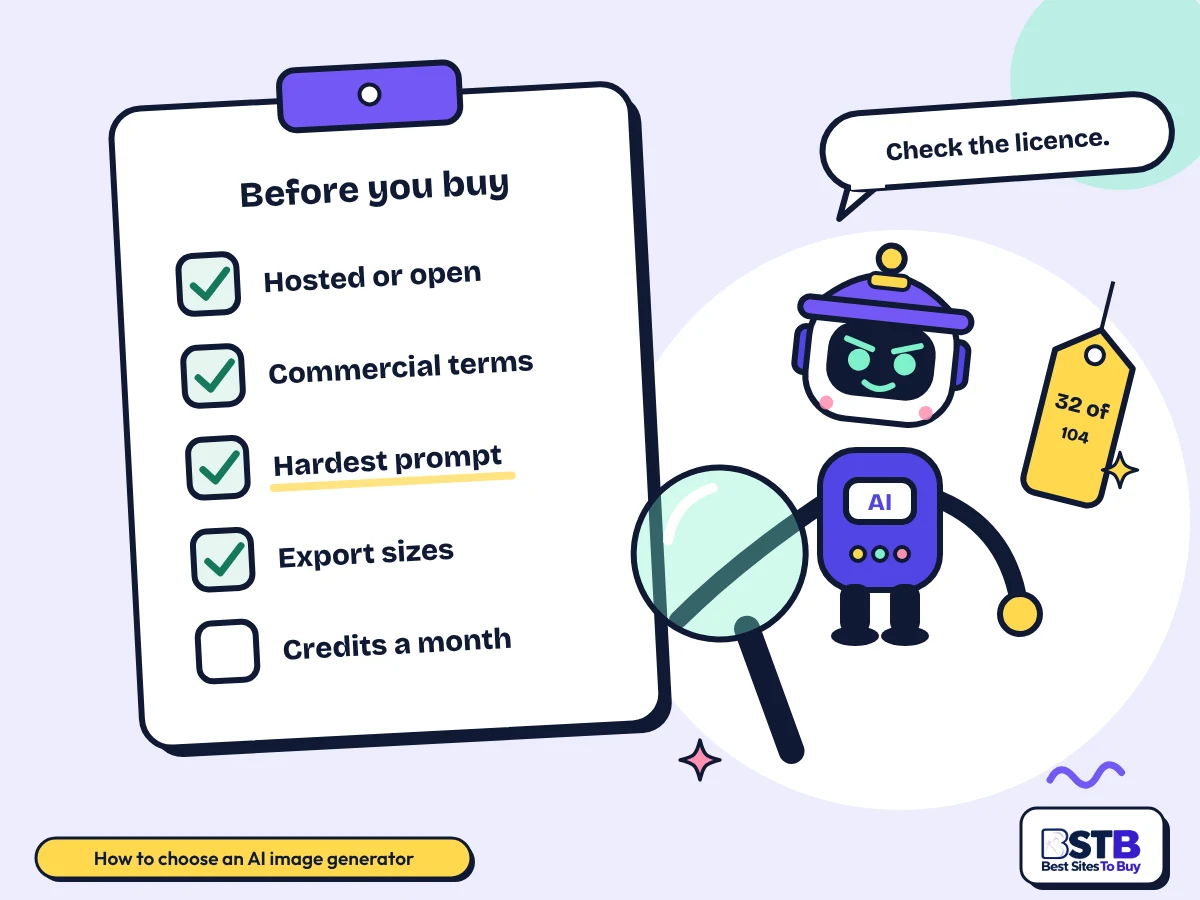
Decide whether you want hosted or open, check the commercial terms on the plan you will actually buy, test it on your hardest prompt, confirm it exports what you need and work out the real credit cost.

  1. Hosted or open

    This decides cost shape and control. Use the Kind of generator filter above the grid.

  2. Read the plan's commercial terms

    Not the marketing page. Several tools allow commercial use on paid tiers only.

  3. Test your hardest prompt

    Something with text, hands or a specific product. Easy prompts all look good.

  4. Check export

    Resolution, aspect ratios, and whether you need transparency or vector output.

  5. Price your real volume

    Credits per month at the rate you actually generate, not the headline price.

How to choose an AI image generator: a checklist reading hosted or open, commercial terms, your hardest prompt, export sizes, credits a month and transparency
Commercial terms differ by plan, not just by brand.
Pricing

Free vs Paid AI Image Generators

Free AI image generators are thinner on the ground than the marketing suggests: 23 of the 32 tools here are freemium, 2 are genuinely free and 7 are paid or trial only. Paid plans run from about $8 to $60 a month, and most meter by credits rather than selling unlimited use.

Pricing modelTools in the top 30What you getTools
Free2 of 32Everything free, no paid tierDiffusionBee, Stable Horde
Freemium23 of 32Free plan with limits, paid upgradeAdobe Firefly, Stable Diffusion, Magnific AI Image Generator, FLUX.1, Ideogram, Pollinations, Grok, Meta AI, AIEASE, Caspa AI, Dezgo, Kinovi, Lucidpic, Pixlr: AI-Powered Editor, Stylar, Artbreeder, Civitai, Dreamina, Flair AI, Generor, NightCafe Studio, PixAI, WeryAI
Paid7 of 32Paid only, sometimes with a trialArtlist AI, Graswald, OpenArt, Thinkdiffusion, Neolemon, getimg.ai, Rendernet

Prices come from each tool's BSTB page. Two cautions specific to this category. Free tiers frequently exclude commercial use, so a free plan that is fine for experiments may not be fine for client work. And over thirty of the tools checked carry at least one price that could not be confirmed, was contradictory, or appears only after sign-up. Everything uncertain says reported on the card. Confirm on the vendor's own site before you buy.

Use with care

Limits, Rights and Disclosure

Models still fail on hands, text and precise detail, cannot reliably repeat a subject, and leave you with commercial rights that vary by tool and by plan. Disclosure rules are tightening separately.

  • Hands, text and detail: the classic failures. Specialist tools handle text better, but nothing here is reliable on fine detail at small scale.
  • Consistency is hard: the same character or product across a set remains the main unsolved problem, which is why specialist tools exist.
  • Commercial rights vary: by tool and by plan. Several free tiers exclude commercial use outright, and only a few vendors indemnify.
  • Training data differs: a few are trained on licensed material only; most do not say. This matters for brand and legal risk.
  • Your uploads may train the model: some vendors state plainly that they never do, others reserve the right by default.
  • Disclosure and watermarking: platforms increasingly label or require labelling of AI images, and the rules differ by platform and country.
Our method

How BSTB Rates AI Image Generators

BSTB scores every one of these generators on the same nine criteria, and the overall score on each card is the plain average of the nine.

  • Accuracy and Reliability
  • Ease of Use
  • Functionality and Features
  • Performance and Speed
  • Customization and Flexibility
  • Data Privacy and Security
  • Support and Resources
  • Cost-Efficiency
  • Integration Capabilities

Scores are based on each tool's official pages, documentation, pricing and public user feedback. Read the full method on how BSTB tests and scores tools.

Related AI Tool Categories

Image generators overlap with these categories. Browse them when you need a narrower tool, or go back to the full AI tools directory.

FAQs

AI Image Generators: Frequently Asked Questions

Quick answers on AI tools to generate images from text prompts, realism, writing better prompts, controlling style, transparent backgrounds, keeping a character consistent, output sizes and formats, and commercial use.

How Can I Generate an Image From a Text Prompt?

Describe the subject, then the style, then the framing, and generate a batch rather than one image. Every tool here works this way; the difference is how closely the model follows what you wrote.

The most common mistake is writing one long sentence that mixes what is in the picture with how it should look. Separating the two gives the model a clearer instruction and immediately improves the hit rate.

  • Subject first: who or what, doing what, where.
  • Then style: photograph, illustration, 3D render, and the lighting.
  • Then framing: close-up, wide shot, aspect ratio.
  • Generate four: judging a prompt from one image tells you almost nothing.

Prompt adherence is where the current generation of models improved most. If one ignores your description, try another.

Can AI Create Realistic Photos and Illustrations?

Both. AI tools to create realistic AI images are now good enough that most people cannot tell. Lucidpic generates stock photographs of people who do not exist, and the general models produce convincing scenes.

The remaining tells are hands, text, reflections and repeated patterns in backgrounds. For illustration the challenge is different: getting a consistent style across a set rather than one good image.

  • Realistic people: Lucidpic at 3.9/5, built specifically for this.
  • Realistic scenes: Adobe Firefly and FLUX.1 both handle photographic prompts well.
  • Illustration: Neolemon, NightCafe and PixAI cover different styles.
  • Check the detail: hands, text and background patterns are where it still breaks.

Zoom in before you publish. The failures are almost always in detail you did not look at.

How Do I Write Prompts for Better AI Images?

Be specific, separate subject from style, and change one clause at a time. Long vague prompts produce generic images; short precise ones with a few deliberate details produce usable ones.

The technique that helps most is iterating rather than rewriting. Once something is close, keep the seed and adjust a single part of the description, so you steer the image instead of starting again.

  • Name the style precisely: studio photograph beats professional, oil painting beats artistic.
  • Add lighting and lens: soft side lighting, 35mm, shallow depth of field.
  • Say what to exclude: most tools accept negative prompts for what you do not want.
  • Keep the seed: then change one clause. This is steering rather than rerolling.

No competitor page explains seeds, and they are the single most useful thing to learn here.

Can AI Generate Images in a Specific Style?

Yes, three ways: naming the style in the prompt, using a style preset, or supplying reference images. The third is the most reliable and the least documented.

Stylar at 3.9/5 is built around holding a style across a set, and community platforms such as Civitai host custom models trained on particular styles, which is how people get a look that a prompt alone cannot reach.

  • Name it in the prompt: easiest, least consistent across images.
  • Style presets: built into most hosted generators, limited to what they ship.
  • Reference images: far more reliable, supported by Stylar, OpenArt and others.
  • Custom models: Civitai hosts community LoRAs; this is the furthest you can take it.

Avoid prompting a living artist's name. It is legally murky and several tools now block it.

Can I Create Images With Transparent Backgrounds?

Rarely, and this is the weakest-documented thing in the whole category. Of the 55 tool pages checked, exactly one states that it can output transparent backgrounds.

That one is Stable Horde. Several other tools offer background removal after generation, which is a different thing: you generate on a background and then cut it out, usually losing some edge quality around hair and fine detail.

  • Generate then remove: the usual route, and good enough for most product work.
  • Edge quality suffers: hair, fur and glass are where cut-outs look wrong.
  • Stable Horde: 3.9/5; the only page here claiming native transparent output.
  • Ask before buying: if you need PNG alpha routinely, confirm with the vendor directly.

No competitor page answers this at all. If transparency matters, treat it as a question for the vendor, not a feature you can assume.

How Can I Generate Consistent Characters Across Images?

With reference images, a locked seed, or a tool built for it. General generators will not keep a character consistent from prompt to prompt, and no amount of describing them fixes that.

Rendernet at 3.8/5 and OpenArt at 4.0/5 are built around character consistency, and Neolemon at 3.9/5 does it for cartoon illustration. The deeper route is training a small custom model on your character, which community platforms support.

  • Reference images: the simplest method, supported by most studio tools.
  • Rendernet and OpenArt: both built specifically for a consistent cast.
  • Custom models: training a LoRA on your character is the most reliable method.
  • Same seed, same settings: keeps composition stable while you change details.

Two competitors mention consistency as a feature. None explains how to achieve it, which is the actual question.

What Image Sizes and Formats Can AI Generators Produce?

Most output PNG or JPEG at between one and two thousand pixels on the long edge, with a handful of preset aspect ratios. Vector output and genuine print resolution are rare.

This is poorly documented across the whole category, including on BSTB's own tool pages. If you need a specific size, a print resolution or a vector file, check before subscribing rather than after, because upscaling a generated image is a separate step and sometimes a separate tool.

  • Typical output: PNG or JPEG, roughly 1024 to 2048 pixels on the long edge.
  • Aspect ratios: presets rather than arbitrary dimensions on most hosted tools.
  • Print resolution: usually needs a separate upscaling pass.
  • Vector: rare. Adobe Firefly is the main option for vector output here.

Generate at the aspect ratio you need rather than cropping later. Cropping throws away pixels you paid for.

Can AI-Generated Images Be Used Commercially?

It depends on the tool and often on the plan, and several free tiers exclude commercial use. Of the 55 tool pages checked, 45 say something about rights and 10 say nothing at all.

The strongest positions are Adobe Firefly, trained on licensed material with enterprise indemnification, Artlist AI with a commercial licence and indemnification on its custom tier, and Magnific, which states it never trains on your work on any plan. Separately, copyright in raw AI output is unsettled in several jurisdictions.

  • Check the plan, not the brand: commercial use is excluded on several free tiers.
  • Indemnification is rare: a handful of vendors offer it, mostly on business tiers.
  • Training data matters: licensed-only training reduces the risk of a lookalike claim.
  • Copyright in the output: unsettled; substantial human input strengthens your position.

Competitor coverage here is fragmentary. If the image is going on a paid campaign, read the licence for the exact plan you are on.

Do These Tools Train Their Models on the Images I Upload?

Some do by default and some promise never to, and the difference is rarely on the pricing page. Several vendors here state plainly that they do not; others reserve the right unless you opt out.

No competitor page raises this. It matters most if you upload client briefs, product photography or anything unreleased. The pattern is that enterprise tiers promise more than free ones, which is exactly backwards from where most people start.

  • Explicit no: Magnific, Adobe Firefly, Artlist AI and Neolemon all state they do not train on user work.
  • Opt-out models: some vendors use your content to improve services unless you change a setting.
  • Tier-dependent: no-training promises sometimes cover business plans only.
  • Check before uploading: especially for unreleased products or client material.

Read this before the first upload, not before the first invoice.
Can I Generate Product Photos Without a Studio?

Yes, and it is one of the strongest business uses in the category. Three tools here are built for it, taking a plain product photo and placing it in a styled or on-model scene.

Flair AI at 3.8/5 is the cheapest credible option, Caspa AI at 3.9/5 covers listing photography, and Graswald at 4.0/5 is an enterprise fashion platform built to replace shoots outright.

  • Flair AI: 3.8/5; from $8 a month, free tier to test with.
  • Caspa AI: 3.9/5; product scenes and lifestyle shots for listings.
  • Graswald: 4.0/5; enterprise fashion, priced on request.
  • Keep the product true: the product itself must not change. Check edges and logos.

No competitor page covers ecommerce workflows. This is the clearest commercial use of the category.

Do I Have to Label AI-Generated Images?

Increasingly yes, and the rules differ by platform and country. Several major platforms now detect and label AI images automatically, and advertising rules in some markets require disclosure.

Only one competitor page mentions this, in a single passing clause about watermarking. The practical position is that invisible provenance markers are becoming standard, so assume an AI image can be identified as one whether or not you label it.

  • Platforms auto-label: several social platforms detect and tag AI images on upload.
  • Provenance markers: C2PA content credentials and similar are embedded by some tools.
  • Advertising rules: disclosure requirements differ by market and are tightening.
  • Assume detectable: plan on the image being identifiable rather than hoping otherwise.

Labelling costs you nothing. Being caught not labelling where it was required costs a great deal more.

Can I Train a Model on My Own Products or Characters?

Yes, and it is the most reliable route to consistency. Training a small custom model on twenty or thirty images of your character, product or style gives results that prompting alone cannot reach.

Civitai at 3.8/5 supports this directly and hosts thousands of community models. Thinkdiffusion at 4.0/5 gives you the cloud hardware to do it without owning a graphics card, and Adobe's Custom Models feature is in public beta.

  • What you need: roughly 20 to 30 varied images of the subject.
  • Civitai: 3.8/5; LoRA training plus a library of community models.
  • Thinkdiffusion: 4.0/5; cloud GPU workspaces for the open stack.
  • Check the rights: training on someone else's work raises the same issues as prompting their name.

No competitor page covers custom training, and it is the answer to the consistency problem they all raise.

Which AI Image Generator Is Best for Business Use?

AI image generators for business are chosen on commercial terms, not on the best-looking samples. For business the deciding factors are licensing, indemnification, training-data provenance and whether the plan you buy allows commercial use.

No competitor page is organised around business use at all; four of the five pick on artistic quality. On those criteria Adobe Firefly leads, with Artlist AI and Magnific close behind, and the product-photography tools are the clearest return for ecommerce.

  • Adobe Firefly: 4.3/5; licensed training data and enterprise indemnification.
  • Artlist AI: 4.0/5; commercial licence, output excluded from training.
  • Magnific: 4.2/5; states it never trains on your work on any plan.
  • For ecommerce: Flair AI, Caspa AI and Graswald solve a specific revenue problem.

Samples sell the subscription. Licence terms decide whether you can actually use the output.

How Does BSTB Score AI Image Generators?

BSTB scores every generator on nine criteria: accuracy and reliability, ease of use, functionality, performance, customisation, data privacy, support, cost-efficiency and integrations.

The score on each card is the plain average of those nine. This category holds 104 listed tools, of which 55 were shortlisted and checked individually; 32 are on this page, cut at a score boundary rather than mid-tier.

  • Nine criteria: each scored separately, then averaged.
  • 104 listed, 55 checked: the shortlist method is stated rather than hidden.
  • Ranking here: ordered by overall score, ties alphabetically.
  • Full method: see how BSTB tests and scores tools.

Card ratings on the category listing all show 0.0 and are never used for ranking.

How Often Is This List of AI Image Generators Updated?

BSTB rechecks this list whenever a tool changes its pricing, plans or availability, and reviews the whole category on a rolling basis as new models are released.

This category moves faster than any other on the site. Models are replaced every few months, several tools here have been renamed or absorbed in the last year, and more than half the tools checked carry some availability or naming caveat. Each tool's own BSTB page carries the last checked figures.

  • Rolling review: rechecked as tools launch, rename or disappear.
  • Status flags: shown on the card when a tool is renamed, in beta or regionally limited.
  • Per-tool pages: the detail lives on each tool's own review page.
  • Spotted a change: tell us through the contact page.

Where a price is marked reported, confirm it with the vendor before subscribing.

Psst! Built an AI image generator?

Get Your AI Image Generator Listed on BSTB

Send us your tool's name, website and pricing. The BSTB team reviews every submission before it joins the AI tools directory.

List your AI image generator on Best Sites To Buy: a rocket carrying a tool card reading your AI tool, reviewed on nine criteria
On this page