Best AI Video Generators 2026: Free & Paid Tools - BSTB

Psst! 30 video makers inside

30 Best AI Video Generators in 2026 for Text, Images, Avatars and Ads

AI video generators make video that was never filmed. Some generate a scene from a text prompt, some animate a still image, some put a synthetic presenter in front of your script, and some assemble a finished marketing video from a blog post. This page ranks the 30 best AI video generators on BSTB by their 9-criterion score, each with its pricing model, free plan, clip length and a plain-English summary.

Top 30 of 115 tools 24 of 30 free to start
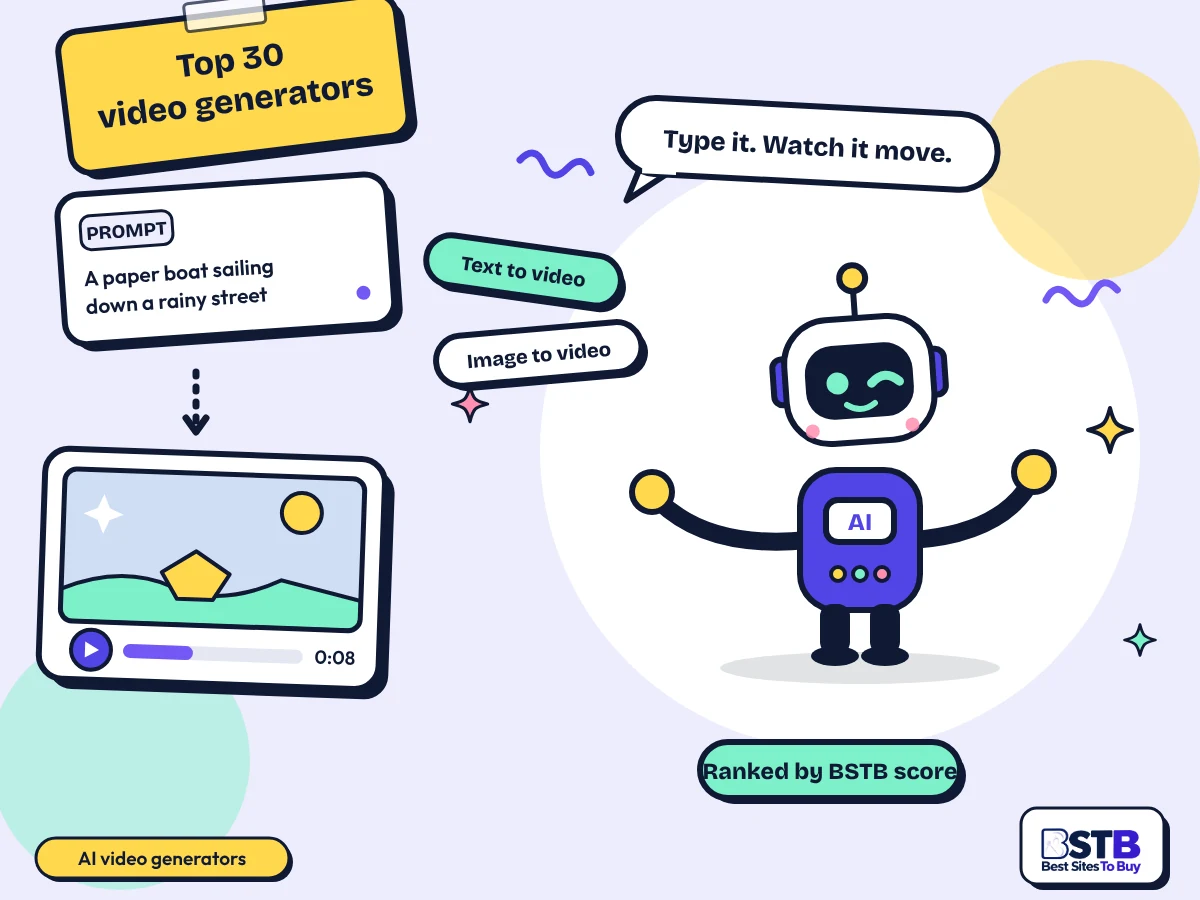
Best AI video generators: Scout the BSTB robot beside a prompt card and the video frame it generated, with text to video and image to video chips

Why You Can Trust BSTB's AI Tool Listings

Every AI video generator on this page has its own BSTB page with a pricing model, plan prices, the clip length it produces and a score from the same nine criteria.

  • One scoring method for every tool
  • Prices taken from each tool's official pages
  • Plain summaries of what the tool actually does

See how BSTB tests and scores AI tools.

The directory

Top 30 AI Video Generators, Ranked by BSTB Score

HeyGen scores highest at 4.3/5, with Synthesia, Powtoon, Midjourney and Leonardo AI behind at 4.2/5; filter by price or by the kind of video you need made.

Show:

Showing 30 of 30. Picked from the 115 tools in the BSTB Video generators category and ranked by overall score.

HeyGen

4.3/5Freemium

Turns scripts, images, PDFs and slides into avatar-presented video, with voice cloning, lip-sync and translation.

  • Best for: Avatar video, and the category benchmark
  • Price: Free $0; Creator $29/mo ($24 annual); Pro $49/mo; Business $149/mo
Read the HeyGen review

Leonardo AI

4.2/5Freemium

Image generator that also animates stills into short clips, with editing, upscaling and custom trained models.

  • Best for: Image-led creative work with motion
  • Price: Free $0; Essential $12/mo; Premium $30/mo; Ultimate $60/mo
Read the Leonardo AI review

Powtoon

4.2/5Freemium

Animated explainer maker that turns scripts, documents and slides into training and marketing video on a drag-and-drop canvas.

  • Best for: Animated explainers and training
  • Price: Free $0; Lite $15/mo yearly; Professional $40/mo yearly; Advanced $125/mo
Read the Powtoon review

Synthesia

4.2/5Freemium

Turns scripts, slides and links into presenter videos with stock or custom avatars in 140+ languages, built for training.

  • Best for: Enterprise training video at scale
  • Price: Basic $0; Starter $29/mo; Pro $89/mo; Enterprise on request
Read the Synthesia review

AI Studios

4.1/5Freemium

Builds presenter-led video from scripts, documents and links with synthetic avatars and dubbing into 150+ languages.

  • Best for: Multilingual presenter video
  • Price: Free $0; Personal $24/mo yearly; Team $55 per seat/mo
Read the AI Studios review

Colossyan

4.1/5Freemium

Turns documents, slides and pages into avatar-led training video with quizzes, branching and SCORM export.

  • Best for: Corporate learning teams
  • Price: Starter free; Professional $59/mo billed yearly; Enterprise on request
Read the Colossyan review

Creatify

4.1/5Freemium

Generates video and image ads from a product URL, photos or a script, using AI actors and batch variations.

  • Best for: Performance ads from a product link
  • Price: Free $0; Starter $39/mo; Pro $99/mo; Enterprise on request
Read the Creatify review

Runway

4.1/5Freemium

Generative platform for video, image and audio that also edits real footage from prompts, with shot extension and 4K output.

  • Best for: Film-style generation with real control
  • Price: Free $0; Standard $15/mo ($12 yearly); Pro $35/mo; Max $95/mo
Read the Runway review

Artlist AI

4.0/5Paid

Credit-based suite bundling video, image, voice, music and avatar tools with access to more than 100 third-party models.

  • Best for: One subscription across many models
  • Price: Capped free trial; AI Starter $19.99/mo ($11.99 yearly); AI Core $39.99/mo
Read the Artlist AI review

Fliz

4.0/5Freemium

Video agent that turns blog posts, article links and plain text into finished videos with script, visuals and voiceover.

  • Best for: Blog posts into video automatically
  • Price: First video free; Starter $14.90/mo; Creator $29.90/mo; Advanced $69.90/mo
Read the Fliz review

OpenArt

4.0/5Freemium

Studio combining image, video, character, audio and 3D creation with 100+ third-party models and a planning agent.

  • Best for: Character-led creative projects
  • Price: Free trial; Starter $14/mo ($13 yearly); Plus $34/mo; Pro $56/mo
Read the OpenArt review

Pictory

4.0/5Paid

Turns scripts, blog posts, slides and audio into videos with stock visuals, captions and optional avatar presenters.

  • Best for: Repurposing written content into video
  • Price: 14-day free trial; Starter $29/mo ($25 annual); Professional $59/mo ($35 annual)
Read the Pictory review

TopView AI

4.0/5Freemium

Video agent that turns scripts, reference clips and product links into ads and short dramas with AI presenters.

  • Best for: Product ads and short-form drama
  • Price: Free $0; Basic $18/mo; Plus $36/mo; Business $44/mo; Ultra $50/mo
Read the TopView AI review

VEED.IO

4.0/5Freemium

Browser editor with text-to-video generation alongside subtitles, translation, dubbing and aspect-ratio presets.

  • Best for: Generating and finishing in one editor
  • Price: Free $0; Creator $147/yr; Pro $265/yr; Studio $465/yr
Read the VEED.IO review

Vidu AI

4.0/5Freemium

Generates clips of up to 16 seconds at 1080p from text, images and reference photos, and is strong on anime and character work.

  • Best for: Longer clips and anime styling
  • Price: Free $0; Standard $10/mo (about $8 yearly); Premium $35/mo; Ultimate $99/mo
Read the Vidu AI review

VisionStory

4.0/5Freemium

Turns a photo plus a script or audio into a lip-synced talking avatar video, with voice cloning and a video agent.

  • Best for: Cheap talking-head video from a photo
  • Price: Free $0; Pro $9.99/mo; Advanced $29.90/mo; Ultra $99.90/mo
Read the VisionStory review

Wan

4.0/5Freemium

Alibaba's video and image model family, producing short clips with synced audio from text, images or audio, with open weights.

  • Best for: Open-weight generation and an API
  • Price: Free $0; Pro $10/mo ($5/mo yearly); Premium $40/mo; credit packs from $10
Read the Wan review

X-Pilot AI

4.0/5Freemium

Turns PDFs, slides, documents and topics into editable course and training videos with animated scenes and an avatar.

  • Best for: Turning course material into video
  • Price: Free $0 (one video); Creator $19/mo; Professional $49/mo; Ultra $129/mo
Read the X-Pilot AI review

DomoAI

3.9/5Freemium

Video and image studio best known for restyling real footage as anime, with text-to-video, avatars and upscaling.

  • Best for: Anime and stylised restyling
  • Price: Free $0; Basic $9/mo yearly ($13 monthly); Standard $29/mo yearly; Pro $99/mo
Read the DomoAI review

Elai.io

3.9/5Freemium

Turns scripts, PowerPoint files and article URLs into narrated avatar video, with voice cloning and translation.

  • Best for: Slides and articles into presenter video
  • Price: Free $0; Creator $29/mo ($276/yr); Team $125/mo ($1,200/yr)
Read the Elai.io review

Fliki

3.9/5Freemium

Turns scripts, prompts, blog posts and slides into narrated video with stock visuals, avatars, music and subtitles.

  • Best for: Faceless narrated video
  • Price: Free $0; Standard and Premium per user, figure not published
Read the Fliki review

Higgsfield

3.9/5Freemium

Produces cinematic clips with preset camera moves, bundling third-party models with its own editing and character tools.

  • Best for: Camera-move control for cinematic shots
  • Price: Free $0; Starter $19/mo; Plus $59/mo ($47 yearly); Ultra $129/mo
Read the Higgsfield review

JoggAI

3.9/5Freemium

Turns scripts, photos and product links into avatar videos and ads, with 450+ avatars, voice cloning and translation.

  • Best for: High-volume avatar ad testing
  • Price: Free $0; Starter $24/mo; Creator $40.66/mo; Team $215/mo for 3 seats
Read the JoggAI review

VideoGen

3.9/5Freemium

Builds narrated, captioned video from scripts, slides or prompts using several third-party models, with an editor.

  • Best for: Narrated video from a script
  • Price: First video free; Pro $19/mo yearly; Advanced $39/mo yearly; Ultra $99/mo
Read the VideoGen review
The basics

What Are AI Video Generators?

AI video generators create footage from an instruction rather than a camera. You give a prompt, an image, a script or a product link, and the tool returns a clip, usually a few seconds to a few minutes long.

Four different products sit under the term. Scene models such as Runway, Vidu AI and Wan generate footage from a prompt. Avatar tools such as HeyGen and Synthesia put a synthetic presenter in front of your script. Assemblers such as Pictory and invideo AI build a finished video from stock footage and a voiceover. Animation tools such as Powtoon produce explainers instead of photorealistic footage.

Confusing them is the most common buying mistake. A scene model will not make your training video, and an avatar tool will not generate a shot of a city at dusk. Decide which of the four you need before comparing prices.

How Does AI Video Generation Work?

A scene model predicts frames that match your prompt, keeping them consistent over a few seconds. Avatar and assembly tools work differently: they synthesise a presenter or arrange existing footage behind a voice track.

  1. Scene models generate frames

    The model produces a clip, typically 4 to 16 seconds, from a text or image prompt. Longer videos are made by generating several clips and joining them.

  2. Consistency is the hard part

    Keeping a face, a product or a style the same between shots is where these tools struggle. Reference images and character locking exist to patch this.

  3. Avatar tools synthesise a presenter

    A stock or cloned avatar is lip-synced to a generated or uploaded voice track. The output is predictable, which is why training teams use it.

  4. Assemblers arrange what already exists

    Your script becomes a voiceover, and stock clips, captions and music are matched to it. Nothing is invented, so nothing goes strange.

What Can You Make With an AI Video Generator?

Short generated scenes and b-roll, presenter-led training and explainer video, product and ad creatives at volume, animated explainers, videos built from a blog post, and talking video from a single photo.

  • Scenes and b-roll: a few seconds of footage you could not film, for inserts and concepts.
  • Training and explainers: a presenter delivering your script, updated by editing the text.
  • Ads at volume: dozens of variants from a product link, which is the clearest commercial win.
  • Animated explainers: illustrated video where photorealism would be wrong anyway.
  • Blog posts into video: an article becomes a narrated, captioned clip for social.
  • Talking photos: one still image plus a script becomes a speaking presenter.
By video type

Best AI Video Generators by What You Are Making

Pick by output: a generated scene from a prompt, a presenter delivering your script, a video assembled from a script or blog post, or animated and stylised video.

Prompt to scene, generative models

Generative models that create footage from a text prompt or a still image.

Avatar and presenter video

AI tools that put a synthetic presenter in front of your script, for training and ads.

Script, blog and slides to video

AI tools that turn a script, blog post or slide deck into a finished narrated video.

  • Fliz: Blog posts into video automatically
  • Pictory: Repurposing written content into video
  • VEED.IO: Generating and finishing in one editor
  • X-Pilot AI: Turning course material into video
  • Fliki: Faceless narrated video
  • invideo AI: A full draft video from one brief
  • VideoGen: Narrated video from a script

Animated and stylised video

AI tools for animated explainers, character animation and stylised video.

  • Powtoon: Animated explainers and training
  • Artlist AI: One subscription across many models
  • OpenArt: Character-led creative projects
  • DomoAI: Anime and stylised restyling
  • Viggle AI: Motion transfer and character animation
Know the difference

Scene Model vs Avatar Tool vs Assembler

A scene model invents footage and is unpredictable, an avatar tool is predictable and always looks like an avatar, and an assembler uses stock so nothing goes wrong and nothing is original.

Scene modelAvatar toolAssembler
What it makesNew footage from a promptA presenter reading your scriptStock footage cut to a voiceover
Typical length4 to 16 seconds a clipMinutes, limited by the scriptMinutes, limited by the plan
PredictabilityLow, expect several attemptsHigh, same result every timeHigh
Best forB-roll, concepts, social, music videoTraining, onboarding, localised adsRepurposing articles and scripts
Main weaknessConsistency between shots, and handsIt reads as an avatar to most viewersGeneric stock, nothing original
Examples on BSTBRunway, Vidu AI, Wan, Midjourney, HiggsfieldHeyGen, Synthesia, Colossyan, D-ID, JoggAIPictory, invideo AI, Fliki, VideoGen, Fliz
What to look for

What Makes a Good AI Video Generator?

A good generator states its clip length and resolution, keeps characters and style consistent between shots, generates sound where it claims to, grants clear commercial rights and prices credits you can predict.

  • Stated length and resolutionClip length is the hardest limit in this category, usually 5 to 16 seconds. A tool that will not publish it is hiding something.
  • Consistency between shotsCharacter locking, reference images and seeds are what make a multi-shot video possible at all.
  • Sound that matchesNative audio and lip-sync vary enormously. Check whether dialogue, effects and music are generated or added separately.
  • Clear commercial rightsPaid plans usually grant them and free tiers often do not. Get this in writing before a client campaign.
  • Predictable creditsCredit pricing is the norm, and a failed generation often still costs. Work out the price of ten usable seconds, not one.
  • A free tier to test on24 of the 30 tools here are free to start, usually watermarked and at lower resolution.

These overlap with BSTB's nine scoring criteria, which also weigh ease of use, support, speed and integrations.

Step by step

How to Make a Video With AI, Step by Step

Five steps: pick the right kind of tool, write the shot rather than the story, generate several attempts, keep the characters consistent across shots, then assemble and finish somewhere else.

  1. Pick the right kind of tool

    Scene model, avatar tool or assembler. Choosing wrong wastes more time than any prompt mistake.

  2. Write one shot, not a story

    Subject, action, camera move, lighting and mood, for a few seconds of footage. A prompt describing three events produces a muddle.

  3. Generate several attempts

    Expect to keep one clip in three or four. Tools with free daily credits such as Magic Hour AI make this affordable.

  4. Lock what must stay the same

    Use reference images, seeds or character locking so a face or product survives between shots. Higgsfield and Vidu AI both offer this.

  5. Assemble and finish elsewhere

    Cut the clips together, add captions and fix the audio in an editor. The AI video editing tools category covers that step.

Buyer checklist

How to Choose an AI Video Generator

Choose by the output you need, then check the clip length and resolution, test the free tier on your own subject, confirm commercial rights and work out what ten usable seconds actually cost.

  1. Name the output

    Scene, avatar, assembled or animated. Use the Video type filter above the grid rather than buying the longest feature list.

  2. Check length and resolution

    Most scene models cap at 5 to 16 seconds per clip. If you need a two-minute video, you need an avatar tool or an assembler.

  3. Test your own subject

    Your product, your face, your style. Demo reels are built from prompts that are known to work.

  4. Confirm commercial rights

    Paid plans usually grant them; free tiers often restrict use or add a watermark. Check before a client sees anything.

  5. Price ten usable seconds

    Multiply the credit cost by the number of attempts you actually needed. That is the real price.
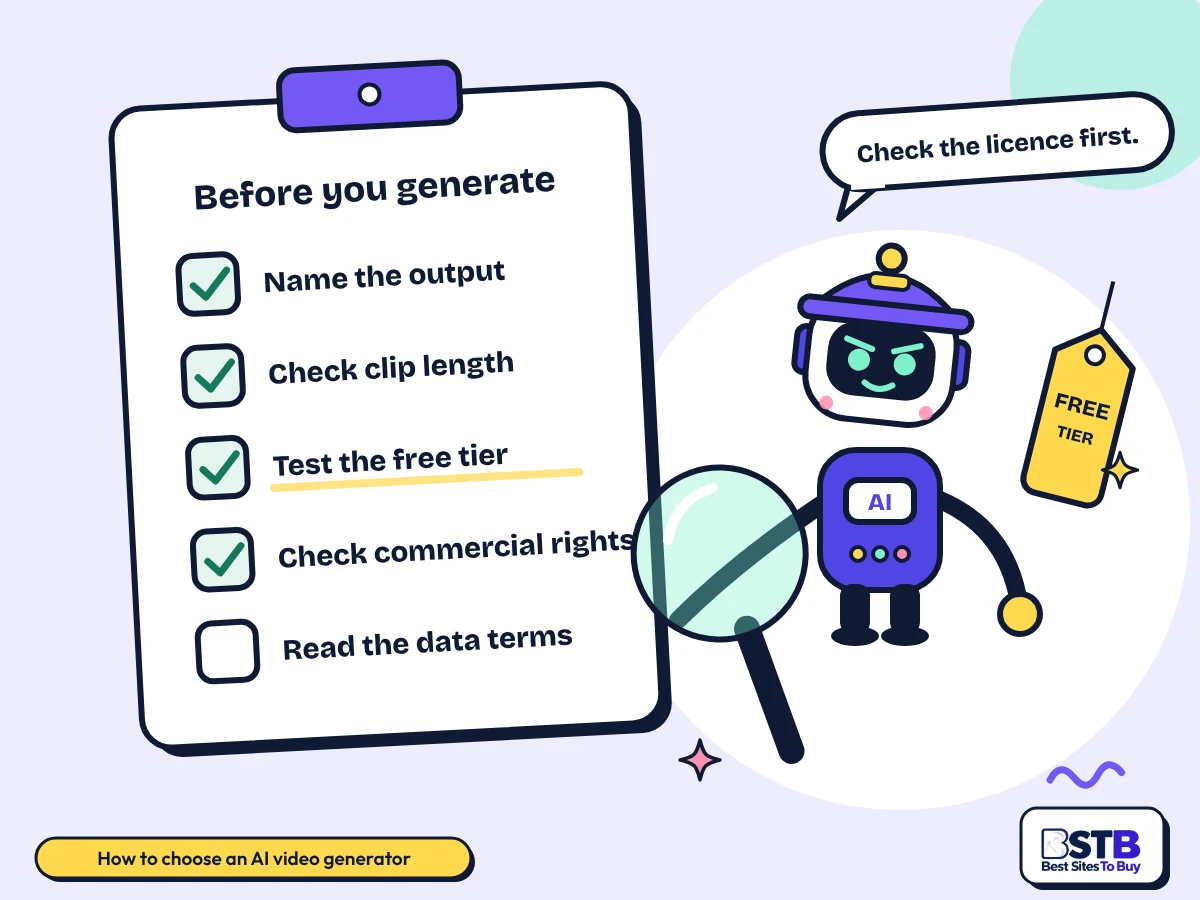
How to choose an AI video generator: Scout in a detective cap checking a 5-step checklist with a magnifying glass
Five checks to run before you buy credits you cannot get back.
Pricing

Free vs Paid AI Video Generators

Most are freemium: 24 of the 30 here are free to start and 6 are paid or trial only. Entry paid plans cluster between $10 and $30 a month, and avatar and enterprise tools run higher.

Pricing modelTools in the top 30What you getTools
Free0 of 30Everything free, no paid tier
Freemium24 of 30Free plan with limits, paid upgradeHeyGen, Leonardo AI, Powtoon, Synthesia, AI Studios, Colossyan, Creatify, Runway, Fliz, Magic Hour AI, OpenArt, TopView AI, VEED.IO, Vidu AI, VisionStory, Wan, X-Pilot AI, DomoAI, Elai.io, Fliki, Higgsfield, JoggAI, VideoGen, Viggle AI
Paid6 of 30Paid only, sometimes with a trialMidjourney, Artlist AI, Creative Reality Studio (D-ID), Magnific AI Video Generator, Pictory, invideo AI

Prices come from each tool's BSTB page. Nearly everything here is credit-based, so the headline price tells you little: what matters is the credit cost per second and how many attempts a usable clip takes. Free tiers almost always watermark the output, cap resolution and restrict commercial use. Confirm on the vendor's site before you buy.

Use with care

Limits, Clip Length and Commercial Rights

Generated video is short, inconsistent between shots, weak on hands, text and physics, and comes with licence terms that differ by tool and plan. Plan the project around those limits rather than against them.

  • Clip length: most scene models produce 4 to 16 seconds. Longer video means generating and stitching, with consistency cost at every join.
  • Consistency: the same character across five shots is still the hardest problem in the category.
  • Hands, text and physics: fingers, on-screen words and anything with weight or liquid are where generated footage gives itself away.
  • Avatars read as avatars: fine for training, risky for a brand film where the audience expects a real person.
  • Commercial rights: vary by tool and by plan. Free tiers often exclude commercial use, and a few models carry disputed training data.
  • Disclosure: advertising rules in several markets now expect synthetic media to be labelled. Check before you run a campaign.
Our method

How BSTB Rates AI Video Generators

BSTB scores every one of these AI video generators on the same nine criteria, and the overall score on each card is the plain average of the nine.

  • Accuracy and Reliability
  • Ease of Use
  • Functionality and Features
  • Performance and Speed
  • Customization and Flexibility
  • Data Privacy and Security
  • Support and Resources
  • Cost-Efficiency
  • Integration Capabilities

Scores are based on each tool's official pages, documentation, pricing and public user feedback. Read the full method on how BSTB tests and scores tools.

Related AI Tool Categories

Video generators overlap with these categories. Browse them when you need a narrower tool, or go back to the full AI tools directory.

FAQs

AI Video Generators: Frequently Asked Questions

Quick answers on generating video from a text prompt, making video from images, realism, marketing video, sound, formats and resolutions, commercial rights and where these tools still fall short.

How Can I Generate a Video From a Text Prompt?

Use a scene model: Runway, Vidu AI, Wan, Magic Hour AI and Higgsfield take a written prompt and return a clip of a few seconds. Describe one shot, not a sequence of events.

Write the subject, the action, the camera move and the lighting, then generate several times and keep the best. Expect to discard two or three attempts for every clip you use, which is normal rather than a sign you prompted badly.

  • Runway: 4.1/5; the most control, with shot extension and 4K output.
  • Vidu AI: 4.0/5; clips to 16 seconds at 1080p, strong on anime.
  • Wan: 4.0/5; Alibaba's models with synced audio and open weights.
  • Magic Hour AI: 4.0/5; free daily credits, good for experimenting.

One shot per prompt. A prompt covering three events produces a muddle every time.

Can AI Create Videos From Images?

Yes. Image-to-video is often more reliable than text-to-video: Leonardo AI, Midjourney, Runway, Vidu AI and Viggle AI animate a still, because the model starts from a fixed composition.

Starting from an image gives you control over framing, colour and subject that a text prompt cannot. The usual method is to generate a still you like first, then animate it, rather than prompting for video directly.

  • Midjourney: 4.2/5; animates its own stills into 5-second clips, extendable to 21.
  • Leonardo AI: 4.2/5; images plus short animated clips in one tool.
  • Viggle AI: 3.9/5; a character from one photo copies motion from a reference video.
  • VisionStory: 4.0/5; a photo plus a script becomes a talking presenter.

Generate the still first. Controlling the image is easier than controlling the video.

Can AI Generate Realistic Videos?

Close, in short clips. Current models produce convincing few-second footage of simple scenes, and still give themselves away on hands, on-screen text, crowds, liquids and anything with real physics.

Realism also depends on the shot. A static portrait or a slow landscape pan holds up well. Fast motion, interacting people and anything where an object must behave predictably is where it breaks.

  • Holds up: short clips, simple motion, portraits, landscapes, abstract and stylised work.
  • Breaks down: hands, text, crowds, liquids, impacts and anything over about 10 seconds.
  • Best realism here: Runway, Vidu AI, Wan, Higgsfield.
  • Reality check: nobody is making a feature film from prompts yet.

Cut on the shot that works. Generated footage rewards short cuts.

How Can I Create Marketing Videos With AI?

Start from a product link or a script: Creatify and TopView AI generate ad variants from a URL, JoggAI and HeyGen produce avatar ads, and Pictory and Fliz turn a blog post into a narrated video.

Marketing is where AI video pays for itself fastest, because the win is volume. Twenty ad variants for one shoot budget is a real result, and the quality bar on social ads is lower than on brand film.

  • Creatify: 4.1/5; ads from a product URL with AI actors and batch variants.
  • TopView AI: 4.0/5; ads and short drama from a script or product link.
  • JoggAI: 3.9/5; 450+ avatars for high-volume ad testing.
  • Pictory: 4.0/5; blog posts and scripts into captioned social video.

Test ten variants rather than perfecting one. That is the advantage these tools actually give you.

Can AI Generate Videos With Sound?

Increasingly yes. Wan generates synced audio with the footage, and avatar tools such as HeyGen, Synthesia and D-ID produce lip-synced speech from your script with cloned or stock voices.

There are two separate things here. Generated ambient sound and dialogue inside a scene model is new and variable. Voiceover in avatar and assembly tools is mature and reliable, and it is what most commercial projects need.

  • Native scene audio: Wan and several bundled models generate sound with the clip.
  • Avatar speech: HeyGen, Synthesia, Elai.io and D-ID, with voice cloning and translation.
  • Narration: Fliki, VideoGen and Pictory generate a voiceover over stock visuals.
  • Still separate: music and sound design are usually added afterwards.

Check lip-sync on a long script. It drifts on sentences the model finds awkward.

What Video Formats and Resolutions Do AI Generators Support?

1080p is the standard output, with 4K on higher plans of tools such as Runway. Free tiers usually cap at 720p with a watermark, and most tools export MP4 in 16:9, 9:16 and 1:1.

Resolution is rarely the binding constraint. Clip length is: most scene models produce 4 to 16 seconds, so a two-minute video means generating and joining ten or more clips.

  • Typical output: 1080p MP4, with 16:9, 9:16 and 1:1 presets.
  • 4K: available on higher tiers, Runway among them.
  • Free tiers: commonly 720p and watermarked.
  • The real limit: clip length, not resolution.

Check the aspect ratios before you commit. Reframing generated footage loses the composition.

Can I Use AI-Generated Videos Commercially?

Usually on a paid plan, rarely on a free one. Most tools grant commercial rights to paid subscribers, while free tiers add watermarks and often restrict use to personal projects.

Two further points matter for client work. Copyright protection for purely AI-generated footage is limited in several jurisdictions, and advertising rules in a growing number of markets expect synthetic media to be disclosed.

  • Usually granted: commercial rights on paid plans, stated in the terms.
  • Often restricted: free tiers, with watermarks and personal-use limits.
  • Check the model: some underlying models have disputed training data.
  • Disclosure: synthetic presenters and footage increasingly need labelling in ads.

For a client campaign, get the licence terms in writing before the first render.

What Are the Limitations of AI Video Generators?

Short clips, weak consistency between shots, unreliable hands, text and physics, credit costs that rise with every retry, and avatars that most viewers can still identify as synthetic.

The honest summary is that these tools are excellent at short, simple, stylised or presenter-led video and poor at anything long, complex or photorealistic with people doing things.

  • Length: 4 to 16 seconds per clip on most scene models.
  • Consistency: keeping one character across shots remains the hardest problem.
  • Detail failures: hands, on-screen text, crowds, liquids and physics.
  • Cost per usable clip: budget three or four generations for every clip you keep.

Design the project around short shots and you will get far more out of these tools.

How Long Can an AI-Generated Video Be?

A single generated clip is usually 4 to 16 seconds. Longer videos are made by generating several clips and joining them, or by using an avatar tool or assembler, which handle minutes comfortably.

This is the limit nobody plans for. If your project is a three-minute explainer, a scene model is the wrong tool: an avatar presenter or a stock-based assembler will produce it in one pass.

  • Scene models: Vidu AI up to 16 seconds, Midjourney 5 seconds extendable to 21.
  • Avatar tools: minutes, limited by your script and your plan.
  • Assemblers: minutes, built from stock clips and a voiceover.
  • Stitching: every join is a place where style and character can shift.

Decide the final length first. It decides which of the four tool types you need.

Which AI Video Generators Are Free?

24 of the 30 here are free to start. Magic Hour AI gives free daily credits, and HeyGen, Synthesia, Runway, Vidu AI, Wan and VEED all have free tiers, normally watermarked and capped at 720p.

Free tiers in this category are for testing, not production. The usual limits are a watermark, lower resolution, a short monthly credit allowance and no commercial rights.

  • Free daily credits: Magic Hour AI, which makes repeated attempts affordable.
  • Free tier then paid: HeyGen, Synthesia, Runway, Vidu AI, Wan, VEED.IO, Leonardo AI.
  • Paid only: Midjourney, Pictory, invideo AI, Artlist AI, Magnific, D-ID.
  • Watch for: no commercial rights on the free tier.

Use free tiers to pick the tool, then pay for the project. The watermark decides it anyway.

How Does BSTB Score AI Video Generators?

BSTB scores every AI video generator on nine criteria: accuracy and reliability, ease of use, functionality, performance, customisation, data privacy, support, cost-efficiency and integrations.

The score on each card is the plain average of those nine. Scores come from each tool's official documentation, pricing pages and public user feedback, and every tool keeps its own page with the full breakdown.

  • Nine criteria: each scored separately, then averaged.
  • Evidence: official docs, pricing pages, public reviews.
  • Ranking here: the grid is ordered by overall score, ties alphabetically.
  • Full method: see how BSTB tests and scores tools.

BSTB publishes no video tool, so nothing here is ranked first for being ours.

How Often Is This List of AI Video Generators Updated?

BSTB rechecks this list whenever a tool changes its pricing, clip length or model line-up, and reviews the whole category on a rolling basis. At 115 listed tools it is one of the largest categories on the site.

Models in this category are replaced every few months, and several tools here are wrappers around third-party models that change without notice. Each tool's own BSTB page carries the last checked figures.

  • Rolling review: rechecked as tools launch, change price or shut down.
  • Model churn: wrapper tools swap the underlying model frequently.
  • Status flags: shown on the card when a tool cannot be confirmed as running.
  • Spotted a change: tell us through the contact page.

Always confirm the current credit allowance and clip length on the vendor's own site.

Psst! Built an AI video generator?

Get Your AI Video Generator Listed on BSTB

Send us your tool's name, website and pricing. The BSTB team reviews every submission before it joins the AI tools directory.

List your AI video generator on BSTB: Scout pilots a rocket towing a sample AI tool listing card
On this page