Best AI Prompt Generators 2026: Free Prompt Tools - BSTB

Psst! 13 prompt helpers inside

13 Best AI Prompt Generators in 2026 for ChatGPT, Image and Video Models

AI prompt generators write the prompt for you. You give a rough idea and they return a structured instruction with the role, context, format and detail a model needs, or they hand you a tested prompt from a library. This page ranks the 13 AI prompt generators on BSTB by their 9-criterion score, each with its pricing model, the models it targets and a plain-English summary, so you can compare free prompt generators and paid ones in one place.

Top 13 of 12 tools 9 of 9 free to start
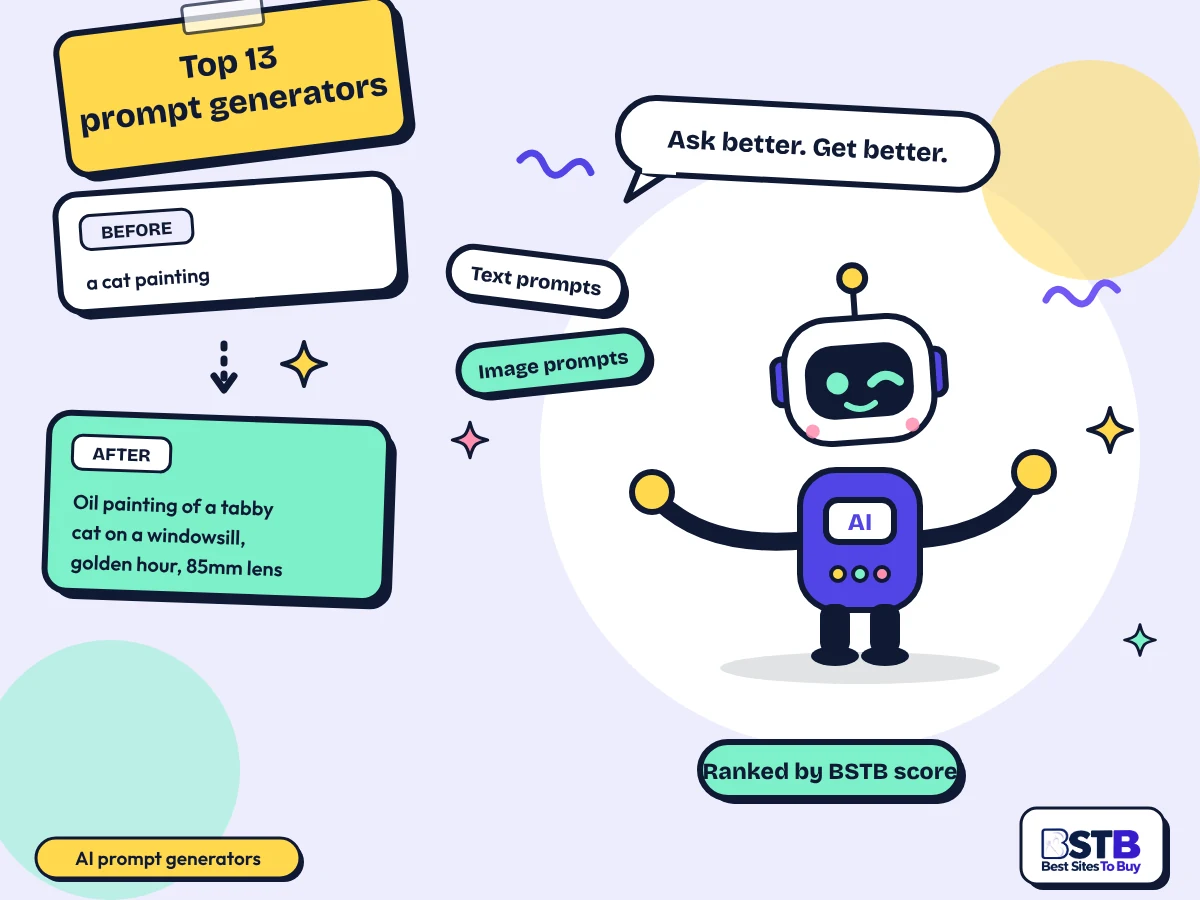
Best AI prompt generators: Scout the BSTB robot beside a before and after prompt card, a vague idea turned into a detailed image prompt

Why You Can Trust BSTB's AI Tool Listings

Every AI prompt generator on this page has its own BSTB page with a pricing model, plan prices, the models it targets and a score from the same nine criteria.

  • One scoring method for every tool
  • Prices taken from each tool's official pages
  • Plain summaries of what the tool actually does

See how BSTB tests and scores AI tools.

The directory

Top 13 AI Prompt Generators, Ranked by BSTB Score

AI Prompt Library and Knotr AI score highest at 3.9/5, and PromptBase leads the marketplaces at 3.8/5; filter by price or by the kind of prompt you need to write.

Show:

Showing 13 of 13. Every tool in the BSTB Prompt generators category, plus one prompt enhancer found in Image generators, ranked by overall score.

Knotr AI

3.9/5Freemium

Workspace that stores your profiles, style guides and reusable prompt skills, which ChatGPT and Claude read over MCP.

  • Best for: Teams keeping prompts consistent
  • Price: Free $0; Pro $24/mo ($20 billed yearly); Max $49/mo
Read the Knotr AI review

PromptBase

3.8/5Freemium

Marketplace for buying and selling ready-made prompts for text, image and video models, with seller storefronts.

  • Best for: Buying a tested prompt instead of writing one
  • Price: Browsing free; prompts $2.99 to $15.99 each; Select $19/mo
Read the PromptBase review

PromptOMania

3.8/5Free

Menu-driven visual prompt builder covering dozens of image, video, 3D and audio models, with guides and a model directory.

  • Best for: Beginners building richer image prompts
  • Price: Prompt builder, grid splitter and model directory all free (reported)
Read the PromptOMania review

Chat Prompt Genius

3.7/5Freemium

Free generator that turns a plain request into a structured prompt, alongside a shop of one-time prompt packs.

  • Best for: Small firms wanting cheap ready-made prompts
  • Price: Generator $0; prompt packs free to $9.99; GPT bundles $2.99 to $9.95
Read the Chat Prompt Genius review

PromptHero

3.7/5Freemium

Searchable community library of image and video prompts shown next to the pictures they produced, with collections.

  • Best for: Learning by copying prompts that worked
  • Price: Free $0; Starter $16/mo billed yearly; Pro $24/mo billed yearly
Read the PromptHero review

Public Prompts

3.7/5Free

Free library of around eighteen Stable Diffusion prompt collections with example galleries and the settings used.

  • Best for: Stable Diffusion recipes, free
  • Price: Prompts, models and directory all free to browse
Read the Public Prompts review
Status unclear

Photosonic AI

3.4/5Freemium

Writesonic's image generator, whose one-click enhancer expands a short idea with lighting, mood and composition detail.

  • Best for: Enhancing a short image prompt
  • Price: Free reported $0; Individual reported $16/mo billed yearly
  • Status: Status unclear (see review)
Read the Photosonic AI review
Reported closed

PromptPerfect

3.4/5Freemium

Prompt optimiser that rewrote a draft prompt for the model you picked and compared versions side by side.

  • Best for: The best-known optimiser, now reportedly gone
  • Price: Free daily allowance; Standard about $19.99/mo (while it ran)
  • Status: Reported closed (see review)
Read the PromptPerfect review
The basics

What Are AI Prompt Generators?

An AI prompt generator turns a short idea into a full prompt. It adds the role, the context, the output format and the specifics that a chat, image or video model needs in order to return something usable.

They come in four shapes. Builders such as PromptOMania and Midjourney Prompt Helper assemble a prompt from menus of style, lighting and camera options. Libraries such as PromptHero and Public Prompts let you copy a prompt that already worked. Marketplaces such as PromptBase sell them. Optimisers rewrite a prompt you already have.

None of this is magic. A prompt generator is a checklist with a nice interface: it stops you forgetting the things that change the output. Once you know what those things are, you can write the prompt yourself, which is why the better tools teach as they go.

What Makes a Prompt Work?

A prompt works when it leaves the model nothing to guess: who it is acting as, what it is doing, what it has to work with, what the answer should look like, and what to avoid.

  1. Role and task

    Say who the model is and what the job is. "You are a pharmacist explaining to a worried parent" changes the whole answer against "explain this medicine".

  2. Context and input

    Give the audience, the background and any source material. Most weak prompts are weak because the model was never told who is reading.

  3. Output format

    Specify the shape: length, structure, headings, tone, and whether you want a table, a list or prose. Ask for the format you actually need.

  4. Constraints and exclusions

    Say what to leave out. For images, name the camera, lens, lighting and style; for text, the things not to mention and the register to avoid.

  5. One change at a time

    When you iterate, change a single variable per round. Changing three things at once tells you nothing about which one helped.

What Can You Do With a Prompt Generator?

Prompt generators turn vague ideas into detailed instructions, give you tested prompts to start from, rewrite prompts that are not working, and keep a team using the same wording.

  • Turn an idea into a brief: a one-line thought becomes a prompt with role, context, format and constraints.
  • Start from something that worked: libraries show the prompt and the output it produced side by side.
  • Write image prompts properly: menus for style, lighting, lens and composition, which is where most image prompts fail.
  • Improve a prompt you have: an optimiser rewrites it for the specific model you are using.
  • Keep a team consistent: shared libraries and prompt forms mean everyone sends the same instruction.
  • Learn the pattern: after a few dozen generated prompts, you stop needing the generator.
By prompt type

Best AI Prompt Generators by What You Are Prompting

Pick by the model you are writing for: a chat model such as ChatGPT, an image or video model, a prompt that needs improving, a library to copy from, or a shared set for a team.

Prompts for ChatGPT and chat models

AI tools that write prompts for ChatGPT, Claude, Gemini and other chat models.

Prompts for image and video models

AI tools that build image and video prompts from style, lighting and camera options.

Prompt optimisers and enhancers

AI tools that rewrite and enhance a prompt you have already drafted.

Prompt libraries and marketplaces

Prompt libraries and marketplaces with tested prompts to copy or buy.

Prompt management for teams

Tools that store and share prompts so a whole team sends the same instruction.

Know the difference

Prompt Builder vs Library vs Optimiser

A builder constructs a prompt from menus, a library hands you one that already worked, and an optimiser rewrites the prompt you drafted. They solve different problems and cost very different amounts.

Prompt builderLibrary or marketplaceOptimiser
What you start withAn idea and some choices to makeA goal similar to someone else'sA prompt that is not working
What you getA structured prompt you assembledA tested prompt, sometimes with its outputA rewritten version of your prompt
Best forImage and video prompts, and beginnersCommon tasks that many people doLong or high-stakes prompts
Teaches you anything?Yes, the menus show what mattersYes, if you read why it worksLess, you see the result not the reasoning
Typical costFree to a few dollars a monthFree to browse, $3 to $16 a prompt on marketplacesFree tier, then around $20 a month
Tools on BSTBPromptOMania, Midjourney Prompt Helper, Chat Prompt GeniusPromptHero, Public Prompts, PromptBase, AI Prompt LibraryPromptPerfect, Photosonic AI
What to look for

What Makes a Good AI Prompt Generator?

A good prompt generator targets the model you actually use, shows the output a prompt produced, lets you save and reuse what works, explains its choices, and does not charge for something you could write in a minute.

  • Targets your modelPrompt syntax differs between ChatGPT, Midjourney, Stable Diffusion and video models. A generic prompt is a weaker prompt.
  • Shows the outputThe best libraries display the picture or answer next to the prompt. Without that you are copying on faith.
  • Saves and reusesA prompt you cannot find again is a prompt you will rewrite. Look for folders, collections or a shared library.
  • Explains its choicesTools that show why a detail was added teach you the pattern and make themselves unnecessary, which is a good sign.
  • Lets you edit everythingMenu builders should output editable text, not a locked string.
  • Free where it should be12 of the 13 tools here are free to start. Paying for prompts makes sense for complex image work, rarely for chat.

These overlap with BSTB's nine scoring criteria, which also weigh speed, support, customisation and integrations.

Step by step

How to Turn an Idea Into a Detailed Prompt, Step by Step

Five steps: write the idea in one line, add the role and the audience, state the output format, add the specifics the model cannot guess, then run it and change one thing at a time.

  1. Write the bare idea

    "A blog intro about switching to a standing desk." This is the version most people send, and it is why the output reads generic.

  2. Add role and audience

    "You are a physiotherapist writing for office workers with back pain." Role and audience change tone, vocabulary and what gets emphasised.

  3. State the output format

    "120 words, two short paragraphs, no bullet points, plain English, no sales language." Say the length and the shape, not just the topic.

  4. Add what the model cannot guess

    Your product, your constraint, your evidence. For images, add style, lighting, lens and composition, which is exactly what PromptOMania and Midjourney Prompt Helper prompt you for.

  5. Run it, then change one variable

    Compare outputs with a single difference between them. Keep the version that worked in a library so you never rebuild it.

Buyer checklist

How to Choose an AI Prompt Generator

Choose by the model you are prompting, then check whether the tool shows real output, whether you can save prompts, whether it is current, and whether a free tool does the same job.

  1. Name the model

    Image prompts and chat prompts are different crafts. Use the Prompt type filter above the grid rather than a tool that claims to do both.

  2. Check it shows output

    A library without pictures or sample answers is a list of guesses. Prefer tools that show what the prompt produced.

  3. Check you can save

    Reuse is the real value. Confirm you can keep a prompt, name it and find it next month.

  4. Check it is current

    Prompt syntax dates fast. A tool built for an older image model will teach you obsolete wording, and several tools in this category have gone quiet.

  5. Try the free route first

    Asking a chat model to improve your prompt is free and often as good. Pay when you need image-prompt depth or a shared team library.

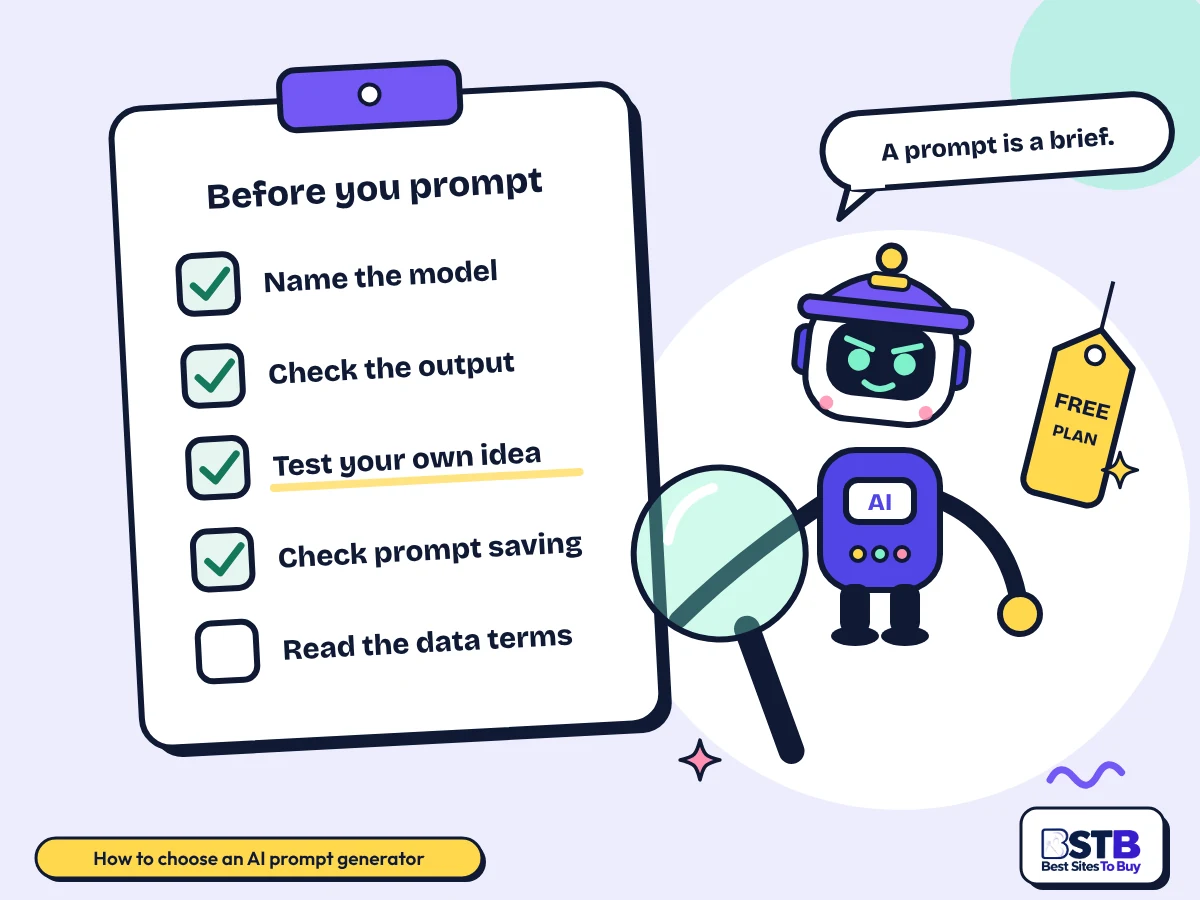
How to choose an AI prompt generator: Scout in a detective cap checking a 5-step checklist with a magnifying glass
Five checks to run before you pay for prompts you could write yourself.
Pricing

Free vs Paid AI Prompt Generators

Most prompt generators are free or freemium: 4 of the 13 here are fully free, 8 have a free tier and 1 is paid only, with marketplace prompts sold individually from about $3 to $16.

Pricing modelTools in the top 30What you getTools
Free4 of 13Everything free, no paid tierPromptOMania, Midjourney Prompt Helper, Public Prompts, Ordinary People Prompts
Freemium8 of 13Free plan with limits, paid upgradeAI Prompt Library, Knotr AI, PromptBase, Chat Prompt Genius, PromptHero, Stable Diffusion Web, Photosonic AI, PromptPerfect
Paid1 of 13Paid only, sometimes with a trialPromptInterface.ai

Prices come from each tool's BSTB page. This category has three pricing shapes: free builders and libraries, subscriptions from about $16 to $24 a month for libraries and team tools, and per-prompt marketplace pricing. Before paying for a prompt, try asking your chat model to write it: for text tasks that is usually enough. Confirm prices on the vendor's site before you buy.

Use with care

Where Prompt Generators Fall Short

A generated prompt is still a guess. Prompt syntax goes out of date, generic templates produce generic output, marketplace prompts may not suit your case, and no prompt fixes a model that cannot do the task.

  • Model dialects: wording that works in Midjourney can do nothing in Stable Diffusion or a newer model version.
  • Stale syntax: several tools were built for model versions that have since changed. Old parameters are quietly ignored.
  • Generic in, generic out: a template fills the structure but not the specifics, and the specifics are what make output good.
  • Bought prompts vary: a marketplace prompt was tuned on someone else's subject, settings and model version.
  • No fix for the wrong model: if the model cannot count, reason or render text, no prompt will make it.
  • Category churn: four of the 13 tools here have an unclear or reported-closed status. Check a tool is alive before you build a workflow on it.
Our method

How BSTB Rates AI Prompt Generators

BSTB scores every one of these prompt generators on the same nine criteria, and the overall score on each card is the plain average of the nine.

  • Accuracy and Reliability
  • Ease of Use
  • Functionality and Features
  • Performance and Speed
  • Customization and Flexibility
  • Data Privacy and Security
  • Support and Resources
  • Cost-Efficiency
  • Integration Capabilities

Scores are based on each tool's official pages, documentation, pricing and public user feedback. Read the full method on how BSTB tests and scores tools.

Related AI Tool Categories

Prompt generators overlap with these categories. Browse them when you need a narrower tool, or go back to the full AI tools directory.

FAQs

AI Prompt Generators: Frequently Asked Questions

Quick answers on writing prompts for ChatGPT, image and video models, what makes a prompt effective, saving and reusing prompts, cross-model compatibility and whether you need one of these tools at all.

What Is an AI Prompt Generator?

An AI prompt generator is a tool that writes or improves the instruction you give an AI model. It adds the role, context, format and detail that turn a vague request into a usable answer.

Some build a prompt from menus, some hand you a tested prompt from a library, some sell prompts individually, and some rewrite a draft you already have. All four exist on this page.

  • Builders: PromptOMania, Midjourney Prompt Helper, Chat Prompt Genius.
  • Libraries: PromptHero, Public Prompts, AI Prompt Library.
  • Marketplaces: PromptBase, where prompts sell for $2.99 to $15.99.
  • Optimisers: tools that rewrite a prompt for a specific model.

None of them know your situation. The specifics are still yours to add.

How Can I Create Better Prompts for AI Tools?

Give the model a role, the audience, the output format and the constraints, then change one thing at a time. Most weak prompts fail because they state a topic and nothing else.

Treat a prompt like a brief you would give a freelancer. You would not say "write about standing desks" and expect the right piece back, and the model has even less context than the freelancer.

  • Role: "You are a physiotherapist" changes vocabulary and emphasis.
  • Audience: who reads it decides the tone and the level of detail.
  • Format: length, structure, what to include and what to leave out.
  • Iterate: one variable per round, so you learn what actually helped.

Keep the prompts that worked. Rewriting them from memory next month wastes the learning.

Can a Prompt Generator Write Prompts for ChatGPT?

Yes. Chat Prompt Genius turns a plain request into a structured ChatGPT prompt, Ordinary People Prompts and AI Prompt Library hold thousands of ready-made ones, and Knotr AI keeps a team's prompts in one place.

For chat models there is also a free route: paste your draft into ChatGPT or Claude and ask it to rewrite the prompt, explain what is missing and ask you the questions it needs answered. That often beats a dedicated tool.

  • Chat Prompt Genius: 3.7/5; free generator plus paid prompt packs.
  • AI Prompt Library: 3.9/5; 7,000+ fill-in-the-bracket templates.
  • Ordinary People Prompts: 3.3/5; free community library in plain language.
  • The free route: ask the model itself to improve your prompt.

Chat models are forgiving. Image models are not, which is where tools earn their keep.

Can AI Generate Prompts for Image Generators?

Yes, and this is where prompt generators are most useful. PromptOMania, Midjourney Prompt Helper, PromptHero and Public Prompts build or supply image prompts with style, lighting, lens and composition detail.

Image models respond to vocabulary most people do not have: focal lengths, film stocks, lighting setups, art movements. A builder puts those on a menu, which is faster than learning the whole vocabulary first.

  • PromptOMania: 3.8/5; free visual builder covering dozens of models.
  • Midjourney Prompt Helper: 3.7/5; presets plus an AI rewrite, free.
  • PromptHero: 3.7/5; prompts shown next to the images they made.
  • Public Prompts: 3.7/5; free Stable Diffusion recipes with settings.

Check which model version a prompt targets. Syntax changes between releases.

How Do I Create Prompts for AI Video Tools?

Write the shot, not the story: subject, action, camera move, lens, lighting and duration, one shot at a time. PromptBase, PromptHero and PromptOMania all carry video prompts, though the category is thin.

Video prompts fail when they describe a sequence. Models generate a few seconds, so a prompt covering three events produces a muddle. Describe one continuous shot, then generate the next one separately.

  • Structure: subject, action, camera move, lens, lighting, mood, duration.
  • One shot per prompt: stitch clips rather than asking for a scene change.
  • Where to find them: PromptBase sells video prompts; PromptHero and PromptOMania list them.
  • Related: see the text to video tools and AI video generators categories.

Video prompting is the least mature part of this category. No tool here specialises in it.

What Makes a Prompt Clear and Effective?

Specificity and structure. An effective prompt names the role, the audience, the task, the format and the constraints, and leaves no important decision to the model's default assumptions.

A useful test: could a competent stranger do the task from your prompt alone? If they would have to ask you a question, the model is guessing the answer to that question.

  • Be specific: numbers, names, lengths and examples beat adjectives.
  • Give an example: one sample of the output you want is worth a paragraph of description.
  • Say what to avoid: exclusions are as useful as instructions.
  • Ask for reasoning: for complex tasks, ask the model to work through it step by step.

Long is not the same as clear. Cut anything that does not change the output.

Can I Save and Reuse Generated Prompts?

Yes, and it is the main reason to use a tool rather than the chat window. PromptHero has collections, Midjourney Prompt Helper saves to a free PromptFolder account, Knotr AI stores reusable prompt skills for a team.

A prompt you refine over five rounds is worth keeping. Without a library you rebuild it from memory every time and get a slightly different result, which is the hidden cost of prompting ad hoc.

  • Personal: PromptHero collections, PromptFolder saving, browser bookmarks.
  • Team: Knotr AI stores prompt skills that ChatGPT and Claude read over MCP.
  • Standardised: PromptInterface.ai turns a prompt into a fill-in form for colleagues.
  • Free fallback: a shared document works surprisingly well.

Save the output alongside the prompt. In six months you will not remember what it produced.

Are AI-Generated Prompts Compatible With Different Models?

Partly. The structure transfers between models but the syntax does not: image parameters, weights and keyword tricks are specific to a model and often to a version of it.

Plain-language chat prompts move between ChatGPT, Claude and Gemini with little change. Image prompts rarely survive the move, because each model has its own vocabulary and parameter format.

  • Transfers well: role, context, format and constraints in plain language.
  • Transfers badly: model-specific parameters, weights and style keywords.
  • Check the version: a prompt written for an older image model may be quietly ignored.
  • Multi-model tools: PromptBase, PromptHero and PromptOMania label prompts by model.

Test a transferred prompt once before relying on it. Silent ignoring is the usual failure.

Do I Actually Need a Prompt Generator?

Often not. For chat prompts, asking the model to improve your own prompt is free and usually as effective. Prompt tools earn their place for image and video work, for teams and for keeping a library.

This is the honest answer no vendor page gives. The skill is knowing what a prompt needs, and once you have it you are faster writing your own than filling in a template.

  • Skip the tool: everyday chat prompts, one-off tasks, anything you can describe clearly.
  • Use a tool: image and video prompts, where the vocabulary is specialised.
  • Use a library: when a team needs the same instruction every time.
  • Use a marketplace: when a complex visual style would take you hours to reverse-engineer.

Tools that teach the pattern are worth more than tools that hide it.

How Much Do AI Prompt Generators Cost?

Most cost nothing: 4 of the 13 here are fully free and 8 have a free tier. Paid plans run about $16 to $24 a month, and marketplace prompts sell for roughly $3 to $16 each.

Spending here is easy to overdo. A free builder plus your own chat model covers most needs, and a paid library only pays for itself if you prompt daily or run a team.

  • Free: PromptOMania, Midjourney Prompt Helper, Public Prompts, Ordinary People Prompts.
  • Free tier then paid: PromptHero from $16/mo, Knotr AI from $20/mo billed yearly.
  • Per prompt: PromptBase, $2.99 to $15.99 each.
  • Paid only: PromptInterface.ai at EUR 49.90 a month.

Try the free tools for a fortnight before subscribing. Most people find they stop needing them.

How Does BSTB Score AI Prompt Generators?

BSTB scores every prompt generator on nine criteria: accuracy and reliability, ease of use, functionality, performance, customisation, data privacy, support, cost-efficiency and integrations.

The score on each card is the plain average of those nine. Scores come from each tool's official documentation, pricing pages and public user feedback, and every tool keeps its own page with the full breakdown.

  • Nine criteria: each scored separately, then averaged.
  • Evidence: official docs, pricing pages, public reviews.
  • Ranking here: the grid is ordered by overall score, ties alphabetically.
  • Full method: see how BSTB tests and scores tools.

Scores in this category sit lower than elsewhere, which reflects how small and young these tools are.

How Often Is This List of AI Prompt Generators Updated?

BSTB rechecks this list whenever a tool changes its pricing or feature set, and reviews the whole category on a rolling basis. This category needs it more than most, because tools come and go quickly.

Four of the 13 tools here carry a status flag taken from their own BSTB pages: one is reported closed and three could not be confirmed as active. Those flags appear on the cards rather than being hidden.

  • Rolling review: rechecked as tools launch, change price or disappear.
  • Status flags: shown on the card when a tool cannot be confirmed as running.
  • Per-tool pages: the detail lives on each tool's own review page.
  • Spotted a change: tell us through the contact page.

If a prompt tool matters to your workflow, check it is still live before you depend on it.

Psst! Built an AI prompt tool?

Get Your AI Prompt Generator Listed on BSTB

Send us your tool's name, website and pricing. The BSTB team reviews every submission before it joins the AI tools directory.

List your AI prompt generator on BSTB: Scout pilots a rocket towing a sample AI tool listing card
On this page