ChatGPT
4.4/5Freemium
OpenAI assistant for research questions, writing, file analysis and deep research reports with web sources.
- Best for: Students, writers and analysts
- Price: Free plan; Go $8/mo, Plus $20/mo

Psst! 30 research sidekicks inside
AI tools for research find research papers, summarise PDFs, check citations, analyse data and draft literature reviews, so students, PhD candidates and working researchers spend less time searching and more time thinking. This page ranks the 30 best AI research tools on BSTB by their 9-criterion score, each with its pricing model, free plan and a plain-English summary, so you can compare free and paid AI research assistants in one place.
Every AI research tool on this page has its own BSTB page with a pricing model, plan prices and a score from the same nine criteria.
ChatGPT, Claude, NotebookLM and Microsoft Bing score highest of the 30 best AI tools for research at 4.4/5; filter by price or research stage to find the one for your task.
Showing 30 of the top 30 AI research tools, picked from the 136 tools tagged Research on BSTB and ranked by overall score.
OpenAI assistant for research questions, writing, file analysis and deep research reports with web sources.

Anthropic assistant for long documents, analysis and research writing, with a large context for whole papers.

Search engine with AI-generated, cited answers and Copilot built into the results page.

Google research notebook that answers questions only from the papers and files you upload, with citations back to them.

Google assistant that researches, writes and analyses files, with Deep Research reports and Google app access.

AI search engine that answers in plain language with cited web sources and a choice of models.

Agentic Claude mode that works through multi-step research across your files and apps.

Perplexity's AI browser that reads pages, compares sources and summarises as you browse.

Research workspace that finds papers, reads your files and drafts text with passage-level citations.

Academic search engine that answers research questions with findings drawn from peer-reviewed papers.

AI data analyst: upload a spreadsheet or dataset, ask questions in English and get charts and statistics.

General AI agent that runs multi-step research tasks and returns a finished report or file.

Private, AI-organised library for saving papers, notes, quotes and highlights you can search later.

Answer engine that searches the web and replies with written answers linked to numbered sources.

Research and writing workspace that gathers PDFs, videos and web pages into one searchable library.

Summarises articles, videos and podcasts into a linked personal knowledge base you can search later.

Turns research papers, chapters and videos into summary flashcards with key findings and references.

Citation platform that shows whether later papers support, contrast or merely mention a study.

Academic integrity platform that checks research writing for similarity and AI-generated text.

Online summariser that condenses articles and documents, with paraphrasing and translation add-ons.

Turns lectures, PDFs, slides and videos into notes, summaries, flashcards and quizzes.

Report generator that turns a title and short brief into a structured, cited written report.

Agentic data analysis app that turns a dataset and a plain-English question into a written report.

Academic writing assistant that drafts essays, research papers and literature reviews with references.

Verification service that checks one model's answer against several others before you rely on it.

Search engine that answers from the live web with inline citations and quoted sources.

Turns influential academic papers into short, plain-language reads you can finish in minutes.

Retrieval chat platform that answers questions from your own documents with page references.

Browser PDF tool that lets you chat with a paper, summarise it and ask questions about its content.

Research paper reader that helps you find, read and question scientific papers in plain language.
AI tools for research are software that uses language models and academic databases to find papers, read and summarise them, extract evidence, check citations and analyse data for you.
They range from AI-powered academic search engines such as Consensus, which answer a question with findings from peer-reviewed papers, to AI research assistants such as NotebookLM and Anara, which read the PDFs you upload and answer with passage-level citations, to data tools such as Julius AI that run statistics on a dataset in plain English.
For academic research and scientific research, the specialised tools matter most, because they search scholarly databases rather than the open web. General assistants such as ChatGPT, Claude and Google Gemini now bundle a deep research mode that searches the web, reads dozens of sources and writes a cited report. They are strong for information gathering and research brainstorming, but the specialised academic tools are better at literature search, systematic literature review and citation checking, and they are the AI tools for academic research that universities most often allow.
AI tools for research work in four stages: they search a database or the web, read the sources, synthesise an answer with citations and leave you to verify it against the originals.
Semantic search understands the meaning of your question, not just keywords, and pulls matching papers from indexes such as Semantic Scholar, OpenAlex or PubMed, or from the live web.
The model reads abstracts, full-text PDFs or your uploaded files, and extracts methods, sample sizes, findings and limitations.
It writes a summary, a comparison table or a literature review draft, linking each claim to the source it came from.
You open the cited papers and confirm the claims. Citation-grounded tools make this step fast; open-web chatbots make it essential.
AI tools for academic research cut the hours spent on literature search, reading and formatting, so research productivity rises without lowering the standard of evidence.
The best AI tools for research depend on the stage you are at: finding papers, reading and summarising, organising notes, checking citations, analysing data or running a deep research assistant end to end.
AI tools for finding research papers and credible sources.
AI tools for summarizing research papers, chatting with PDFs and extracting findings.
Save, tag and recall papers, notes and highlights.
Citation checking, source verification and integrity checks.
Analyse datasets, build charts and draft research papers.
General and deep research assistants for information gathering.
An AI search engine answers one question with cited web sources, an AI research assistant works from the papers you give it, and deep research runs a multi-step investigation and writes a report.
| AI search engine | AI research assistant | Deep research mode | |
|---|---|---|---|
| What it does | Answers a query with a short, cited summary | Reads, summarises and questions your own sources | Plans a search, reads many sources, writes a long cited report |
| Where it looks | Live web, sometimes academic indexes | Your uploaded PDFs, notes and files | Web plus connected tools, over several minutes |
| Best for | Quick facts, finding credible sources | Literature review, chat with PDF, note-taking | Scoping a new topic, market or background research |
| Verification burden | Medium: check each cited page | Low: citations point to your own files | High: long reports can hide weak sources |
| Examples on BSTB | Perplexity, Consensus, You.com, Bing | NotebookLM, Anara, Scholarcy | ChatGPT, Gemini, Claude Cowork, Manus |
A good AI tool for research grounds every answer in a real, traceable source, supports full-text PDFs, shows its confidence, fits your workflow and has a free plan you can test.
These six overlap with BSTB's nine scoring criteria, which also weigh speed, support, customisation and data privacy.
Build an AI research workflow for academic or scientific research in five steps: frame the question, find papers, screen and summarise, extract and analyse, then write and verify, using a different tool at each step.
Use a general assistant such as ChatGPT or Claude to brainstorm research questions, define scope and list the terms you will search.
Run the question through Consensus for peer-reviewed findings and Perplexity or You.com for the wider web, and save the credible sources.
Load the PDFs into NotebookLM or Anara, ask what each paper found, and use Scholarcy flashcards to screen the long list.
Pull sample sizes and results into a table, then run the numbers in Julius AI and check how later papers treat each study in Scite.
Draft with Aithor or your own words, then open every citation, and run the final text through Turnitin if your institution requires it.
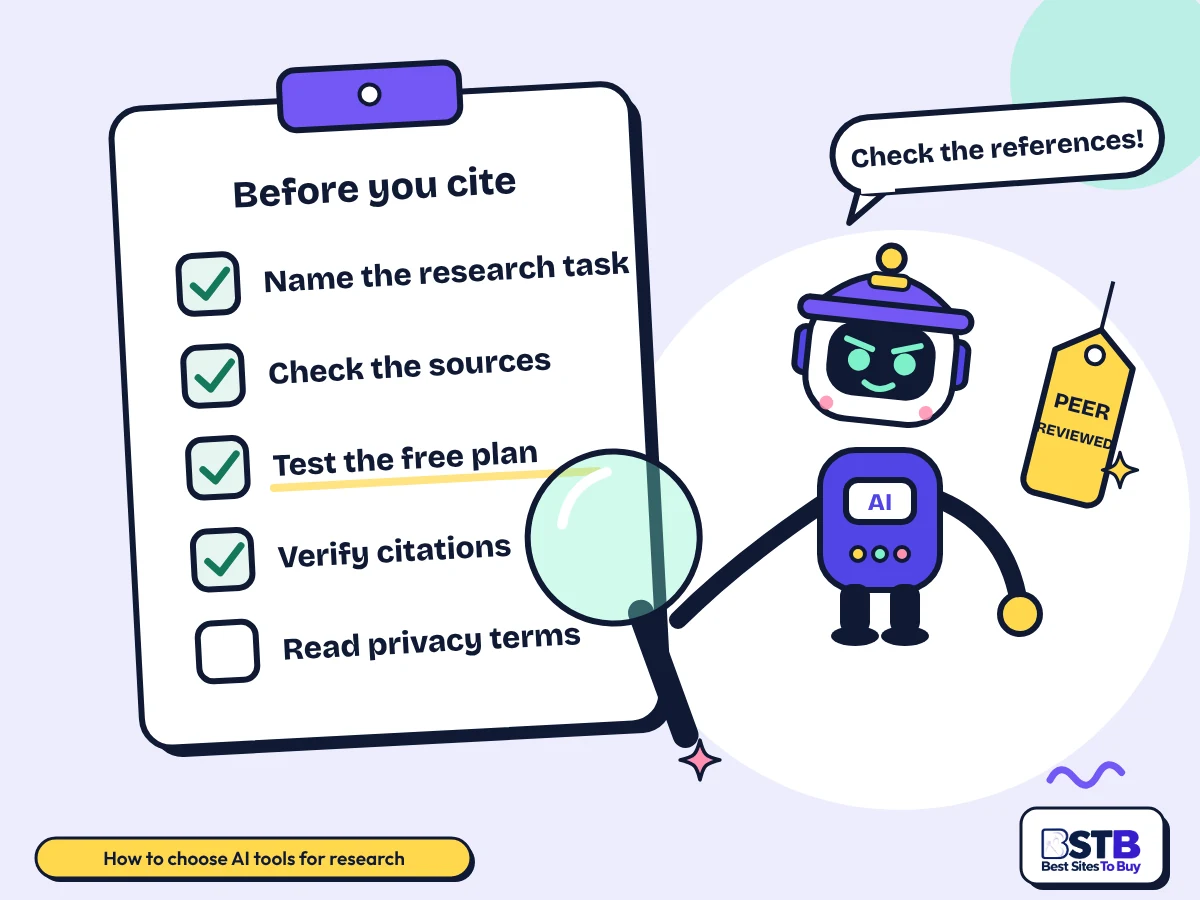
Choose AI tools for research by naming the research task first, then checking the source database, the free plan, how citations are shown and the privacy terms, in that order.
Finding papers, summarising, citation checking and data analysis are different jobs. Pick the stage that is slowing you down, then use the filter above the tool grid.
Academic tools that query Semantic Scholar, OpenAlex or PubMed return peer-reviewed papers. Web-only tools return blogs and news unless you narrow them.
22 of the 30 tools here are free to start. Run one real literature search or one PDF through the free tier before paying.
Open three cited sources and confirm they exist and say what the tool claims. Drop any tool that fails this test.
Check whether uploads train the model, whether your university allows the tool and how to delete your data.
Most AI tools for research are freemium: 20 of the top 30 have a free plan with a paid upgrade, 2 are fully free and 8 are paid only, with most paid plans between $5 and $20 a month.
| Pricing model | Tools in the top 30 | What you get | Tools |
|---|---|---|---|
| Free | 2 of 30 | Everything free, no paid tier | Microsoft Bing, PDF Flex |
| Freemium | 20 of 30 | Free plan with limits, paid upgrade | ChatGPT, Claude, NotebookLM, Google Gemini, You.com, Comet, Anara, Consensus, Julius AI, Manus, Perplexity, Otio AI, Recall, Scholarcy, Resoomer, Aithor, IamVERA, Komo Search, Seeker, PaperBrain |
| Paid | 8 of 30 | Paid only, sometimes with a trial | Claude Cowork, mymind, Scite, Turnitin, Mindgrasp AI, MyReport, PlotStudio AI, Outread |
Prices come from each tool's BSTB page. Plans change often, so confirm on the tool's own site before you buy. Turnitin and some business tools are sold to institutions on a quote.
AI research tools can invent citations, miss papers outside their index, misread nuance in a study and tempt you into submitting generated text, so treat every output as a draft to verify.
BSTB scores every AI research tool on the same nine criteria, and the overall score on each card is the plain average of the nine.
Scores are based on each tool's official pages, documentation, pricing and public user feedback. Read the full method on how BSTB tests and scores tools.
Research tools overlap with these categories. Browse them when you need a narrower tool, or go back to the full AI tools directory.
Quick answers on finding papers, summarising PDFs, literature reviews, citation checking, thesis research and using AI tools for research responsibly.
AI helps with research by finding relevant papers, summarising them, extracting data, checking citations and drafting literature reviews, which cuts the time spent on search and reading.
Each stage has a different tool. Academic search engines find papers, research assistants read them, data tools analyse results and integrity tools check the final text.
Start with the stage that is slowing you down; the filter above the tool grid sorts the top 30 by research stage.
Consensus, Perplexity, You.com, Komo Search and Microsoft Bing find research papers by topic; Consensus is the only one of the five that searches peer-reviewed papers exclusively.
Type a question rather than keywords. Academic engines rank papers by relevance to the meaning of the question and show the finding from each paper, not just the title.
Read the Consensus review for its nine-point score and source coverage.
Upload the PDF to AI tools for summarizing research papers such as NotebookLM, Anara, Scholarcy or PDF Flex, then ask for the aim, method, sample, findings and limitations in that order.
Asking for the structure of the paper gives a more accurate summary than asking for a general overview. Then ask follow-up questions about anything unclear, and check the answer against the paper.
More summarisers are in the AI summarizer category.
Use AI tools for literature review in four passes: find papers with an academic search engine, screen them with summaries, extract findings into a table, then draft the synthesis from that table.
Keep a spreadsheet of every paper with its sample, method and result. The AI drafts from the table, you write the argument, and every claim stays tied to a paper you have read.
For a systematic literature review, record your search strings and databases so the review can be repeated.
Consensus, Scite, Anara, NotebookLM and Perplexity all answer with academic sources and citations; Consensus and Scite draw only on scholarly papers.
Citation-grounded tools link each sentence to the paper it came from. General chatbots can add citations on request, but those references need checking because they can be invented.
See the Scite review for how its citation statements work.
Yes. NotebookLM, Anara, Seeker, PDF Flex and PaperBrain read full-text PDF research papers and answer questions about methods, figures and findings with page references.
Upload limits vary: free plans usually allow a handful of files, paid plans hundreds. Scanned PDFs need text recognition first, and tables and figures are read less reliably than prose.
Ask the tool to quote the exact sentence it relied on; that makes verification quick.
Find research gaps with AI by asking a citation tool which claims are contested, mapping which topics have few recent papers and asking a deep research assistant what the literature has not tested.
Scite shows where papers contrast rather than support a finding. Comparing twenty summaries side by side in NotebookLM reveals repeated limitations, and those limitations are the gaps.
Treat AI-suggested gaps as leads. Confirm them with a database search before you build a proposal on one.
NotebookLM, Anara and Claude can compare multiple research papers at once, returning a table of aims, methods, samples and findings across every file you upload.
Upload the set, then ask for a comparison table with fixed columns. Follow with questions such as which studies disagree and why, and check the cells against the papers.
Keep comparisons to one research question at a time for accurate tables.
Verify AI citations by opening each reference, confirming the DOI or URL resolves, checking the authors and year match, and reading the passage the claim relies on.
Fabricated citations usually fail at the first step: the DOI does not resolve or the title does not exist. Scite can also show whether the cited paper is itself supported or contested.
Never paste an AI-generated reference list into a paper without this check.
Yes. AI tools for thesis and dissertation research help at every stage, from framing questions and finding papers to organising notes and checking the final draft, provided your university's policy allows them.
AI research tools for students, PhD and master's candidates are used most for literature search, summarising and data analysis. Most institutions allow these uses with disclosure; many forbid AI-written text in the submitted thesis.
Ask your supervisor which uses must be disclosed in the methodology chapter.
An AI search engine answers a question from the live web or an academic index with cited sources, while an AI research assistant works from the documents you give it and answers only from those.
Use a search engine to discover sources you do not have yet. Use a research assistant once you have the papers, so answers stay grounded in your own reading list.
The comparison table higher on this page sets the two side by side with deep research mode.
AI deep research runs a multi-step investigation, searching, reading dozens of sources and writing a cited report over several minutes, while a regular chatbot answers in one turn from its training data.
Deep research modes in ChatGPT, Gemini and Claude Cowork, and agents such as Manus, suit scoping a new topic. A chatbot suits quick explanations. Both still need their sources checked.
Compare more agents in the AI agents category.
AI-generated research summaries are reliable for the main aim, method and headline finding of a paper, and less reliable for nuance, caveats, statistics and conflicting results.
Tools that read the full PDF and cite passages are more accurate than tools that summarise from an abstract. Accuracy and Reliability is the first of BSTB's nine scoring criteria for this reason.
Read the methods and results sections of any paper you plan to cite.
Use AI for academic research without plagiarising by limiting it to finding, summarising and organising sources, writing your own text, citing every source and disclosing AI use where your institution requires.
Paraphrasing an AI summary is still plagiarism if the idea is uncited. Treat AI output as notes, not prose, and run the final draft through an integrity check.
The Turnitin review explains what its AI writing detection reports.
The main limitations of AI tools for research are invented citations, gaps in the databases they search, lost nuance in summaries, uneven handling of tables and figures, and privacy risks with unpublished data.
Each limitation has a workaround: ground answers in real sources, use two tools for coverage, read the original for nuance and keep confidential data out of tools that train on uploads.
The Limits and Responsible Use section above covers each point in more depth.
The best free AI tools for research on BSTB are NotebookLM, Microsoft Bing and PDF Flex, which are free to use, plus the free plans of ChatGPT, Consensus, Perplexity, Scholarcy and Anara.
Free plans cap uploads, searches or deep research runs per month. They are enough for a short literature review or a single paper; a thesis usually needs one paid plan.
Use the Pricing filter above the tool grid to show only free and freemium tools.
Julius AI and PlotStudio AI are the best AI tools for data analysis in research on BSTB: both take a dataset and a plain-English question and return statistics, charts and a written report.
Julius AI suits spreadsheets and connected databases and has a free plan. PlotStudio AI runs agentic analysis and writes the report, from $39.99 a month after a trial.
Read the Julius AI review for its nine-point breakdown.
Most universities allow AI tools for academic research when used for searching, summarising and organising literature, require disclosure of how they were used, and prohibit submitting AI-generated text as original work.
Policies differ by institution, department and assessment, and journals set their own rules for submissions. The safe path is to ask, disclose and keep a record of which tools did what.
Check the policy before you start, not before you submit.
ChatGPT, Claude, NotebookLM and Microsoft Bing (all 4.4/5) are the highest-scored AI tools for research on BSTB, followed by Google Gemini and You.com at 4.3/5.
Scores come from nine criteria averaged into one number. The best pick still depends on your task: NotebookLM for reading papers, Consensus for finding them, Julius AI for data.
Read the NotebookLM review for the full nine-point score.
Paid AI research tool plans in the top 30 run from $4.99 a month (mymind, Google AI Plus) to $39.99 a month (PlotStudio AI); most sit between $8 and $20 a month.
Student and yearly billing discounts are common. Institution-only tools such as Turnitin are quoted per campus, and some search tools price by usage rather than by seat.
Plans change often, so confirm the price on the vendor's site before buying.
BSTB scores every AI research tool on nine criteria, and the overall score on each card is the average of those nine.
The nine are accuracy and reliability, ease of use, features, speed, customisation, data privacy, support, cost-efficiency and integrations. Each tool page shows the breakdown next to its pricing.
The full method is on the How We Test page.
Yes. Send your AI research tool's name, website and pricing through the BSTB contact page, and the team reviews it before it is added to the directory.
Listings show the pricing model, a short summary, categories and a nine-criterion score. Sponsored placements are handled separately through the advertising page.
Start on the BSTB contact page or read about advertising with BSTB.
Send us your tool's name, website and pricing. The BSTB team reviews every submission before it joins the AI tools directory.