Make
4.3/5Freemium
Drag-and-drop scenario builder (ex-Integromat) linking business apps, with AI agents that pick next steps and show their reasoning
- Best for: Visual, branching automations
- Price: Free 1,000 credits/mo; Core $9/mo yearly (reported)

21 tools
AI workflow automation tools connect your apps and run multi-step processes on their own: when something happens in one tool, they read it, decide what to do with AI, and act in another. This page ranks the 21 best AI workflow builders on BSTB by their 9-criterion score, with how each one is triggered, whether a person can approve steps, and what a run really costs.
Every one of these AI workflow automation tools online has its own BSTB page with a pricing model, plan prices, its integrations, triggers and approval options, and a score from the same nine criteria.
Showing 21 of 21.
Drag-and-drop scenario builder (ex-Integromat) linking business apps, with AI agents that pick next steps and show their reasoning

Visual automation platform that chains apps, APIs, code and AI agents into flows, with cloud or self-hosted deployment

AI security operations platform pairing AI agents with hyperautomation to triage alerts, investigate, manage cases and automate response across security tools

Code-first open-source framework for LLM apps and agents, with LangGraph for stateful flows and LangSmith for tracing and deployment

No-code builder for AI agents and multi-step workflows grounded in company documents, meetings and connected apps, with IT-set controls

Multi-agent framework and hosted platform where agent crews share tasks, tools and memory, with a no-code Studio and event-driven Flows

Node-based canvas for building AI agents and automations that connect business apps and drive a browser

No-code builder for internal business apps such as CRMs, approval flows and service desks, with AI agents that turn emails, WhatsApp and invoices into records

Shared team assistant living in Slack, email and iMessage that runs research, inbox triage, reports and recurring routines across connected apps

No-code builder for AI agents and multi-agent workforces that carry out sales, support and ops tasks across connected tools

Enterprise automation suite blending software robots, AI agents and human steps, plus document processing and test automation

Slack and Teams ticketing layer that turns chat requests and forms into tracked tickets and multi-step approvals with AI routing

App-to-app automation service where an event in one tool fires actions in others, now with AI steps, agents, chatbots and an MCP server

Agent platform where a coordinator agent hands plain-English jobs to specialist AI experts, plus a block canvas for custom workflows

Simple trigger-and-action rule builder (Applets) tying apps and smart-home devices together, with AI prompt steps and an MCP server

Browser agent that turns plain-English tasks into code-backed workflows across Google Workspace, Microsoft, Slack, HubSpot and Airtable

No-code studio for building, testing and governing enterprise AI agents with guardrails, knowledge bases and multi-agent orchestration

No-code drag-and-drop automation for security, IT and cloud ops, with AI agents acting on alerts, tickets and configs

Process orchestration through branded client portals, where AI agents prep documents and review submissions while people sign off key steps

No-code flow builder for ops teams that pulls, cleans and reconciles data from Shopify, NetSuite and other systems on a schedule, with AI document extraction

Intelligent document processing that extracts, classifies and redacts data from invoices, claims and KYC files, routing low-confidence items to people
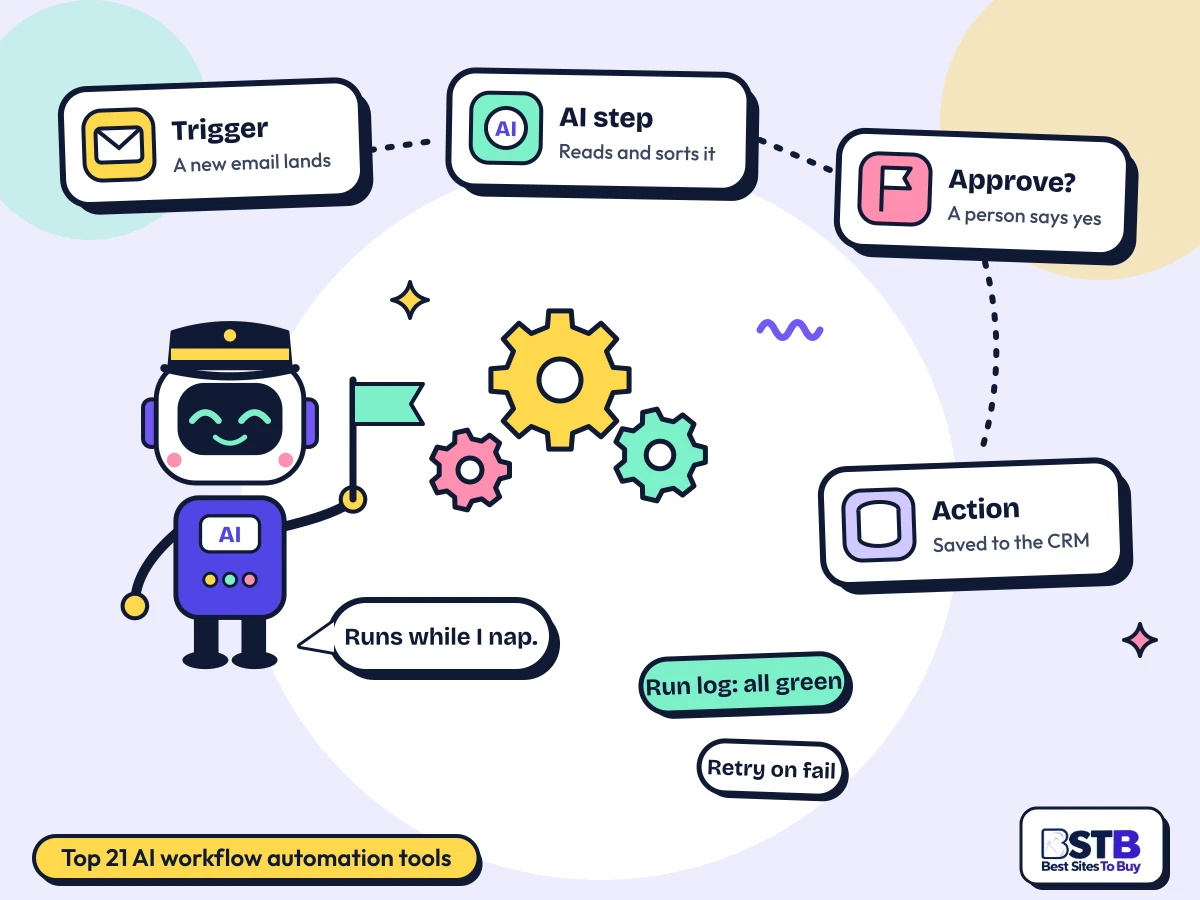
AI workflow automation tools run a sequence of steps across your apps automatically. A trigger starts the workflow, actions do the work, and AI steps read, sort, write or decide in between.
Classic automation, the kind Zapier and IFTTT made popular, follows fixed rules: when a form is submitted, add a row to a spreadsheet. AI workflow builders add steps that handle the messy parts rules cannot, such as reading an email to decide who it is for, summarising a document, or drafting a reply. Every one of the 21 tools on this page includes AI steps.
The difference between tools is mostly in four places: how many apps they connect to (Zapier claims more than 9,000, Make more than 3,000, n8n more than 500), what can start a workflow, whether a person can approve a step before it runs, and whether you can see what happened when something fails. 16 of the 21 tools here offer an approval step and 15 describe run logs or monitoring.
The category as published is mostly something else. Of the 148 tools tagged Workflows on BSTB, 79 (53 percent) have no workflow feature at all: search engines, video studios, legal e-discovery, voice APIs and study apps among them. Of the 55 that BSTB opened in detail, a further group are project-management apps, general AI assistants or marketing-email tools that sit better in their own categories. One product is listed twice. None of them are on this page.
A trigger starts the run, each step passes its result to the next, AI steps interpret or generate content, and the final action writes the result into another app.
A new email, a form entry, a webhook from another system, or a schedule such as every Monday at 9.
Each step receives the output of the one before: the email's sender, subject and attachment, for example.
A model classifies the message, extracts fields from a document, or drafts a reply.
Create the CRM record, post to Slack, file the document, or pause for a person to approve.
Route incoming email, extract data from documents, sync records between apps, add approvals to processes, and hand repetitive back-office work to a workflow that runs around the clock.
Pick by the job: connecting everyday apps, no-code AI agent workflows, open source and code, enterprise processes, or approvals and documents. Each tool sits in the group where it is strongest.
AI tools to connect business applications, and AI tools to trigger actions from events. These are the classic when this happens, do that builders.
AI tools to build no-code workflows where AI agents read, decide and act, with approval steps when it matters.
Self-host the platform or write workflows in code. 6 of the 21 tools on this page can run on your own servers.
AI workflow automation tools for business, and AI tools to automate repetitive processes at scale: RPA, security operations, IT and data reconciliation.
Workflows built around people and paperwork: approval chains, document extraction with review, and client-facing steps.
A fixed workflow follows the same steps every time. An AI agent workflow decides which steps to take based on what it reads. Use fixed workflows for predictable work and agents for judgement calls.
| Fixed workflow | AI agent workflow | |
|---|---|---|
| How it decides | Rules you write in advance | A model chooses the next step |
| Predictability | Same input, same result | Can vary from run to run |
| Good at | Syncing, routing, scheduled jobs | Reading messy input, research, drafting |
| Cost per run | Low and predictable | Higher; model calls add up |
| Approval steps | Optional | Strongly advised before actions |
| Debugging | Follow the steps in the log | Read the agent's reasoning and tool calls |
| On this page | Zapier, Make, IFTTT, Parabola | Gumloop, Lindy AI, Relevance AI, crewAI |
Most builders now do both. Make and n8n add AI steps to fixed workflows; Relevance AI and crewAI build agent teams with approval gates.
A good one connects your apps deeply, offers the triggers you need, lets a person approve risky steps and logs every run. Predictable pricing comes next.
These overlap with BSTB's nine scoring criteria. Integration Capabilities and Accuracy and Reliability carry the most weight in this category.
Pick one repetitive task, choose its trigger, add one AI step and an approval before anything leaves. Then test on real data and watch the logs for a week.
Something done the same way every day, such as routing support email or logging invoices.
New email, new form entry, a webhook, or a schedule. This decides which tools can do the job.
Classify, extract or draft. Keep it to one AI step at first so errors are easy to trace.
Before any payment, deletion or customer message, pause for a person to say yes.
Run it on ten real examples and check every result. Then review the run log daily for a week.
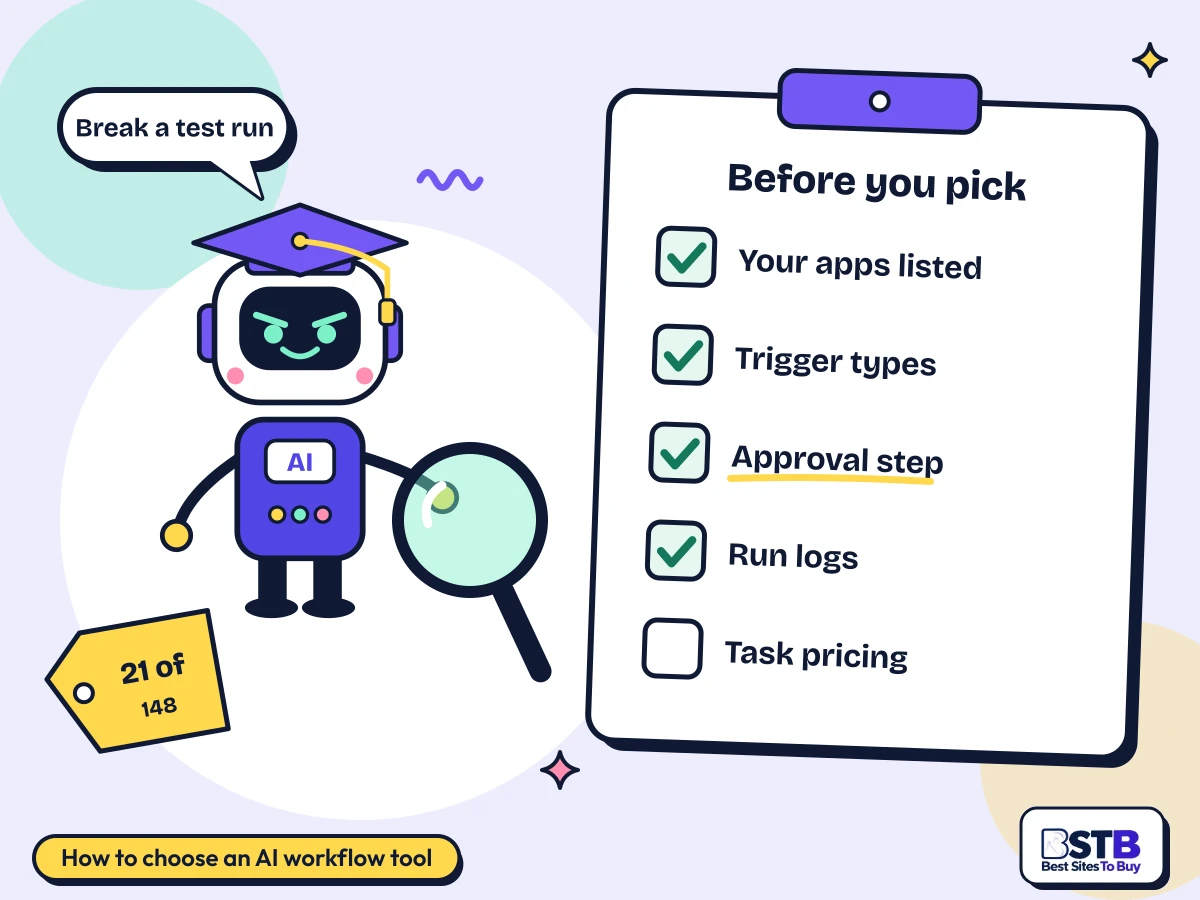
Check it connects your key apps deeply, offers your trigger type, has approval steps and run logs, and costs a predictable amount at your real volume.
Check the actions for each one, not just that a connector exists.
Instant webhooks, events or schedules. Note which are paid-only.
Essential for anything touching money, customers or deletions.
Build a test workflow, break it on purpose, and see how clearly the tool shows what failed.
Multiply steps per run by runs per month. Among AI workflow automation tools for beginners, IFTTT and Zapier are the simplest start.
Free AI workflow automation tools exist but are tight: 15 of the 21 here have a free plan, free credits or a free self-hosted edition. Paid plans buy volume, faster triggers, more steps and team features.
Free tiers are measured in different units. Zapier gives 100 tasks a month, Make 1,000 credits a month with 2 active scenarios, and IFTTT 2 Applets. n8n, crewAI, AutoGPT and LangChain are free to self-host, where you pay for the server instead. Several tools have recently dropped their free plans: Relevance AI and Gumloop among them. Enterprise tools are priced very differently: Mindflow starts at $30,000 a year and Moxo at $5,000 a year.
| Pricing model | Tools on this page | What you get | Tools |
|---|---|---|---|
| Freemium | 15 of 21 | Free plan with limits, paid upgrade | Make, n8n, LangChain, Cassidy, crewAI, Jestor, Lindy AI, UiPath, Zapier, AutoGPT, IFTTT, Lutra AI, Lyzr Agent Studio, Parabola, super.AI |
| Paid | 6 of 21 | Paid only, sometimes with a trial | Torq, Gumloop, Relevance AI, Wrangle, Mindflow, Moxo |
Prices come from each tool's BSTB page; competitor guides quote different prices for the same tools, so most here are marked reported. Three cautions. A task, a credit, an operation and an execution are different units, so compare the cost of one real workflow. AI steps often bill model usage on top of the platform fee. And self-hosting is free software, not free running costs.
Workflows break when an app changes, AI steps can misread input, logs are not always detailed, and every connected app widens what a leaked credential can reach. Plan for all four before you automate.
BSTB scores every one of these workflow tools on the same nine criteria, and the overall score is the mean of the nine.
Scores are based on each tool's official pages, documentation, published pricing and hands-on checks where available. For workflow automation, integrations and reliability weigh most heavily. Every overall score on this page matches the mean of its nine criteria to one decimal, checked in code for all 55 tools BSTB opened in this category. Read more about how BSTB tests and scores tools.
Workflow automation overlaps with these categories. Browse them or see the full AI tools directory.
Quick answers on what AI workflows are, automating across apps, no-code building, triggers and actions, emails and documents, human approval, monitoring and security.
An AI workflow is an automated sequence of steps across your apps that includes at least one AI step, such as reading, classifying or writing. A trigger starts it and actions finish it.
For example: a new support email arrives (trigger), an AI step decides whether it is billing or technical and drafts a reply (AI step), and the workflow creates a ticket and posts the draft for an agent to send (actions). Builders such as Make, Zapier and n8n let you assemble these on a visual canvas.
A workflow is fixed in shape; an AI agent can choose its own steps. Most builders now support both.
Connect the apps to a workflow builder, choose a trigger in one app, and add actions in the others. The builder moves the data between them on every run.
Among AI tools to automate tasks across apps, Zapier has the widest catalogue, claiming more than 9,000 apps, Make more than 3,000 with branching logic, and n8n more than 500 with the option to self-host. Check the depth of each connector: the actions available for your key apps matter more than the number on the homepage.
No competitor page answers this as a direct question, so the steps above are BSTB's own.
Yes. 17 of the 21 tools on this page have a visual or no-code builder, including Zapier, Make, Gumloop, IFTTT and Relevance AI.
No-code builders use drag-and-drop canvases or step lists. Lutra AI goes further and lets you describe the workflow in plain English. Code still helps at the edges, for custom API calls or data transformations, and developer tools such as LangChain and crewAI are built for teams that prefer code.
A trigger is the event that starts a run, such as a new email, a webhook or a schedule. An action is what the workflow does in response, such as creating a record or sending a message.
Triggers come in three kinds: app events, which the builder checks for every few minutes or receives instantly; webhooks, which another system sends the moment something happens; and schedules. Some tools keep instant triggers on paid plans: Zapier's page notes webhooks are paid, and Make runs one-minute schedules on paid plans only.
No competitor explains triggers and actions directly; it is one of the clearest gaps in coverage.
Yes, and it is one of the most common uses. 18 of the 21 tools here say they process emails or documents, from reading attachments to extracting fields from invoices.
super.AI watches inboxes for attachments, extracts the data and sends low-confidence results to a person for review. Gumloop, Relevance AI and Cassidy read and draft email as AI steps. For high-volume document work in an enterprise, UiPath combines RPA with AI extraction.
Check where documents are processed and whether the AI provider keeps them; see the security answer below.
Add an approval step that pauses the run and asks a named person to approve or reject before the workflow continues. 16 of the 21 tools on this page offer one.
Make has manual approvals and stop points, n8n has approval steps and guardrails, Lindy AI pauses for sign-off before irreversible actions, Wrangle runs multi-step approvals inside Slack, and Moxo makes approvals a core step for client-facing processes. Zapier's BSTB page does not describe an approval step.
No competitor page covers approval steps directly, yet it is the feature that makes AI workflows safe to run.
Use the run log to see every run step by step, turn on failure alerts, and retry failed runs once the cause is fixed. 15 of the 21 tools here describe logs or monitoring.
n8n offers step-level execution logs and retries, Relevance AI shows each tool call in a Run tab with 90 days of history on Pro, and crewAI has tracing and resumable runs. Some tools are thinner: Zapier's page mentions audit logs only on Enterprise. When a run fails, find the first failed step, check the input it received, and test that step on its own.
Break a test workflow on purpose before you choose a tool. How clearly it shows the failure tells you a lot.
The main risks are broad credentials, data passing through third parties, AI steps acting on wrong output, and gaps in logging. Each is manageable with the right setup.
A workflow tool holds keys to every app it connects, so a compromised account reaches all of them. Data also passes through the vendor and often an AI model provider. 13 of the 21 tools here name certifications such as SOC 2 or GDPR on their BSTB page; n8n's page lists none and suggests asking sales, though self-hosting it keeps data on your own servers.
Nobody in the competitor set covers these risks themselves; one page only names which platform it considers most secure.
They are the units tools charge by, and they are not the same. A task is usually one action, an operation one step, and an execution one whole run.
A five-step workflow that runs 1,000 times might count as 5,000 tasks on one tool and 1,000 executions on another, which is why headline prices are hard to compare. Make and Gumloop use credits, Zapier counts tasks, and n8n counts executions on its cloud plans. AI steps may also bill model usage separately.
Yes. 6 of the 21 tools here can run on your own servers: n8n, LangChain, crewAI, AutoGPT, UiPath and Lyzr Agent Studio.
n8n's Community edition is free to self-host with no execution cap stated, and crewAI, AutoGPT and LangChain are open source. Self-hosting keeps data inside your network and removes per-task fees, but you take on updates, uptime and security yourself.
Every tool is scored from 1 to 5 on nine criteria, and the overall score is the mean of the nine. Integrations and reliability matter most here.
The nine criteria are Accuracy and Reliability, Ease of Use, Functionality and Features, Performance and Speed, Customization and Flexibility, Data Privacy and Security, Support and Resources, Cost-Efficiency and Integration Capabilities. Read more about how BSTB tests and scores tools.
Card ratings on the category listing show 0.0 because they count user reviews. The editorial score on each tool's page is the one used here.
The list is reviewed regularly and whenever a tool changes its pricing, is renamed, or shuts down. Status badges on the cards flag recent changes.
Workflow pricing changes often: several tools in this category have dropped free plans or renamed recently. If you spot an out-of-date price or a tool that should be listed, tell the team through the contact page.
Where a price is marked reported, confirm it with the vendor before subscribing.
Send us your tool's name, website and pricing. The BSTB team reviews every submission before it joins the AI tools directory.