Claude Code
Anthropic's agentic coding tool that explores a codebase, edits many files, runs commands and tests, and opens pull requests.
- Best for: Agent that edits, tests and explains whole codebases
- Price: From Pro, $17/mo yearly or $20 monthly
14 tools
AI coding assistants write code from a plain-English description, autocomplete as you type, find and fix bugs, explain unfamiliar code, write tests and work across whole repositories. This page ranks the 14 best AI code assistant tools on BSTB by their 9-criterion score, with where each one runs, how it handles your code, and what it costs.

Every tool here has its own BSTB page with a pricing model, plan prices, supported IDEs, privacy terms and a score from the same nine criteria. Sixteen other tools tagged code assistant were left off as general assistants, infrastructure, duplicates or off-topic.
Claude Code leads at 4.4/5, with GitHub Copilot at 4.3/5 and Codex, Cursor and Qodo at 4.2/5; filter the best AI coding assistants by price or by job.
Showing 14 of 14.
Anthropic's agentic coding tool that explores a codebase, edits many files, runs commands and tests, and opens pull requests.
Coding assistant from GitHub with inline completion, chat, multi-file agent mode, a cloud agent and pull request review.
OpenAI's coding agent that reads a repo, edits files, runs tests and returns reviewable changes from web, CLI, IDE or desktop.
VS Code-based AI code editor with predictive Tab completion, agents that build features across files, and PR bug review.
Prompt-to-app builder that generates full-stack web apps with a hosted backend in a browser editor, with security scans.
AI code review platform whose agents review pull requests for bugs, standards and security using whole-codebase context.
Agent-native development platform whose Droid agents plan, write and test code across CLI, desktop, web and IDE.
Browser workspace whose agent builds, tests and hosts full apps from plain-language prompts.
Privacy-focused coding assistant with inline completion, chat and agents, deployable as SaaS, in a private VPC or air-gapped.
Coding agent suite that indexes your codebase and runs several planning, coding and review agents in parallel workspaces.
SylphAI's coding agent that plans, writes and tests code from the terminal, with its own visual agent IDE.
Coding assistant and multi-model platform with a VS Code extension, CLI, cloud coding agents and enterprise inference.
Free multilingual coding assistant plugin with completion, chat, code translation, comments and tests, with an open model you can run locally.
AI code editor with predictive Tab completion and an agent that edits across files, now rebranded Devin Desktop under Cognition.
AI coding assistants are tools that write, complete, explain, test and fix code using large language models, inside your editor, in a terminal or in the browser.
They work in three modes. Autocomplete tools such as GitHub Copilot, Tabnine and CodeGeeX suggest the next lines as you type. Chat lets you ask questions, explain code or request a fix. Agents such as Claude Code, Codex and Factory take a task, read the repository, edit many files, run tests and hand back changes to review. AI editors such as Cursor and Windsurf combine all three.
Some are AI coding assistants online that need no setup: Replit and Lovable build and host whole apps from prompts in the browser, which also makes them AI coding assistants for beginners. Most others install as an IDE extension or a command-line tool.
Of the 52 tools BSTB tags as code assistants, 36 generate code from requests and 24 work with whole-codebase context. Several are retired or closed to new sign-ups, one is listed twice, and five have no coding feature at all.
A language model trained on code reads your file, your request and, for agents, the rest of the repository, then proposes code, explanations or edits for you to review.
The open file, related files, or an indexed repository.
A comment, a chat request or a task for an agent.
Completions, a diff, tests or an explanation.
Accept, edit or reject, then run tests.
Generate code from plain English, autocomplete as you type, debug and review pull requests, explain unfamiliar code, write unit tests and docs, and make changes across large codebases.
Pick by the job: autocomplete in your editor, agents for large codebases, debugging and review, tests and explanations, private deployment, or whole apps from prompts. Tools that do several jobs well appear in more than one group.
AI tools to autocomplete code in an editor, from next-line suggestions to multi-line predicted edits.
Agents that read a whole repository, plan changes across many files and run tests.
AI tools to debug code with AI: fixes in chat, and bug and security review on pull requests.
AI tools to write unit tests and AI tools to explain code snippets, plus comments and docs.
No training on your code, zero retention or on-premises deployment. Most AI coding assistants for business teams sit here.
Autocomplete speeds up the code you are already writing. Agents take a whole task, change many files and run tests. Most teams use both, with careful review of agent output.
| Autocomplete and chat | Coding agent | |
|---|---|---|
| Scope | The line or function you are writing | A whole task across many files |
| Control | You accept each suggestion | You review a finished diff or pull request |
| Context | Open files and nearby code | The indexed repository |
| Best for | Everyday coding speed | Features, refactors, bug fixes, tests |
| Risk | Small, easy-to-spot errors | Larger changes that need careful review |
| On this page | GitHub Copilot, Tabnine, CodeGeeX, Windsurf | Claude Code, Codex, Factory, Verdent |
Only 9 of the 52 tools offer inline autocomplete; 24 claim whole-codebase context.
A good one works in your editor and languages, understands your codebase, makes changes you can review, keeps your code private, and is honest about what it checks.
These overlap with BSTB's nine scoring criteria, which also weigh speed, support and cost.
Describe the task clearly, let the assistant plan and make changes on a branch, run the tests, review the diff yourself, and scan it before merging.
Goal, files involved, constraints and how to test it.
Agents can plan before editing; check it first.
Ask for unit tests and run the full suite.
Check logic, edge cases and anything you do not understand.
Security and dependency checks, then a normal code review.
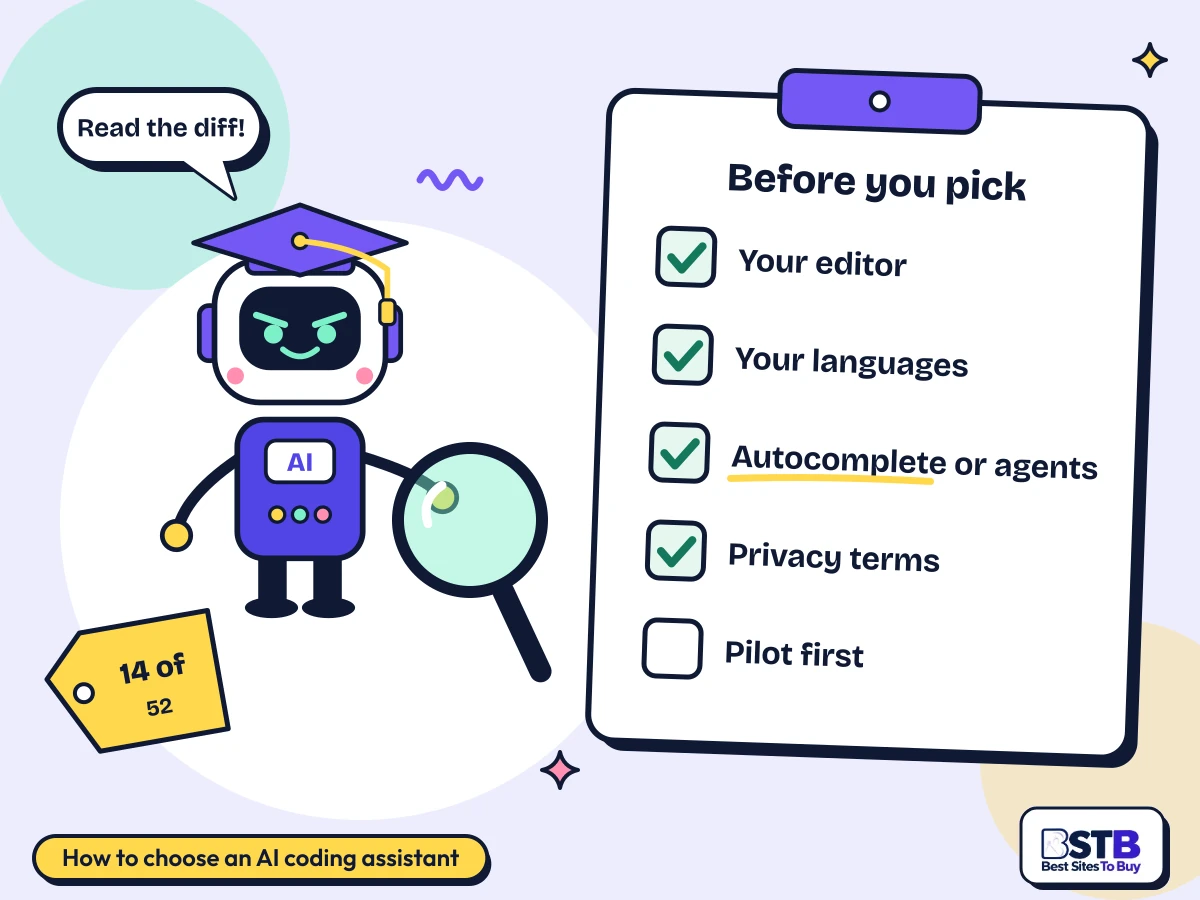
Match the tool to your editor, languages and codebase size, decide between autocomplete and agents, check the privacy terms, and run a short pilot on real tasks.
Extension, AI editor, terminal or browser.
Test with your own code, not a demo.
Or an editor that offers both.
Training on code, retention and self-hosting.
A week on real tasks before a team rollout.

Free AI coding assistants are easy to try: 8 of the 14 here have a free plan. Paid plans add more agent requests, faster models, team admin and privacy controls.
CodeGeeX is free, including local self-hosting. GitHub Copilot has a free plan, is free for verified students, and Pro is $10 a month. Most individual plans are $10 to $20 a month, including Cursor, Codex Plus and Factory Pro at $20. Claude Code comes with Claude Pro from $17 a month billed yearly. Heavy agent use moves to $100 to $200 a month tiers, and Tabnine is a reported $39 a user a month for teams.
| Pricing model | Tools on this page | What you get | Tools |
|---|---|---|---|
| Free | 1 of 14 | Everything free, no paid tier | CodeGeeX |
| Freemium | 7 of 14 | Free plan with limits, paid upgrade | GitHub Copilot, Codex, Cursor, Lovable, Replit, Verdent, Windsurf |
| Paid | 6 of 14 | Paid only, sometimes with a trial | Claude Code, Qodo, Factory, Tabnine, AdaL, BLACKBOX.AI |
Prices come from each tool's BSTB page; several plans now bill by credits or usage, so check what a credit buys. Windsurf has two official price lists that disagree, and BLACKBOX.AI shows only enterprise pricing officially.
AI code can be wrong, insecure or outdated, agents can make large changes quickly, and most tools do not scan for vulnerabilities. Review, test and scan everything before merging.
BSTB scores every one of these AI coding assistants on the same nine criteria, and the overall score is the mean of the nine.
Scores are based on each tool's official pages, documentation, security and privacy terms, published pricing and hands-on checks where available. For coding assistants, output accuracy, codebase understanding, privacy and integrations weigh most. Every overall score on this page matches the mean of its nine criteria to one decimal, checked in code for all 52 tools in the category. Read more about how BSTB tests and scores tools.
AI coding assistants overlap with these categories. Browse them or see the full AI tools directory.
Quick answers on writing code from descriptions, fixing bugs, IDE setup, explaining code, tests and docs, languages, security checks and large codebases.
Describe what you want in plain English and the assistant writes it: a function from a comment, a feature from a task, or a whole app from a prompt. 36 of the 52 tools do this.
In your editor, GitHub Copilot and CodeGeeX turn comments into code. Agents such as Claude Code, Codex and Factory plan and write changes across files from a task description. Lovable and Replit build full-stack apps from prompts in the browser. Be specific about inputs, outputs, edge cases and libraries.
Yes. Twenty-four of the 52 tools help debug, from chat that proposes fixes to agents that fix failing tests and reviewers that flag bugs in pull requests.
Paste the error and the relevant code into chat, or let Claude Code or Codex reproduce and fix the failure. Qodo reviews pull requests for bugs and security issues, Cursor's Bugbot flags PR bugs, and GitHub Copilot reviews pull requests on GitHub. Always rerun the tests after a fix.
Install the tool's extension in your editor and sign in, or switch to an AI-first editor. Sixteen of the 52 tools list the IDEs they support.
GitHub Copilot works in VS Code, Visual Studio, JetBrains IDEs, Xcode and Eclipse. Tabnine and CodeGeeX support VS Code and JetBrains, and Claude Code has VS Code and JetBrains extensions alongside its terminal tool. Cursor and Windsurf are full editors built on VS Code, so you can import your extensions.
No competitor answers this as a question.
Yes. Seventeen of the 52 tools explain code. Select a function or file and ask what it does, why, and what would break if you changed it.
Claude Code explains whole projects and unfamiliar codebases. Tabnine explains code, including legacy code, and BLACKBOX.AI and CodeGeeX explain code inside the editor. Ask for explanations at the level you need, and check them by reading the code and running it.
Yes, though fewer tools state it: 9 of the 52 write tests and 10 write documentation. Claude Code, GitHub Copilot, Tabnine and CodeGeeX do both or one.
Claude Code writes and runs tests for a module. GitHub Copilot and Tabnine generate tests from chat. CodeGeeX writes unit tests, line comments, function summaries and README text, and Verdent drafts documentation. Review generated tests: they can test what the code does rather than what it should do.
Most work with all popular languages, but only 20 of the 52 tools name them. CodeGeeX claims 100+, Replit 50+ and BLACKBOX.AI 20+.
Python, JavaScript, TypeScript, Java, Go, C# and C++ are well supported almost everywhere. Qodo names Python, Java, TypeScript, Go, C# and C++. Less common languages and in-house frameworks get weaker results, so test with your own code.
Review it like any code, then run security scanners, dependency checks and secret detection. Only 5 of the 52 tools actually scan code for vulnerabilities.
Qodo's reviews cover security issues, and Lovable scans its apps for exposed keys, weak database rules and risky dependencies. The other 30 security claims in this category are about privacy, such as no training on your code, not about checking it. Add static analysis and dependency scanning to your pipeline.
No competitor answers this as a question.
Yes, increasingly. Twenty-four of the 52 tools claim whole-codebase context, by indexing the repository or letting an agent explore it.
Claude Code explores a codebase and follows imports across repositories. Codex reads the repo and runs parallel tasks in worktrees. Verdent indexes the codebase, Qodo uses a context engine over code and PR history, and Factory scores repo readiness. Break large changes into small reviewable steps.
It depends on the tool and plan. Some never train on customer code, some exclude business plans only, and Windsurf trains by default with a paid opt-out.
Factory says it never trains on customer code, Tabnine offers zero retention and on-premises installs, and Cursor's privacy mode means no training and zero retention. GitHub Copilot keeps Business and Enterprise code out of training. CodeGeeX can run fully locally. Read the terms for the plan you buy.
No competitor answers this as a question.
Eight of the 14 tools here have a free plan. CodeGeeX is free for individuals, and GitHub Copilot is free with limits and free for verified students.
GitHub Copilot's free plan includes 2,000 completions and 50 chats a month. Cursor, Codex, Verdent, Windsurf, Replit and Lovable have limited free plans. Tabnine and Qodo have removed their free plans.
Every tool is scored from 1 to 5 on nine criteria, and the overall score is the mean of the nine. Accuracy, codebase understanding and privacy matter most here.
The nine criteria are Accuracy and Reliability, Ease of Use, Functionality and Features, Performance and Speed, Customization and Flexibility, Data Privacy and Security, Support and Resources, Cost-Efficiency and Integration Capabilities. Read more about how BSTB tests and scores tools.
Card ratings on the category listing show 0.0 because they count user reviews. The editorial score on each tool's page is the one used here.
The list is reviewed regularly and whenever a tool changes its pricing, is renamed, or shuts down. Status badges on the cards flag recent changes.
Coding tools change fast: in this category Windsurf is now Devin Desktop, Qodo was CodiumAI, and several tools have closed. If you spot an out-of-date price or a tool that should be listed, tell the team through the contact page.
Where a price is marked reported, confirm it with the vendor before subscribing.
Send us your tool's name, website and pricing. The BSTB team reviews every submission before it joins the AI tools directory.