Best AI SQL Generators 2026: Text to SQL AI Tools - BSTB

6 tools

6 Best AI SQL Tools for Writing, Explaining, Fixing and Optimizing Queries

AI SQL tools turn plain-English questions into SQL for your database, explain and fix existing queries, suggest optimizations, and answer business questions with tables and charts. This page ranks the 6 AI SQL tools on BSTB by their 9-criterion score, with the databases each supports, how it keeps your data safe, and what it costs.

Top 6 of 7 tools 3 of 6 free to start
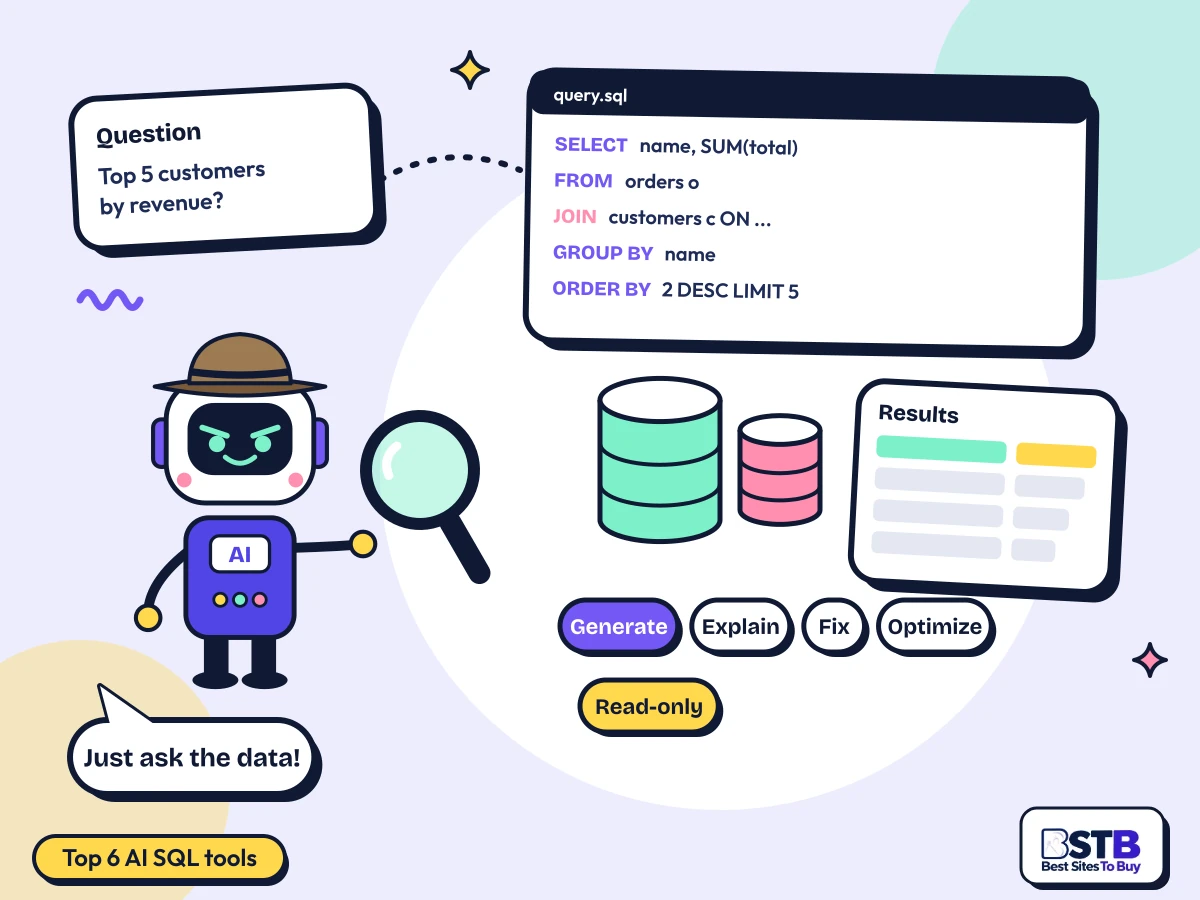
Best AI SQL tools: Scout the BSTB robot in a detective hat with a magnifier beside a plain-English question turned into a SQL query with a join

Why You Can Trust BSTB's AI Tool Listings

Every tool here has its own BSTB page with a pricing model, plan prices, supported databases, safety controls and a score from the same nine criteria. One other tool tagged SQL was left off because it has no SQL feature.

  • One scoring method for every tool
  • Prices taken from each tool's official pages
  • Plain summaries of what the tool actually does

See how BSTB tests and scores AI tools.

The directory

Top 6 AI SQL Tools, Ranked by BSTB Score

AI2sql leads at 4.1/5, with Blaze SQL, MindsDB and Text2SQL at 4.0/5; filter the best AI SQL tools by price or by the job you need done.

Show:

Showing 6 of 6.

AI2sql

4.1/5Freemium

Text-to-SQL assistant that writes schema-aware queries in your dialect and also explains, repairs, formats and tunes SQL, with guarded read-only runs.

  • Best for: Generate, explain, fix and tune SQL, read-only runs
  • Price: Free 3 queries/day; Start $9/mo

Read the AI2sql review

MindsDB

4.0/5Freemium

Federated SQL engine that queries many databases, apps and files in place, plus knowledge bases and SQL-defined agents.

  • Best for: One SQL layer across many databases and apps
  • Price: Open source free; Enterprise via sales
Read the MindsDB review
Prices not published

Text2SQL

4.0/5Paid

Browser, API and desktop SQL generator that turns English into SQL for your schema and also explains, repairs and tunes queries, plus spreadsheet formulas.

  • Best for: SQL plus spreadsheet formulas from English
  • Price: Free trial; Pro price not published
Read the Text2SQL review
GitHub data only

OSS Insight

3.9/5Free

Free GitHub analytics site whose Data Explorer turns plain-language questions into SQL over public GitHub event tables.

  • Best for: Free text-to-SQL demo on GitHub data
  • Price: Free
Read the OSS Insight review
The basics

What Are AI SQL Tools?

AI SQL tools are assistants that write SQL from plain English, explain and fix queries, suggest optimizations, and in some cases run the query and chart the answer.

There are two main types. SQL generators such as AI2sql and Text2SQL write a query for your schema and dialect, and can also explain, repair and tune existing SQL. AI analysts such as Blaze SQL and InsightBase connect to your database, run the generated query and return a table or chart, so business users never see the SQL. MindsDB is different again: a SQL engine that queries many databases and apps in place.

Most are AI SQL tools online that run in a browser, and some add desktop apps that keep credentials on your computer. OSS Insight lets anyone try text-to-SQL for free on public GitHub data.

BSTB lists 7 tools under SQL, but only 4 are true SQL generators. One is a finance data workspace with no SQL feature, and two are partial fits: a federated SQL engine and a demo explorer on a fixed dataset.

How Does an AI SQL Query Generator Work?

It reads your schema, translates your question into SQL for your database's dialect, and either shows you the query or runs it, ideally with read-only permissions.

  1. It learns your schema

    Tables, columns and relationships, pasted or read from a connection.

  2. You ask in English

    "Top 5 customers by revenue last quarter."

  3. It writes SQL

    Joins, filters and grouping in your dialect.

  4. You check and run

    Review the query, then run it read-only.

What Can You Do With AI SQL Tools?

Generate SQL from plain English, explain complex queries, fix errors, get optimization and index suggestions, turn business questions into charts, and query many sources at once.

  • Generate queries: from plain-English questions.
  • Explain SQL: clause by clause.
  • Fix errors: syntax, dialect and wrong columns.
  • Optimize: rewrites and index suggestions.
  • Answer business questions: tables, charts and dashboards.
  • Query many sources: databases, warehouses and apps.
By job

Best AI SQL Tools by Job

Pick by the job: write, explain and fix SQL, ask your data for charts, query many sources, safety and privacy controls, or a free tool. Tools that do two jobs well appear in both groups.

Write, explain and fix SQL

AI tools to generate SQL queries from plain English, plus AI tools to explain complex SQL queries, AI tools to debug SQL errors and AI tools to optimize database queries.

  • AI2sql: Generate, explain, fix and tune SQL, read-only runs
  • Text2SQL: SQL plus spreadsheet formulas from English

Ask your data, get charts

AI tools to convert questions into database queries and return tables, charts and dashboards. AI SQL tools for business teams.

  • Blaze SQL: Ask your warehouse in English, get charts
  • InsightBase: Plain-English questions to dashboards

Many databases and sources

Query warehouses, databases and apps from one place, from 12 named databases to 300+ connectors.

  • Blaze SQL: Ask your warehouse in English, get charts
  • MindsDB: One SQL layer across many databases and apps

Safety and privacy controls

Read-only guards and schema-only modes, so the AI never changes or sees your rows.

  • AI2sql: Generate, explain, fix and tune SQL, read-only runs
  • Text2SQL: SQL plus spreadsheet formulas from English

Free to use

Free AI SQL tools: open source to self-host, or a free text-to-SQL explorer.

  • MindsDB: One SQL layer across many databases and apps
  • OSS Insight: Free text-to-SQL demo on GitHub data
Know the difference

SQL Generators vs AI Data Analysts

SQL generators give you the query to check and run. AI data analysts run the query for you and return charts. Generators suit people who know SQL; analysts suit business users.

SQL generatorAI data analyst
OutputSQL you can read and editTables, charts and dashboards
Best forAnalysts, developers, learnersBusiness users and teams
Runs queriesOptional, often read-onlyYes, on your connected database
Also doesExplain, fix and optimize SQLShare dashboards, Slack answers
PriceFree plans, then about $9 to $39 a monthAbout $27 to $800 a month
On this pageAI2sql, Text2SQLBlaze SQL, InsightBase

Only AI2sql and Text2SQL cover explaining, fixing and optimizing SQL as well as writing it.

What to look for

What Makes a Good AI SQL Tool?

A good one understands your schema and dialect, shows the SQL it writes, explains and fixes queries, runs only with read-only access, and is clear about what data it sends.

  • Schema-awareUses your real table and column names. 5 of 7 read your schema.
  • Your database dialect5 of 7 name supported databases; AI2sql lists 10, Blaze SQL 12.
  • Shows the SQLSo you can check joins and filters before trusting results.
  • Explain, fix, optimizeOnly 2 of 7 cover all three.
  • Safe executionRead-only runs. Only AI2sql blocks writes itself.
  • Clear on dataSchema only, or rows too? Blaze SQL and Text2SQL desktop send schema names only.

These overlap with BSTB's nine scoring criteria, which also weigh ease of use, support and cost.

Step by step

From Question to Safe Query, Step by Step

Connect with a read-only user, give the tool your schema, ask a specific question, read the generated SQL, test it on a small result, then run or save it.

  1. Use a read-only user

    Create database credentials that cannot change data.

  2. Share the schema

    Tables, columns and how they join.

  3. Ask precisely

    Name the measure, filters, time range and sorting.

  4. Read the SQL

    Check joins, filters and aggregation.

  5. Test, then run

    Add a LIMIT, compare with a known total, then run in full.

Buyer checklist

How to Choose an AI SQL Tool

The best AI SQL query generator depends on who uses it. Decide whether you want SQL or answers, check your database is supported, look for read-only and schema-only options, and test on a real question first.

  1. SQL or answers

    Generators for analysts; AI analysts for business users.

  2. Your database

    Check your dialect and warehouse are named.

  3. Read-only safety

    Built-in guards or a read-only user.

  4. What data is sent

    Schema only, or rows as well.

  5. Test a real question

    One with a known answer.

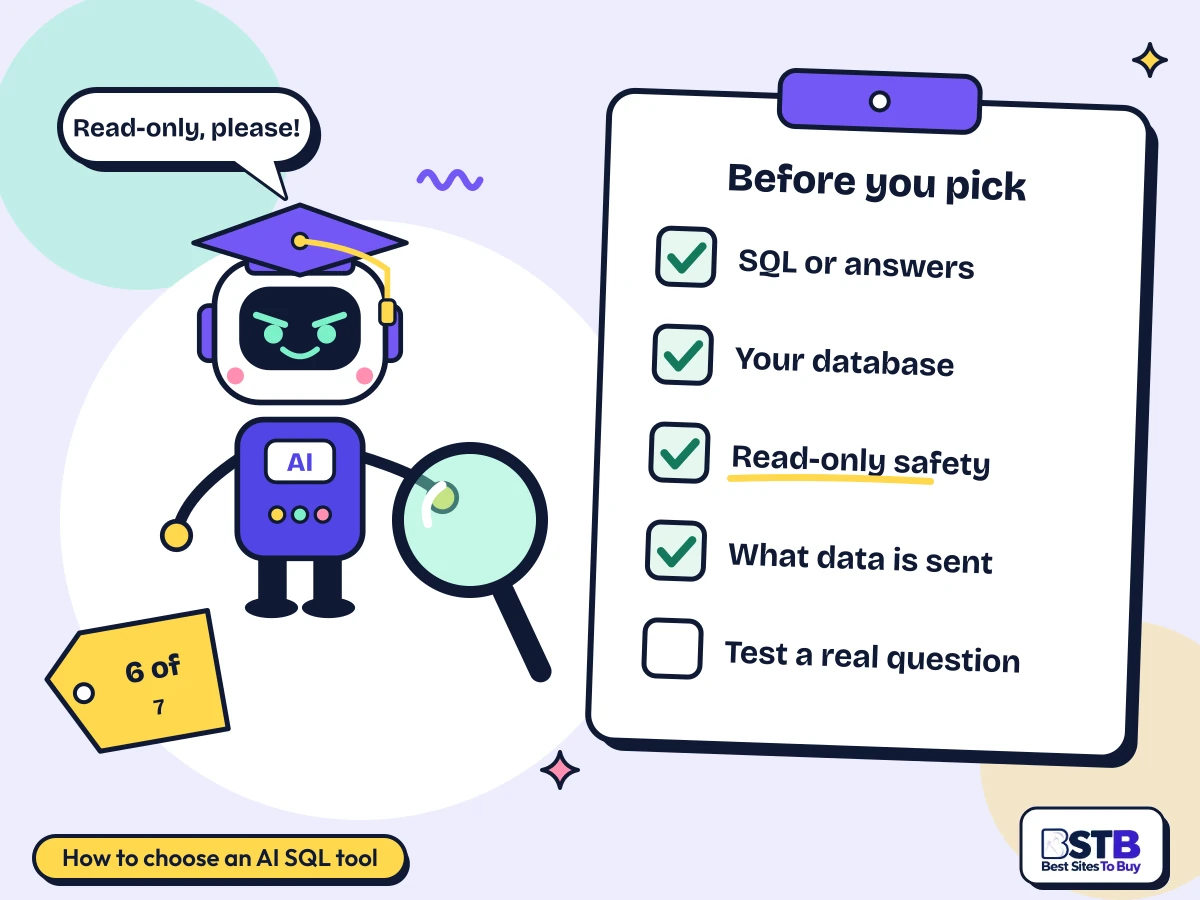
How to choose an AI SQL tool: a checklist reading SQL or answers, your database, read-only safety, what data is sent and test a real question
Connect read-only, then test a known answer.
Pricing

Free vs Paid AI SQL Tools

Free AI SQL tools exist: AI2sql has a free plan, MindsDB is open source, and OSS Insight is free on GitHub data. AI analysts for teams cost much more.

AI2sql is free for 3 queries a day on a demo database, then $9 a month, or $29 one-time for a lifetime plan. Text2SQL has a free trial, but its paid prices are not published. InsightBase is reported at $27 a month. Blaze SQL starts at $150 a month for one user and $400 for a team of three. AI SQL tools for beginners should start with a free plan or trial.

Pricing modelTools on this pageWhat you getTools
Free1 of 6Everything free, no paid tierOSS Insight
Freemium2 of 6Free plan with limits, paid upgradeAI2sql, MindsDB
Paid3 of 6Paid only, sometimes with a trialBlaze SQL, Text2SQL, InsightBase

Prices come from each tool's BSTB page; InsightBase's are reported and Text2SQL's and MindsDB Enterprise's are not published. AI2sql's Start plan supports only MySQL and PostgreSQL.

Use with care

Limits of AI SQL Tools, and Production Safety

AI SQL can be wrong while looking right, miss business rules, and run expensive or unsafe queries. Use read-only access, check results, and never point a write-capable user at production.

  • Plausible but wrong: joins and filters can silently miscount.
  • Business rules: the AI does not know what counts as an active customer unless told.
  • Write access: only AI2sql blocks writes itself; others rely on your user permissions.
  • Expensive queries: warehouse costs can spike; add limits.
  • Data exposure: check whether rows, not just schema, leave your network.
  • Thin category: only 4 of 7 listed tools are true SQL generators.
Our method

How BSTB Rates AI SQL Tools

BSTB scores every one of these AI SQL tools on the same nine criteria, and the overall score is the mean of the nine.

  • Accuracy and Reliability
  • Ease of Use
  • Functionality and Features
  • Performance and Speed
  • Customization and Flexibility
  • Data Privacy and Security
  • Support and Resources
  • Cost-Efficiency
  • Integration Capabilities

Scores are based on each tool's official pages, documentation, security notes, published pricing and hands-on checks where available. For SQL tools, accuracy, database support and safe execution weigh most. Every overall score on this page matches the mean of its nine criteria to one decimal, checked in code for all 7 tools in the category. Read more about how BSTB tests and scores tools.

Related AI Tool Categories

AI SQL tools overlap with these categories. Browse them or see the full AI tools directory.

FAQs

AI SQL Tools: Frequently Asked Questions

Quick answers on natural-language SQL, explaining queries, fixing errors, optimization, spreadsheet questions, supported databases, joins and production safety.

How can I generate SQL queries using natural language?

Give the tool your schema, ask your question in plain English, and it writes SQL for your database. Five of the 7 tools tagged SQL do this.

AI2sql writes dialect-specific SQL using your real table and column names. Text2SQL turns English into SQL and lets you refine it with follow-up questions. Blaze SQL and InsightBase write and run the query and return a chart. Be specific about measures, filters and time ranges.

  • Share the schema: tables and columns.
  • Name the measure: revenue, count, average.
  • Add filters: dates, regions, status.
  • Say how to sort: and how many rows.

Can AI explain an existing SQL query?

Yes. AI2sql explains queries clause by clause, and Text2SQL explains both generated and existing SQL. Two of the 7 tools offer this.

Paste the query into AI2sql or Text2SQL and ask what each part does. Explanations help you learn SQL and review someone else's query, but check them against the actual results.

No competitor answers this as a question.

How do I fix SQL errors with AI?

Paste the query and the error message into a tool that repairs SQL, such as AI2sql or Text2SQL, and ask for a corrected version with an explanation.

AI2sql fixes syntax, dialect and wrong-column errors, and Text2SQL repairs broken SQL. Giving the schema helps the tool fix column and table names. Rerun the fixed query and compare with expected results.

No competitor answers this as a question.

Can AI optimize slow database queries?

Partly. AI2sql suggests rewrites and missing indexes, and Text2SQL offers query optimization. Only 2 of the 7 tools do this, and suggestions need testing.

AI2sql's optimization is on paid plans above Start. Run any suggested rewrite or index against the query plan, using EXPLAIN in your database, and measure before and after. Indexes speed reads but can slow writes.

No competitor answers this as a question.

Can AI convert spreadsheet questions into SQL?

Yes, once your data is in a database. AI SQL tools turn plain-English questions into queries, and Text2SQL also writes Excel and Google Sheets formulas.

Load the spreadsheet into a database, then ask the question in AI2sql or Text2SQL. If you want to stay in the spreadsheet, Text2SQL generates spreadsheet formulas instead. Only 1 of the 7 tools mentions spreadsheets directly.

No competitor answers this as a question.

Which databases are supported by AI SQL assistants?

Most support the main ones: PostgreSQL, MySQL, SQL Server, Oracle, Snowflake and BigQuery. AI2sql names 10 databases and Blaze SQL 12.

AI2sql supports PostgreSQL, MySQL, SQL Server, Oracle, Snowflake, BigQuery, Redshift, MongoDB, SQLite and Firebird. Blaze SQL adds Databricks, Athena, ClickHouse and MariaDB. Text2SQL claims 12+ types, InsightBase names MongoDB, PostgreSQL, MySQL and SQL Server, and MindsDB claims 300+ connectors.

Can AI generate joins and nested SQL queries?

Yes for joins, which 3 of the 7 tools mention. None states support for subqueries or CTEs on its BSTB page, so test complex queries yourself.

AI2sql builds a model of your tables and joins, Text2SQL matches joins from your schema, and MindsDB joins across sources. For nested queries and CTEs, ask explicitly and check the logic step by step.

No competitor answers this as a question.

Is it safe to connect an AI tool to a production database?

Only with care: use a read-only user, limit which tables it can see, prefer schema-only modes, and test on a replica first. Only AI2sql blocks writes itself.

AI2sql's sqlGuard blocks writes, DDL and multi-statement queries. Blaze SQL recommends a read-only user but does not enforce one, and its desktop offline mode sends only schema names. Text2SQL's desktop app also sends schema names, never rows. Check each vendor's data retention terms before connecting.

  • Read-only user: no write or delete rights.
  • Limit tables: only what the tool needs.
  • Schema only: where possible.
  • Replica first: not the live primary.

No competitor answers this as a question.

Are there free AI SQL tools?

Yes. AI2sql has a free plan, MindsDB is free open source to self-host, and OSS Insight is free on public GitHub data. Text2SQL and InsightBase offer trials.

AI2sql's free plan gives 3 queries a day on a demo database. OSS Insight is a good free way to see how text-to-SQL works, but it cannot connect to your own database.

How accurate is AI-generated SQL?

Often correct for simple questions, but joins, filters and business definitions can go wrong while the query still runs. Always read the SQL and check totals.

Give the tool your schema and definitions, such as what counts as an active customer, and test queries against numbers you already know. The more complex the question, the more review it needs.

No competitor answers this as a question.

How does BSTB score AI SQL tools?

Every tool is scored from 1 to 5 on nine criteria, and the overall score is the mean of the nine. Accuracy and safe execution matter most here.

The nine criteria are Accuracy and Reliability, Ease of Use, Functionality and Features, Performance and Speed, Customization and Flexibility, Data Privacy and Security, Support and Resources, Cost-Efficiency and Integration Capabilities. Read more about how BSTB tests and scores tools.

Card ratings on the category listing show 0.0 because they count user reviews. The editorial score on each tool's page is the one used here.

How often is this list of AI SQL tools updated?

The list is reviewed regularly and whenever a tool changes its pricing, is renamed, or shuts down. Status badges on the cards flag recent changes.

If you know an AI SQL tool that should be listed, or spot an out-of-date price, tell the team through the contact page.

Where a price is marked reported, confirm it with the vendor before subscribing.

Get it listed here.

Get Your AI SQL Tool Listed on BSTB

Send us your tool's name, website and pricing. The BSTB team reviews every submission before it joins the AI tools directory.

List your AI SQL tool on Best Sites To Buy: the BSTB-1 rocket flying past a database cylinder towards a tool card
On this page