Best AI Website Builders 2026: Free & Paid Tools - BSTB

Psst! 26 builders inside

26 Best AI Website Builders in 2026 for Hosted Sites, Stores and Landing Pages

AI website builders turn a short description of a business into a working website: they write the copy, pick the layout, generate or source the images and publish the result on a live address. This page ranks the 26 best AI website builders on BSTB by their 9-criterion score, each with its pricing model, free plan, what it actually publishes and a plain-English summary.

Top 26 of 33 tools 21 of 26 free to start
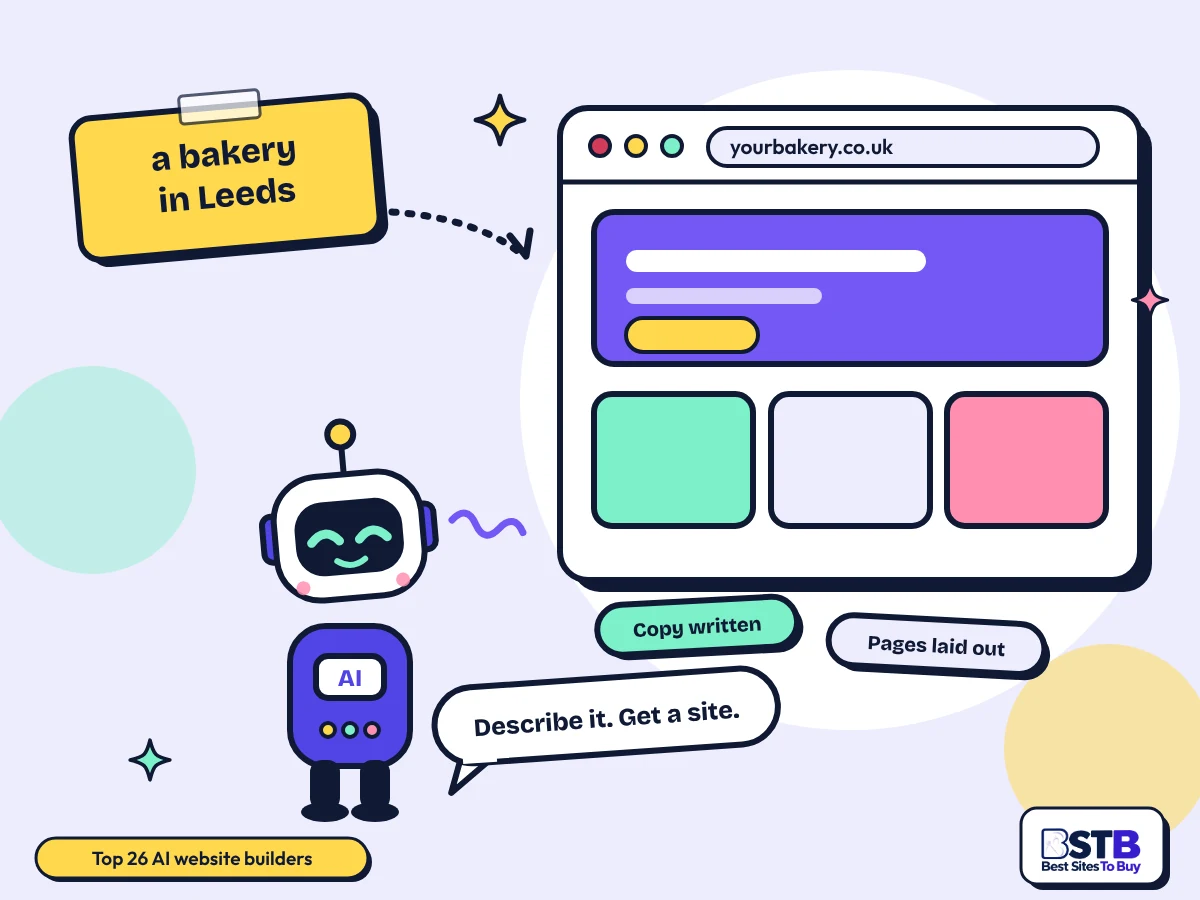
Best AI website builders: Scout the BSTB robot beside a yellow prompt note reading a bakery in Leeds, with an arrow to a browser window holding a finished homepage

Why You Can Trust BSTB's AI Tool Listings

Every AI website builder on this page has its own BSTB page with a pricing model, plan prices, what it actually publishes and a score from the same nine criteria.

  • One scoring method for every tool
  • Prices taken from each tool's official pages
  • Plain summaries of what the tool actually does

See how BSTB tests and scores AI tools.

The directory

Top 26 AI Website Builders, Ranked by BSTB Score

Shopify scores highest at 4.3/5, with Lovable at 4.2/5 and HubSpot's generator and Shipixen at 4.1/5; filter by price or by the kind of builder you need.

Show:

Showing 26 of 26. Picked from the 33 tools listed in the BSTB Website Builders category, ranked by overall score.

Shopify

4.3/5Paid

Store platform that sells across web, social and in person, with AI drafting product copy, images and theme sections.

  • Best for: Selling, not just publishing
  • Price: Trial $1; Basic $29/mo ($39 monthly); Grow $79/mo; Advanced $299/mo; Plus from $2,300/mo
Read the Shopify review

Lovable

4.2/5Freemium

Prompts become a working full-stack site or app with a real backend, database and auth, editable as code.

  • Best for: Sites that need a backend
  • Price: Free $0; Pro from $25/mo ($21 billed yearly); Business from $50/mo; Enterprise on request
Read the Lovable review

Shipixen

4.1/5Paid

Generates a real Next.js codebase for a landing page, blog or SaaS site that you deploy and own outright.

  • Best for: Owning the code, not renting it
  • Price: 1-year licence $249; lifetime $379 (from $500); open source free on request
Read the Shipixen review

10Web

4.0/5Paid

Turns a prompt into a hosted WordPress site or WooCommerce store, with managed hosting and speed tooling bundled in.

  • Best for: WordPress without the setup
  • Price: AI Starter $10/mo; AI Premium $15/mo; AI Ultimate $22.50/mo; Agency from $42.50/mo
Read the 10Web review

Zarla

4.0/5Freemium

Writes the copy, lays out the pages and sets basic SEO for a local service site without asking you to design anything.

  • Best for: Local service businesses
  • Price: Free $0; Premium $29/mo (or $10.99/mo on a 36-month plan); Business $49/mo (or $16.99/mo on 36 months)
Read the Zarla review

Atoms

3.9/5Freemium

Named agents research the market, design, build, host and then market the site, carrying one idea through the whole chain.

  • Best for: Handing over the whole chain
  • Price: Free $0; Pro $20, $50 or $70/mo; Max $100 to $300/mo by credit bundle
Read the Atoms review

B12

3.9/5Freemium

Builds professional services sites by chat and adds client logins, payments, scheduling and intake forms on top.

  • Best for: Firms that bill clients
  • Price: Free $0; Website $24/mo; Website plus Client Engagement $78/mo
Read the B12 review

Jimdo

3.9/5Freemium

German builder whose setup flow drafts the whole site, with a store, bookings and GDPR-minded legal text pages.

  • Best for: Small European traders
  • Price: Play free $0; Start about $11/mo billed yearly; Grow about $17/mo; Business about $21/mo (all reported)
Read the Jimdo review

Mixo

3.9/5Freemium

Describe an idea and it returns a hosted site with pages, a blog, forms and an email waitlist to test demand first.

  • Best for: Testing an idea before building
  • Price: Free $0; Business Site reported $20/mo ($16 yearly); Premium Site reported $40/mo; Agency on request
Read the Mixo review

Wegic

3.9/5Freemium

Builds and then keeps editing a whole site through an ongoing conversation, so revisions stay in the same chat.

  • Best for: Revising by conversation
  • Price: Free $0; Starter $39.90/mo ($23.90 yearly); Premium $69.90/mo ($41.90 yearly), prices from directories
Read the Wegic review

YouWare

3.9/5Freemium

Vibe-coding platform that generates and hosts sites, apps, slides and reports, and lets you pick the underlying model.

  • Best for: Choosing the model yourself
  • Price: Free $0; Pro $20/mo; Ultra $200/mo; yearly saves 17%; credit top-ups $20, $100 or $400
Read the YouWare review

Durable.co

3.8/5Freemium

Drafts a small business site in seconds and bundles a CRM, invoicing and bookings so the site does admin work too.

  • Best for: Trades and appointment businesses
  • Price: Free $0; Launch $25/mo ($22 yearly); Grow $49/mo ($41 yearly)
Read the Durable.co review

Runner AI

3.8/5Freemium

Builds a complete store from one sentence, then runs agents for ads, email and SEO against it.

  • Best for: Launching a direct-to-consumer brand
  • Price: Free $0; Plus $25/mo; Pro $49/mo; Max $159/mo; boost pack $9.90
Read the Runner AI review

SITE123

3.8/5Freemium

Hosted builder that generates a site from a prompt or from content you paste, with a deliberately short set of choices.

  • Best for: Fewest decisions to make
  • Price: Free $0; Premium from $10.80/mo billed annually; Basic, Advanced, Professional and Gold shown after sign-up
Read the SITE123 review

Appypie

3.7/5Freemium

No-code platform that drafts a first website or mobile app from a prompt, with the app side the larger half.

  • Best for: A site and an app together
  • Price: Website Free $0; Website Starter $36/mo; Website Grow $60/mo; app plans from $16 per app/mo
Read the Appypie review
Private beta, waitlist

MarsX

3.7/5Freemium

Assembles web apps and SaaS products from prebuilt modules, with a JavaScript editor underneath for custom work.

  • Best for: SaaS rather than a brochure site
  • Price: Free $0; Mars engine free; Enterprise on request
  • Status: Private beta, waitlist (see review)
Read the MarsX review

Stunning

3.6/5Freemium

Typed or spoken prompts become websites, web apps and business systems, with Arabic handled as a first language.

  • Best for: Arabic-first projects
  • Price: Free $0; Hobby $9/mo; Pro $25/mo; Teams $30/mo (reported, official pricing page unreadable)
Read the Stunning review
Alpha or beta release

Dora AI

3.5/5Freemium

Generates animated, scroll-driven 3D landing pages from a text prompt, aimed at design-led launches.

  • Best for: Animation-heavy landing pages
  • Price: Free $0; Basic about $14/mo; Pro $25 to $39/mo (reported, sources disagree)
  • Status: Alpha or beta release (see review)
Read the Dora AI review
US only signup

TurnCage

3.5/5Freemium

A short questionnaire produces a complete hosted site for a service business, with setup handled for you.

  • Best for: Service businesses wanting setup done
  • Price: Free $0; Starter $299 setup plus $39.99/mo ($399.99/year); Growth $400 setup plus $69.99/mo ($599/year)
  • Status: US only signup (see review)
Read the TurnCage review
The basics

What Are AI Website Builders?

AI website builders, listed by some tools as AI website creators, generate a complete site from a prompt or a short questionnaire. You describe the business, the tool drafts pages, copy and layout, and you edit what it produced rather than starting from an empty canvas.

The category splits into two markets that barely overlap. Hosted builders such as Hostinger, Jimdo and SITE123 generate a site inside their own platform and host it for you, which is where most small businesses end up. Prompt-to-code builders such as Lovable, Shipixen and YouWare generate a real codebase or web app you can take elsewhere. Picking the wrong half is the most common mistake people make here.

What they are genuinely good at is the first 80 percent: structure, a usable layout, placeholder copy that is better than a blank page, and getting something live the same day. What they do not do is know your business, your pricing or your legal obligations, all of which still need a human before you publish.

How Do AI Website Builders Work?

You describe the business, the tool picks a structure from patterns it has seen, generates copy and images to fill it, then renders the result either inside its own editor or as code you can deploy.

  1. You describe the business

    A sentence or a short questionnaire. The more specific the description, the less generic the output, and most weak results trace back to a vague prompt.

  2. It picks a structure

    Page set, section order and navigation come from common patterns and templates for your type of business, not from an analysis of your competitors.

  3. It writes and fills

    Headings, body copy and calls to action are generated, with stock or generated imagery dropped in. Treat all of it as a first draft.

  4. It publishes or exports

    Hosted builders put it on a subdomain immediately. Prompt-to-code builders hand you a repository, which needs a developer to deploy.

What Can You Do With an AI Website Builder?

Launch a small business site in an afternoon, build a store, spin up a landing page for one campaign, replace an outdated site, prototype a design for a client and generate a codebase you own.

  • Get a small business online: the core use, and the one these tools are built for. AI website builders for beginners and for business both start here.
  • Open an online store: product pages, checkout and payments, without wiring any of it yourself.
  • Launch one landing page: for a campaign or a product test, separate from the main site.
  • Replace an ageing site: a rebuild in a day rather than a project lasting weeks.
  • Prototype for a client: something to react to beats a wireframe in a pitch meeting.
  • Generate a codebase: developer-facing builders hand over real code you can host anywhere.
By builder type

Best AI Website Builders by Type

Pick by what you need at the end: a hosted site you never touch the code of, a platform you already know, a store, a single landing page, or a codebase you own outright.

Prompt to site generators

Prompt-to-site generators that take a description and return a finished, hosted website.

Established platforms with AI added

Established website platforms that have added AI generation to an existing editor and hosting stack.

Developer and code first

Developer-facing builders that output a real codebase or app you deploy and own. These need someone technical.

  • Lovable: Sites that need a backend
  • Shipixen: Owning the code, not renting it
  • MarsX: SaaS rather than a brochure site

Online stores

Store builders where the site exists to sell, with products, checkout and payments built in.

  • Shopify: Selling, not just publishing
  • Runner AI: Launching a direct-to-consumer brand

Landing pages

Single-page and campaign builders, for one offer rather than a whole site.

Know the difference

Hosted Builders vs Prompt to Code

Hosted builders are faster and need nobody technical, but you rent the platform. Prompt-to-code builders give you something you own and can move, but somebody has to deploy and maintain it.

Hosted AI buildersPrompt to code builders
Who it suitsOwners and marketers with no developerDevelopers, technical founders and agencies
Time to liveMinutes, on a subdomain straight awayHours to days, after someone deploys it
What you getA site inside their platformA repository or app you host anywhere
If you leaveUsually the site stays behindThe code comes with you
Ongoing costA monthly plan that renews higherHosting, plus your own maintenance time
On this pageHostinger, Jimdo, SITE123, Wix-style platforms, Durable, B12, ZarlaLovable, Shipixen, MarsX, parts of YouWare
What to look for

What Makes a Good AI Website Builder?

A good builder publishes a site that loads fast and reads as accessible markup, lets you use your own domain, gives you a way out, prices renewals honestly and does not quietly stop working when credits run out.

  • Your own domain, earlyA subdomain is fine for a test and useless for a business. Check which plan unlocks a custom domain, because on several tools here it is not the cheapest one.
  • An exit that existsCan you export the site, the content or the code? Hosted builders vary from full export to nothing at all, and you only find out when you try to leave.
  • Markup that performsGenerated pages carry generated weight. Page speed and Core Web Vitals are not something the builder promises, so test the published result rather than the preview.
  • Honest renewal pricingIntro rates of $2.99 renewing at $10.99 are normal in this category. Compare the renewal price, not the first-year price.
  • Credits that fail gracefullyCredit-based builders stop mid-build when you run out. Find out what happens to a half-finished site before you rely on one.
  • Compliance you can shipA business site needs a cookie banner, a privacy policy and accessible markup. Most builders generate none of the first two properly.

These overlap with BSTB's nine scoring criteria, which also weigh ease of use, support, speed and integrations.

Step by step

How to Build a Site With AI, Step by Step

Five steps to build a website you can actually publish: write a specific prompt, fix the structure before the words, replace every generated claim with a true one, add the legal pages the builder skipped, then test the published site rather than the preview.

  1. Write a specific prompt

    Name the business, the customer, the location and the one thing you want visitors to do. Generic in, generic out, and this is the single biggest lever on quality.

  2. Fix the structure first

    Decide the pages and the order before you touch the copy. Rewriting words inside the wrong structure is wasted work.

  3. Replace every claim

    Generated copy invents experience, team size, years in business and customer numbers. All of it has to be checked and replaced before anyone reads it.

  4. Add what it skipped

    Privacy policy, cookie consent, contact details, and in the UK and EU your company information. Builders generate pages; they do not generate compliance.

  5. Test the live site

    Check it on a phone, run a speed test on the published URL, and click every link. The editor preview is not the published result.

Buyer checklist

How to Choose an AI Website Builder

Choose by what you need at the end, test the free tier with your own business description, check the renewal price, confirm your domain works on that plan and find out what happens if you leave.

  1. Decide hosted or code

    This single choice removes most of the list. Use the Builder type filter above the grid.

  2. Test with your own business

    Not the sample prompt. Describe your actual business and see whether the result is usable or generic.

  3. Check the renewal price

    Compare year two, not year one. Several tools here more than triple at renewal.

  4. Confirm the domain plan

    Find the cheapest plan that allows your own domain, because that is your real entry price.

  5. Ask how you leave

    Export options, code ownership and what happens to the site if you stop paying. Ask before you build, not after.

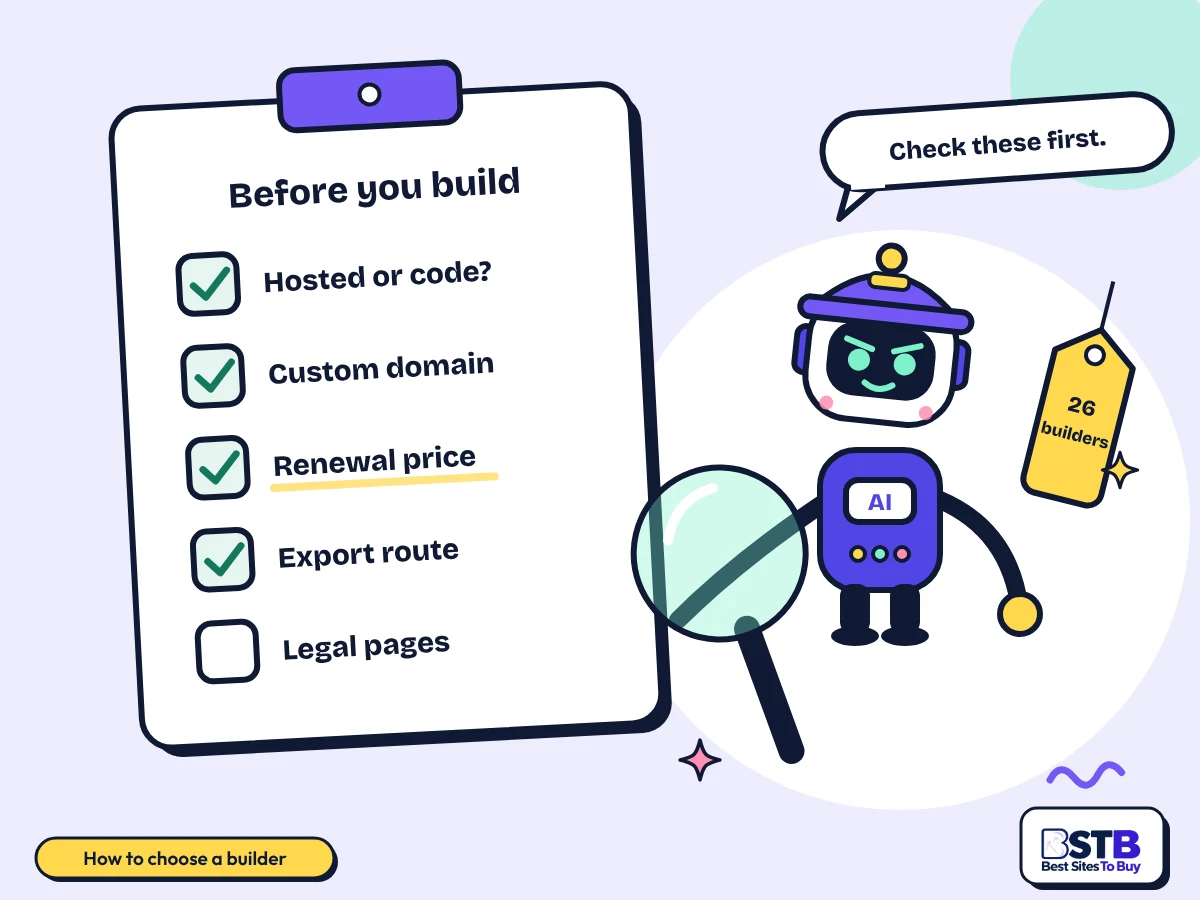
How to choose an AI website builder: a checklist reading hosted or code, custom domain, renewal price, export route and legal pages, with Scout holding a magnifying glass
Renewal price and export route decide the real cost, not the feature list.
Pricing

Free vs Paid AI Website Builders

Most of these are freemium: 21 of the 26 here have a free tier and 5 are paid or trial only, with entry plans from about $3 to $30 a month and setup fees on a couple of them.

Pricing modelTools in the top 30What you getTools
Free0 of 26Everything free, no paid tier
Freemium21 of 26Free plan with limits, paid upgradeLovable, HubSpot AI Website Generator, Caffeine, Hostinger Horizons, Mobirise AI Website Builder, Zarla, Atoms, B12, Jimdo, Mixo, Wegic, YouWare, Durable.co, Runner AI, SITE123, Appypie, MarsX, Trickle AI, Stunning, Dora AI, TurnCage
Paid5 of 26Paid only, sometimes with a trialShopify, Shipixen, 10Web, Hostinger AI Website Builder, MarketingBlocks

Prices come from each tool's BSTB page. Three pricing traps are specific to this category: intro rates that renew two to four times higher, credit bundles that stop a build mid-way, and free tiers that publish only to a subdomain. Several tools here show their real plans only after sign-up. Confirm on the vendor's own site before you buy.

Use with care

Limits, Ownership and Legal Risk

AI builders generate confident copy that may be untrue, markup that may not be accessible, and pages with no cookie or privacy handling, and on most hosted platforms the site is not portable.

  • Invented claims: generated copy routinely asserts experience, awards and customer numbers you do not have. Every sentence needs checking.
  • Accessibility: generated markup is not audited for WCAG 2.2, and in the EU the European Accessibility Act now applies to many business sites.
  • Copyright of output: ownership of AI-generated text and images is unsettled, and it varies by jurisdiction and by each builder's terms.
  • Thin and duplicated content: pages built from the same patterns look alike, and Google's scaled content abuse policy targets mass-produced pages.
  • Privacy pages: cookie consent and a compliant privacy policy are your responsibility, and almost no builder here generates them properly.
  • Platform risk: if a hosted builder shuts down or is acquired, your site goes with it unless you can export. Several tools in this category have already changed hands.
Our method

How BSTB Rates AI Website Builders

BSTB scores every one of these website builders on the same nine criteria, and the overall score on each card is the plain average of the nine.

  • Accuracy and Reliability
  • Ease of Use
  • Functionality and Features
  • Performance and Speed
  • Customization and Flexibility
  • Data Privacy and Security
  • Support and Resources
  • Cost-Efficiency
  • Integration Capabilities

Scores are based on each tool's official pages, documentation, pricing and public user feedback. Read the full method on how BSTB tests and scores tools.

Related AI Tool Categories

Website builders overlap with these categories. Browse them when you need a narrower tool, or go back to the full AI tools directory.

FAQs

AI Website Builders: Frequently Asked Questions

PLACEHOLDER - rewritten once the client FAQ list arrives.

Which AI Website Builder Is Best Overall?

It depends on what you want at the end. Shopify scores highest here at 4.3/5 but only makes sense if you are selling, and Lovable at 4.2/5 is for people who want real code.

Every competitor page answers this with a single winner, which is why their winners disagree. The useful answer is that hosted builders and prompt-to-code builders solve different problems, and the best tool is the one on the correct side of that line.

  • Selling online: Shopify, 4.3/5, or Runner AI for a store from one prompt.
  • A small business site: Hostinger, Zarla or Durable.co, all built for exactly this.
  • Code you own: Lovable at 4.2/5 or Shipixen at 4.1/5.
  • Already on a platform: HubSpot's generator at 4.1/5 if your CRM is there.

A tool that scores 4.3 for a shop is the wrong answer for a plumber's brochure site.

How Much Do AI Website Builders Cost?

Entry plans here run from about $3 to $30 a month, with most hosted builders between $10 and $29. Two tools on this page also charge a setup fee, and one store platform starts at $29 a month.

The figure that matters is the renewal price, not the advertised one. Introductory rates of $2.99 a month renewing at $10.99 are standard in this category, and annual plans paid upfront are how most of these are actually sold.

  • Typical hosted plan: $10 to $29 a month at renewal.
  • Cheapest entry: about $3 a month intro, renewing three to four times higher.
  • Setup fees: TurnCage charges $299 to $400 upfront on top of the plan.
  • Code builders: Shipixen is a one-off licence at $249 or $379 rather than a subscription.

Compare year two across your shortlist. Year one prices are marketing.

What Is an AI Website Builder?

An AI website builder generates a complete website from a short description instead of from a template you fill in yourself. It writes the copy, chooses the layout and publishes the result.

The difference from a traditional builder is where you start. A template builder gives you an empty structure to fill; an AI builder gives you a filled structure to correct. For most people the second is faster, as long as you treat the content as a draft.

  • Input: a sentence, a questionnaire, sometimes a screenshot or a voice note.
  • Output: a hosted multi-page site, or a codebase on developer-facing tools.
  • Still yours to do: real claims, real pricing, legal pages and the final design call.
  • Not the same as: an AI app builder, which makes software rather than a website.

If a tool cannot publish a live page, it is a design tool rather than a website builder.

Is There a Genuinely Free AI Website Builder?

Yes. 21 of the 26 tools here have a free tier, but nearly all of them publish only to the builder's own subdomain, which makes them useful for testing and unusable for a real business.

The custom domain is almost always the first paid feature, so the practical question is not whether a free plan exists but which plan unlocks your own address. On several tools here that is the second tier, not the first.

  • What free usually gives: a working site on a subdomain, with the builder's branding.
  • What it usually holds back: your own domain, ecommerce, removing branding, storage.
  • Properly free: Mobirise's desktop app, and WPTurbo for WordPress snippets.
  • Test with it: build your real site on the free tier before paying for anything.

A free plan with no custom domain is a trial with no time limit, not a free website.

What Are the Limitations and Risks of Letting AI Build Your Site?

Generated copy invents facts about your business, generated markup is not checked for accessibility, no builder handles cookie consent properly, and on most hosted platforms you cannot take the site with you.

The risks that actually bite are not design quality, which is usually fine. They are claims you did not make, legal pages you do not have and a site you cannot move. All three are fixable, and all three are easy to miss when the result looks finished.

  • Invented claims: years in business, team size and customer numbers are routinely fabricated.
  • No legal pages: privacy policy and cookie consent are yours to add.
  • Lock-in: most hosted builders offer no meaningful export.
  • Sameness: pages generated from shared patterns resemble each other closely.

Read every generated sentence as if a customer will hold you to it, because they can.

How Do I Choose the Right AI Website Builder for My Project?

Decide first whether you need a hosted site or a codebase, because that removes most of the list. Then test the free tier with your own business description rather than the sample prompt.

After that it comes down to three numbers: the renewal price, the plan that allows your own domain, and what it costs to leave. Those decide the real cost far more than the feature list does. The best AI website creator for a beginner is rarely the same one an agency would pick, so weigh how much editing you actually want to do.

  • Hosted or code: use the Builder type filter above the grid.
  • Your own description: generic prompts produce generic sites and tell you nothing.
  • Renewal, not intro: compare the year-two price across your shortlist.
  • Exit route: ask what you can export before you build anything real.

Most regret in this category comes from picking the wrong half of it, not the wrong tool.

Can I Use My Own Domain or Am I Stuck on a Subdomain?

Every paid plan here supports a custom domain. Free plans almost never do, so the cheapest plan that allows your own address is your real entry price.

Some hosted builders bundle a free domain for the first year with an annual plan, which then renews separately from the site plan. That second renewal is the one people forget, and it arrives a year after they stop thinking about it.

  • Free tiers: publish to a builder subdomain, with branding attached.
  • First paid tier: usually unlocks the custom domain, but check rather than assume.
  • Bundled domains: often free for year one, then billed separately.
  • Already own one: every tool here lets you point an existing domain at the site.

Budget the domain renewal as a separate line. It is not part of the site plan.

How Do AI Website Builders Differ From AI App Builders and Vibe Coding Tools?

A website builder publishes pages for visitors to read. An app builder produces software with logins, databases and state. Vibe coding tools sit between the two and output code rather than a hosted site.

The boundary matters because several tools listed under website builders across the industry are really app builders. On this page the developer-facing group is labelled separately for that reason, and three tools were excluded entirely because they build apps or designs rather than sites.

  • Website builder: pages, content and publishing. Hostinger, Zarla, Durable.
  • App builder: logins, data and logic. Lovable crosses into this.
  • Vibe coding: prompts to code, deployment is yours. Shipixen, YouWare.
  • Design tools: produce mockups and never publish. Excluded from this page.

If the tool cannot give you a public URL, it is not a website builder whatever it is listed as.

Who Owns the Copyright on an AI Generated Website?

Ownership of AI-generated text and images is unsettled and varies by country. In the United States, work with no human authorship cannot be registered for copyright, and the UK and EU treat it differently again.

In practice two things matter more than the theory. First, your builder's terms decide what rights you have to the output, and they differ between tools. Second, generated images may be trained on licensed material, so commercial use carries risk the builder does not indemnify.

  • Check the terms: each builder's terms of service assign output rights differently.
  • Edit substantially: human authorship is what attracts protection in most jurisdictions.
  • Images carry more risk: than text, particularly anything resembling a known style.
  • No competitor covers this: none of the five pages ranking for this term mentions it.

If the site matters commercially, have a lawyer read the builder's output terms before you launch.

Do AI Generated Sites Meet Accessibility Rules Like WCAG and the European Accessibility Act?

Not automatically. No builder on this page audits its generated markup against WCAG 2.2, and generated pages commonly fail on colour contrast, heading order, alt text and keyboard navigation.

This stopped being theoretical in 2025. The European Accessibility Act applies to many business websites serving EU consumers, and accessibility requirements already apply to public sector and many large organisations elsewhere. A generated site is not a defence.

  • Common failures: contrast, missing alt text, skipped heading levels, focus order.
  • Run a checker: test the published URL, not the editor preview.
  • Alt text: generated images almost never arrive with meaningful alt text.
  • Who it applies to: depends on your market, sector and size. Check rather than assume.

Accessibility is a property of the published page, so it has to be tested after the build, not before.

Will Google Penalise a Website Built With AI?

Not for being AI-built. Google's guidance targets scaled content abuse, which means mass-produced pages made primarily to rank rather than to help anyone, regardless of how they were produced.

A single business site generated by AI and then edited into something true and specific is not what that policy is aimed at. Generating hundreds of near-identical location or service pages is, and several builders here make that easy to do by accident.

  • What is fine: one site, generated then edited, with real information on it.
  • What is not: bulk pages differing only by a place name or keyword.
  • Edit the copy: generated text is near-duplicate across sites built from the same patterns.
  • Performance counts: Core Web Vitals apply to generated pages like any other.

The question Google asks is whether the page helps someone, not which tool typed it.

Does an AI Website Builder Handle GDPR, Cookies and a Privacy Policy?

Mostly no. Hosted builders set cookies of their own, and almost none of the tools here generate a compliant consent banner or a privacy policy that reflects what your site actually collects.

A generated privacy policy template is not the same as an accurate one. If your site has a contact form, analytics or a payment provider, the policy has to say so, and the consent banner has to block non-essential cookies before consent rather than after.

  • Consent banner: must block, not just announce. Few builders do this correctly.
  • Privacy policy: has to match the forms, analytics and processors you actually use.
  • Where data sits: check the hosting region if you serve EU customers.
  • Forms: a contact form is personal data collection and needs covering.

Treat whatever the builder generates as a starting template, not a compliance solution.

What Happens to My Site if the AI Website Builder Shuts Down?

On most hosted builders, the site goes with it. Unless you can export the content or the code, you are rebuilding from scratch somewhere else, and your domain is the only thing you keep.

This is not hypothetical in this category. Wix retired its ADI builder in November 2024 and deleted inactive unpublished ADI sites. Several tools on this page have changed names, owners or business models in the last two years, and one withdrew its self-serve product entirely.

  • Ask before building: what can be exported: content, pages, code, or nothing.
  • Keep your domain: registered with a separate registrar you control.
  • Keep your copy: hold the real text somewhere outside the builder.
  • Code builders win here: Shipixen and similar hand over a repository you keep.

Own the domain and the words. Those are the two things worth protecting.

How Does BSTB Score AI Website Builders?

BSTB scores every website builder on nine criteria: accuracy and reliability, ease of use, functionality, performance, customisation, data privacy, support, cost-efficiency and integrations.

The score on each card is the plain average of those nine. Scores come from each tool's official documentation, pricing pages and public user feedback, and every tool keeps its own page with the full breakdown.

  • Nine criteria: each scored separately, then averaged.
  • Evidence: official docs, pricing pages, public reviews.
  • Ranking here: the grid is ordered by overall score, ties alphabetically.
  • Full method: see how BSTB tests and scores tools.

Cost-efficiency carries weight in this category, because renewal pricing is where the real cost sits.

How Often Is This List of AI Website Builders Updated?

BSTB rechecks this list whenever a tool changes its pricing, plans or availability, and reviews the whole category on a rolling basis as new builders are listed.

This category moves fast. Prompt-to-code builders launch and reposition constantly, hosted platforms change their renewal pricing, and several tools here have been renamed or acquired. Each tool's own BSTB page carries the last checked figures.

  • Rolling review: rechecked as tools launch, change price or disappear.
  • Status flags: shown on the card when a tool cannot be confirmed as generally available.
  • Per-tool pages: the detail lives on each tool's own review page.
  • Spotted a change: tell us through the contact page.

Always confirm the current renewal price on the vendor's own site before paying.

Psst! Built an AI website builder?

Get Your AI Website Builder Listed on BSTB

Send us your tool's name, website and pricing. The BSTB team reviews every submission before it joins the AI tools directory.

List your AI website builder on BSTB: a rocket labelled BSTB-1 carrying Scout towards a directory card showing a freemium badge and a nine point score
On this page