Best AI Tools for Students 2026: Free AI Study Apps - BSTB

15 tools

15 Best AI Tools for Students for Notes, Flashcards, Quizzes and Exam Prep

AI tools for students turn lectures, PDFs and class notes into study notes, flashcards and practice quizzes, explain hard problems step by step, and help you prepare for exams. This page ranks the 15 best AI study tools on BSTB by their 9-criterion score, with what each one does, what it works from, and what it costs.

Top 15 of 44 tools 15 of 15 free to start
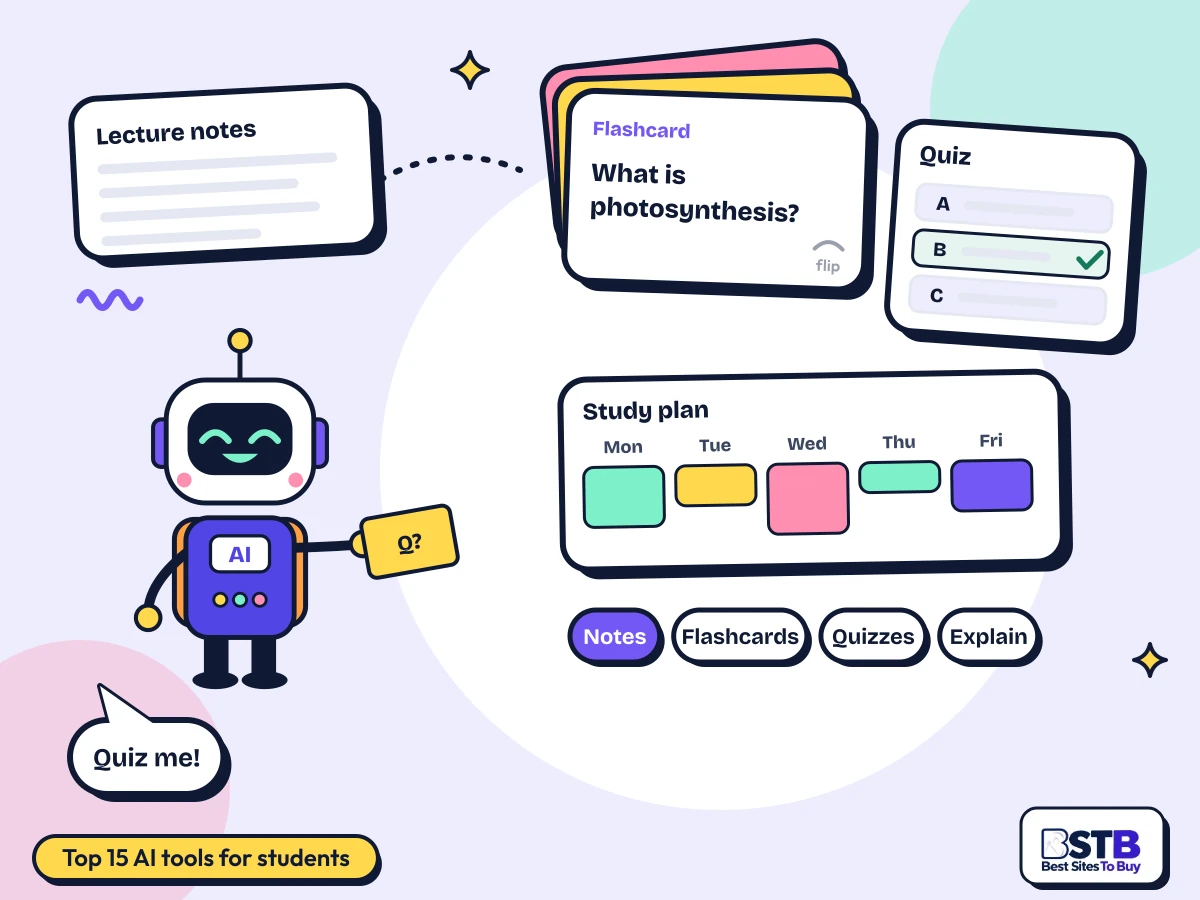
Best AI tools for students: Scout the BSTB robot with a backpack holding a question card beside lecture notes, flashcards, a quiz and a study plan

Why You Can Trust BSTB's AI Tool Listings

Every tool here has its own BSTB page with a pricing model, plan prices, the inputs it accepts and a score from the same nine criteria. BSTB leaves off tools sold for essay ghost-writing, beating AI detectors or answering graded quizzes.

  • One scoring method for every tool
  • Prices taken from each tool's official pages
  • Plain summaries of what the tool actually does

See how BSTB tests and scores AI tools.

The directory

Top 15 AI Tools for Students, Ranked by BSTB Score

NotebookLM and WolframAlpha lead at 4.2/5, with AI Quiz Generator by Coursebox at 4.1/5; filter the best AI tools for students by price or by the job you need done.

Show:

Showing 15 of 15.

Now Gemini Notebook

NotebookLM

4.2/5Freemium

Source-grounded AI notebook that answers from your uploaded material with citations and can produce audio/video overviews, flashcards, quizzes and mind maps.

  • Best for: Notes, quizzes and overviews from your own sources
  • Price: Free; Google AI Pro $19.99/mo (reported)
Read the NotebookLM review

WolframAlpha

4.2/5Freemium

Computational engine that works out maths, science and factual answers from curated data, with step-by-step solutions and practice problems on Pro.

  • Best for: Step-by-step maths and science answers
  • Price: Free Basic; Pro $9.99/mo or $60/yr
Read the WolframAlpha review

Otio AI

4.0/5Freemium

Research workspace that collects PDFs, videos, web pages and podcasts, summarises them, and lets you chat across sources with page-level citations while drafting.

  • Best for: Summaries across PDFs, videos and podcasts
  • Price: Free 10 uploads/day; Lite $7/mo
Read the Otio AI review

Photomath

4.0/5Freemium

Camera maths solver that reads printed or handwritten problems and walks through each solution step, with graphs and alternative methods.

  • Best for: Snap a maths problem, see every step
  • Price: Free Basic; Plus $9.99/mo (reported)
Read the Photomath review

Scholarcy

4.0/5Freemium

Condenses papers, chapters, articles and videos into interactive summary flashcards with key points, references and figures, plus literature matrices.

  • Best for: Summary flashcards from papers and chapters
  • Price: Free 10 summaries; Plus $9.99/mo (reported)
Read the Scholarcy review
Prices after sign-up

Quizgecko

3.9/5Freemium

Turns notes, PDFs, slides, links and recordings into quizzes, spaced-repetition flashcards, revision notes and audio lessons.

  • Best for: Quizzes and spaced-repetition flashcards
  • Price: Free; Plus about $16/mo (reported)
Read the Quizgecko review

Quizlet

3.9/5Freemium

Flashcard and practice-test platform with adaptive Learn mode and Magic Notes that turns uploaded notes into study sets.

  • Best for: Flashcard sets and practice tests
  • Price: Free; Plus $7.99/mo (reported)
Read the Quizlet review

Atlas

3.8/5Freemium

Study assistant that turns uploaded course files and recorded lectures into cited notes, flashcards, quizzes, guides and step-by-step homework help.

  • Best for: Cited notes and quizzes from lectures
  • Price: Free daily limits; Pro $19.99/mo (reported)
Read the Atlas review

MyMap AI

3.8/5Freemium

Chat-driven diagram maker that turns prompts, notes, PDFs or YouTube links into editable mind maps and flowcharts.

  • Best for: Mind maps from lectures and readings
  • Price: Free credits; Pro $12/mo yearly (reported)
Read the MyMap AI review

TutorAI

3.8/5Freemium

Generates a multi-lesson course on almost any topic with quizzes, flashcards, progress tracking and a step-by-step homework helper.

  • Best for: Mini courses with quizzes on any topic
  • Price: Free; Mentor $13.33/mo (reported)
Read the TutorAI review

JungleAI

3.7/5Freemium

Generates flashcards and multiple-choice questions with explanations from slides, PDFs, recordings and YouTube, with a chat tutor and spaced-repetition reviews.

  • Best for: Exam-style questions with spaced repetition
  • Price: Free 2 generations/mo; Elite $37/mo (reported)
Read the JungleAI review

Solvely

3.7/5Freemium

Homework solver that gives step-by-step answers from photos and turns lectures, PDFs, slides and YouTube into notes, flashcards, quizzes and mock exams.

  • Best for: Homework help, lecture notes and a review plan
  • Price: Free few solutions; $12.99/mo (reported)
Read the Solvely review

Vertech Academy

3.7/5Freemium

AI tutoring platform that explains school and university topics step by step instead of handing out answers, with subject tutors, note uploads and quizzes.

  • Best for: Tutors that explain methods, not answers
  • Price: Free 5 questions; Mini $9/mo
Read the Vertech Academy review
The basics

What Are AI Study Tools?

AI study tools turn course material into notes, flashcards and quizzes, explain problems step by step, and help you revise faster.

Most work from what you give them. Upload a PDF, slides, a lecture recording or a YouTube link, and NotebookLM, Atlas or Quizgecko turn it into notes, quizzes and flashcards. Explainers such as Photomath and WolframAlpha show every step of a maths or science problem, and tutors such as Vertech Academy explain methods rather than handing over answers. Scholarcy and Otio AI summarize papers, chapters and videos.

Nearly all of these AI tools for students online have a free plan: all 15 here do. Free plans usually cap uploads, generations or questions per day, and the paid plans cost about $7 to $20 a month.

BSTB lists 44 tools under Students, but 14 have no study feature and several are sold for essay ghost-writing, beating AI detectors or answering graded quizzes. Those are left off this page, along with teacher tools, course marketplaces and language-only apps.

How Do AI Tools for Students Work?

You upload course material or ask a question; the AI reads it, then produces notes, flashcards, quiz questions or step-by-step explanations based on that material.

  1. You add material

    PDFs, slides, lecture audio, YouTube links or a photo of a problem.

  2. It reads and organizes

    Key ideas, terms and steps are pulled out.

  3. It creates study aids

    Notes, flashcards, quizzes or worked solutions.

  4. You practise and review

    Answer questions, flip cards and revisit weak spots.

What Can You Do With AI Study Tools?

Turn lectures into notes, make flashcards and practice quizzes, get step-by-step explanations, summarize textbooks and papers, and prepare for exams with mock tests and review plans.

  • Notes: from lectures, PDFs, slides and videos.
  • Flashcards: with spaced repetition on some tools.
  • Practice quizzes: from your own material.
  • Step-by-step help: maths, science and more.
  • Summaries: chapters, papers and lecture recordings.
  • Exam prep: mock tests and exam-style questions.

By job

Best AI Study Tools by Job

Pick by the job: study notes, step-by-step explanations, practice quizzes, flashcards, summaries, or exam prep and study plans. Tools that do several jobs well appear in more than one group.

Study notes from lectures and files

AI tools to create study notes from lectures, PDFs, slides and videos.

  • NotebookLM: Notes, quizzes and overviews from your own sources
  • Quizgecko: Quizzes and spaced-repetition flashcards
  • Atlas: Cited notes and quizzes from lectures
  • MyMap AI: Mind maps from lectures and readings
  • Solvely: Homework help, lecture notes and a review plan

Step-by-step explanations

AI tools to explain difficult topics one step at a time, from maths to science.

Practice quizzes

AI tools to generate practice quizzes from your own material or any topic.

Flashcards

AI tools to make flashcards from notes, some with spaced repetition and Anki export.

Textbook and paper summaries

Summaries of chapters, papers, PDFs and videos, with sources you can check.

  • NotebookLM: Notes, quizzes and overviews from your own sources
  • Otio AI: Summaries across PDFs, videos and podcasts
  • Scholarcy: Summary flashcards from papers and chapters

Exam prep and study plans

Mock tests, exam-style questions and AI tools to plan study schedules. Only Solvely builds a daily review plan.

  • Quizgecko: Quizzes and spaced-repetition flashcards
  • Quizlet: Flashcard sets and practice tests
  • JungleAI: Exam-style questions with spaced repetition
  • Solvely: Homework help, lecture notes and a review plan
  • Vertech Academy: Tutors that explain methods, not answers
Know the difference

AI That Gives Answers vs AI That Helps You Learn

Answer tools solve the problem for you; learning tools make you practise and explain the method. Learning tools build skills that show up in exams, and keep you within school rules.

Learning-focused AIAnswer-focused AI
What it doesQuizzes you, explains methods, spaces reviewsReturns a finished answer
Exam resultsBuilds recall and understandingLittle help when the AI is gone
School rulesUsually allowed for revisionOften breaks integrity rules on graded work
EffortYou do the thinkingThe AI does the thinking
Best forRevision, practice, hard topicsChecking your own worked answer
On this pageVertech Academy, Quizgecko, JungleAI, QuizletUse step-by-step solvers to check, not copy

Photomath warns against copying answers into graded work, and Vertech Academy explains methods rather than giving homework answers.

What to look for

What Makes a Good AI Study Tool?

A good one works from your own material, cites its sources, makes you practise rather than reread, accepts your file types, and has a usable free plan.

  • Works from your materialPDFs, slides, lectures and notes. 29 of 44 state the inputs they accept.
  • Shows its sourcesCited answers you can check, as NotebookLM, Atlas and Otio AI do.
  • Active practiceQuizzes and flashcards beat rereading. 18 of 44 make quizzes.
  • Spaced repetitionReviews timed to your memory. Only 3 of 44 state it.
  • Honest by designExplains methods and follows school rules, rather than writing your work.
  • A real free plan39 of 44 have one. Check daily caps before relying on it.

These overlap with BSTB's nine scoring criteria, which also weigh accuracy, privacy and support.

Step by step

A Study Week With AI, Step by Step

After each class, upload your notes, make flashcards and a short quiz, review on a schedule, ask for help where stuck, then take a mock test.

  1. After class

    Upload the lecture, slides or your notes and generate study notes.

  2. Make practice material

    Flashcards and a short quiz on the new content.

  3. Review on a schedule

    Short daily reviews, weakest topics first.

  4. Get unstuck

    Ask for a step-by-step explanation, then redo the problem yourself.

  5. Before the exam

    Take a mock test and revise what you missed.

Buyer checklist

How to Choose an AI Tool for Students

Match the tool to your subject, check it accepts your files, prefer tools that cite sources and quiz you, and read the free plan limits.

  1. Your subject

    Maths solvers differ from flashcard tools; AI tools for students for beginners should be simple.

  2. Your files

    PDF, slides, lecture audio or YouTube.

  3. Cites sources

    So you can check answers against your material.

  4. Makes you practise

    Quizzes and flashcards, not just summaries.

  5. Free plan limits

    Daily caps and what needs a paid plan.

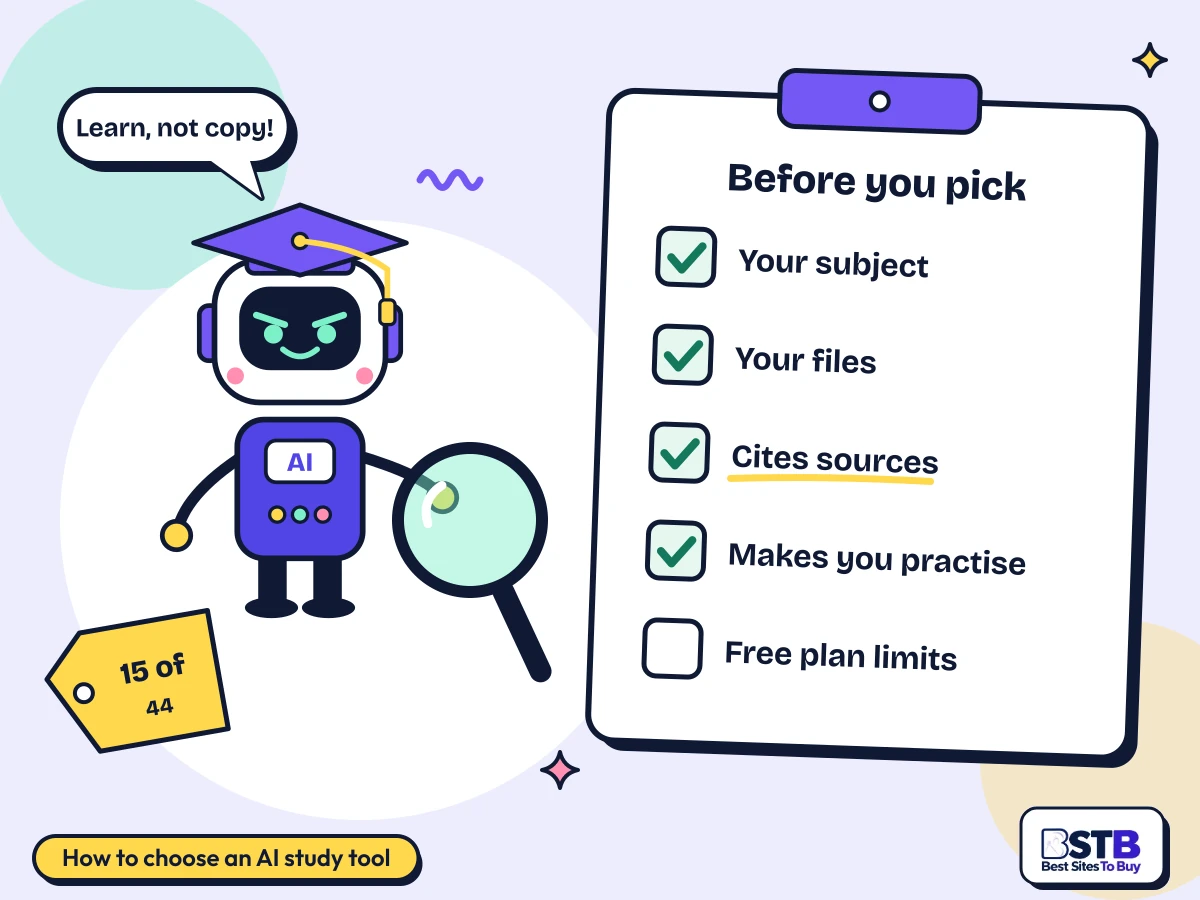
How to choose an AI tool for students: a checklist reading your subject, your files, cites sources, makes you practise and free plan limits
Pick one that makes you practise.
Pricing

Free vs Paid AI Tools for Students

Free AI tools for students go a long way: all 15 here have a free plan. Paid plans remove daily limits and add more uploads, features and question types.

Most paid plans cost about $7 to $20 a month: Otio AI Lite is $7, Vertech Academy Mini $9, WolframAlpha Pro $9.99 or $60 a year, and Atlas Pro a reported $19.99. Weekly plans, such as Solvely's $6.99 a week, cost more over a term than monthly ones. Student discounts are rare: only Scholarcy (campus licences) and WolframAlpha (student editions) mention them.

Pricing modelTools on this pageWhat you getTools
Freemium15 of 15Free plan with limits, paid upgradeNotebookLM, WolframAlpha, AI Quiz Generator by Coursebox, Otio AI, Photomath, Scholarcy, AI Flashcard Maker by Coursebox, Quizgecko, Quizlet, Atlas, MyMap AI, TutorAI, JungleAI, Solvely, Vertech Academy

Prices come from each tool's BSTB page; many app prices are reported from app stores and vary by country. Quizgecko and Coursebox show some prices only after sign-up. Schools and course creators buying AI tools for students for business use should ask about campus or institution licences.

Use with care

Limits of AI Study Tools, and Using AI Without Cheating

AI can be wrong, summaries skip nuance, and handing in AI-written work usually breaks school rules. Use AI to learn and practise, and follow your school's AI policy.

  • Can be wrong: check answers against your notes, textbook or teacher.
  • Summaries skip detail: read the original for anything you will be tested on.
  • Graded work: do not submit AI-written answers or essays as your own.
  • Disclose use: follow your school's rules on citing AI help.
  • Planning is rare: only 1 of 44 tools builds a study plan.
  • Privacy: check what happens to uploaded notes and recordings.
Our method

How BSTB Rates AI Tools for Students

BSTB scores every one of these AI tools for students on the same nine criteria, and the overall score is the mean of the nine.

  • Accuracy and Reliability
  • Ease of Use
  • Functionality and Features
  • Performance and Speed
  • Customization and Flexibility
  • Data Privacy and Security
  • Support and Resources
  • Cost-Efficiency
  • Integration Capabilities

Scores are based on each tool's official pages, app store listings, published pricing and hands-on checks where available. For study tools, accuracy, ease of use and how well a tool supports real learning weigh most. Every overall score on this page matches the mean of its nine criteria to one decimal, checked in code for all 44 tools in the category. Read more about how BSTB tests and scores tools.

Related AI Tool Categories

AI tools for students overlap with these categories. Browse them or see the full AI tools directory.

FAQs

AI Tools for Students: Frequently Asked Questions

Quick answers on studying effectively with AI, flashcards, practice questions, step-by-step explanations, summaries, study schedules, avoiding cheating and exam prep.

How can students use AI to study more effectively?

Use AI to turn your own material into practice: flashcards, quizzes and explanations of the steps you get stuck on, reviewed little and often.

Upload lectures and notes to NotebookLM, Atlas or Quizgecko to make notes, flashcards and quizzes. Use Photomath or WolframAlpha to see each step of a problem, then redo it yourself. Testing yourself and spacing reviews work better than rereading AI summaries.

  • Practise, do not reread: quizzes and flashcards.
  • Little and often: short daily reviews.
  • Work from your material: your lectures and notes.
  • Check answers: against your sources.

Can AI turn class notes into flashcards?

Yes. Thirteen of the 44 tools make flashcards, and Quizgecko, JungleAI, Quizlet and Coursebox turn notes, PDFs and slides into cards.

Quizgecko and JungleAI add spaced repetition and Anki export. Quizlet's Magic Notes builds study sets from uploaded notes. AI Flashcard Maker by Coursebox makes editable cards from files, links and YouTube. Edit the cards before studying, because AI can pick the wrong details.

No competitor answers this as a question.

How can I create practice questions with AI?

Upload your notes, slides or a document to a quiz generator and choose the question types. Eighteen of the 44 tools generate quizzes.

AI Quiz Generator by Coursebox builds multiple-choice, drag-and-drop and short-answer quizzes from a topic, link or document. Quizgecko offers multiple-choice, true or false, matching and short answer. JungleAI writes exam-style questions with explanations, and Atlas makes quizzes from lecture transcripts.

No competitor answers this as a question.

Can AI explain difficult topics step by step?

Yes. Fourteen of the 44 tools explain topics, and Photomath, WolframAlpha, Vertech Academy and TutorAI show methods one step at a time.

Photomath reads a photo of a maths problem and walks through each step for free. WolframAlpha shows step-by-step solutions on its Pro plan. Vertech Academy explains methods instead of giving answers, and TutorAI builds short courses with a step-by-step homework helper. Ask why a step works, then try a similar problem alone.

No competitor answers this as a question.

Can AI summarize textbooks and lecture notes?

Yes. Fourteen of the 44 tools summarize, and NotebookLM, Scholarcy and Otio AI condense chapters, papers, PDFs and videos with sources you can check.

NotebookLM answers from your uploaded sources with citations and can make audio or video overviews. Scholarcy turns papers and chapters into summary flashcards. Otio AI summarizes PDFs, videos and podcasts with page-level citations. Atlas turns recorded lectures into notes. Summaries skip nuance, so read the original for anything you will be tested on.

No competitor answers this as a question.

How can AI help plan a study schedule?

Few tools do it yet: Solvely is the only one of 44 that builds a daily review plan, with a readiness score. Spaced-repetition apps also schedule reviews for you.

Solvely creates a daily review plan before exams. Quizgecko and JungleAI schedule flashcard reviews with spaced repetition. You can also ask a general AI chat tool to draft a weekly plan from your exam dates and topics, then put it in your own calendar.

How can students use AI without cheating?

Use AI to learn, practise and check your understanding, not to produce work you hand in. Follow your school's AI policy and disclose AI help when asked.

Quizzes, flashcards and explanations are usually fine for revision. Photomath warns against copying answers into graded work, Vertech Academy explains methods instead of giving answers, and Quizgecko advises following institutional rules. Tools that write essays, bypass AI detectors or answer graded quizzes are left off this page.

  • Learn, do not submit: keep AI out of graded answers.
  • Check the policy: rules differ by school and course.
  • Disclose: cite AI help when required.
  • Redo it yourself: after any explanation.

Can AI help prepare for exams and quizzes?

Yes. Seven of the 44 tools have exam prep features, such as mock tests, exam-style questions and readiness checks.

Quizlet's Test mode mimics exams. JungleAI offers USMLE and MCAT-style question templates, Quizgecko has nursing-exam practice, and Solvely adds an exam predictor, mock tests and a formula sheet. Mix mock tests with spaced review in the weeks before the exam.

How do I check that AI study answers are correct?

Prefer tools that cite your sources, open the cited page, compare with your textbook or notes, and ask your teacher when answers disagree.

NotebookLM answers only from the sources you upload and shows citations. Atlas cites sources and advises checking your school's AI policy, and Otio AI gives page-level citations. Be careful with any answer that has no source.

No competitor answers this as a question.

Are there student discounts on AI study tools?

Rarely. Only Scholarcy, with campus licences, and WolframAlpha, with student editions, mention student pricing among the 44 tools.

Check whether your school already licenses a tool. Annual plans are usually cheaper than monthly ones, and weekly plans, such as Solvely's, cost more over a term. Every tool on this page has a free plan to start with.

No competitor answers this as a question.

How does BSTB score AI tools for students?

Every tool is scored from 1 to 5 on nine criteria, and the overall score is the mean of the nine. Accuracy and real learning support matter most here.

The nine criteria are Accuracy and Reliability, Ease of Use, Functionality and Features, Performance and Speed, Customization and Flexibility, Data Privacy and Security, Support and Resources, Cost-Efficiency and Integration Capabilities. Read more about how BSTB tests and scores tools.

Card ratings on the category listing show 0.0 because they count user reviews. The editorial score on each tool's page is the one used here.

How often is this list of AI tools for students updated?

The list is reviewed regularly and whenever a tool changes its pricing, is renamed, or shuts down. Status badges on the cards flag recent changes.

Study apps change features often; NotebookLM is now Gemini Notebook and Quizlet has retired its Q-Chat tutor. If you spot an out-of-date detail or a tool that should be listed, tell the team through the contact page.

Where a price is marked reported, confirm it in the app store before subscribing.

Get it listed here.

Get Your AI Study Tool Listed on BSTB

Send us your tool's name, website and pricing. The BSTB team reviews every submission before it joins the AI tools directory.

List your AI study tool on Best Sites To Buy: the BSTB-1 rocket flying past a pair of flashcards towards a tool card
On this page