ElevenLabs
4.3/5Freemium
AI audio suite for lifelike speech from text, voice cloning, video dubbing, transcription and sound/music generation.
- Best for: Realistic voices, cloning and an API
- Price: Free 10k credits/mo; Starter $6/mo

17 tools
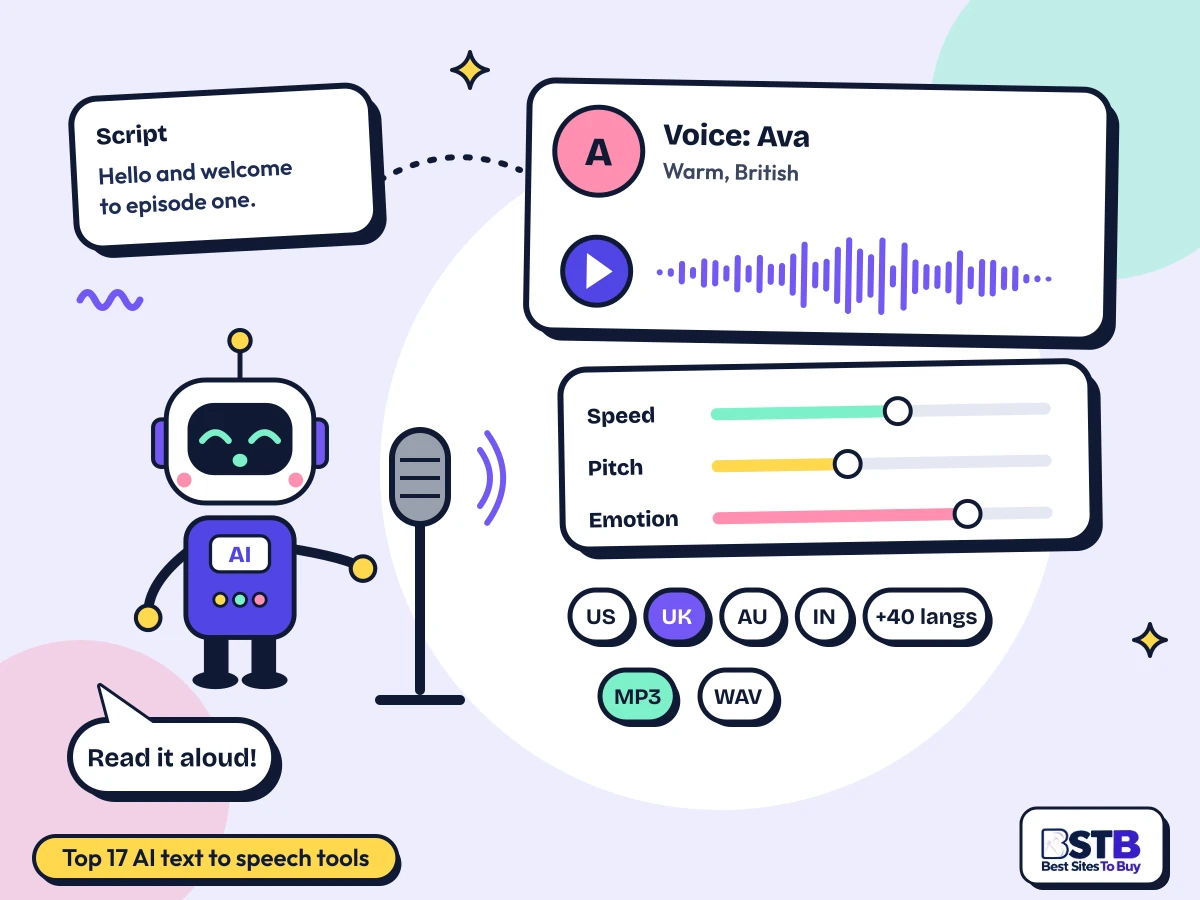
AI text to speech tools turn written text into natural-sounding speech for voiceovers, narration, audiobooks and apps. This page ranks the 17 best AI voice generators on BSTB by their 9-criterion score, with how many voices and languages each offers, whether it clones voices, and what it costs.
Every tool here has its own BSTB page with a pricing model, plan prices, voice and language counts, cloning and consent rules, and a score from the same nine criteria. Twenty-two other tools tagged text to speech were left off because voice is not their main job.
ElevenLabs leads at 4.3/5, with Audioread at 4.2/5 and WellSaid at 4.1/5; filter the best AI text to speech tools by price or by the job you need done.
Showing 17 of 17.
AI audio suite for lifelike speech from text, voice cloning, video dubbing, transcription and sound/music generation.

Converts articles, PDFs, emails and RSS feeds into audio episodes delivered to a private podcast feed.

Studio-quality AI voiceover editor where teams paste scripts, pick a voice, fix pronunciation and download narration.

Speech-to-speech voice conversion that re-voices a performance in another consented voice, with marketplace TTS voices and a Pro Tools plugin.

Browser voice-over studio that narrates scripts, dubs video into other languages, changes and clones voices, and builds captioned videos.

Narrates published newsletters and blog posts and gives each one a branded listen page and embeddable player.

All-in-one AI suite with template writing, chat, image/video generation, transcription and a text-to-speech module.

Turns scripts, blogs and slides into narrated videos with stock media, music and subtitles; also usable as plain TTS.

Browser TTS studio for voiceovers, audiobooks, podcast episodes and e-learning narration, with a REST API.

Genny workspace that turns scripts into voiceovers with cloning, subtitles, script writing and a video editor.

Voiceover generator inside the Magnific (ex-Freepik) creative suite: type a script, choose a voice, download audio for videos.

Web studio that turns scripts into voiceovers, avatar presenter videos, talking photos and short ads.

Browser video localisation platform that transcribes, translates, dubs and subtitles video, with lip sync, cloning and a standalone TTS tool.

Credit-based browser studio routing voiceover, cloning, image, video and music jobs to third-party models such as ElevenLabs and OpenAI.

Browser AI audio platform for TTS, voice cloning, voice changing and video translation with dubbing, plus API and MCP server.

Reads pasted text, documents and web pages aloud as downloadable audio across web, mobile and a Chrome extension.

Low-cost TTS API with streaming, long-form async jobs and word timestamps, plus a simple browser Studio for MP3s.
AI text to speech tools read written text aloud in a realistic voice, so you can make voiceovers, narration and audio versions of articles without recording yourself.
You paste a script, pick a voice and download the audio. Dedicated voice tools such as ElevenLabs, WellSaid and Listnr add controls for pronunciation, speed and emotion, plus voice cloning and an API. Narration tools such as Audioread and Audyo turn articles and blog posts into listenable audio, and video-focused tools such as Fliki and Speechify Studio sync the voice to scenes.
These AI text to speech tools online all run in a browser; several also have apps, plugins or an API. Most AI voice generators now offer voice cloning: 22 of the 47 tools in this category do, but only 13 state a consent rule for it.
The category on BSTB is wider than its name. Of the 47 tools tagged text to speech, 11 have no speech generation at all, and 13 more are video, avatar, writing, rehearsal, agent or stream tools where voice is a side feature. None of those are on this page.
A speech model trained on many hours of recorded voices predicts how your text should sound, including rhythm and emphasis, then generates the audio in the voice you chose.
Text, a document, a web page or a blog post.
From a library, by language, accent, age and style, or your own clone.
The model predicts pronunciation, rhythm and emphasis.
Fix words, pauses and emotion, then export MP3 or WAV.
Make voiceovers for videos and ads, narrate articles and audiobooks, create multilingual versions, clone a voice you have permission to use, and add speech to apps through an API.
Pick by the job: video voiceovers, articles read aloud, multilingual narration, voice cloning, an API for apps, or fine control over voices and accents. Tools that do several jobs well appear in more than one group.
AI tools to make voiceovers for videos and AI tools to generate realistic voiceovers for YouTube, ads and explainers.
AI tools to convert text into natural speech: articles, PDFs and blog posts as audio. The simplest AI text to speech tools for beginners.
AI tools to create multilingual narration, with 70 to 170+ languages on this page.
Clone your own voice, or one you have permission to use, from a short sample.
Text to speech APIs for apps and voice agents. The AI text to speech tools for business teams sit here.
AI tools to choose AI voices and accents, then set pronunciation, speed, pitch and emotion.
Stock voices are ready to use, cheaper and carry no consent questions. Cloned voices sound like a specific person but need that person's permission and usually a paid plan.
| Stock AI voice | Cloned voice | |
|---|---|---|
| What it is | A ready-made voice from the library | A copy of a real person's voice |
| You need | Nothing but a script | A clean sample, from about 10 seconds to a minute |
| Consent | Handled by the vendor | Required from the voice owner |
| Plan | Usually on free plans | Usually paid plans only |
| Best for | Most voiceovers and narration | Brand voices and your own content at scale |
| On this page | WellSaid, Audioread, Unreal Speech | ElevenLabs, Respeecher, LOVO |
22 of the 47 tools in this category clone voices; 13 state a consent rule.
A good one sounds natural, offers the voices, accents and languages you need, lets you fix pronunciation and pacing, exports standard audio files, and states commercial and consent terms clearly.
These overlap with BSTB's nine scoring criteria, which also weigh speed, support and integrations.
Write a script for the ear, choose a voice that fits the audience, fix pronunciation and pacing line by line, then download the audio and sync it to your video.
Short sentences, spelled-out numbers and clear names.
Match language, accent, age and tone to your audience.
Listen through once without stopping.
Adjust pronunciation, pauses, speed and emotion.
Download MP3 or WAV and line it up with your video.
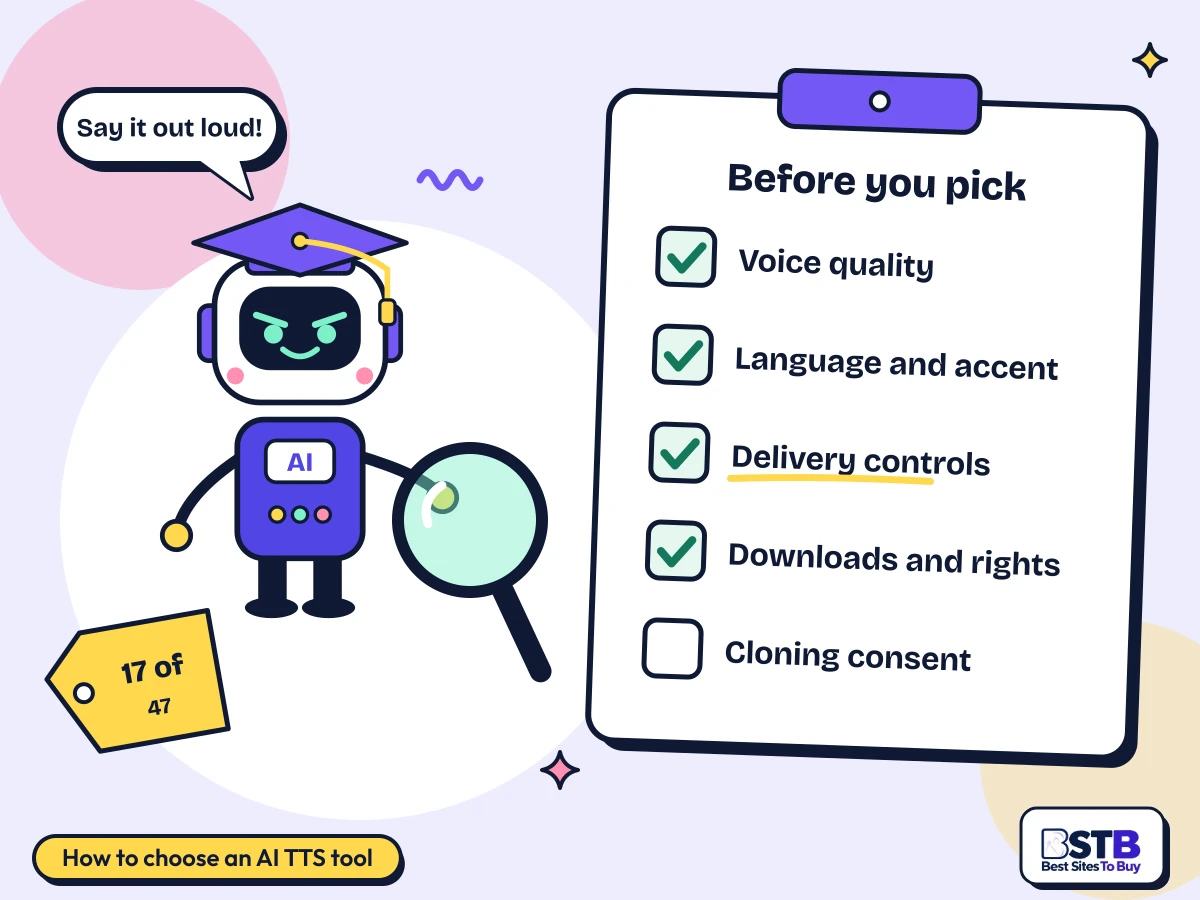
Listen to the voices in your language and accent, check the delivery controls, confirm the download format, read the commercial terms, and check consent rules if you plan to clone.
Test a long passage of your own script.
Only 3 of 47 tools name specific accents; test yours.
Pronunciation, speed and emotion for problem lines.
MP3 or WAV, and commercial use on your plan.
Only clone a voice you have permission to use.
Free AI text to speech tools are fine for testing: 12 of the 17 here have a free plan. Paid plans add more characters, better voices, cloning, downloads and commercial rights.
ElevenLabs starts at $6 a month, Unreal Speech at $4.99, and WellSaid at $10 a month billed yearly. Speechify Studio Starter is $100 a year. Unreal Speech gives 250,000 free characters a month but asks for an attribution link on free output. ElevenLabs, Speechify Studio and Listnr give no commercial licence on their free plans.
| Pricing model | Tools on this page | What you get | Tools |
|---|---|---|---|
| Freemium | 12 of 17 | Free plan with limits, paid upgrade | ElevenLabs, Audioread, WellSaid, Respeecher, Speechify Studio, Audyo, Easy Peasy AI, Fliki, Listnr, VMEG, All Voice Lab, Unreal Speech |
| Paid | 5 of 17 | Paid only, sometimes with a trial | LOVO, Magnific AI Voice Generator, Synthesys Studio, 1forAll, Speaktor |
Prices come from each tool's BSTB page; Fliki, All Voice Lab and Speaktor do not publish prices. Check whether a plan is priced in characters, credits or minutes before comparing.
AI voices can mispronounce names and jargon, sound flat over long passages, and handle few accents well. Cloning another person's voice needs their clear permission.
BSTB scores every one of these AI text to speech tools on the same nine criteria, and the overall score is the mean of the nine.
Scores are based on each tool's official pages, documentation, published pricing and hands-on checks where available. For text to speech, voice quality, language coverage and clear licensing weigh most. Every overall score on this page matches the mean of its nine criteria to one decimal, checked in code for all 47 tools in the category. Read more about how BSTB tests and scores tools.
AI text to speech tools overlap with these categories. Browse them or see the full AI tools directory.
Quick answers on natural-sounding speech, accents, YouTube voiceovers, voice cloning, languages, delivery controls, downloads and cloning consent.
Paste your text into a tool such as ElevenLabs, WellSaid or Listnr, pick a voice that fits, adjust pronunciation and pacing, then download the audio.
ElevenLabs offers more than 5,000 voices with emotion tags. WellSaid focuses on studio-quality voiceovers with a pronunciation editor. For articles and documents, Audioread and Speaktor read text aloud directly. Write in short sentences and spell out numbers for the most natural result.
No competitor answers this as a question.
Yes, but accent choice is thinner than language choice. Only 3 of the 47 tools name specific accents; most list languages and leave accents to the voice library.
Unreal Speech offers US and UK English voices. Listnr counts 142+ languages and accents together, and VMEG counts 170+ languages, dialects and accents. Respeecher lists 160+ narration styles and accents. Filter the voice library by accent and test your own script before choosing.
No competitor answers this as a question.
Write the script, generate it in a voice tool, fix pronunciation and pacing, download the audio, then sync it to your video. Some tools do the syncing for you.
Fliki turns a script into a narrated video with scenes and captions. Speechify Studio and LOVO keep the voiceover on a video timeline. Listnr is used for YouTube voiceovers and exports MP3 or WAV for your own editor. Check that your plan includes commercial rights if the channel is monetised.
No competitor walks through a YouTube voiceover workflow.
Yes. Twenty-two of the 47 tools in this category clone voices, usually from about 10 seconds to a minute of clean audio, and usually on paid plans only.
ElevenLabs offers instant cloning from its Starter plan. Synthesys Studio clones from about 10 seconds of audio, Speechify Studio from about 30 seconds, and LOVO from about a minute. Respeecher limits custom cloned voices to enterprise customers. Only clone your own voice or one you have clear permission to use.
Yes. Most tools here support dozens of languages, from 8 on Unreal Speech to 170+ on VMEG, and some let one cloned voice speak several languages.
VMEG lists 170+ languages, dialects and accents, Audioread 150+, Synthesys Studio 140+ and LOVO 100+. ElevenLabs lists 70+. Language counts are vendor claims; test the specific language and voice before relying on it for multilingual narration.
Use the tool's pronunciation editor, speed and pitch settings, pause markers and emotion presets. Seventeen of the 47 tools offer some of these controls.
WellSaid has a pronunciation editor and libraries plus word-level pitch. Speechify Studio controls pronunciation, pauses, pitch and speed word by word. Speaktor offers 14+ emotional tones per voice, and ElevenLabs uses tags for tone such as whispering or laughing. Synthesys Studio adds acting cues.
Yes. Most tools export MP3, and many also export WAV; 22 of the 47 tools name their formats. Free plans sometimes limit downloads or add attribution rules.
WellSaid exports MP3, WAV and OGG plus SRT and VTT captions. Speechify Studio, Listnr and Synthesys Studio export MP3 and WAV. ElevenLabs exports MP3, with higher-quality PCM on Pro and above. Unreal Speech's free output needs an attribution link.
No competitor answers this as a question.
You need clear permission from the person whose voice you clone, ideally in writing. Thirteen of the 47 tools state a consent rule, and some verify it.
Respeecher requires written consent or estate rights. VMEG requires the owner's explicit permission, and ElevenLabs, Speechify Studio and LOVO say to clone only your own voice or one you have clear permission to use. Listnr limits cloning to approved speakers. Cloning a public figure without permission can break platform rules and the law.
This is general information, not legal advice.
Usually on paid plans only. Twenty-one of the 47 tools state commercial terms, and several free plans exclude commercial use.
ElevenLabs, Speechify Studio, Listnr and WellSaid include commercial rights on paid plans but not on free ones. Synthesys Studio includes them on all plans. Keep a copy of the terms that applied when you generated the audio.
This is general information, not legal advice.
Twenty-four of the 47 tools offer an API. On this page, ElevenLabs, WellSaid, Listnr, Unreal Speech and All Voice Lab are the clearest choices for developers.
Unreal Speech offers REST and WebSocket APIs with timestamps and 250,000 free characters a month. ElevenLabs covers speech, dubbing and more. All Voice Lab adds an MCP server. Speechify Studio's API is priced separately from its Studio plans.
Every tool is scored from 1 to 5 on nine criteria, and the overall score is the mean of the nine. Voice quality and licensing matter most here.
The nine criteria are Accuracy and Reliability, Ease of Use, Functionality and Features, Performance and Speed, Customization and Flexibility, Data Privacy and Security, Support and Resources, Cost-Efficiency and Integration Capabilities. Read more about how BSTB tests and scores tools.
Card ratings on the category listing show 0.0 because they count user reviews. The editorial score on each tool's page is the one used here.
The list is reviewed regularly and whenever a tool changes its pricing, is renamed, or shuts down. Status badges on the cards flag recent changes.
Voice tools are renamed, acquired and closed often; two tools in this category have shut down. If you spot an out-of-date price or a tool that should be listed, tell the team through the contact page.
Where a price is marked reported, confirm it with the vendor before subscribing.
Send us your tool's name, website and pricing. The BSTB team reviews every submission before it joins the AI tools directory.