MagicTrips
4.3/5Free
Builds a day-by-day travel itinerary from a destination and trip length, with budget and interest filters.
- Best for: Leisure travellers planning short trips
- Price: Free as a guest or with a free account

Psst! 30 sidekicks inside
AI personal assistant tools take repeat admin off your plate and lift your productivity: they handle scheduling, meeting transcription, email drafts, trip plans and job applications, and coach you through interviews or a new language. This page lists the 30 most popular, each with its pricing model, a 9-criterion BSTB score and a plain-English summary, so you can compare free, freemium and paid assistants in one place.
Every AI personal assistant on this page has its own BSTB page with a pricing model, plan prices and a score from the same nine criteria.
MeetGeek and Fireflies.ai score highest of the top 30 AI personal assistant tools at 4.5/5; filter by price or job to find the one that fits your week.
Showing 30 of the top 30 AI personal assistant tools, ranked by BSTB score.
Builds a day-by-day travel itinerary from a destination and trip length, with budget and interest filters.

Puts several AI models in a browser sidebar for chat, summaries, translation and writing.

AI search engine that answers in plain language with cited web sources and a choice of models.

Workplace assistant that links Slack, Jira and Salesforce so teams can search and monitor data in one place.

OpenAI's assistant for questions, writing, file analysis, images and code.

Writes an interpretation of a dream you describe, with a dream dictionary, journal and art.

Browser extension that drafts email replies, fixes grammar, translates and summarises inside Gmail and other sites.
AI inside Notion that drafts text, answers from your own pages and runs agents for multi-step tasks.

Google's AI assistant for answering questions, writing, coding, research and making images.

AI meeting assistant, now branded Timeless, that records and summarises calls into follow-up actions.
Homework helper that explained school questions from a photo; its features now live in Google Lens.

Web tool that suggested movies from your mood, favourite genres and films you liked.
Chrome extension that summarises pages and articles and drafts text from what you are reading.

Microsoft search engine with summarised, cited AI answers and free image generation.
AI phone agent that answers business calls around the clock, captures leads and books meetings.

Turns plain-English requests into Excel and Google Sheets formulas and explains existing ones.

AI notetaker that records, transcribes and summarises Zoom, Meet and Teams calls, then automates follow-ups.

Suggests a short list of gift ideas from the recipient, occasion and interests you describe.

Builds a day-by-day itinerary from your destination, dates, budget and interests.
AI roleplay partner for rehearsing interviews, sales calls and talks, with speaking feedback.

Builds AI agents that answer customer calls and chats by phone, SMS, web chat and messaging apps.

Generates adaptive soundscapes in real time to help you focus, relax or sleep.

Scores your resume and LinkedIn profile and flags missing job keywords with line-by-line edits.

Records and transcribes video meetings, then writes summaries and action items you can push to CRMs.

Free resume, CV and cover letter builder with AI wording suggestions and 30+ templates.

Tailors resumes and cover letters per job, fills in applications and tracks them in one dashboard.

AI companion app for ongoing text or voice chats that remembers details about you.

Memory assistant that saved pages, notes and meetings and resurfaced them when you searched.

Summarised team members' Slack activity into briefs for manager one-on-ones.

AI language tutor that teaches through text and voice chats and remembers your past mistakes.
An AI personal assistant is software that uses natural language processing and machine learning to finish tasks for one person, such as scheduling, email, notes or reminders.
You will also see it called a personal AI assistant or an AI virtual assistant; the job is the same. Older voice-activated assistants such as Siri and Google Assistant waited for a voice command and ran one action. The newer tools in this category work from text, voice or your connected apps, keep context between sessions and often act on your behalf: joining a call, drafting the follow-up email or filing a job application.
Most of them do one job very well rather than everything. That is why this category mixes meeting notetakers, writing copilots, trip planners and study coaches. If you want one assistant that chats about anything, see the AI chatbots category; if you want software that runs multi-step tasks on its own, see AI agent tools.
Most AI personal assistant apps are text-based and run in the cloud. A growing group of open-source personal AI assistants, such as OpenClaw, Jan.ai and AnythingLLM, can be self-hosted and run local models, which keeps your data on your own machine in exchange for more setup work.
An AI personal assistant works in four steps: it understands your request, plans the task, acts through your connected apps and learns from your feedback.
Natural language processing turns a typed or spoken request, such as moving a 3pm call, into a clear intent.
A language model breaks the request into steps and checks your calendar, inbox or files for context.
Integrations with Gmail, Outlook, Zoom, Slack or Notion let it draft, schedule or file the result for you.
Saved preferences and your corrections shape the next answer, so results improve the more you use it.
AI personal assistants come in five interface types: voice-activated, text-based chat, browser extensions, meeting bots and open-source self-hosted assistants.
AI personal assistant apps fall into six jobs: meetings, writing, career, learning, life admin and business work. Start with the job that takes the biggest bite out of your productivity each week.
Meeting transcription, notes and follow-ups, plus help with scheduling.
Chat, search and writing helpers for any question or draft.
Resumes, job applications and interview practice.
Personal tutors for subjects and languages.
Trips, gifts, sleep, dreams and everyday companions.
Phone agents, spreadsheets and task automation for teams.
An AI personal assistant works on your own tasks and data, a chatbot answers what you ask in one chat, and an AI agent, the agentic AI end of the scale, runs multi-step work alone.
| AI personal assistant | AI chatbot | AI agent | |
|---|---|---|---|
| Main job | Handles one person's recurring tasks | Answers questions in a chat | Completes multi-step goals with tools |
| Uses your data | Often: calendar, inbox, notes, files | Only what you paste in | Yes, through connected apps and APIs |
| Acts without you | Sometimes, within set limits | No, it replies only | Yes, that is the point |
| Example on BSTB | MeetGeek, Fireflies.ai, Jetwriter AI | ChatGPT, Monica, Replika | ZenCall.ai, echowin |
| Browse the category | You are here | AI chatbots category | AI agents category |
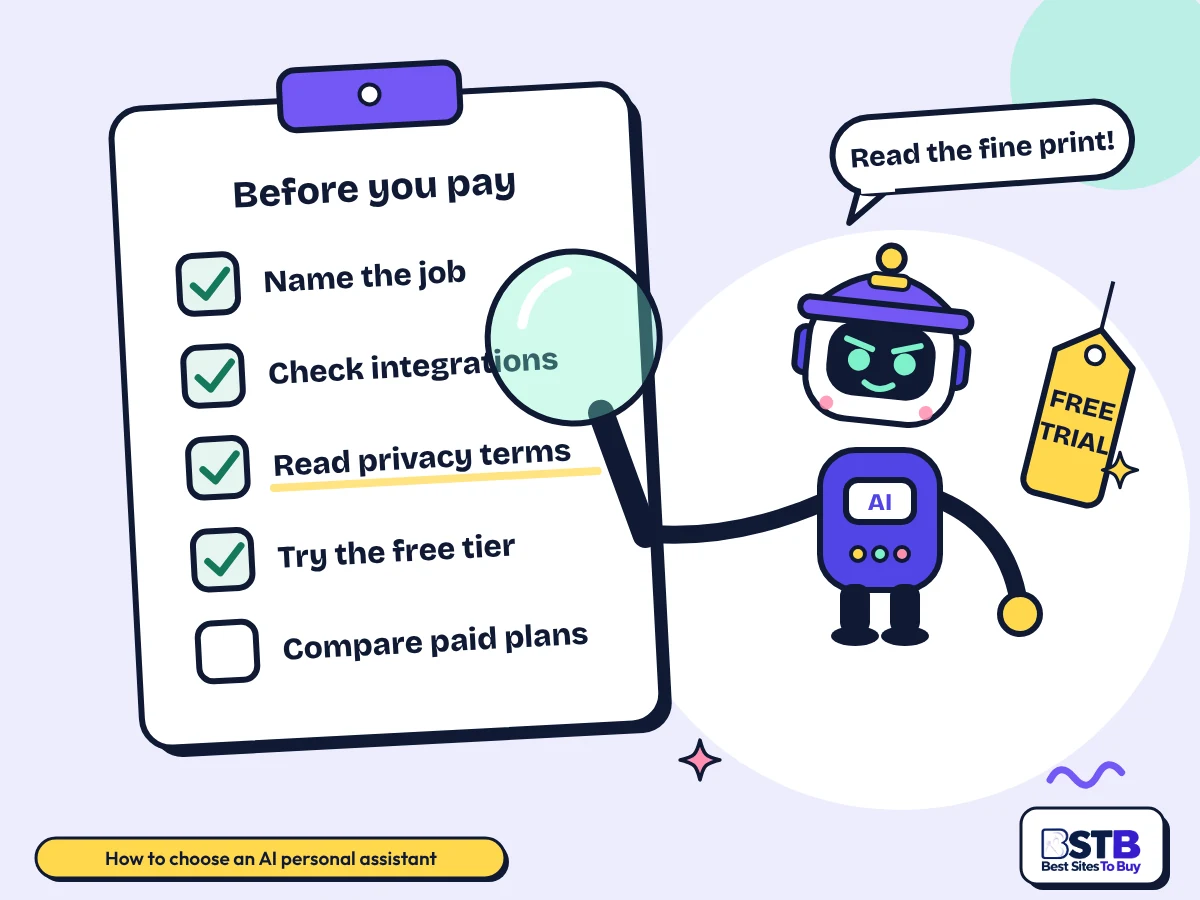
Choose an AI personal assistant by naming the one job it must do, then checking app support, privacy terms, the free tier and the paid price, in that order.
Write down the single task you want gone, such as meeting notes or job applications. A focused tool usually beats an all-rounder at that task.
Confirm the AI personal assistant app fits your workflows: Gmail or Outlook, Google Workspace or Microsoft 365, Zoom, Meet or Teams, and the phone you use.
Look for what it stores, whether your data trains its models and how to delete everything. For the tightest privacy, consider an open-source, self-hosted assistant.
23 of the 26 active tools in this top 30 are free to start. Run one real week of work through one before you pay.
Price it per seat and per month, then check billing terms. Fireflies.ai Pro, for example, is $10 a seat on yearly billing but $18 month to month.
Most AI personal assistant tools are freemium: 20 of the top 30 have a free plan with a paid upgrade, 6 are free and 4 are paid only, with most paid plans between $8 and $20 a month.
| Pricing model | Tools in the top 30 | What you get | Tools |
|---|---|---|---|
| Free | 6 of 30 | Everything free, no paid tier | MagicTrips, Socratic by Google, WatchNow AI, Microsoft Bing, Suggest Gift, Supermanage AI |
| Freemium | 20 of 30 | Free plan with limits, paid upgrade | Monica, You.com, Jigso, ChatGPT, Dream Interpreter, Jetwriter AI, Notion AI, Google Gemini, timeOS, Casper AI, Excel Formula Bot, MeetGeek, Yoodli AI, Endel, Resume Worded, Fireflies.ai, ResumeTrick, iApply, Replika, Langotalk |
| Paid | 4 of 30 | Paid only, sometimes with a trial | ZenCall.ai, AI Trip Planner, echowin, Heyday |
Prices are taken from each tool's BSTB page. Four tools are retired or discontinued, as their BSTB pages note. Tools change plans often, so confirm on the tool's own site before you buy.
BSTB scores every AI personal assistant on the same nine criteria, and the overall score is the plain average of the nine.
Scores are based on each tool's official pages, documentation, pricing and public user feedback. Read the full method on how BSTB tests and scores tools.
Personal assistants overlap with these categories. Browse them when you need a narrower tool, or go back to the full AI tools directory.
Quick answers on the best, free and safest AI personal assistant tools, what they cost and how BSTB scores them.
An AI personal assistant handles repeat tasks such as meeting notes, email replies, trip plans, resume edits and study help, so you spend less time on admin.
Most tools in BSTB's top 30 focus on one or two of those jobs. The more of your apps a tool connects to, the more it can finish without you copying and pasting.
For inbox-only help, browse the AI email assistant category.
Most AI personal assistants plan and suggest but do not pay or book for you; the trip planners in BSTB's top 30 build itineraries and leave booking to you.
Booking and buying need payment details and account access, so most tools stop at a plan or a shortlist. Assistants that can act on websites usually ask you to confirm before any payment or booking goes through.
Never share card details with a tool unless its terms explain how payments are handled. Compare planners in the AI travel tools category.
Siri and Alexa run fixed voice commands one at a time, while modern AI personal assistants use language models to understand open requests, keep context and finish multi-step tasks.
Traditional voice assistants are built into a phone or speaker and work best for timers, music, calls and smart-home controls. Modern AI assistants take text, voice or app data, so they can draft, summarise and plan. Both are adding language-model features, so the line is starting to blur.
For open-ended chat assistants, see the AI chatbots category.
Many AI personal assistants sync directly with your calendar, email and files through sign-in permissions, but each tool supports different apps, so check its integrations first.
Meeting tools need your calendar to know which calls to join, and email tools need inbox access to draft replies. You grant access through a Google or Microsoft sign-in and can remove it later from your account settings.
Each BSTB tool page scores Integration Capabilities. For app-to-app automation, see the AI workflow tools category.
Yes. ChatGPT, Google Gemini and Replika all offer voice conversations on your phone, so you can speak a request and hear the answer without typing.
Voice mode suits driving, cooking or walking. How hands-free it feels varies: some apps need a tap to start listening, and your phone's built-in assistant still controls system settings best.
Check microphone and background permissions after you install a voice assistant.
Yes. Almost every AI personal assistant needs an internet connection, because its language model runs on the provider's servers rather than on your phone or laptop.
Without a connection, most apps can only show saved chats or notes. A few open-source personal AI assistants, such as Jan.ai, run local models on your own computer and work offline, but they need more setup.
If you travel often, check whether the app offers offline downloads before you rely on it.
Your data is as safe as the AI assistant's privacy terms allow; check whether it stores chats, trains on them and lets you delete your history before sharing anything personal.
Read the privacy policy before you connect Gmail, Outlook or a calendar. Grant the narrowest access the tool needs, and remove it from your account settings when you stop using the assistant.
BSTB scores Data Privacy and Security on every tool; see how BSTB tests AI tools.
Yes. MagicTrips, Microsoft Bing and Suggest Gift are completely free, and 20 of BSTB's top 30 AI personal assistant tools offer a free plan with a paid upgrade.
Free plans usually cap usage, such as messages, meeting minutes or roleplays a month. They are enough to test whether a tool fits your routine before you commit.
Use the Pricing filter above the tool grid to show only free tools, or read the MagicTrips review.
Training an AI assistant on your routines takes no coding: you state preferences in plain language or let it learn from your data, though memory varies by tool.
Most tools learn from settings, saved instructions and the apps you connect. Results usually improve the more you use the tool and the more of your own data it can see.
Start with one clear instruction, such as your working hours, and add more once the assistant gets that right.
Team plans in Notion AI, MeetGeek and Fireflies.ai cover several users, but few AI personal assistants in BSTB's top 30 are built for shared family calendars.
Most personal assistants are designed for one account. For a family, the simplest route is a shared Google or Outlook calendar that each person's assistant can read.
For shared task lists and team schedules, see the AI project management category.
Yes. ChatGPT works well as an AI personal assistant for writing, research, planning and file analysis, though dedicated apps still do more for calendar and inbox management.
ChatGPT scores 4.4/5 on BSTB and has a free plan, so it is an easy first assistant. Pair it with a meeting or scheduling tool when you need work done inside your other apps.
Read the ChatGPT review for its full nine-point score.
AI personal assistants are worth it when they remove a task you repeat every week, such as meeting notes, inbox triage or scheduling, and a free plan already covers it.
Productivity gains come from task automation on routine work, not from the tool alone. Test one assistant on one job for a week, then compare the time saved with the paid price.
If a tool saves less time than it costs to check its output, try another job or another tool.
Yes. Open-source personal AI assistants such as OpenClaw, Jan.ai and AnythingLLM can be self-hosted, so your data stays on your own machine or server.
Self-hosting gives you more control over privacy and which local models you run, but it takes more technical setup than a cloud app. Managed hosting is a middle path.
Compare the OpenClaw review with the Hostinger 1-Click OpenClaw review.
MeetGeek and Fireflies.ai (4.5/5) score highest among the top 30 AI personal assistant tools on BSTB, followed by ChatGPT, Notion AI and Microsoft Bing at 4.4/5.
Scores come from nine criteria, from accuracy to integrations, averaged into one number. The best pick still depends on your job: a meeting notetaker and a trip planner solve different problems.
Read the MeetGeek review for the full nine-point breakdown.
Paid AI personal assistant plans in the top 30 start at $4.99 a month; most cost $8 to $20 a month, and Resume Worded Pro tops out at $49.
Google AI Plus and Dream Interpreter Amethyst are the cheapest at $4.99. Business tools price per seat or per minute, so team costs climb fast. Watch for yearly billing that hides a higher monthly rate and for usage charges on phone agents.
Plans change often, so confirm the price on the vendor's site before buying.
MeetGeek and Fireflies.ai (both 4.5/5) score highest for meetings on BSTB; both record, transcribe and summarise Zoom, Google Meet and Teams calls.
MeetGeek leans toward sales and recruiting teams and automates follow-up tasks. Fireflies.ai pushes summaries and action items into CRMs. timeOS (4.3/5) groups notes into project rooms.
Compare more notetakers in the AI transcriber category.
BSTB scores every AI personal assistant on nine criteria, and the overall score shown on each card is the average of those nine.
The nine are accuracy and reliability, ease of use, features, speed, customization, data privacy, support, cost-efficiency and integrations. Each tool page shows the breakdown next to its pricing model.
The full method is on the How We Test page.
Yes. Send your AI personal assistant's name, website and pricing through the BSTB contact page, and the team reviews it before it is added to the directory.
Listings show the pricing model, a short summary, categories and a nine-criterion score. Sponsored placements are handled separately through the advertising page.
Start on the BSTB contact page or read about advertising with BSTB.
Send us your tool's name, website and pricing. The BSTB team reviews every submission before it joins the AI tools directory.