ChatGPT
4.4/5Freemium
General assistant that translates pasted text and uploaded files in chat, holds tone and context, and explains its word choices.
- Best for: Anyone translating text with context
- Price: Free plan; Go $8/mo, Plus $20/mo

Psst! 30 translators inside
AI translator tools turn text, documents, PDFs, web pages, speech and video into another language in seconds, using neural machine translation or a large language model instead of a human translator. This page ranks the 30 best AI translation tools on BSTB by their 9-criterion score, each with its pricing model, free plan, language count and a plain-English summary, so you can compare free AI translation tools and paid ones in one place.
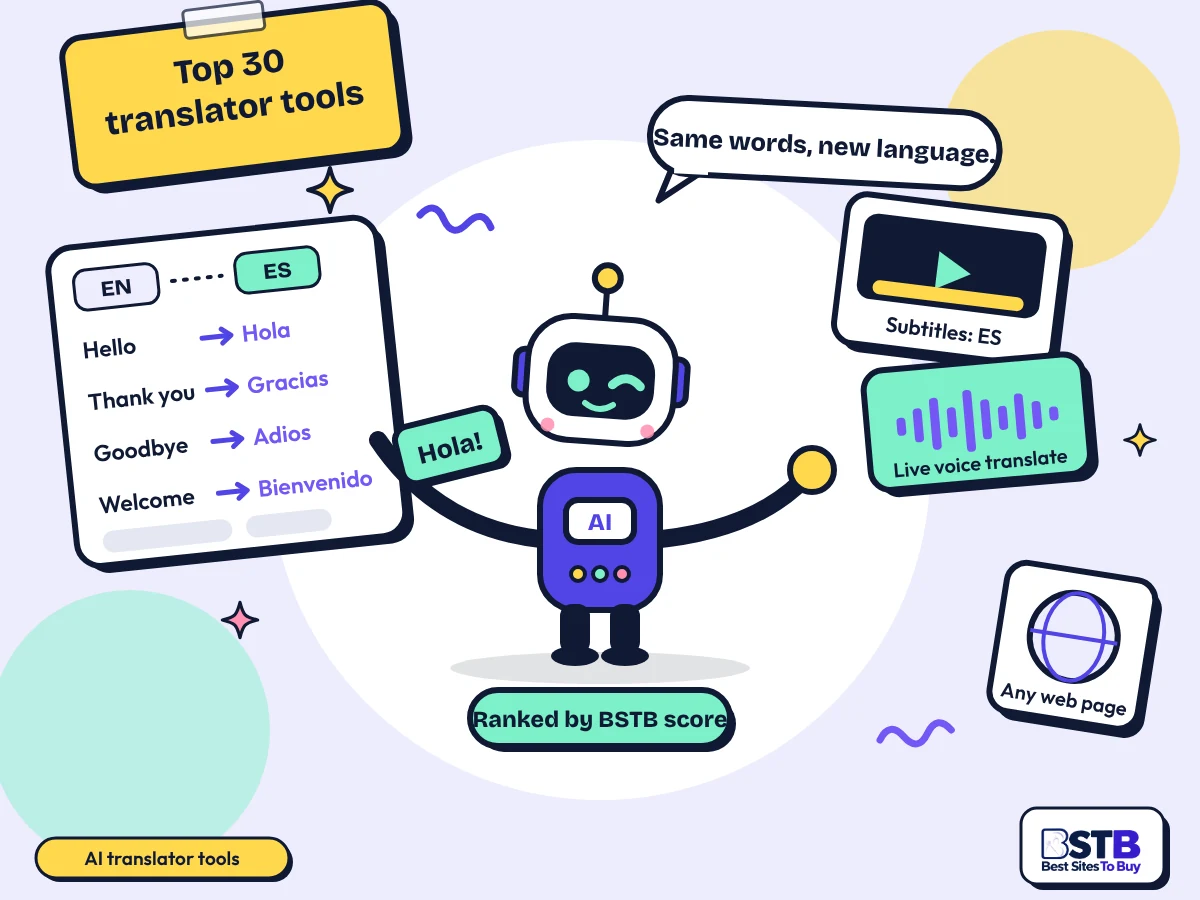
Every AI translation tool on this page has its own BSTB page with a pricing model, plan prices, language count and a score from the same nine criteria.
ChatGPT, Claude and Soniox score highest at 4.4/5, and Google Translate leads the dedicated AI translators at 4.3/5; filter by price or by what you need to translate.
Showing 30 of 30. Picked from the 32 translation tools listed on BSTB and ranked by overall score.
General assistant that translates pasted text and uploaded files in chat, holds tone and context, and explains its word choices.

General assistant that works through long documents, keeps terminology consistent and flags passages it is unsure about.

Speech recognition API and app that transcribes live or recorded audio in 60+ languages with real-time translation.

Free Google service that translates text, speech, images, documents and whole websites, with a paid Cloud API behind it.

Google's assistant that translates text, files and screenshots in chat and sits inside Docs, Gmail and Chrome.

Turns audio, video and meetings into editable text in 100+ languages, then translates the finished transcript.

Neural translation for text, documents and images with glossaries, tone controls, a desktop app and a developer API.

Browser extension and app that shows the translation beside the original on web pages, PDFs, subtitles and images.

Translates text, speech and images in 100+ languages through free apps and the paid Azure Translator API.

Avatar video platform that turns one script into presenter videos in 140+ languages, with one-click video translation.

AWS neural machine translation for text and documents in 75 languages through an API, CLI or SDK, with custom terminology.

Re-voices video and audio in 150+ languages while keeping each speaker's own voice, built for broadcast and live events.

Meeting assistant that transcribes calls in real time, translates the transcript and writes summaries and action items.

Transcribes, translates and re-voices video into 99+ languages, with optional lip-sync and voice cloning.

Converts audio and video into transcripts, then translates them into 54+ languages and exports subtitle files.

Transcription and story-editing platform for newsrooms that translates finished transcripts into 70+ languages.
Turns a photo or avatar into a talking presenter video and translates existing videos into 40+ languages with cloned voice.

Enterprise machine translation for text, documents and web pages in 55 languages, with on-premise and private deployment.

Whisper-based service that turns audio and video into transcripts, subtitles and translations in 134+ languages.

Browser video editor that auto-subtitles, translates those subtitles and dubs the audio into other languages.
Short-form video editor that writes styled captions, translates them and dubs clips with a cloned voice.

Script-to-video tool with AI voices in 80+ languages that also translates and re-narrates finished videos.

Video platform with avatars, face swap and video translation into 155+ languages with lip-sync.

Free browser PDF toolkit that converts, compresses and summarizes files and translates PDF text in place.

Desktop app that pulls text out of screenshots, scans and comic panels with OCR, then translates what it reads.

PowerPoint add-in that builds decks from notes or PDFs and translates an existing deck into 38+ languages.

Translates, dubs and subtitles video in 170+ languages using stock AI voices or a clone of the original speaker.

Agent that localizes a creator's back catalogue into Chinese subtitles and publishes it to Chinese platforms.

Phone app that translates live phone, voice and video calls two ways in 150+ languages, with call transcripts.

Phone-first app that captions short social clips, translates the captions and dubs them with an AI voice.
AI translator tools are software that translates between languages automatically, using neural machine translation or a large language model, and they handle text, documents, websites, images, speech and video instead of only pasted sentences.
The category now covers five very different products. General assistants such as ChatGPT and Claude translate in a chat window and can be told to keep a tone; dedicated engines such as DeepL and Google Translate translate text, files and web pages; browser tools such as Immersive Translate show the translation beside the original; speech tools such as Soniox and AI Phone translate live audio; and dubbing tools such as Camb.ai and Synthesia re-voice video in the speaker's own voice.
What changed in 2026 is the input, not the engine. Five years ago an AI translator took a text box. The tools on this page take a 200-page PDF, a slide deck, a screenshot, a phone call or an hour of footage, and hand back the same file in another language with the formatting, timing or voice kept intact.
AI translation works in one of three ways: neural machine translation trained on translated text, a large language model that predicts the translation as text, or a hybrid pipeline where AI drafts and a human reviews.
Engines such as Google Translate, DeepL, Amazon Translate and SYSTRAN are trained on billions of translated sentence pairs. Fast, cheap per character and consistent, which is why APIs and website plugins use them.
ChatGPT, Claude and Gemini translate as part of general text prediction, so they follow instructions about tone, audience and terminology, and can explain a choice. Slower and less predictable across a long file.
Dubbing tools chain three models: speech to text, translation, then text to speech with a cloned voice. Each step can add its own error, so check the transcript before the dub.
Enterprise and legal work uses AI for the first draft and a human linguist for the edit, with a glossary and translation memory enforcing the client's wording. Slower, and still the only safe route for binding text.
AI translation tools translate documents and PDFs with the layout intact, localize a whole website, subtitle and dub video, translate live calls and meetings, and read text out of photos and screenshots.
The best AI translator tool depends on the input: chat text, a document or PDF, a website, a call or recording, or video. Pick the group that matches your file, then filter by price.
AI text translators and chat assistants for sentences, emails and copy you can paste.
AI document translators for Word files, PDFs, decks, scans and screenshots.
AI website translators and bilingual browser tools for reading foreign pages.
AI voice translators for calls, meetings and recorded audio, with transcripts.
AI video translation tools for subtitles, dubbing and lip-synced localization.
Neural machine translation is the fastest and cheapest at volume, an LLM handles tone and context best, and a hybrid pipeline with a human reviewer is the only option for legal, medical or contractual text.
| NMT engine (DeepL, Google, AWS) | LLM (ChatGPT, Claude, Gemini) | AI draft plus human review | |
|---|---|---|---|
| How it translates | Trained on translated sentence pairs | Predicts the translation as text, follows instructions | AI first pass, human linguist edits |
| Best for | Volume, websites, apps, support tickets | Tone, marketing copy, context, explanations | Contracts, medical, regulated and brand-critical text |
| Consistency | High and repeatable across a long file | Can drift in wording across a long file | Enforced by a glossary and translation memory |
| Speed | Seconds for thousands of words | Slower, and capped by the chat or context window | Days, depending on the reviewer |
| Typical cost | $10 to $20 per million characters, free tiers available | Free plan to $20 a month per person | Per word, from a translation provider |
| Examples on BSTB | DeepL, Google Translate, Amazon Translate, SYSTRAN | ChatGPT, Claude, Google Gemini | SYSTRAN and DeepL with a glossary, plus a human editor |
A good AI translation tool is accurate in your specific language pair, lets you lock terminology with a glossary, reads the file formats you actually use, has clear volume limits, keeps confidential files private and offers a free plan you can test.
These overlap with BSTB's nine scoring criteria, which also weigh ease of use, support, customisation and integrations.
Translate a document with AI in five steps: pick the tool for your file type, upload the original rather than pasted text, set the language pair and glossary, check the hardest passages, then export and compare the layout.
DeepL and Google Translate take Word, PDF and PowerPoint files; PDFFly translates PDFs in the browser; Twistly handles a slide deck inside PowerPoint; PDNob Image Translator reads scans and screenshots.
Uploading keeps headings, tables, footnotes and slide positions. Pasting into a chat window loses all of it and you rebuild the document by hand.
Choose the regional variant you need, such as Brazilian rather than European Portuguese. Add product and legal terms to a glossary so they come back unchanged.
Read the title, any legal or safety wording, numbers, units, dates and names. These are where machine translation fails in ways a reader notices.
Open the original and the translation together. Check that the layout held, nothing was skipped and no paragraph was silently dropped.
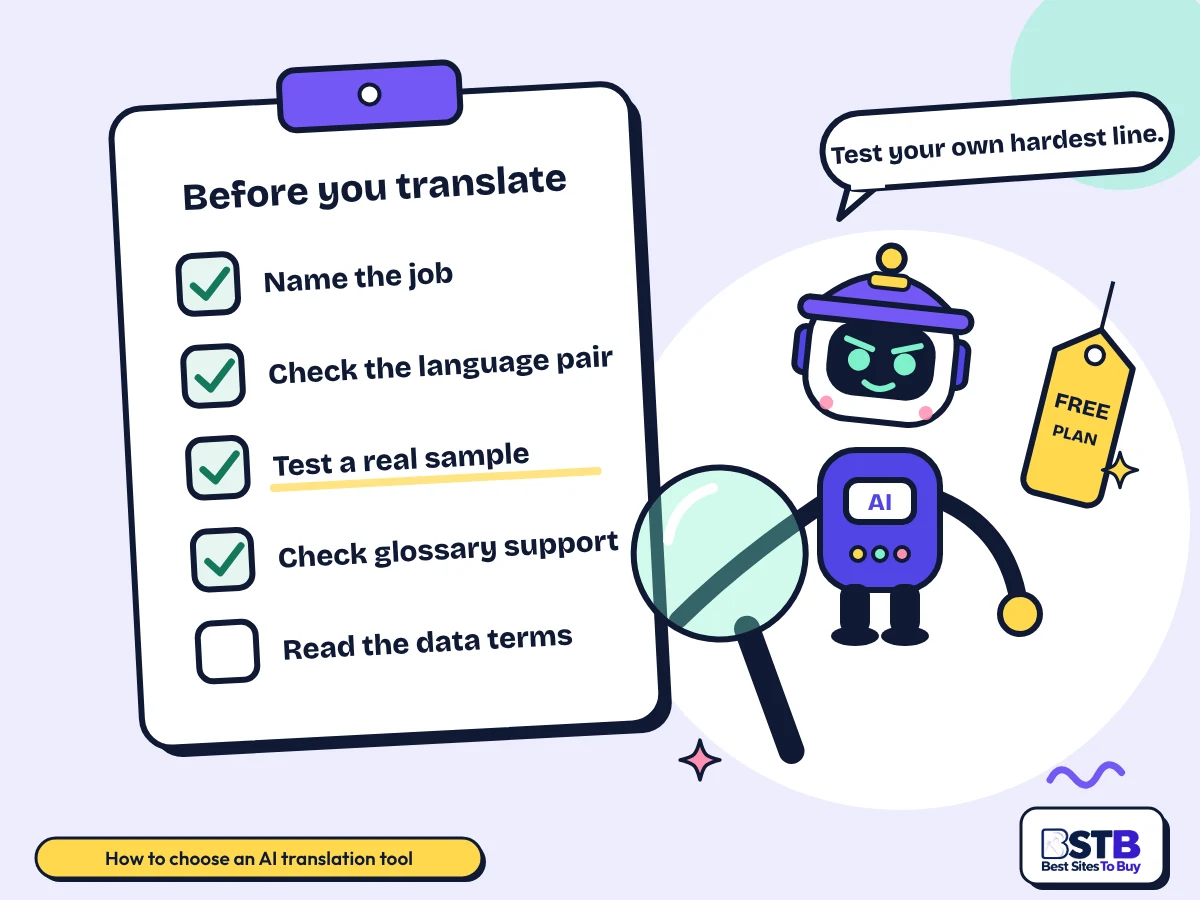
Choose an AI translation tool by naming the job first, checking your exact language pair, testing your hardest real sample on the free plan, confirming glossary and file support, then reading the data terms.
Text, documents, a website, a call or video are five different products. Use the Translate filter above the grid instead of buying a tool that does everything badly.
Language counts are marketing. A tool listing 150 languages may be excellent in six and rough in the rest. Rare languages still need human review.
Not a greeting. Take the paragraph with the jargon, the legal clause or the accent, and run it through the free tier of two tools.
If terminology or layout matters, check the glossary feature and the file types on the paid plan, not the marketing page.
Confirm whether uploads train the model, how long files are kept and whether on-premise is offered before sending confidential documents.
Most AI translation tools are freemium: 21 of the top 30 have a free plan with a paid upgrade, 2 are fully free and 7 are paid or trial only, with most paid plans between $5 and $30 a month.
| Pricing model | Tools in the top 30 | What you get | Tools |
|---|---|---|---|
| Free | 2 of 30 | Everything free, no paid tier | Google Translate, PDFFly |
| Freemium | 21 of 30 | Free plan with limits, paid upgrade | ChatGPT, Claude, Soniox Speech-to-Text, Google Gemini, DeepL Translator, Immersive Translate, Microsoft Translator, Synthesia, Amazon Translate, Camb.ai, Notta, Perso Dubbing, TurboScribe, VEED.IO, Captions, Fliki, Akool, PDNob Image Translator, Twistly, VMEG, Dubs |
| Paid | 7 of 30 | Paid only, sometimes with a trial | Transkriptor, Sonix, Trint, Creative Reality Studio (D-ID), SYSTRAN, adobaRo, AI Phone |
Prices come from each tool's BSTB page. Free in AI translation usually means a monthly character, minute or credit cap, a watermark on video, or a time-limited free tier on an API. Confirm on the vendor's site before you buy.
AI translation is fluent but not always correct: it misses idioms and humour, invents a confident wrong answer in rare languages, drifts in terminology across long files, and sends your text to a third-party server.
BSTB scores every one of these AI translator tools on the same nine criteria, and the overall score on each card is the plain average of the nine.
Scores are based on each tool's official pages, documentation, pricing and public user feedback. Read the full method on how BSTB tests and scores tools.
Translation tools overlap with these categories. Browse them when you need a narrower tool, or go back to the full AI tools directory.
Quick answers on accuracy, free tools, document and PDF translation, voice and video dubbing, word limits, data privacy and when you still need a human translator.
AI translator tools translate between languages automatically using neural machine translation or a large language model, and they take text, documents, web pages, images, speech and video as input, not just pasted sentences.
NMT engines are trained on billions of translated sentence pairs and are fast and consistent. LLMs predict the translation as text, so they follow instructions about tone and terminology. Speech and video tools chain transcription, translation and voice synthesis.
No single tool wins everywhere. Pick by what you need to translate, then by your language pair.
AI translation is close to human quality for common language pairs and everyday content, but it still misses idioms, humour, legal nuance and cultural context, so regulated or brand-critical text needs a human reviewer.
Accuracy depends far more on the language pair than on the brand. European languages, Chinese, Japanese and Arabic are strong across the main engines. Low-resource languages are where machine output fails most, and it fails confidently.
Fluent output is not the same as correct output. In a language you cannot read, the two look identical.
Google Translate is the best fully free AI translator for text, speech, images, documents and websites. PDFFly is free for PDFs, and DeepL, ChatGPT, Claude, Gemini and Immersive Translate all have usable free plans.
Free in AI translation normally means a monthly cap on characters, minutes or credits rather than a trial that expires. Of the 30 tools on this page, 23 are free to start and 2 have no paid plan at all.
Check whether the free tier trains on your text before you put work documents through it.
Google Translate has no practical word limit for text and documents on its free apps, and paid plans from DeepL, SYSTRAN and Amazon Translate remove the cap in exchange for a per-character or monthly fee.
Free LLM chat windows are the most limited, because a context window caps how much text fits in one go. Dedicated engines and APIs scale to millions of characters, and document translation is usually limited by file size and page count instead of word count.
For a very long document, translate it as a file upload rather than pasting it into a chat.
Upload the file rather than pasting the text: DeepL, Google Translate, PDFFly and Amazon Translate translate PDFs, Word files and decks while keeping headings, tables and layout intact.
Pasting a document into a chat window loses the formatting and you rebuild it by hand. A scanned PDF needs OCR first, which is what PDNob Image Translator does. Slide decks translate best inside PowerPoint with an add-in.
Always open the original and the translation side by side to confirm nothing was skipped.
Yes. Browser tools such as Immersive Translate translate a page in place or show both languages side by side, Google Translate translates a URL, and SYSTRAN and Amazon Translate localize a whole site through an API.
There are two separate jobs here. Reading a foreign page is a browser extension job. Publishing your own site in several languages is a localization job, which needs translation memory, a glossary and a workflow for updates.
Google does not penalise machine translation, but it does penalise unreviewed pages that read badly.
AI voice translators work in two ways: live two-way translation during a call, as AI Phone and Microsoft Translator do, or transcribe then translate afterwards, as Soniox, Notta, Sonix and Trint do.
Live translation trades accuracy for speed and struggles with crosstalk and strong accents. Transcribe-then-translate is more accurate because the full sentence is available before translation, and it leaves you a searchable transcript.
Record the audio where you legally can. A second pass on the recording is far more accurate than the live feed.
Camb.ai, Perso Dubbing, VMEG, Synthesia and Akool lead AI video translation: they transcribe the audio, translate it, then re-voice the video in the new language, often cloning the original speaker's voice with lip-sync.
Dubbing chains three models, so quality depends on the transcript first. Check and fix the transcript before you generate the dub, otherwise an error in the transcription becomes an error in the voice track.
Free video plans usually watermark the export and cap resolution at 720p.
Yes. VEED.IO, Captions, TurboScribe, Sonix and Dubs generate subtitles from the audio, translate them into other languages and burn them in or export an SRT file.
Subtitling is cheaper and safer than dubbing, because a viewer can see when a line reads oddly. Timing matters as much as wording: translated text is often longer than the original, so lines need shortening to stay readable.
Export the SRT as well as the burned-in version, so platforms can index your subtitles.
Yes. AI image translators use OCR to read the text in a photo, scan, screenshot or comic panel, then translate it: PDNob Image Translator, Google Translate, Microsoft Translator and DeepL all do this.
Accuracy depends on the image, not the language model. Clean, high-contrast, straight-on text reads almost perfectly. Handwriting, stylised fonts, low light and text over a busy background are where OCR drops words.
Crop to the text block before translating. It cuts the number of misread characters sharply.
Neural machine translation is purpose-built for translation and is faster, cheaper and more consistent at volume. An LLM translates as part of general text prediction, so it handles tone, context and instructions better.
The practical difference is control versus consistency. An LLM can be told to keep a formal register or explain two options for a phrase. An NMT engine will translate the same sentence the same way every time, which matters across a 300-page file.
Several engines now blend both, so the label on the marketing page matters less than your own test.
ChatGPT is good for translation when context and tone matter, because you can tell it the audience, register and terminology, but it is less consistent than a dedicated engine across long documents.
It scores 4.4/5 on BSTB overall and handles idioms, mixed-language text and explanations well. It is capped by its context window, so a long file has to be split, and wording can drift between sections.
Give it the audience and the register in the prompt. Unprompted, it defaults to a neutral formality.
DeepL is usually rated more natural for European business languages and offers glossaries and tone control, while Google Translate covers far more languages, is fully free and handles speech, images and websites.
BSTB scores Google Translate 4.3/5 and DeepL 4.2/5, and the gap comes down to use case rather than quality. DeepL suits professional documents in a handful of languages; Google suits everything else, especially on a phone.
Test both on your own hardest paragraph. The winner changes by language pair.
Common AI translators cover 30 to 150 languages: Google Translate and Microsoft Translator list 100+, DeepL fewer than 40, and video tools such as VMEG and Akool claim 155 to 170 for dubbing.
Treat language counts as a marketing figure. A tool can list 150 languages and be genuinely strong in 10. Quality follows how much translated text existed to train on, so low-resource and indigenous languages stay weak everywhere.
Check the variant too. Brazilian and European Portuguese are not interchangeable in published copy.
Not by default. Free consumer tools may retain or train on uploads, so confidential work needs a paid plan with a no-training clause, a stated retention period or an on-premise deployment.
The safest options are enterprise engines that run inside your own environment, such as SYSTRAN's private deployment, or cloud APIs with contractual data terms, such as Amazon Translate. Check your own policy before any upload.
Regulated sectors should confirm the vendor's certifications with their own compliance team.
No, not on its own. AI can produce the first draft of a legal or medical translation, but a qualified human translator must review it before the text is signed, filed, dispensed or published.
The failure mode is the problem: machine output reads fluently while a single mistranslated clause changes liability or dosage. Specialist providers run an AI draft through a subject-matter linguist with a locked glossary.
Many jurisdictions require a certified human translation regardless of how good the draft is.
No. AI translation has replaced most of the first-draft work and raised demand for reviewers, so the job is shifting from translating from scratch to editing machine output and owning the terminology.
Volume that was never translated before, such as support tickets, product reviews and internal documents, is now translated by machine. High-stakes and creative work still goes through people, with AI doing the mechanical pass.
If the text carries legal, medical or brand risk, budget for the human pass from the start.
Translation memory stores your previously approved translations and reuses them when the same sentence appears again. AI tools still need it, because it is what keeps wording consistent and cuts the cost of repeat content.
A glossary fixes individual terms; translation memory fixes whole segments. Together they stop a long document or a site update from drifting into new phrasing for text you already signed off.
If you publish in several languages regularly, memory and a glossary matter more than raw engine quality.
BSTB scores every AI translator tool on nine criteria: accuracy and reliability, ease of use, functionality, performance, customisation, data privacy, support, cost-efficiency and integrations.
The score on each card is the plain average of those nine. Scores come from each tool's official documentation, pricing pages and public user feedback, and every tool keeps its own page with the full breakdown.
Scores are a starting point. Your language pair decides the winner for you.
BSTB rechecks this list every time a tool on it changes its pricing, language coverage or feature set, and reviews the whole category on a rolling basis as new AI translation tools are listed.
Translation pricing moves often, especially per-character API rates and video credits. Each tool's own BSTB page carries the last checked figures, so follow the link on a card before you buy.
Always confirm the current price on the vendor's own site before paying.
Send us your tool's name, website and pricing. The BSTB team reviews every submission before it joins the AI tools directory.