Best AI Paraphrasing Tools 2026: Free AI Rewriters - BSTB

Psst! 19 rewriters inside

19 Best AI Paraphrasing Tools in 2026 for Rewriting, Simplifying and Changing Tone

AI paraphrasing tools rewrite text you already have: they rephrase a clumsy sentence, turn jargon into plain English, shift the tone from casual to formal and shorten or expand a passage, while keeping the meaning intact. This page ranks the 19 best AI paraphrasing tools on BSTB by their 9-criterion score, each with its pricing model, free plan, language support and a plain-English summary.

Top 19 of 23 tools 16 of 18 free to start
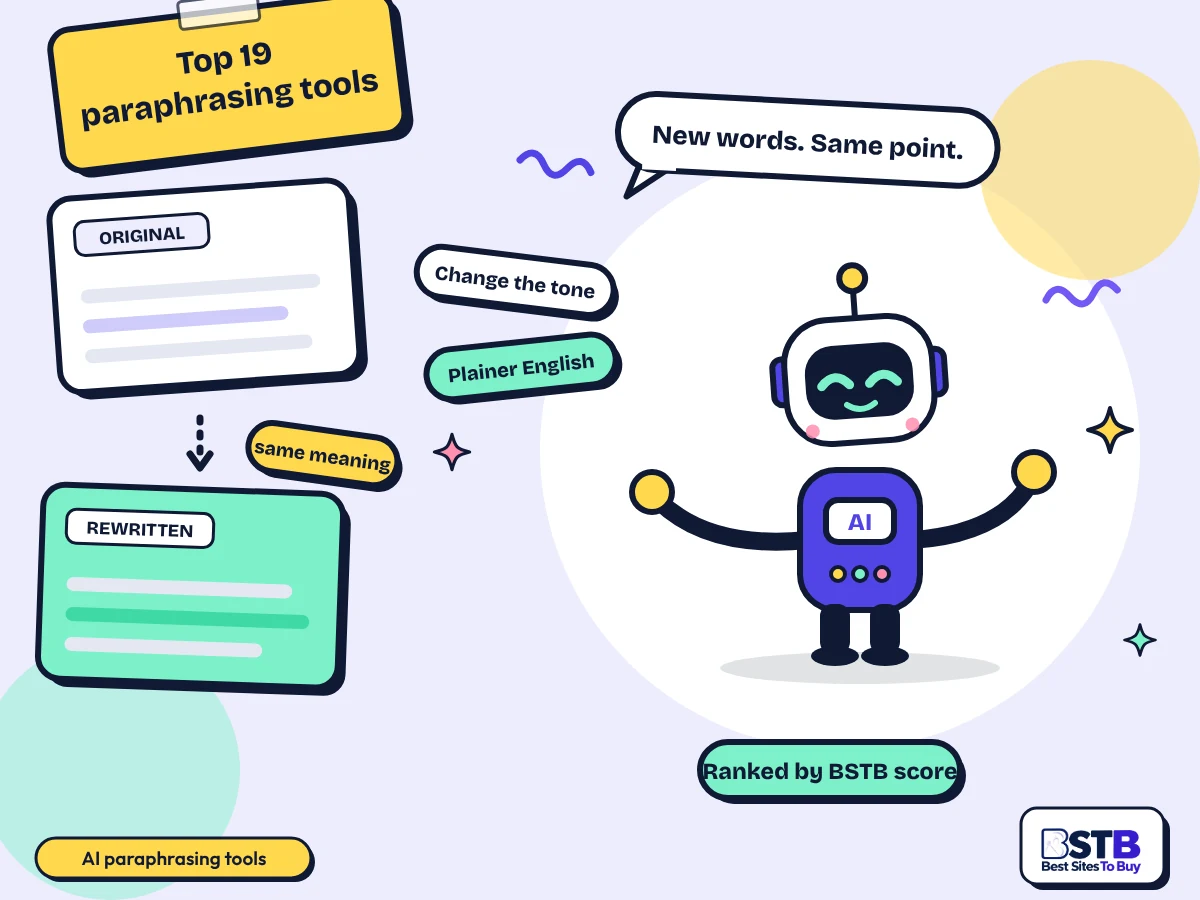
Best AI paraphrasing tools: Scout the BSTB robot beside an original passage and its rewritten version, with a same meaning badge between them

Why You Can Trust BSTB's AI Tool Listings

Every AI paraphrasing tool on this page has its own BSTB page with a pricing model, plan prices, language support and a score from the same nine criteria.

  • One scoring method for every tool
  • Prices taken from each tool's official pages
  • Plain summaries of what the tool actually does

See how BSTB tests and scores AI tools.

The directory

Top 19 AI Paraphrasing Tools, Ranked by BSTB Score

QuillBot scores highest at 4.2/5, with Rytr and Smodin behind at 3.9/5; filter by price or by the kind of rewriting you need done.

Show:

Showing 19 of 19. Picked from the 23 tools in the BSTB Paraphrasing category, ranked by overall score.

QuillBot

4.2/5Freemium

The reference paraphraser: ten rewriting modes, a synonym slider, summariser, grammar checker and citation generator in 20+ languages.

  • Best for: Most people, most rewriting jobs
  • Price: Free $0; Premium $8.33/mo billed yearly ($19.95 monthly reported)
Read the QuillBot review

Rytr

3.9/5Freemium

Writing assistant with 40+ templates whose editor rephrases, shortens or expands a selection, with preset tones.

  • Best for: Rewriting inside a wider writing tool
  • Price: Free $0; Unlimited $7.50/mo; Premium $24.16/mo
Read the Rytr review

Aithor

3.7/5Freemium

Academic writing assistant that drafts cited papers and includes a paraphraser that rewrites, expands or shortens a passage.

  • Best for: Drafting and rewriting cited work
  • Price: Free $0; monthly $24.99 reported; annual cheaper
Read the Aithor review

DetectGPT

3.6/5Paid

AI detector first: it estimates whether text reads as machine written, checks plagiarism and offers to rewrite flagged passages.

  • Best for: Checking text before a rewrite
  • Price: Free 3,000-word trial; Essential $15/mo; Pro $29/mo; Team $59/mo
Read the DetectGPT review

GPTinf

3.6/5Freemium

Rewrites chatbot drafts into plainer prose with Simple, Formal, Informal, Academic and Creative modes, alongside detector tools.

  • Best for: Smoothing a stiff AI draft
  • Price: Free $0; Lite $4.99/mo; Pro $12.49/mo; Unlimited $29.99/mo
Read the GPTinf review

Lynote

3.6/5Freemium

Study workspace combining a rewriter, an AI detector, a translator and summaries of videos, PDFs and audio.

  • Best for: Study notes in several formats
  • Price: Free $0; Pro trial $1.95/day for 3 days reported; Pro monthly $29.99 reported
Read the Lynote review

Penelope AI

3.5/5Freemium

Browser writing editor with autocomplete, sentence and paragraph paraphrasing, tone changes and document summaries.

  • Best for: Rewriting while you draft
  • Price: Free $0 (50 credits); Ace 140 a year, currency not shown; Team on request
Read the Penelope AI review
Status unclear

Transcriptik

3.5/5Freemium

Turns a public TikTok link into editable text with language detection, then rewrites the transcript on paid plans.

  • Best for: Reworking video transcripts
  • Price: Free $0; Starter $5.99/mo; Pro $9.99/mo; Studio $19.99/mo
  • Status: Status unclear (see review)
Read the Transcriptik review

WordAI

3.5/5Paid

Article rewriter that produces new versions of existing text with adjustable creativity, bulk processing and export.

  • Best for: Rewriting at volume
  • Price: 3-day free trial; Starter $9/mo billed yearly ($17 monthly); Power $27/mo
Read the WordAI review

WriteHybrid

3.5/5Freemium

Rewrites chatbot drafts to read more naturally while keeping the meaning, with Academic, Marketing, Casual and Technical modes. English only.

  • Best for: Mode-based rewriting in English
  • Price: Free $0; Starter $19/mo; Pro $49/mo; Agency $99/mo
Read the WriteHybrid review
The basics

What Are AI Paraphrasing Tools?

AI paraphrasing tools rewrite a passage in different words while keeping its meaning. You paste text, pick a mode such as formal, simple or shorter, and get a version you edit rather than a finished piece.

Three kinds sit in this category. General paraphrasers such as QuillBot and Paraphraser.io rewrite anything you paste, with modes for tone and length. Study tools such as Smodin and Lynote bundle rewriting with summarising, citations and plagiarism checks. The third group rewrites chatbot drafts specifically, smoothing the flat, repetitive rhythm that AI writing tends to have.

What they are genuinely good at is clarity: shortening a bloated paragraph, turning technical writing into something a customer can read, and helping someone writing in a second language sound more natural. What they cannot do is understand your source, which is why every rewrite needs reading against the original.

How Does AI Paraphrasing Work?

A paraphraser reads the passage, predicts a different wording for the same content, then applies the mode you picked. Modern tools rewrite whole sentences rather than swapping individual words for synonyms.

  1. It reads the whole passage

    Context decides word choice. This is why pasting a full paragraph produces a better rewrite than feeding it one sentence at a time.

  2. It predicts a new wording

    The model generates a version it rates as fluent and equivalent. Equivalent is its judgement, not a guarantee, and this is where meaning can drift.

  3. Your mode shapes the output

    Formal, simple, shorter, expanded and academic modes change how far it moves from the original. Heavier modes drift further.

  4. Nothing checks the facts

    No paraphraser verifies that the rewrite still says what the source said. Numbers, names, dates and qualifying words are where errors hide.

What Can You Do With an AI Paraphraser?

Rewrite an awkward sentence, simplify technical writing, change the tone of an email, shorten a long paragraph, tidy writing in a second language and get a second phrasing when you are stuck.

  • Fix an awkward sentence: the most common use, and the one these tools do best.
  • Simplify complex text: turn a dense policy or technical paragraph into plain English a reader can follow.
  • Change the tone: casual to formal for a client email, or formal to friendly for a landing page.
  • Shorten or expand: tighten a bloated paragraph, or open out a note that is too compressed.
  • Write in a second language: non-native writers use these most, to sound natural rather than literal.
  • Get unstuck: a second phrasing of your own sentence often shows you what you were trying to say.
By rewrite job

Best AI Paraphrasing Tools by Rewrite Job

Pick by the job: a general paraphraser for everyday rewriting, a study tool that also cites and checks, or a rewriter aimed at smoothing chatbot drafts.

General paraphrasers and rewriters

General AI paraphrasers for sentences, paragraphs and documents, with tone and length modes.

Study, research and citation tools

Study and research tools that pair rewriting with summaries, citations and plagiarism checks.

AI draft rewriters

Tools that rewrite chatbot drafts into plainer, more varied prose. Several market this as making text undetectable; the FAQ below covers what that does and does not do.

Know the difference

Paraphrasing vs Summarising vs Editing

Paraphrasing keeps the content and changes the words. Summarising keeps the point and cuts the content. Editing keeps your words and fixes them. Most people reach for the wrong one.

ParaphrasingSummarisingEditing and proofreading
What changesThe wording, not the contentThe length, by dropping detailErrors and clumsiness only
Length afterRoughly the sameMuch shorterRoughly the same
Use it whenThe meaning is right but the wording is notYou need the gist of something longThe writing is yours and nearly there
Main riskMeaning drifts without you noticingAn important qualifier gets droppedVery little
Tools on BSTBQuillBot, Paraphraser.io, Rytr, WordAIsee the summarizer categoryGrammar checkers, often bundled in the same tools
What to look for

What Makes a Good AI Paraphrasing Tool?

A good paraphraser keeps the meaning, shows you what changed, offers real modes rather than one button, supports your language, states its word limit plainly and does not pretend rewriting removes the need to cite.

  • Keeps the meaningThe only test that matters. Numbers, names, dates and words like may, only and unless must survive the rewrite unchanged.
  • Shows what changedHighlighting the edited words lets you check the rewrite in seconds instead of reading both versions line by line.
  • Real modes, not one buttonFormal, simple, shorter, expanded and academic do different jobs. A single Rewrite button gives you no control.
  • Your language, properlyCounts range from 7 to over 100 here, and quality outside the main European languages varies a lot.
  • An honest word limitFree tiers in this category cap at 125 to 500 words per go. The cap should be on the pricing page, not discovered mid-paste.
  • Clear data termsYou are pasting other people's writing, client text or unpublished work. Check retention before you do.

These overlap with BSTB's nine scoring criteria, which also weigh speed, support, cost-efficiency and integrations.

Step by step

How to Paraphrase Without Changing the Meaning

Five steps: paste a whole paragraph rather than a sentence, pick the lightest mode that does the job, read the rewrite against the original, restore anything that shifted, and keep the citation attached.

  1. Paste the whole paragraph

    Context improves word choice. Rewriting sentence by sentence produces text that no longer flows as an argument.

  2. Use the lightest mode

    Start with standard or fluency. Creative and heavy modes move further from the source and that is where meaning drifts.

  3. Read both versions

    Check the numbers, names, dates and the small words: may, must, only, unless, up to. Those flip a claim without looking like they changed anything.

  4. Restore anything that shifted

    Put the original wording back where the rewrite overreached. A paraphrase that is 80 percent machine and 20 percent you is usually the right mix.

  5. Keep the citation

    Rewording someone else's idea does not make it yours. If it needed a source before the rewrite, it needs the same source after.

Buyer checklist

How to Choose an AI Paraphrasing Tool

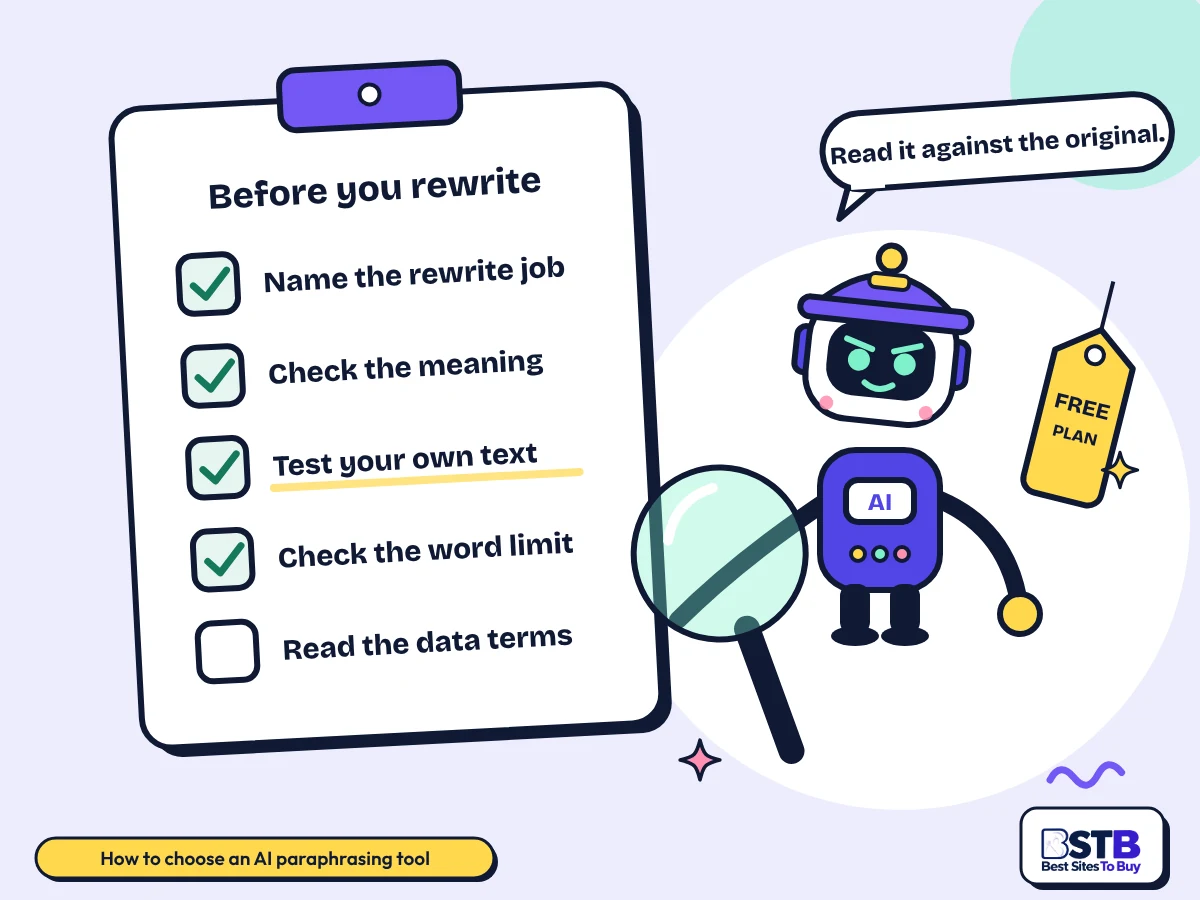
Choose by the job, then test your own hardest paragraph on the free tier, check the word limit, confirm your language is properly supported and read the data terms before pasting anything confidential.

  1. Name the job

    Everyday rewriting, study work and smoothing an AI draft are three different needs. Use the Rewrite job filter above the grid.

  2. Test your own text

    Not a sample paragraph. Take the one with the jargon, the numbers and the careful qualifications, and see what survives.

  3. Check the word limit

    Free tiers here run from 125 words to a few thousand characters. If you rewrite long documents, that limit decides the tool.

  4. Check your language

    Support ranges from English only to 100+ languages. Quality outside the main ones is uneven, so test rather than trust the count.

  5. Read the data terms

    Client work, unpublished research and personal writing should not go into a free tool with vague retention terms.

How to choose an AI paraphrasing tool: Scout in a detective cap checking a 5-step checklist with a magnifying glass
Five checks to run before you trust a rewrite you cannot verify.
Pricing

Free vs Paid AI Paraphrasing Tools

Nearly all of these are freemium: 17 of the 19 here have a free tier and 2 are paid or trial only, with paid plans from about $5 to $30 a month.

Pricing modelTools in the top 30What you getTools
Free0 of 19Everything free, no paid tier
Freemium17 of 19Free plan with limits, paid upgradeQuillBot, Rytr, Smodin, Aithor, Paraphraser.io, GPTinf, Lynote, Netus AI, Humanize AI Pro, Penelope AI, Transcriptik, WriteHybrid, Humaniser, AI Text Humanizer, SmartStudi Sidebar, StarWriter AI, Undetectable AI Pro
Paid2 of 19Paid only, sometimes with a trialDetectGPT, WordAI

Prices come from each tool's BSTB page. In this category the free tier is almost always a word cap per rewrite rather than a trial, so the question is how long your typical passage is. Watch for weekly billing, which looks cheap and is not, and for prepaid credit bundles. Confirm on the vendor's site before you buy.

Use with care

Limits, Accuracy and Giving Credit

Paraphrasers drift. They change qualifying words, flatten nuance, mangle technical terms and produce fluent text that no longer says what the source said, and rewording never removes the need to cite.

  • Meaning drift: roughly one rewrite in ten changes something that matters. Reading both versions is not optional.
  • Qualifiers: may, only, unless, up to and approximately are the words most often lost, and they carry the claim.
  • Technical terms: a paraphraser will happily swap a precise term for a near synonym that means something else in your field.
  • Flattened voice: heavy rewriting removes the rhythm that made the writing yours.
  • Citation still required: rewording someone else's idea is still their idea. Cite it exactly as you would have before.
  • Your institution's rules: schools, universities and employers set their own rules on AI assistance. Check them before using these tools on assessed or published work.
Our method

How BSTB Rates AI Paraphrasing Tools

BSTB scores every one of these paraphrasing tools on the same nine criteria, and the overall score on each card is the plain average of the nine.

  • Accuracy and Reliability
  • Ease of Use
  • Functionality and Features
  • Performance and Speed
  • Customization and Flexibility
  • Data Privacy and Security
  • Support and Resources
  • Cost-Efficiency
  • Integration Capabilities

Scores are based on each tool's official pages, documentation, pricing and public user feedback. Read the full method on how BSTB tests and scores tools.

Related AI Tool Categories

Paraphrasing tools overlap with these categories. Browse them when you need a narrower tool, or go back to the full AI tools directory.

FAQs

AI Paraphrasing Tools: Frequently Asked Questions

Quick answers on rewriting without changing meaning, simplifying complex text, changing tone, citing sources properly, academic use, language support and checking a rewrite for accuracy.

How Can I Paraphrase Text Without Changing Its Meaning?

Paste a whole paragraph, choose the lightest mode, then read the rewrite against the original and restore anything that shifted. Numbers, names, dates and qualifying words are where meaning is lost.

Tools rate their own output as equivalent, and roughly one rewrite in ten is not. The check takes thirty seconds and is the difference between a paraphrase and a mistake you published.

  • Use standard mode first: creative and heavy modes drift furthest from the source.
  • Watch the small words: may, only, unless and up to change the claim when they vanish.
  • Check every number: figures and dates are rewritten as confidently as anything else.
  • QuillBot: 4.2/5; the synonym slider lets you control how far it moves.

If you cannot check the rewrite against the original, do not use the rewrite.

Can AI Rewrite a Paragraph in Simpler Language?

Yes, and it is one of the strongest uses. Simplify or plain-English modes in QuillBot, Paraphraser.io, GPTinf and AI Text Humanizer shorten sentences and swap jargon for everyday words.

Simplifying works because it is a mechanical transformation: shorter sentences, common words, active voice. Check that a technical term was not replaced with something that means something subtly different.

  • QuillBot: 4.2/5; Simple mode plus a synonym slider.
  • Paraphraser.io: 3.7/5; ten tone modes including a plainer register.
  • Humanize AI Pro: 3.5/5; four readability levels to target.
  • Watch for: precise terms swapped for near synonyms in medical, legal or technical text.

Read the simplified version aloud. If you stumble, the reader will too.

How Do Paraphrasing Tools Preserve the Original Context?

They work from the passage you give them, so context survives only as far as you paste it. A tool given one sentence has no idea what the paragraph around it was arguing.

This is why sentence-by-sentence rewriting produces text that reads fine locally and falls apart as an argument. Paste whole paragraphs, and for anything structured keep the headings in place.

  • Paste paragraphs: not sentences, and not whole documents on a free tier.
  • Keep the structure: headings and list order carry meaning the tool will not infer.
  • Reread the joins: the seams between rewritten and original text are where flow breaks.
  • Longer context: paid tiers usually raise the word limit, which directly improves coherence.

A rewrite that reads well sentence by sentence can still lose the thread of the argument.

Can I Change the Tone of Text With AI?

Yes. Most tools here offer tone modes: formal, casual, academic, confident, friendly. QuillBot has ten modes, Paraphraser.io has more than ten, and Rytr carries over twenty tones.

Tone modes work well for emails, landing copy and anything customer-facing. They work less well where tone carries meaning, such as legal or safety wording, where a friendlier register can soften a requirement into a suggestion.

  • QuillBot: 4.2/5; ten modes including Formal, Academic, Shorten and Expand.
  • Rytr: 3.9/5; preset tones plus tone matching on paid plans.
  • WriteHybrid: 3.5/5; Academic, Marketing, Casual and Technical modes.
  • Careful with: instructions, warnings and contractual wording.

Pick the tone for the reader, not for the writer. Formal is not automatically more professional.

How Can I Avoid Accidental Plagiarism When Paraphrasing?

Cite the source. Paraphrasing changes the words, not the ownership of the idea, so a rewritten passage needs exactly the same citation the original quotation would have needed.

Accidental plagiarism usually happens one of two ways: the citation gets dropped during the rewrite, or the rewrite stays so close to the source that it is a quotation in disguise. Both are avoidable.

  • Keep the citation attached: rewrite the sentence, not the reference.
  • Move far enough: if the structure and most nouns survive, quote it properly instead.
  • Note your sources as you go: most lost citations are lost during editing, not during research.
  • Run a check: Smodin, QuillBot and SmartStudi bundle plagiarism checks.

A plagiarism checker finds matching text. It cannot tell you whether an uncited idea was yours.

Can AI Paraphrase Academic Writing Responsibly?

Yes, within limits. Using a paraphraser to tighten your own prose or to write more clearly in a second language is normally fine. Using it to disguise someone else's work, or work you did not do, is not.

The line most institutions draw is between assistance with expression and substitution for thinking. Rules differ by school, university and journal, and several of them now require AI use to be declared, so check yours before you submit.

  • Usually acceptable: improving your own sentences, plain-English drafts, second-language support.
  • Usually not: rewriting a source to avoid quoting it, or disguising text you did not write.
  • Always: cite sources and follow your institution's declared-use policy.
  • Ask first: if you are unsure, your supervisor or style guide decides, not the tool's marketing.

Understanding the source is the part that cannot be outsourced. The wording is the easy half.

Do Paraphrasing Tools Support Multiple Languages?

Many do. Smodin lists more than 100 languages, Humaniser and AI Text Humanizer over 50, Netus AI 36, and QuillBot and Paraphraser.io around 20. Several, including WriteHybrid and SmartStudi, are English only.

Treat the counts as a maximum, not a promise. Quality is strong in widely written languages and uneven elsewhere, and a tool's grammar checker often supports fewer languages than its paraphraser.

  • Widest coverage: Smodin at 100+, Humaniser and AI Text Humanizer at 50+.
  • Mid range: Netus AI 36, QuillBot and Paraphraser.io around 20.
  • English only: WriteHybrid, SmartStudi Sidebar.
  • Test it: run a paragraph in your language before paying for the plan.

If you write in a less common language, test first. Counts are marketing, output is evidence.

How Can I Check a Paraphrased Passage for Accuracy?

Read the two versions side by side and check four things: the numbers, the names, the qualifying words and the logical connectors. Those four carry almost all the meaning that rewrites lose.

A quick method: highlight every figure, proper noun and conditional word in the original, then confirm each one survived. It takes under a minute per paragraph and catches nearly every drift.

  • Numbers and units: figures, percentages, dates and currencies.
  • Names: people, products, organisations and technical terms.
  • Qualifiers: may, must, only, unless, approximately, up to.
  • Connectors: because, although, however and therefore, which carry the logic.

Tools that highlight what changed make this far faster. Prefer them.

Can Paraphrasing Make AI-Written Text Undetectable?

Not reliably. Detectors are updated specifically against paraphrasing tools, results swing both ways, and a rewrite that fools one checker often fails another. Treating it as a solved problem is a mistake.

There is a second problem beyond whether it works. Most schools, universities and publishers now ask whether AI was used, not whether a detector caught it, so passing a checker does not make undeclared use acceptable. Where AI assistance is allowed, declare it; where it is not, do not use it.

  • What the evidence shows: no tool reliably defeats current detectors, and claims to the contrary date quickly.
  • Detectors are imperfect too: they also flag human writing, especially from non-native speakers.
  • The rule that matters: your institution's or publisher's policy, not the detector's verdict.
  • Legitimate use: rewriting your own draft to read better is not the same as hiding its origin.

BSTB lists these tools because the category exists. We do not recommend them for disguising authorship.

What Is the Word Limit on Free Paraphrasing Tools?

Free tiers usually cap each rewrite rather than the number of rewrites: commonly 125 to 500 words a go, or a few thousand characters. A small number cap daily uses instead.

The cap decides the tool more than the features do. If you rewrite single paragraphs, almost any free tier works. If you rewrite whole documents, you will hit the limit on the first attempt.

  • Per-rewrite caps: typically 125 to 500 words on free plans in this category.
  • Daily caps: a few tools limit the number of rewrites a day instead.
  • Free to start: 17 of the 19 tools here have a free tier.
  • Watch for: weekly billing, which reads as cheap and costs more than monthly.

Check the cap before you paste. Half a paragraph rewritten is worse than none.

How Does BSTB Score AI Paraphrasing Tools?

BSTB scores every paraphrasing tool on nine criteria: accuracy and reliability, ease of use, functionality, performance, customisation, data privacy, support, cost-efficiency and integrations.

The score on each card is the plain average of those nine. Scores come from each tool's official documentation, pricing pages and public user feedback, and every tool keeps its own page with the full breakdown.

  • Nine criteria: each scored separately, then averaged.
  • Evidence: official docs, pricing pages, public reviews.
  • Ranking here: the grid is ordered by overall score, ties alphabetically.
  • Full method: see how BSTB tests and scores tools.

Accuracy carries real weight here, because a fluent rewrite that changes the meaning is a failure.

How Often Is This List of AI Paraphrasing Tools Updated?

BSTB rechecks this list whenever a tool changes its pricing, word limits or language support, and reviews the whole category on a rolling basis as new paraphrasers are listed.

Pricing moves often in this category, particularly weekly and prepaid plans, and several tools have changed names or owners. Each tool's own BSTB page carries the last checked figures.

  • Rolling review: rechecked as tools launch, change price or disappear.
  • Status flags: shown on the card when a tool cannot be confirmed as running.
  • Per-tool pages: the detail lives on each tool's own review page.
  • Spotted a change: tell us through the contact page.

Always confirm the current word limit and price on the vendor's own site before paying.

Psst! Built an AI paraphrasing tool?

Get Your AI Paraphrasing Tool Listed on BSTB

Send us your tool's name, website and pricing. The BSTB team reviews every submission before it joins the AI tools directory.

List your AI paraphrasing tool on BSTB: Scout pilots a rocket towing a sample AI tool listing card
On this page