Best AI Social Media Tools 2026: Free & Paid - BSTB

Psst! 33 social tools inside

33 Best AI Social Media Tools in 2026 for Posts, Scheduling, Short Video and Analytics

AI social media tools handle the parts of posting that eat the week: writing the caption, resizing the creative, cutting the long video into clips, queueing everything across networks and telling you what worked. This page ranks the 33 best AI social media tools on BSTB by their 9-criterion score, each with its pricing model, the networks it posts to and a plain-English summary.

Top 33 of 119 tools 13 of 33 free to start
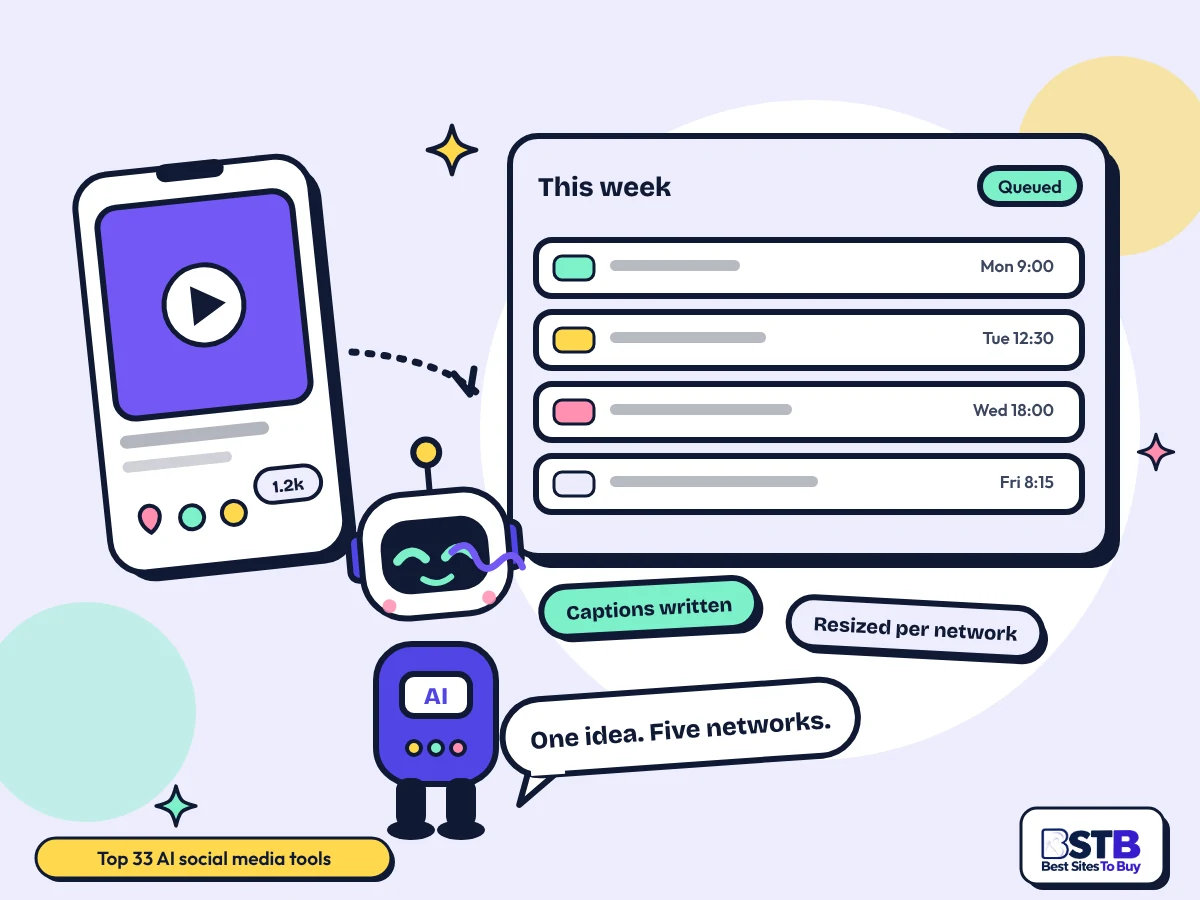
Best AI social media tools: Scout the BSTB robot between a phone showing a social video post and a weekly queue of scheduled posts marked queued

Why You Can Trust BSTB's AI Tool Listings

Every AI social media tool on this page has its own BSTB page with a pricing model, plan prices, the networks it posts to and a score from the same nine criteria.

  • One scoring method for every tool
  • Prices taken from each tool's official pages
  • Plain summaries of what the tool actually does

See how BSTB tests and scores AI tools.

The directory

Top 33 AI Social Media Tools, Ranked by BSTB Score

Sprout Social leads at 4.2/5, with Buffer, Hootsuite, Creatify and five others at 4.1/5; filter by price or by the job you need done.

Show:

Showing 33 of 33. Picked from the 119 tools listed in the BSTB Social Media category, ranked by overall score.

Sprout Social

4.2/5Paid

Enterprise social suite covering publishing, a unified inbox, listening and the Trellis AI layer across all of it.

  • Best for: Large teams that need listening too
  • Price: 30-day free trial; Essentials $79/seat/mo annual ($99 monthly); Standard $199/seat/mo; Professional $299/seat/mo
Read the Sprout Social review

Anyword

4.1/5Paid

Scores marketing copy against predicted performance before you publish it, with social posts one of many formats.

  • Best for: Predicting which wording performs
  • Price: Starter $49/mo ($39 yearly); Data-Driven $99/mo ($79 yearly); Business and Enterprise custom
Read the Anyword review

Buffer

4.1/5Freemium

Per-channel social scheduler with an AI assistant for captions, plus analytics and a comment inbox.

  • Best for: Paying only for the channels you use
  • Price: Free $0; Essentials $5 per channel/mo ($60/channel/yr); Team $10 per channel/mo
Read the Buffer review

Castmagic

4.1/5Paid

Turns podcasts and recorded meetings into show notes, social posts and clips, so one recording feeds a week of posts.

  • Best for: Podcasters feeding a content calendar
  • Price: Free trial; Hobby $19/mo ($239/yr); Starter $48/mo ($579/yr); Team $139/mo; Business and Scale $699+
Read the Castmagic review

Hootsuite

4.1/5Paid

Multi-account scheduling, inbox and reporting with AI post drafting, the long-standing management suite.

  • Best for: Managing many accounts at once
  • Price: 14-day free trial; Standard from $99/user/mo annual; Professional from $199/user/mo; Advanced up to $399/user/mo
Read the Hootsuite review

Munch Studio

4.1/5Paid

Sets the content strategy first, then produces the posts and short videos against it, pitched as an AI social manager.

  • Best for: Small businesses with no social person
  • Price: Essential $38/mo billed annually ($456); Premium $60/mo ($720); Studio $148/mo; Scale $398/mo
Read the Munch Studio review

PosterMyWall

4.1/5Freemium

Template-driven design for social posts and videos with scheduling built in, alongside posters, flyers and email.

  • Best for: Design and scheduling in one place
  • Price: Free $0; Premium $13/mo ($109/yr); Premium Plus $30/mo ($319/yr); pay per download $5.99 to $14.95
Read the PosterMyWall review

SocialBee

4.1/5Paid

Category-based scheduler across ten networks with an AI copilot, built around recycling evergreen posts.

  • Best for: Recycling evergreen content
  • Price: Bootstrap $29/mo ($24.20 annual); Accelerate $49/mo ($40.80 annual); Pro $99/mo
Read the SocialBee review
Paid prices reported, not published

vidIQ

4.1/5Freemium

YouTube channel analytics with keyword research and title and thumbnail scoring, useful only if YouTube is your channel.

  • Best for: YouTube creators, nothing else
  • Price: Free $0; Boost reported $39/mo or $199/yr; Max reported $39/mo yearly; coaching tiers higher
  • Status: Paid prices reported, not published (see review)
Read the vidIQ review

Aidelly

4.0/5Paid

Agency-focused drafting and publishing across 11 networks, priced in tiers that assume multiple client brands.

  • Best for: Agencies running several brands
  • Price: 7-day free trial; Launch $39/mo; Scale $129/mo; Agency $349/mo; Enterprise custom
Read the Aidelly review
Meta ads reported in beta

Blaze

4.0/5Paid

Plans, writes, designs and publishes in a trained brand voice across social, blogs and ads rather than social alone.

  • Best for: Keeping one voice across channels
  • Price: Starter $79/mo; Growth $149/mo; All-In-One $999/mo
  • Status: Meta ads reported in beta (see review)
Read the Blaze review

Brandwatch

4.0/5Paid

Enterprise social listening and consumer intelligence, with influencer programmes attached, priced for large brands.

  • Best for: Listening at enterprise scale
  • Price: Consumer Intelligence, Social Media Management and Influencer Marketing all quote on request; no free plan
Read the Brandwatch review

MagicPost

4.0/5Paid

Drafts LinkedIn posts from a topic, a link or a file, then schedules them and tracks how they performed.

  • Best for: LinkedIn only, done properly
  • Price: Free trial; Growth $49/mo ($29/mo annual); Creator $69/mo ($39/mo annual); Agency $59/seat/mo
Read the MagicPost review

Pencil

4.0/5Paid

Generates, scores and launches ad creative across paid channels, with social placements as a core output.

  • Best for: Testing creative before spending
  • Price: Free trial; Core $14/mo ($11 annual); Growth $55/mo ($44 annual); Pro custom
Read the Pencil review
Mobile apps listed coming soon

Postly

4.0/5Paid

Multi-network scheduler with campaign automation and a CRM inbox, priced per channel rather than per seat.

  • Best for: Many channels on a small budget
  • Price: Pro $16/mo for 5 channels ($192/yr); extra channels from $0.80 each; Enterprise from $2,870.40/yr
  • Status: Mobile apps listed coming soon (see review)
Read the Postly review
Formerly vidyo.ai

quso.ai

4.0/5Freemium

Cuts long video into captioned social clips and schedules the posts, so clipping and publishing sit in one tool.

  • Best for: Clipping and posting together
  • Price: Free $0; Lite $29/mo ($19 yearly); Essential $39/mo ($26 yearly); Growth $49/mo ($33 yearly)
  • Status: Formerly vidyo.ai (see review)
Read the quso.ai review

Zoho Social

4.0/5Freemium

Social publishing, monitoring and reporting that ties into the wider Zoho stack, which is the reason most people pick it.

  • Best for: Teams already running Zoho
  • Price: Free $0; Standard $10/mo annual ($15 monthly); Professional $30/mo annual; Premium $40/mo annual
Read the Zoho Social review

Flick

3.9/5Paid

Social assistant that drafts captions and content plans and then schedules them, with hashtag research built in.

  • Best for: Caption and hashtag work
  • Price: Solo GBP 11/mo billed yearly; Pro GBP 24/mo; Agency GBP 55/mo; add-ons from GBP 4/mo
Read the Flick review

Proxima

3.9/5Freemium

Audience and creative intelligence for paid social, built on Shopify signals rather than platform data alone.

  • Best for: Ecommerce brands buying paid social
  • Price: Conversion Intelligence $0, no card; Intelligence plus Execution from $250/mo; higher tiers on request
Read the Proxima review

Adcreative.ai

3.8/5Paid

Generates banners, copy and video ads sized for each social network and scores them for predicted click-through.

  • Best for: Volume ad variants with a score
  • Price: 7-day free trial; Starter $39/mo ($20 yearly); Professional $249/mo ($125 yearly); Ultimate $999
Read the Adcreative.ai review

aicut

3.8/5Freemium

Turns a prompt or an image into a faceless short with script, voiceover, captions and scenes generated together.

  • Best for: Shorts from a prompt
  • Price: Free $0, tokens $0.60 each; Creator $19.99/mo ($149.99/yr); Automate $39.99/mo ($299.99/yr)
Read the aicut review

Instories

3.8/5Freemium

Template maker where every format is social-native: Stories, Reels, TikToks and ads with animated text.

  • Best for: Animated templates, fast
  • Price: Free $0; Pro $14.99/mo or $119.99/yr; AI Max $25.00 to $25.99
Read the Instories review
Availability unclear

Notch

3.8/5Paid

An agent team that builds and iterates Meta ad creative for direct-to-consumer brands, with Meta as the whole product.

  • Best for: Meta ads for DTC brands
  • Price: Enterprise custom, quoted after a demo; Basic and Pro tiers not listed
  • Status: Availability unclear (see review)
Read the Notch review

SmartlyQ

3.8/5Paid

All-in-one marketing suite where social scheduling sits alongside clipping, chatbots and a CRM.

  • Best for: One suite instead of four tools
  • Price: Pro EUR 97/mo; Business EUR 297/mo; Enterprise EUR 497/mo; custom on request
Read the SmartlyQ review

Taja AI

3.8/5Paid

Turns long YouTube video into shorts, clips, thumbnails and the metadata around them in one pass.

  • Best for: YouTube repurposing end to end
  • Price: 7-day free trial; Starter $19.99/mo ($15.99 annual); Professional $49.99/mo ($39.99 annual); Teams higher
Read the Taja AI review

Taplio

3.8/5Paid

LinkedIn growth suite combining AI post writing, scheduling, analytics and lead lists in one place.

  • Best for: Building a LinkedIn presence
  • Price: 7-day free trial; Starter $39/mo ($32 annual); Growth $69/mo ($49 annual); Pro $199/mo ($149 annual)
Read the Taplio review
Some channels in beta

UGO

3.8/5Freemium

Autonomous local marketing agent that writes, publishes and tracks social posts with minimal input from the owner.

  • Best for: Local businesses who will not log in
  • Price: Free $0; Autopilot $149/mo; Authority $299/mo; Concierge $499/mo
  • Status: Some channels in beta (see review)
Read the UGO review
The basics

What Are AI Social Media Tools?

AI social media tools generate and schedule social content and then measure it. They write captions, design or cut the creative, queue posts across networks and report what performed.

The category splits into five jobs that barely overlap. Schedulers such as Buffer, Hootsuite and SocialBee queue and publish. Content tools such as Flick and AICarousels write captions and build carousels. Short-video tools such as quso.ai and Spikes Studio cut long footage into clips. Ad tools such as Creatify build paid creative. Listening tools such as Brandwatch tell you what is being said.

What they are genuinely good at is volume and consistency: never missing a slot, resizing once and posting everywhere, turning one long video into a fortnight of clips. What they are weakest at is sounding like you, which is why the best results still come from editing what they produce rather than publishing it raw.

How Do AI Social Media Tools Work?

You connect your accounts, give the tool a brand voice or a source file, it generates captions and creative sized per network, you approve them, and it publishes to a schedule and reports back.

  1. You connect the accounts

    OAuth to each network. This is also where the tool gains whatever access it has, which is worth reading before you click allow.

  2. It learns a voice or reads a source

    Either from your past posts, a brand guide you paste, or a long video or podcast it chops up.

  3. It generates per network

    The same idea resized and rewritten for each platform, because a LinkedIn post and a TikTok caption are not the same object.

  4. It queues and reports

    Posts go out on a schedule and the tool reports engagement. The reporting is usually the weakest part of a cheap tool.

What Can You Do With an AI Social Media Tool?

Write captions in your voice, resize one idea for every network, cut long video into clips, build carousels, schedule weeks ahead, generate paid ad variants and see what is being said about you.

  • Write captions at volume: the most common use, and the one that saves the most time.
  • Post once, everywhere: one idea resized and rewritten per network rather than copied across.
  • Cut long video into clips: a single recording becomes a fortnight of short-form posts.
  • Build carousels: a social-native format most general design tools handle badly.
  • Schedule weeks ahead: the queue is what keeps posting consistent when the week gets busy.
  • Test ad creative: dozens of variants scored before you spend anything on them.
By social job

Best AI Social Media Tools by Job

Pick by the job: queueing and publishing, writing the posts, making short video, building paid ad creative, or measuring and listening.

Scheduling and publishing

Social media scheduling, planning and publishing across networks, usually with a unified inbox attached. The largest group here.

Posts, captions and carousels

Captions, posts and carousels. Writing and design tools built for social formats rather than general copy tools.

Short video for social

Short-form video for feeds, either cut from long footage or generated from a script.

Paid social ad creative

Paid social ad creative: variants, scoring and iteration, mostly for Meta and ecommerce brands.

  • Creatify: UGC-style ads without a creator
  • Pencil: Testing creative before spending
  • Proxima: Ecommerce brands buying paid social
  • Adcreative.ai: Volume ad variants with a score
  • Notch: Meta ads for DTC brands

Analytics and listening

Performance analytics and social listening. The thinnest group in the whole category, with only two credible options.

  • vidIQ: YouTube creators, nothing else
  • Brandwatch: Listening at enterprise scale
Know the difference

All-in-One Suite vs Single-Job Tool

AI social media management splits two ways. A suite covers publishing, inbox and reporting for one price. A single-job tool does one thing better and costs less. Most small teams end up with one suite and one specialist, not one of everything.

All-in-one social suiteSingle-job tool
What it coversPublishing, inbox, analytics, sometimes listeningOne job, done properly
Typical price$29 to $299 a seat a month$9 to $49 a month
Best whenSeveral people and several accountsOne person, or one job that hurts
Weak pointThe AI writing is usually averageNothing joins up, you export between tools
Watch forPer-seat pricing multiplying fastPaying four subscriptions by accident
On this pageSprout Social, Hootsuite, SocialBee, Zoho Social, PostlyMagicPost, Taplio, AICarousels, Vsub, Notch
What to look for

What Makes a Good AI Social Media Tool?

A good one posts natively to the networks you actually use, learns your voice from your own posts, is clear about what access it takes, prices in a way that survives growth, and does not quietly burn credits.

  • Native posting where you postSome networks only allow reminder posting rather than true auto-publishing. Check yours specifically, because this is where cheap tools disappoint.
  • Learns your voice from your postsA tool trained on your back catalogue writes better than one working from a prompt. Generic brand voice settings produce generic posts.
  • Clear about account accessYou are granting access to your brand accounts and sometimes your DMs. Read what the tool can do, not just what it says it does.
  • Pricing that survives growthPer channel, per seat and per brand all scale very differently. Price the setup you will have in a year.
  • Credits that are not a cliffGeneration credits run out mid-month and almost nobody explains the failure mode. Ask before you depend on it.
  • Reporting you would actually useMost cheap tools report reach and likes. Whether that connects to anything commercial is the question worth asking.

These overlap with BSTB's nine scoring criteria, which also weigh ease of use, speed, support and integrations.

Step by step

A Week of Posting, Start to Finish

Five steps: batch the source material once, generate per network rather than once, edit every caption, queue a week ahead, then read last week's numbers before you write the next batch.

  1. Batch the source once

    One recording, one shoot or one long article. Most of the time saving comes from doing this once rather than daily.

  2. Generate per network

    Not one caption copied five times. The tools that do this properly are the ones worth paying for.

  3. Edit every caption

    This is the step people skip and it is the step that decides whether the account sounds human. Budget a few minutes each.

  4. Queue a week ahead

    Consistency beats brilliance on social, and a queue is what survives a busy week.

  5. Read the numbers first

    Write next week's batch after looking at last week's, not before. Otherwise the AI just repeats itself.

Buyer checklist

How to Choose an AI Social Media Tool

Start from the networks you actually post to, decide whether you need a suite or one specialist, test the writing on your own brand, check how pricing scales and read what account access it takes.

  1. List your networks first

    Native publishing support varies more than the marketing suggests. This eliminates tools fastest.

  2. Suite or specialist

    One of each is the common answer. Use the Social job filter above the grid.

  3. Test the writing on your brand

    Feed it your last ten posts and see whether the output sounds like you or like everyone.

  4. Model the price at scale

    Per channel, per seat or per brand. Work out the cost at the size you expect to be.

  5. Read the access scopes

    Especially anything touching DMs, comments or ad accounts.

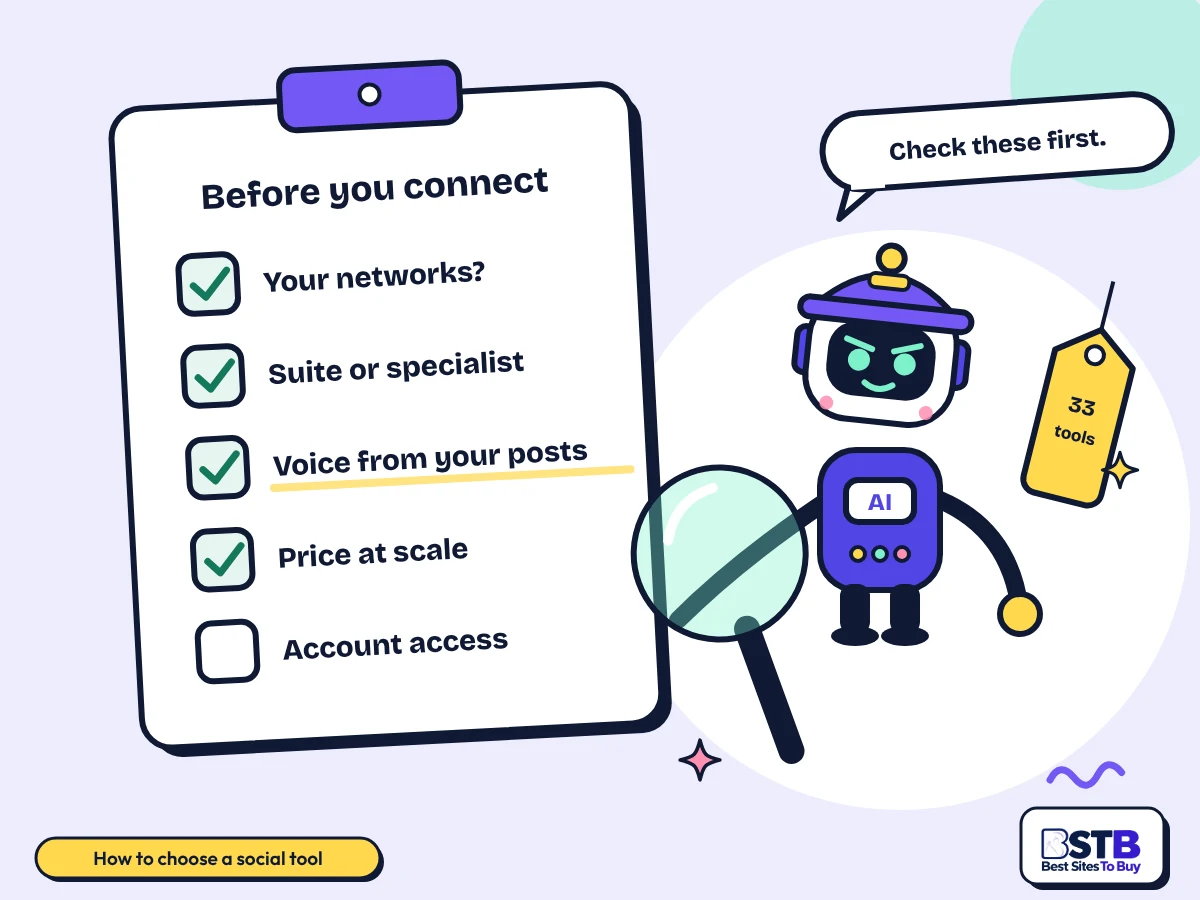
How to choose an AI social media tool: a checklist reading your networks, suite or specialist, voice from your posts, price at scale and account access
Native publishing to your actual networks eliminates tools faster than any feature list.
Pricing

Free vs Paid AI Social Media Tools

13 of the 33 tools here have a free tier and 20 are paid or trial only, with entry plans from about $9 a month and enterprise suites reaching $299 a seat.

Pricing modelTools in the top 30What you getTools
Free0 of 33Everything free, no paid tier
Freemium13 of 33Free plan with limits, paid upgradeBuffer, Creatify, PosterMyWall, vidIQ, quso.ai, Robopost AI, Zoho Social, Proxima, Spikes Studio, AICarousels, aicut, Instories, UGO
Paid20 of 33Paid only, sometimes with a trialSprout Social, Anyword, Castmagic, Hootsuite, Munch Studio, SocialBee, Aidelly, Blaze, Brandwatch, MagicPost, Pencil, Postly, Flick, Vid.AI, Adcreative.ai, Notch, SmartlyQ, Taja AI, Taplio, Vsub

Prices come from each tool's BSTB page. The pricing shapes differ enough to make comparison hard: some charge per channel, some per seat, some per brand. A $5 per channel tool is cheaper than a $29 flat tool until you add the sixth channel. Two tools here price in euros and one in pounds, so convert before comparing. Confirm on the vendor's own site before you buy.

Use with care

Limits, Platform Rules and Disclosure

Generated posts sound generic without editing, platform rules on AI content and labelling are tightening, auto-replies handle complaints badly, and credits run out at the worst moment.

  • Generic voice: unedited AI captions read like unedited AI captions, and audiences notice before you do.
  • Platform labelling: major networks now expect AI-generated media to be disclosed, and the rules differ per platform and keep changing.
  • Reach effects: platforms have signalled they will down-rank unoriginal and mass-produced content. Volume alone is not a strategy.
  • Auto-replies and complaints: automated responses to an angry customer make things worse. Keep a human on anything negative.
  • Credit cliffs: generation credits run out mid-month and most tools do not explain what happens next.
  • Account access: scheduling tools hold tokens to your brand accounts. Review and revoke when you stop using one.
Our method

How BSTB Rates AI Social Media Tools

BSTB scores every one of these social media tools on the same nine criteria, and the overall score on each card is the plain average of the nine.

  • Accuracy and Reliability
  • Ease of Use
  • Functionality and Features
  • Performance and Speed
  • Customization and Flexibility
  • Data Privacy and Security
  • Support and Resources
  • Cost-Efficiency
  • Integration Capabilities

Scores are based on each tool's official pages, documentation, pricing and public user feedback. Read the full method on how BSTB tests and scores tools.

Related AI Tool Categories

Social media tools overlap with these categories. Browse them when you need a narrower tool, or go back to the full AI tools directory.

FAQs

AI Social Media Tools: Frequently Asked Questions

PLACEHOLDER - rewritten once the client FAQ list arrives.

What Makes the Best AI Social Media Tool?

Native publishing to the networks you actually use, writing that learns from your own posts rather than a prompt, pricing that survives growth and reporting you would genuinely act on.

Feature lists across this category are nearly identical. What separates the tools in practice is whether they publish natively to your networks and whether the writing sounds like you after editing rather than before.

  • Native publishing: check your specific networks; reminder-only posting is common.
  • Voice from your posts: not a dropdown of tones. Train it on your back catalogue.
  • Pricing that scales: per channel, per seat and per brand diverge fast.
  • Useful reporting: reach and likes are easy; commercial impact is not.

Test with your own last ten posts. Sample content tells you nothing about voice.
How Are These AI Social Media Tools Tested and Ranked?

BSTB scores every tool on the same nine criteria and ranks by the average, ties alphabetically. 119 tools are listed in this category, 60 were checked page by page and 33 are on this page.

The shortlist from 119 to 60 was made from the listing descriptions, keeping anything with a genuine social function and dropping general image, video and writing tools that merely carry the tag. Every one of the 60 was then opened and scored.

  • Nine criteria: each scored separately, then averaged.
  • 119 listed, 60 checked: the shortlist is stated rather than hidden.
  • Cut at 3.8: the page ends at a score boundary, not mid-tier.
  • Full method: see how BSTB tests and scores tools.

Card ratings on the category listing all show 0.0 and are not used for ranking anywhere.

What Are the Best AI Social Media Tools Right Now?

Sprout Social leads at 4.2/5 for large teams, Buffer at 4.1/5 is the best value scheduler, and Creatify at 4.1/5 leads on paid social creative.

There is no single best tool because the five jobs here do not overlap. A scheduler and a short-video cutter are not substitutes, and most teams that are happy are running one of each rather than one of everything.

  • Teams and listening: Sprout Social, 4.2/5.
  • Value scheduling: Buffer at $5 per channel, or Robopost from $9 a month.
  • Short video: quso.ai at 4.0/5 combines clipping with scheduling.
  • LinkedIn only: MagicPost or Taplio, both built for one network.

Pick by job first. The filter above the grid does this in one click.

How Much Do AI Social Media Tools Cost and Is Paying Worth It?

Entry plans start around $9 a month and enterprise suites reach $299 a seat. The honest answer on value is that it depends on volume: below a few posts a week, the free tiers are enough.

The thing that makes comparison hard is that the pricing shapes differ. Per channel, per seat and per brand scale completely differently, so the cheapest tool at three channels is often not the cheapest at ten.

  • Per channel: Buffer from $5, Postly from $16 for five channels.
  • Flat monthly: Robopost from $9, SocialBee from $29.
  • Per seat: Hootsuite from $99, Sprout Social from $79.
  • Agency tiers: Aidelly and Flick price explicitly for multiple brands.

Model the price at the number of channels and people you expect in a year, not today.

How Do I Choose the Right AI Social Media Tool for My Needs?

Start with the networks you post to, because native publishing support eliminates tools faster than any feature comparison. Then decide whether you need a suite or a specialist.

Most teams that are satisfied run one scheduler plus one specialist for whatever hurts most, usually short video or carousels. Buying one suite and expecting it to be good at everything is the common mistake.

  • Networks first: some tools only offer reminder posting on some platforms.
  • One suite, one specialist: the usual shape of a working stack.
  • Test the writing: on your own brand, with your own past posts.
  • Check access scopes: particularly for DMs, comments and ad accounts.

If a tool cannot auto-publish to your main network, nothing else about it matters.

What Is the Best Free AI Social Media Tool?

Buffer has the most usable free plan for scheduling, Spikes Studio has a genuinely free clipping tier, and Robopost AI is the cheapest credible paid upgrade from free.

13 of the 33 tools here have a free tier. The limits are almost always channel count or generation credits rather than time, so a free plan is a real option for one person posting to two or three accounts.

  • Buffer: 4.1/5; free plan covers basic scheduling on a few channels.
  • Spikes Studio: 3.9/5; Basic tier is free for clipping.
  • Zoho Social: 4.0/5; free tier, strongest if you already use Zoho.
  • Watch the cap: credits and channel counts, not a time limit.

Free tiers here are limited by channels and credits, so count both before committing.

Can AI Write Good Social Media Captions?

It can write usable ones quickly, and good ones only after editing. The tools that perform best are the ones trained on your existing posts rather than working from a tone setting.

The failure mode is sameness. AI captions converge on the same rhythms and the same openers, and an audience reading several of them in a row notices. The fix is cheap: edit every caption, and keep the opening line yours.

  • Trained on your posts: Flick, Taplio and MagicPost all learn from your back catalogue.
  • Keep the first line: the opener is what stops the scroll, and it is what AI writes worst.
  • Vary deliberately: ask for different structures, not just different words.
  • Never bulk publish unread: the cost of one bad caption is higher than the time saved.

Use it for the draft and the variants. Write the hook yourself.

How Do AI Social Media Tools Help With Analytics?

Most report reach, engagement and best posting times. Only two tools in this whole category do proper analytics or listening, which makes it the thinnest group here by a wide margin.

Brandwatch at 4.0/5 is the enterprise listening option and vidIQ at 4.1/5 covers YouTube only. Everything else reports on the posts it published, which is useful but is not the same as knowing what is being said about you.

  • Publishing analytics: included in most schedulers, limited to your own posts.
  • Listening: Brandwatch only, at enterprise pricing.
  • YouTube specifics: vidIQ for keyword, title and thumbnail scoring.
  • Missing: cross-platform commercial attribution, across the whole category.

If listening matters to you, this category has exactly one real answer and it is not cheap.

Do Instagram, TikTok and LinkedIn Allow AI Generated Posts, and Must You Label Them?

Posting AI-assisted content is allowed on all the major networks. Labelling is the part that is tightening: platforms increasingly expect AI-generated images, video and audio to be disclosed, and several apply labels automatically.

No competitor page covers this, which is remarkable given how fast the rules are moving. The distinction that matters is between AI-assisted text, which generally needs no label, and synthetic or realistic AI media, which increasingly does.

  • AI-written captions: generally no label required on any major network.
  • AI-generated images and video: disclosure expected, and often auto-detected and labelled.
  • Paid ads: stricter again, particularly for anything political or health-related.
  • Rules change: check each platform's current policy rather than trusting a blog post.

Label synthetic media. The reputational cost of being caught not labelling exceeds any reach benefit.

Will Posting AI Content Hurt My Reach?

Not for using AI, but potentially for what it encourages. Platforms have signalled they will down-rank unoriginal and mass-produced content, and the easiest way to produce that is with an AI tool and no editing.

The risk is volume without variation. Twenty near-identical posts generated from one prompt look exactly like what recommendation systems are being tuned to demote. Edited, varied AI-assisted content does not have this problem.

  • Risk is sameness: not the tool, the unedited output of the tool.
  • Vary structure: not just wording, across a batch.
  • Original media helps: your own footage and photos outperform stock and generated visuals.
  • Watch your own numbers: a drop after switching tools is the signal that matters.

Posting more is not a strategy. Posting more of the same thing is actively a risk.

What Access Does a Social Media Tool Get to My Accounts?

More than most people check. Scheduling tools hold OAuth tokens that typically allow publishing, reading analytics and, for inbox features, reading and replying to comments and direct messages.

No competitor page raises this. The questions worth asking are what scopes the tool requests, whether your brand content or customer DMs are used to train anything, and how to revoke access when you stop using it.

  • Read the scopes: at the point of connecting, not after.
  • DMs and comments: inbox features require access to customer conversations.
  • Training on your content: free tiers often reserve broader rights than paid ones.
  • Revoke properly: in each network's app settings, not just by cancelling the plan.

Review connected apps on each network twice a year and remove anything you no longer use.

Can AI Handle Comments and Direct Messages?

Barely, in this category. Exactly one of the 119 tools listed does comment and DM management as its main job, which makes community management the biggest hole in the whole category.

Suites such as Sprout Social and Hootsuite include a unified inbox, which is a place to read and reply rather than an AI that handles it for you. For anything negative, that is the correct design.

  • Unified inboxes: Sprout Social, Hootsuite and Postly collect messages in one place.
  • Dedicated AI engagement: one tool in 119, which is why there is no filter group for it.
  • Never automate complaints: an auto-reply to an angry customer escalates it.
  • Auto-replies sound robotic: use them for FAQs and opening hours at most.

Automate the routine, read the rest. Community management is the last thing to hand over.

Do These Tools Work in Languages Other Than English?

Most claim multilingual output and few are tested on it. Quality outside the major European languages varies sharply, and brand voice training is almost always English-first.

No competitor page mentions language at all. In practice, a tool that writes well in English can produce stiff, literal copy in another language, and the voice training that makes English output good rarely transfers.

  • Test in your language: not English, with your own brand's past posts.
  • Voice transfer is weak: tone training is usually learned from English examples.
  • Captions and subtitles: video tools generally handle more languages than writing tools.
  • Local idiom: the thing AI gets wrong most often, and the thing audiences notice.

If you post in two languages, test both before paying. They will not be equally good.

How Does BSTB Score AI Social Media Tools?

BSTB scores every social media tool on nine criteria: accuracy and reliability, ease of use, functionality, performance, customisation, data privacy, support, cost-efficiency and integrations.

The score on each card is the plain average of those nine. Scores come from each tool's official documentation, pricing pages and public user feedback, and every tool keeps its own page with the full breakdown.

  • Nine criteria: each scored separately, then averaged.
  • Evidence: official docs, pricing pages, public reviews.
  • Ranking here: the grid is ordered by overall score, ties alphabetically.
  • Full method: see how BSTB tests and scores tools.

Cost-efficiency carries weight here, because per-channel and per-seat pricing diverge so sharply.

How Often Is This List of AI Social Media Tools Updated?

BSTB rechecks this list whenever a tool changes its pricing, plans or availability, and reviews the whole category on a rolling basis as new tools are listed.

This is the fastest-moving category on the site. Tools launch, rename and shut down constantly, and platform API changes can remove a network from a tool overnight. Each tool's own BSTB page carries the last checked figures.

  • Rolling review: rechecked as tools launch, change price or disappear.
  • Status flags: shown on the card when a tool cannot be confirmed as generally available.
  • Per-tool pages: the detail lives on each tool's own review page.
  • Spotted a change: tell us through the contact page.

Always confirm that a tool still publishes natively to your network before paying.

Psst! Built an AI social tool?

Get Your AI Social Media Tool Listed on BSTB

Send us your tool's name, website and pricing. The BSTB team reviews every submission before it joins the AI tools directory.

List your AI social media tool on BSTB: a rocket labelled BSTB-1 carrying Scout towards a directory card with a freemium badge and a nine point score
On this page