Best AI Logo Generators 2026: Free AI Logo Makers - BSTB

10 tools

10 Best AI Logo Generators for Business Logos, Brand Icons and Startups

AI logo generators design a logo from your business name and a few style choices, then let you edit it and download the files. This page ranks the 10 best AI logo makers on BSTB by their 9-criterion score, with what you can edit, which file formats you get, whether you own the result, and what it really costs.

Top 10 of 12 tools 8 of 10 free to start
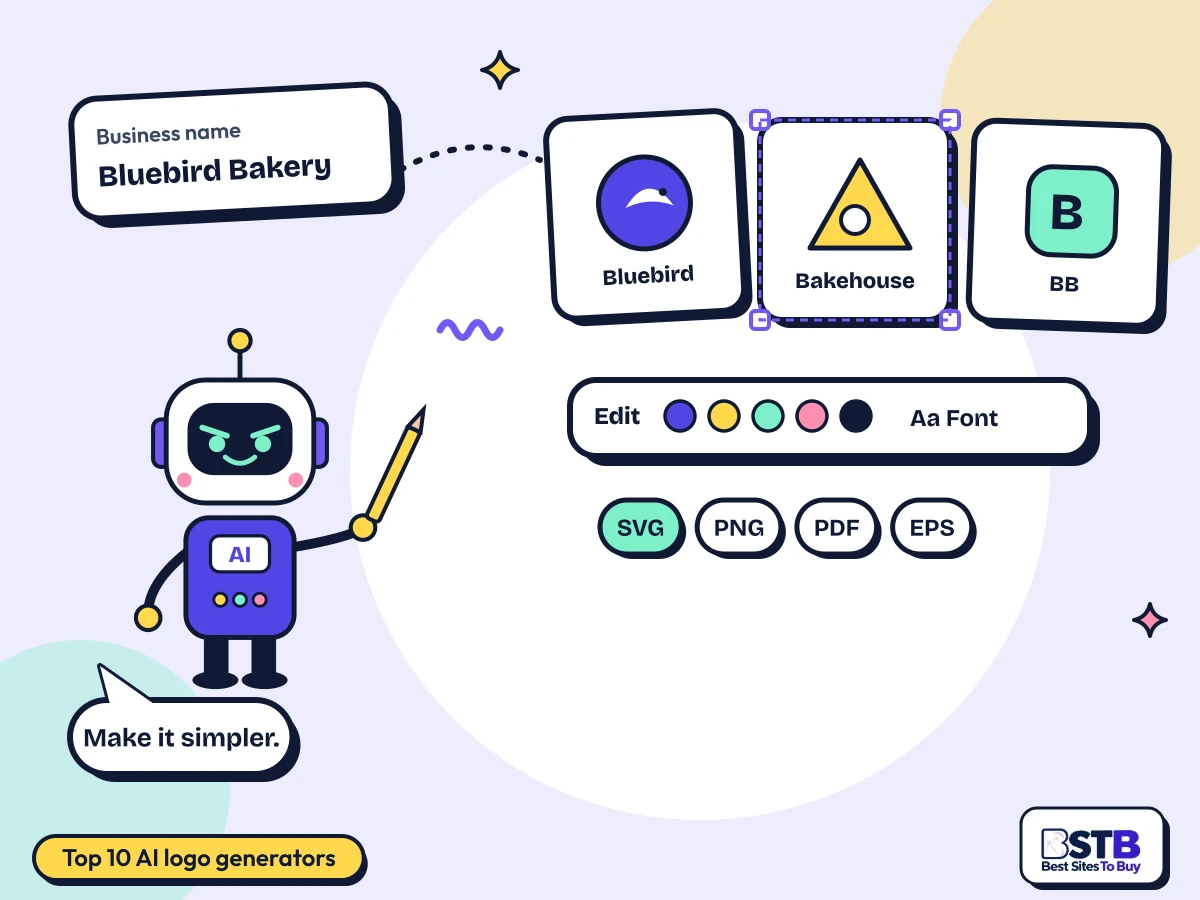
Best AI logo generators: Scout the BSTB robot with a pencil beside a business name card and three logo concepts, one selected for editing

Why You Can Trust BSTB's AI Tool Listings

Every one of these AI logo generators online has its own BSTB page with a pricing model, plan prices, export formats, ownership terms and a score from the same nine criteria.

  • One scoring method for every tool
  • Prices taken from each tool's official pages
  • Plain summaries of what the tool actually does

See how BSTB tests and scores AI tools.

The directory

Top 10 AI Logo Generators, Ranked by BSTB Score

Design.com and Wix Logo Maker lead at 4.0/5, with three tools at 3.9/5. Filter the best AI logo generators by price or by what you need.

Show:

Showing 10 of 10.

Design.com

4.0/5Freemium

Browser platform that turns a business name, keywords and industry into logo concepts, then reuses them across cards, print items, social posts and a simple site.

  • Best for: A cheap logo with a full brand kit
  • Price: Free to create; Starter $3/mo yearly (reported)
Read the Design.com review
Formerly Logojoy

Looka

3.9/5Paid

Logo and brand kit maker that generates concepts from a business name, industry, style and colours, refined in a browser editor before buying files or a yearly kit.

  • Best for: Logo packages plus a brand kit
  • Price: Basic $20 one-off; Premium $65 one-off (reported)
Read the Looka review

Free browser logo maker from a domain registrar that combines a brand name, chosen fonts, colours and icons into many editable variations.

  • Best for: Free logos with no watermark
  • Price: Free, PNG and SVG downloads
Read the Namecheap Logo Maker review

BrandCrowd

3.8/5Freemium

Builds editable logo designs from a company name plus keywords and carries them into cards, social graphics, print templates and a simple site.

  • Best for: Budget logos with brand templates
  • Price: Free to design; premium from about $4/mo yearly (reported)
Read the BrandCrowd review
Logo files sold by Brandmark.io

Namelix

3.8/5Freemium

Free name generator that turns a handful of keywords into short brandable company names, with domain checks and a Brandmark logo preview per name.

  • Best for: A brand name with a logo preview
  • Price: Free names; Brandmark logo from $25 one-off (reported)
Read the Namelix review

LogoAI

3.6/5Paid

Browser logo and branding platform that generates logos from a business name and industry, then builds palettes, font pairings, social graphics and short videos around them.

  • Best for: A logo with social icons and brand kit
  • Price: $10 7-day trial; Pro $20/mo
Read the LogoAI review
The basics

What Are AI Logo Generators?

AI logo generators create logo designs from your business name, industry and style preferences. You pick a concept, edit the colours, fonts and symbol, then download the files.

Most of them work the same way: you type your business name, choose an industry and a few styles you like, and the tool combines a symbol, a font and a colour palette into dozens of options. 8 of the 12 tools BSTB lists here start from your business name. Only 2 accept a free text prompt describing the logo, and one of those no longer features its logo tool, so Stockimg AI is the only one on this page.

The real differences are after you pick a design: how much you can edit, which files you get, and what rights come with them. 9 of the 12 let you edit fonts, colours and symbols, and 9 export a vector file. But 4 of those 9 offer SVG only, and none lists the Adobe Illustrator format. Only 1 claims any kind of trademark or IP check, and only 3 say you own the logo; others grant a licence to use it.

Two listed tools are left off this page: a business-name generator with no logo tool of its own, and an AI workspace whose logo designer is no longer featured on its own pages.

How Do AI Logo Generators Work?

They combine a symbol, a font and a colour palette, guided by your name, industry and style picks, then let you refine the layout before you pay.

  1. You enter your name

    Business name, an optional slogan and your industry, which steers the symbols it suggests.

  2. You pick styles

    Colours, fonts and example logos you like. This narrows the options.

  3. It generates concepts

    Dozens of layouts combining a mark, a font and a palette, usually in seconds.

  4. You edit and download

    Adjust the symbol, font and spacing, then pay for the files you need.

What Can You Do With an AI Logo Maker?

Get a logo for a new business in minutes, explore concepts before hiring a designer, make brand icons and social avatars, and generate matching business cards and social templates.

  • A first logo, fast: a usable logo for a side project or new business in minutes.
  • Concept exploration: dozens of directions to react to before you brief a designer.
  • Brand kits: business cards, letterheads and social templates in the same style.
  • Brand icons: app icons, favicons and social avatars from the logo mark.
  • Minimalist marks: simple icon-and-wordmark logos that work small.
  • Startup bundles: logo with a domain name, website or company formation.

By job

Best AI Logo Generators by Job

Pick by the job: a business logo with a brand kit, a startup bundle, prompt concepts and icons, a free minimalist logo, or a one-off package. Tools that do two jobs well appear in both groups.

Business logos with brand kits

AI tools to create business logos, then cards, letterheads and social assets in the same style. AI logo generators for business teams.

  • Design.com: A cheap logo with a full brand kit
  • Looka: Logo packages plus a brand kit
  • BrandCrowd: Budget logos with brand templates
  • LogoAI: A logo with social icons and brand kit

Logos for startups

AI tools to create logos for startups, bundled with a website, a brand name or company formation.

Prompt concepts and brand icons

AI tools to generate logo concepts from prompts, and AI tools to make brand icons. Only 1 tool here generates logos from a free text prompt.

Free and minimalist logos

AI tools to design minimalist logos for free, the easiest AI logo generators for beginners.

One-off logo packages

Pay once for the files instead of a subscription. Check exactly which formats each package includes.

Know the difference

AI Logo Maker vs Hiring a Designer

An AI logo maker gives you a usable logo in minutes for under $100. A designer gives you an original, researched mark you own outright. Use AI to start or to explore, and a designer when the brand must last.

AI logo makerHiring a designer
TimeMinutesDays to weeks
CostFree to about $100Hundreds to thousands
OriginalityBuilt from shared symbol librariesDrawn for you
OwnershipOften a licence; 3 of 12 say you own itUsually full rights transfer
Trademark readinessNot checked; look-alikes possibleResearch and originality built in
Best forSide projects, testing, early startupsA brand you will register and build on
On this pageDesign.com, Looka, Namecheap Logo Maker, LogoFastUse AI concepts as the brief

Several tools here warn that their symbols come from a shared library, so another business may end up with a similar mark.

What to look for

What Makes a Good AI Logo Generator?

The best AI logo maker lets you edit everything, exports a true vector file in every version and says plainly who owns the result. Clear pricing comes next.

  • Full editingFonts, colours, symbol and layout. 9 of 12 allow this; a few limit layout to presets.
  • True vector exportSVG, EPS or PDF so the logo scales cleanly. 4 of the 9 vector tools offer SVG only.
  • Every version you needColour, black, white and transparent, plus icon-only and text-only versions.
  • Clear ownershipOwnership or just a licence? Only 3 of 12 claim you own the logo.
  • Originality checksOnly 1 of 12 mentions any IP check. Plan to search trademark databases yourself.
  • Honest pricingOne-off or subscription, and whether you keep the files if you cancel.

These overlap with BSTB's nine scoring criteria, which also weigh ease of use, speed and support.

Step by step

Make an AI Logo, Step by Step

Enter your name and industry, pick a simple concept, edit it until it is yours and test it small. Then download every format and check trademark databases.

  1. Enter name and industry

    Add a slogan only if it must appear on the logo; most logos read better without one.

  2. Pick the simplest concept

    Simple marks work at small sizes and are easier to make distinctive.

  3. Edit until it is yours

    Change the symbol, font and colours. A barely edited template is the one most likely to look like someone else's.

  4. Test it small and in black

    Shrink it to favicon size and print it in one colour. If it fails, simplify.

  5. Download and check

    Get SVG, PNG with transparency and PDF, then search trademark databases for look-alikes.

Buyer checklist

How to Choose an AI Logo Generator

Check you can edit everything, that a vector file is in the price you will pay, who owns the logo, and whether the files stay yours if you cancel.

  1. Edit after generating

    Fonts, colours, symbol and layout, not just a colour swap.

  2. Vector files

    SVG at minimum, EPS or PDF for printers. Check which plan includes them.

  3. Looks unique

    Edit the concept, then run a reverse image search on it.

  4. You own it

    Ownership or a licence? Read the terms before you print anything.

  5. One-off or monthly

    Some logos are a one-off purchase; others need a subscription to download.

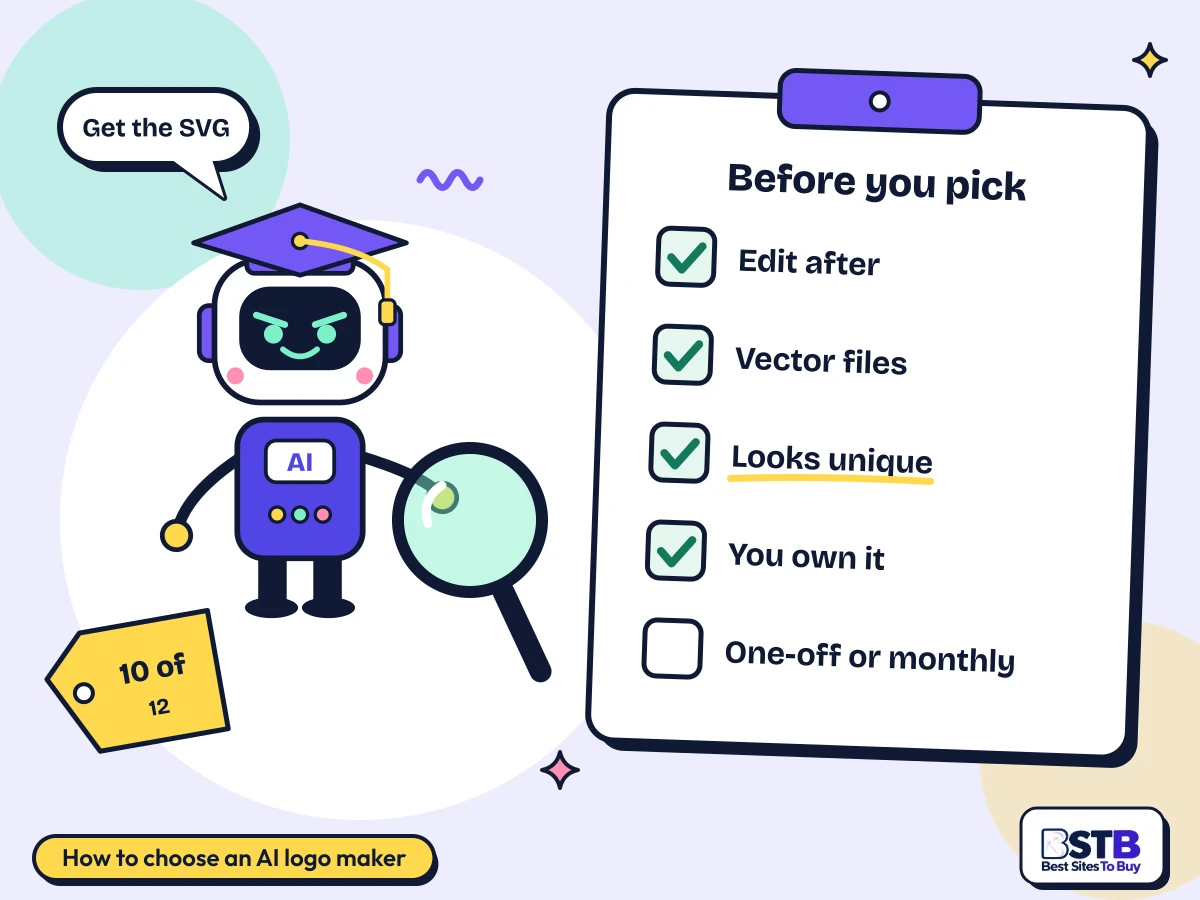
How to choose an AI logo generator: a checklist reading edit after, vector files, looks unique, you own it and one-off or monthly
Get the SVG, and read who owns it.
Pricing

Free vs Paid AI Logo Generators

Free AI logo generators exist but most stop at a low-resolution preview. 8 of the 10 here are free to start, and only two give free, watermark-free downloads.

Paid options split into one-off packages and subscriptions. Looka sells a Basic package at $20 for one low-resolution PNG and a Premium package at $65. Namelix's logo files come from its sister product Brandmark, from $25. Subscriptions run from about $3 a month for Design.com Starter billed yearly to $20 a month for LogoAI Pro. Tailor Brands now bundles logos with company formation plans from $199 a year.

Pricing modelTools on this pageWhat you getTools
Free2 of 10Everything free, no paid tierNamecheap Logo Maker, LogoFast
Freemium6 of 10Free plan with limits, paid upgradeDesign.com, Wix Logo Maker, Stockimg AI, BrandCrowd, Namelix, Tailor Brands
Paid2 of 10Paid only, sometimes with a trialLooka, LogoAI

Prices come from each tool's BSTB page; most are marked reported because official pages hide or contradict them. Three cautions. A free preview is not a free logo. Check whether you keep the files after cancelling a subscription. And vector files often sit on the more expensive tier.

Use with care

Limits and Rights

AI logos are built from shared symbol libraries, so look-alikes are possible, ownership is often a licence rather than a transfer, and almost no tool checks for existing trademarks. Plan for all three.

  • Look-alikes are possible: several tools draw on shared symbol and icon libraries; another business may use the same mark.
  • No trademark checks: only 1 of 12 tools mentions an IP check; the rest tell you to search yourself.
  • Licence, not ownership: BrandCrowd, Wix and LogoAI grant commercial-use licences rather than ownership.
  • Vector support varies: 4 of 9 vector exporters offer SVG only, and none lists the AI format.
  • Copyright may not apply: in the US, purely AI-generated images cannot be registered for copyright; your edits can add protection.
  • Trademark is separate: a logo can still work as a trademark if it is distinctive and not confusingly similar to another.
Our method

How BSTB Rates AI Logo Generators

BSTB scores every one of these AI logo makers on the same nine criteria, and the overall score is the mean of the nine.

  • Accuracy and Reliability
  • Ease of Use
  • Functionality and Features
  • Performance and Speed
  • Customization and Flexibility
  • Data Privacy and Security
  • Support and Resources
  • Cost-Efficiency
  • Integration Capabilities

Scores are based on each tool's official pages, documentation, published pricing and hands-on checks where available. For logo generators, editing depth, export formats and licence clarity weigh most. Every overall score on this page matches the mean of its nine criteria to one decimal, checked in code for all 12 tools in the category. Read more about how BSTB tests and scores tools.

Related AI Tool Categories

Logo generators overlap with these categories. Browse them or see the full AI tools directory.

FAQs

AI Logo Generators: Frequently Asked Questions

Quick answers on creating a logo with AI, logos from a business name, making it unique, editing, vector files, registered businesses, look-alike checks and file formats.

How can I create a logo using AI?

Enter your business name and industry in an AI logo maker, pick a few styles, choose a concept, edit it, then pay for and download the files you need.

Design.com produces concepts from your name, keywords and industry in seconds, Looka adds a full brand kit, and Namecheap Logo Maker lets you download free PNG and SVG files with no watermark. Spend most of your time editing the concept you choose, because that is what makes it yours.

  • Name and industry: steer the symbols and fonts suggested.
  • Pick styles: colours and example logos you like.
  • Edit: symbol, font, colours, spacing.
  • Download: SVG, transparent PNG and PDF.

Can AI generate a logo from a business name?

Yes, it is how most of these tools work. 8 of the 12 tools in this category generate logos from your business name, usually with your industry and style picks.

Design.com, Looka, BrandCrowd, Tailor Brands, Wix Logo Maker and LogoAI all start from your name. Namelix goes a step further: it generates the brand name itself and shows a logo preview for each. Only Stockimg AI on this page generates from a free text description instead.

  • Name only: fast, but generic results.
  • Name plus industry: better symbol choices.
  • Name plus styles: the most relevant concepts.

No competitor page answers this as a question.

How do I make an AI logo look unique?

Edit the concept heavily: change the symbol, adjust the font and spacing, and pick your own colours. An unedited template is the version most likely to match another business.

Several tools warn that their symbols come from a shared library, and LogoFast's page notes that its shared icon set may make a logo harder to register. Simplify rather than decorate, test the logo small, and run a reverse image search before you commit.

  • Change the symbol: or combine two into one.
  • Customise the font: spacing, weight, a custom letter.
  • Own colours: not the default palette.
  • Reverse image search: to spot look-alikes.

Competitors ask whether AI logos are unique; none explains how to make one unique.

Can I edit fonts, colors, and symbols in an AI logo?

Yes, in most tools. 9 of the 12 tools here let you edit fonts, colours and symbols after generating, though some limit layout changes to presets.

BrandCrowd offers the most control, including curved text and spacing. Looka edits colours, fonts, symbols, layout and containers. Namecheap Logo Maker edits colours, fonts and icons but limits layout. Stockimg AI edits only through text instructions, and LogoFast has no font or wordmark editing at all.

  • Full editor: BrandCrowd, Looka, Design.com.
  • Limited layout: Namecheap Logo Maker, LogoAI.
  • Text edits only: Stockimg AI.

Can AI logo generators create vector files?

Most can. 9 of the 12 tools in this category export a vector file, but 4 offer SVG only and none lists the Adobe Illustrator format.

Looka, Design.com and BrandCrowd export SVG, EPS and PDF. Wix Logo Maker offers SVG only on its Advanced package and up. Namecheap Logo Maker gives free SVG. Vector files often sit on a more expensive plan, so check which tier includes them before you design.

  • SVG: web and most design apps.
  • EPS and PDF: printers and sign makers.
  • AI format: not listed by any tool here; convert from SVG or EPS if needed.

No competitor answers this as a question, yet it decides whether a logo works in print.

Can I use an AI-generated logo for a registered business?

Usually yes, if the licence allows commercial use. Registering it as a trademark is a separate question and depends on the logo being distinctive and not similar to an existing mark.

Read the terms: Looka reportedly grants full ownership with Premium, while BrandCrowd, Wix Logo Maker and LogoAI grant commercial-use licences rather than ownership. BrandCrowd sells an exclusive buy-out licence at extra cost. Tailor Brands sells trademark registration as an add-on.

  • Commercial licence: lets you use it for the business.
  • Ownership: matters if you want to stop others using it.
  • Trademark: needs distinctiveness and a clearance search.

This is general information, not legal advice. For a trademark filing, ask a trademark attorney.

Do AI logo tools check for existing or similar logos?

Almost none do. Only 1 of the 12 tools in this category, BrandCrowd, says its designs pass manual IP checks. The rest tell you to search trademark databases yourself.

Namecheap Logo Maker's FAQ says it cannot help with trademarks, Wix Logo Maker advises searching trademark databases, and Namelix points users to the US and EU trademark offices. Search the trademark database for each country you trade in, and run a reverse image search.

  • Trademark databases: for each country you operate in.
  • Reverse image search: for visual look-alikes.
  • Before printing: not after.

No competitor answers this as a question.

What file formats should I download for a logo?

Download SVG for the web and editing, PNG with a transparent background for everyday use, and PDF or EPS for printers. Get colour, black and white versions of each.

Looka includes colour, black-and-white and transparent versions in PNG, SVG, EPS and PDF. Design.com adds icon-only, text-only and greyscale versions. If a tool offers only PNG, ask whether a vector file is available on a higher plan before you commit.

  • SVG: scales to any size.
  • Transparent PNG: slides, documents, social.
  • PDF or EPS: print and signage.
  • Icon-only version: favicons and app icons.

Who owns an AI-generated logo?

It depends on the tool's terms. Only 3 of the 12 tools here say you own the logo; others give you a licence to use it.

Stockimg AI says paying subscribers own commercial and copyright rights, and Looka reportedly grants full ownership with Premium. Copyright law may not protect a purely AI-generated design at all, which is another reason to edit it substantially.

This is general information, not legal advice.

Do I keep my logo files if I cancel a subscription?

Check before you subscribe. One-off packages keep the files; some subscriptions tie downloads or brand kits to an active plan.

Looka's pricing page reportedly says you keep the logo after the brand kit subscription ends. Download every format while subscribed, and store the files somewhere you control.

Are free AI logos watermarked or low resolution?

Often. Most free tiers give a preview or a low-resolution file; only Namecheap Logo Maker and LogoFast here give free, watermark-free downloads.

Wix Logo Maker gives one free low-resolution JPG, Tailor Brands's Lite plan a free low-resolution logo, and Looka charges $20 even for its low-resolution PNG. LogoAI offers previews only.

How does BSTB score AI logo generators?

Every tool is scored from 1 to 5 on nine criteria, and the overall score is the mean of the nine. Editing depth, export formats and licence clarity matter most.

The nine criteria are Accuracy and Reliability, Ease of Use, Functionality and Features, Performance and Speed, Customization and Flexibility, Data Privacy and Security, Support and Resources, Cost-Efficiency and Integration Capabilities. Read more about how BSTB tests and scores tools.

Card ratings on the category listing show 0.0 because they count user reviews. The editorial score on each tool's page is the one used here.

How often is this list of AI logo generators updated?

The list is reviewed regularly and whenever a tool changes its pricing, is renamed, or shuts down. Status badges on the cards flag recent changes.

If you spot an out-of-date price or a logo tool that should be listed, tell the team through the contact page.

Where a price is marked reported, confirm it with the vendor before subscribing.

Get it listed here.

Get Your AI Logo Generator Listed on BSTB

Send us your tool's name, website and pricing. The BSTB team reviews every submission before it joins the AI tools directory.

List your AI logo generator on Best Sites To Buy: the BSTB-1 rocket flying past three simple logo marks towards a tool card
On this page