Is Publer Legit?
Publer is legit: its Terms name Kalemi Code in Tirana, Albania, plus Kalemi Code LLC in Wyoming, and its homepage claims over 500,000 users.

Our Publer review finds a legit social media scheduler with a free plan for three accounts, paid plans from $5 a month and a 14-day full refund window. It posts to 13 network types and bulk schedules up to 500 posts from one CSV file. The catches: AI and analytics reports sit on the Business plan, the price climbs with each account, and X is paid-only.
Publer is legit and worth it for creators and small teams: it has run since 2012, its free plan never expires, and paid plans start at $5 a month.
Publer is legit: its Terms name Kalemi Code in Tirana, Albania, plus Kalemi Code LLC in Wyoming, and its homepage claims over 500,000 users.
Publer has a free-forever plan for three social accounts (not X), with 10 scheduled posts per account at a time and no card needed.
Publer Professional starts at $5 a month and Business at $10 a month for one account and one user, and each extra account adds to the price.
Publer is best for creators, small businesses and agencies that want bulk scheduling, recycling and many networks without paying per-seat prices.
Publer lets you cancel in Settings at any time and gives a full refund within 14 days of each web payment, then a pro-rated refund.
Publer's main drawback is plan gating: AI Assist, analytics reports, best times and competitor analysis all need the Business plan.
Publer scores best on scheduling and publishing, with bulk CSV uploads, recycling and 13 network types, and weakest on analytics, which mostly sit on the Business plan. Here is each factor in one line.
Publer schedules to 13 network types, bulk uploads up to 500 posts per CSV and recycles evergreen posts, though some users report occasional failed posts.
Publer keeps analytics insights, reports, best times and competitor analysis for Business, and Capterra reviewers call cheaper-plan analytics minimal.
Publer has a free plan for three accounts, and paid plans start at $5 a month for one account, with every 10th account free.
Publer earns 4.8 out of 5 for ease of use on Capterra, although some reviewers find the interface a bit cluttered.
Publer offers 24/5 live chat and email, and Trustpilot shows it replied to 100% of negative reviews.
Publer gives a full refund within 14 days of each web payment, then a pro-rated refund, and cancelling is a few clicks.
Publer is a legit, long-running scheduling tool with a free plan, paid plans from $5 a month and one of the friendliest refund policies in its category. It suits creators, small businesses and agencies; teams that live on deep analytics should compare analytics-first tools.
Our bottom line
Publer
publer.com · Social media scheduling and management tool
A low-cost, feature-heavy scheduler whose main catch is that AI and analytics sit on the Business plan.
Publer covers 13 network types, bulk scheduling, recycling and workspaces, and its Professional plan starts at $5 a month for one account. But the price rises with every account and member, X is paid-only, and cancelling to Free deletes your scheduled posts.
Publer pricing runs from a $0 free plan to $5 a month for Professional and $10 for Business, each for one account and one user. Enterprise is priced on request.
Starting prices from Publer's plans help article (updated Sep 15, 2026), read Oct 21, 2026. Yearly billing is 20% cheaper per that article; prices exclude VAT and rise with each account and member.
Check these six things before paying for Publer, because the price grows with every account and member you add.
Publer reviews on Reddit and in AI answers are mostly positive, praising price and bulk scheduling, while one Reddit reply warns that schedulers "can get pricey" with many accounts.
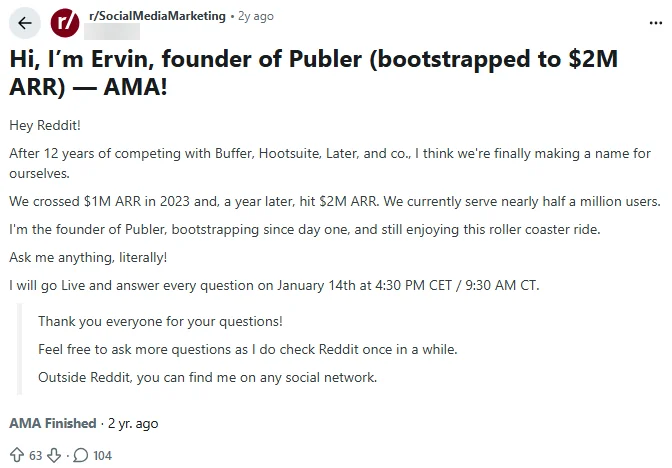
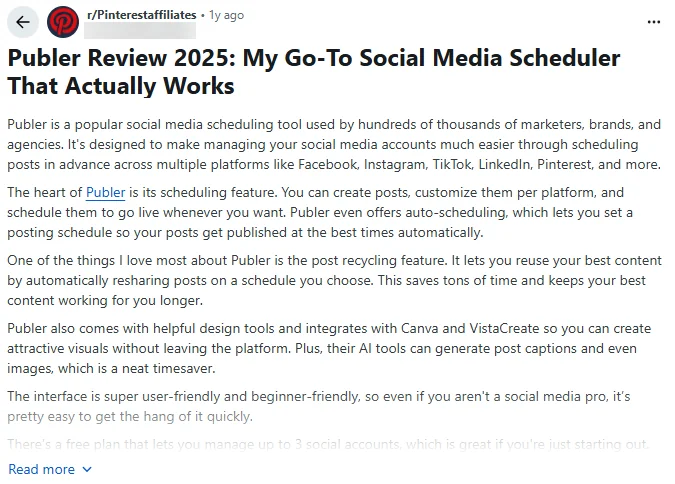
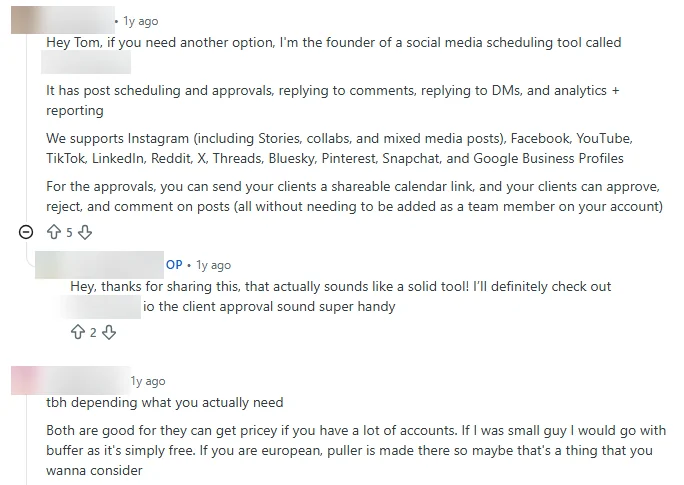
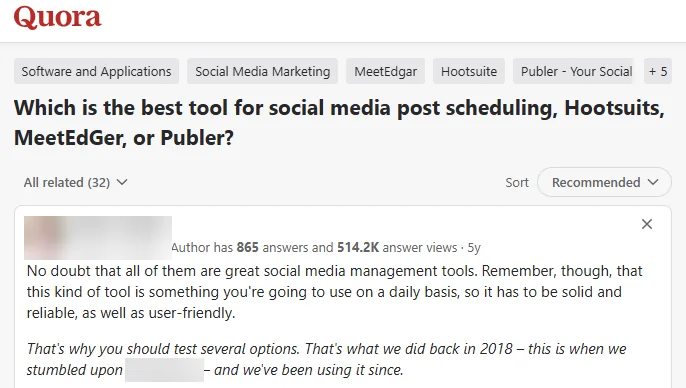
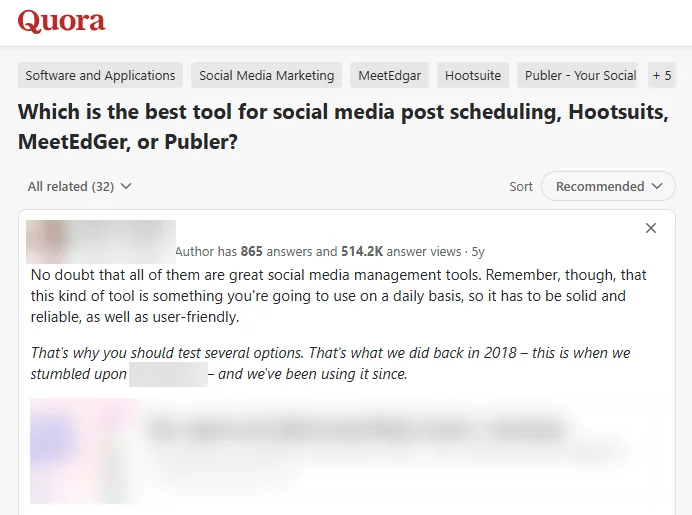
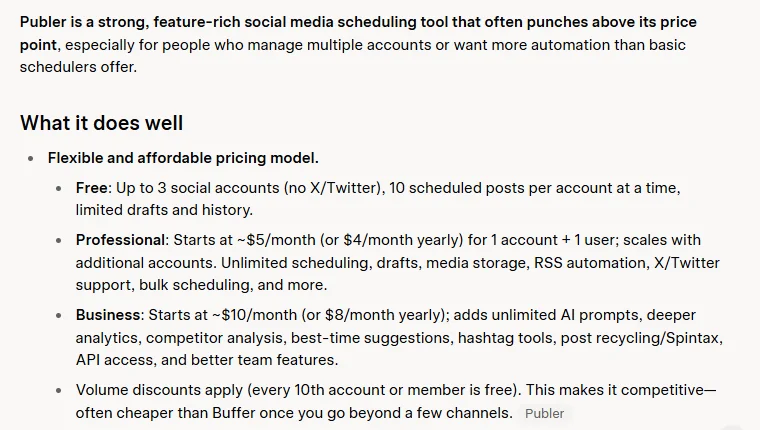
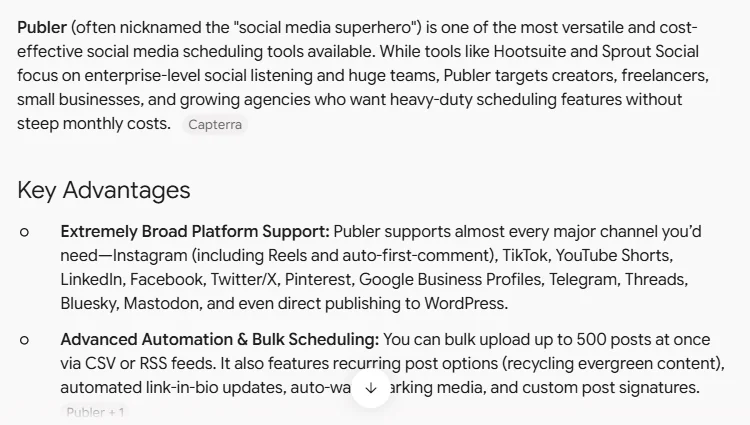
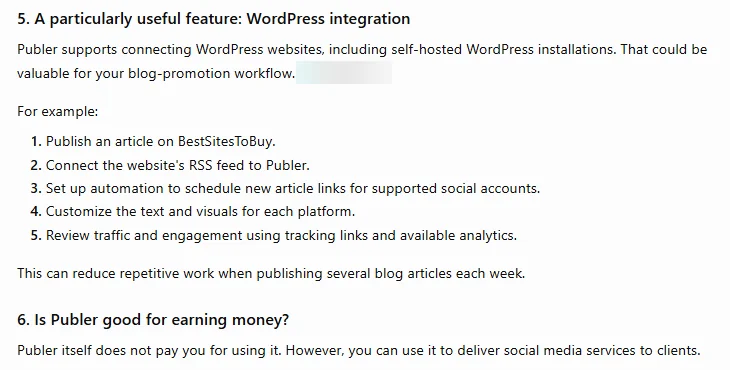
Swipe or scroll sideways to see every screenshot. These are individual opinions we could not verify; usernames, avatars and other tools' names are blurred, along with one unidentified citation chip in the ChatGPT answer. The two scheduling-tool Quora shots show the same answer at two lengths. The book-publisher Quora thread is not about Publer; it was likely matched on the word "publisher" and is shown only so the set is complete.
This full Publer review checks plans, features, networks, billing rules, support and alternatives against Publer's own pages and public user reviews from October 2026. Jump to the part you need.
Publer is a social media scheduling tool that plans, bulk schedules, recycles and analyzes posts across 13 network types, from Instagram and TikTok to Telegram, Mastodon and WordPress.
Publer sells software, not engagement: you connect accounts you already own and run them from its calendar. Its homepage claims "500K+" users worldwide, "1.5M+" posts currently scheduled and "13+" years in the industry; those are company claims we could not verify.
The company behind it is named in its Terms of Service as Kalemi Code, with an office in Tirana, Albania, and a second entity, Kalemi Code LLC, in Sheridan, Wyoming. The Terms say Albanian law governs, with disputes going to the courts of Tirana. According to a 2025 post on Publer's own blog, founder Ervin Kalemi built the first version over a Thanksgiving weekend in 2012, and the name is short for "Publisher". The old domain publer.io now redirects to publer.com.
This Publer review describes plans and features from Publer's own pages and public user reviews. BSTB is not affiliated with Publer.
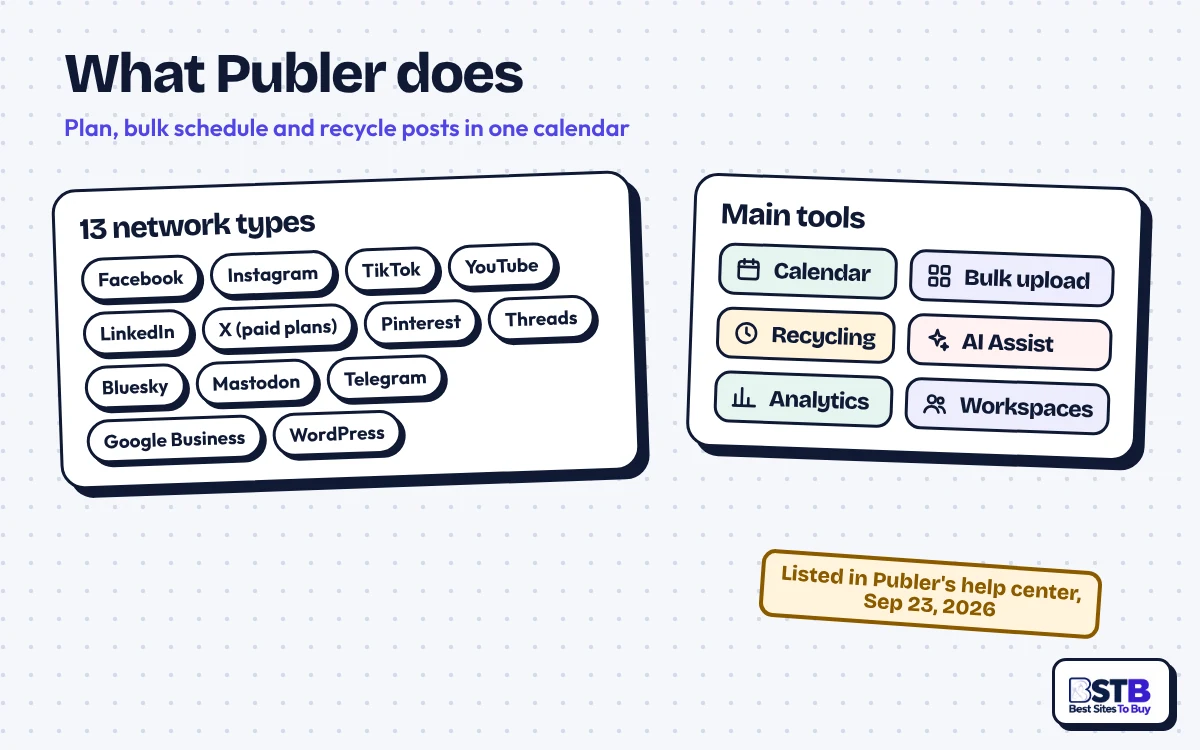
Publer features cover a drag-and-drop calendar, bulk scheduling by CSV, post recycling, first comments and threads, RSS automation, AI Assist, analytics and workspaces. Which ones you get depends on the plan.
| Feature | What Publer offers | Plan needed |
|---|---|---|
| Calendar | Drag-and-drop planning across every connected network | All plans (Free: 10 scheduled posts per account at a time) |
| Bulk scheduling | Up to 500 posts per CSV file, plus bulk creation in the app | Not stated per plan on the pricing page |
| First comments and threads | Schedule a first comment or a thread with the post | Professional and up |
| RSS automation | Turn new blog posts into scheduled social posts | Professional and up, unlimited |
| Recycling | Repost evergreen content on a schedule, with Spintax variations | Spintax recycling on Business |
| AI Assist | Text and images for posts, comments and thumbnails | Business unlimited; Free and Professional with your own OpenAI key |
| Analytics | Insights and reports, best times to post, competitor and hashtag analysis | Business and Enterprise |
| Workspaces | Separate spaces for brands or clients, with members and approvals | Free 1; paid plans unlimited |
| API and MCP | Publer API and MCP access for automations and AI assistants | Business and Enterprise |
Read on publer.com/pricing and Publer's help center on October 21, 2026. The free plan also lists "Free trials on paid features" and a Linkie link-in-bio integration.
Publer bulk scheduling is its standout feature: its help center says "You can create up to 500 posts with the CSV file". Recycling puts your best posts back on a schedule, and Business adds Spintax so each repost can vary its wording. One Capterra reviewer called the bulk uploader "extremely unstable with video files", so test a small batch first.
Publer AI Assist "helps you create text and images for social media posts, blog articles, comments, thumbnails, and more", its help center says. It is included in the Business plan; on Free and Professional you can connect your own OpenAI account and pay OpenAI directly. Treat AI captions as drafts and edit them in your own voice; for other options, browse our AI tools for social media.
Publer supports 13 network types: Facebook, Instagram Business, X, LinkedIn, Pinterest, Google Business Profile, YouTube, WordPress, TikTok, Telegram, Mastodon, Threads and Bluesky. Its help center listed them on September 23, 2026.
X (Twitter) works only on paid plans, and Instagram must be a Business account. Facebook covers Pages and Locations, Groups and personal profiles, LinkedIn covers personal profiles and business pages, and WordPress works for both hosted and self-hosted sites, which ChatGPT's answer above singles out as a useful blog-promotion feature.
Each network still sets its own limits. Publer's help center says even Enterprise's "unlimited daily posting" is only "from Publer's side", because social networks "can still enforce their own posting limits".
Publer pricing starts at $0 on the free plan, $5 a month for Professional and $10 a month for Business, each covering one social account and one user. Each extra account or member adds to it.
| Publer plan | Starts with | Starting price | Free trial |
|---|---|---|---|
| Free | 3 accounts (no X), 1 user, 1 workspace | $0 forever | Not needed |
| Professional | 1 account, 1 user | From $5 a month | 7 days |
| Business | 1 account, 1 user | From $10 a month | 14 days |
| Enterprise | Custom volume | "Get a quote", billed yearly | |
From Publer's "What are Publer's Plans and Pricing?" help article, updated September 15, 2026, read October 21, 2026, in USD before VAT. The live pricing page uses a calculator whose figures we could not read as text.
Yearly billing is cheaper. Publer's help article says yearly billing "includes a 20% discount compared to paying monthly", which puts the starting prices at about $4 and $8 a month, while the pricing page's toggle says "2 months free". Payments are processed by PayPro Global or Paddle as reseller, and Enterprise can also pay by bank or wire transfer.
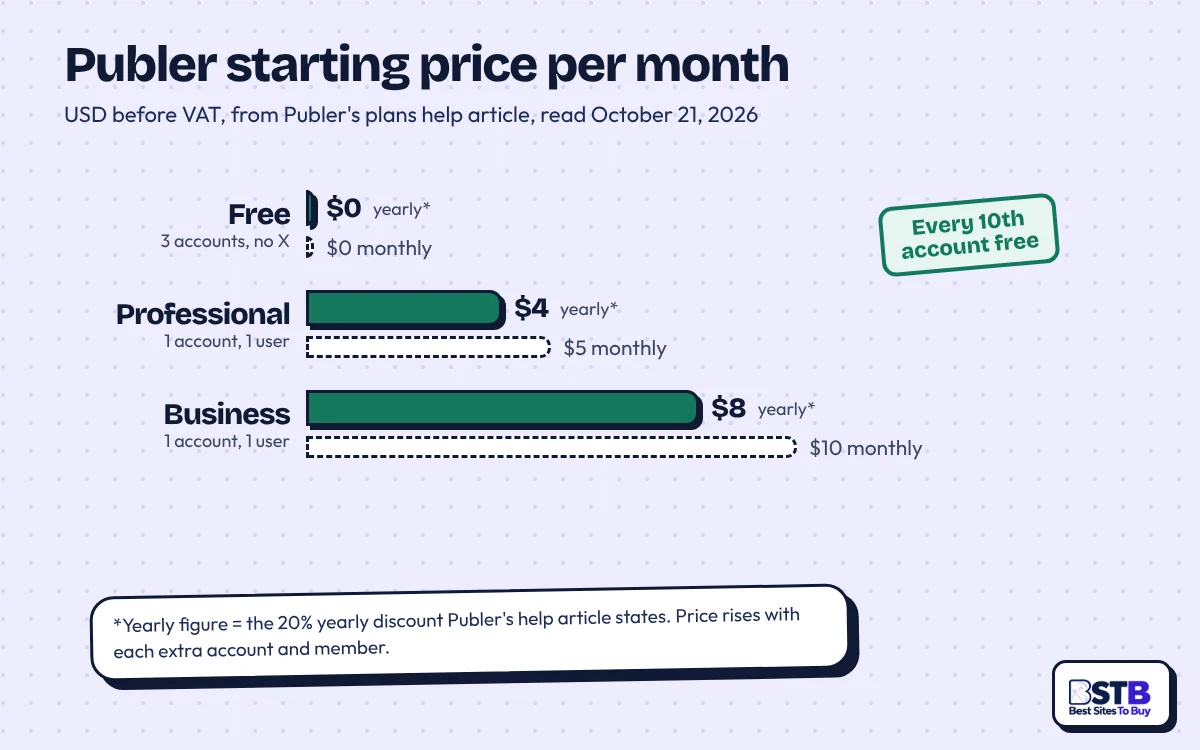
Publer prices paid plans by social account and by additional member, so the real cost depends on how many you connect. Its pricing page adds a volume rule: "For every 9 social accounts, the 10th one is free," and the same applies to members. Publer does not list a per-account rate in text; third-party price guides from mid-2026 put each extra account at roughly $4 on Professional and $7 on Business a month, which we could not confirm on publer.com, so build your exact quote in its calculator.
Publer has both: a free plan you can use "for as long as you want", plus free trials of 7 days on Professional and 14 days on Business. The free plan covers one user, one workspace, three social accounts except X, up to 10 scheduled posts per account at a time, 25 saved drafts and a 24-hour published-post history. Publer says you can try "almost all the paid features for free without having to enter your credit card information".
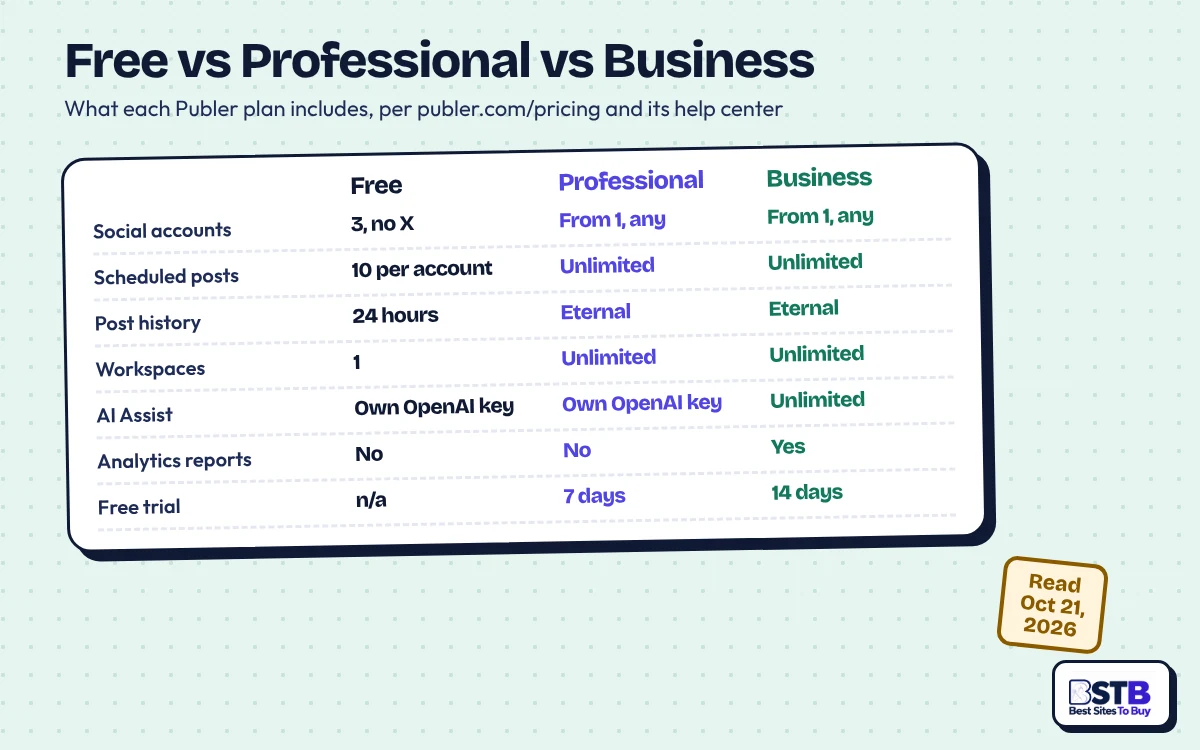
Publer Professional suits most solo users, while Business is for anyone who needs AI, analytics reports or the API.
Publer says future price rises affect "only the new customers", so existing subscribers keep their price. Cancelling and returning later may put you on new pricing, which is why its help center suggests "pausing your subscription instead".
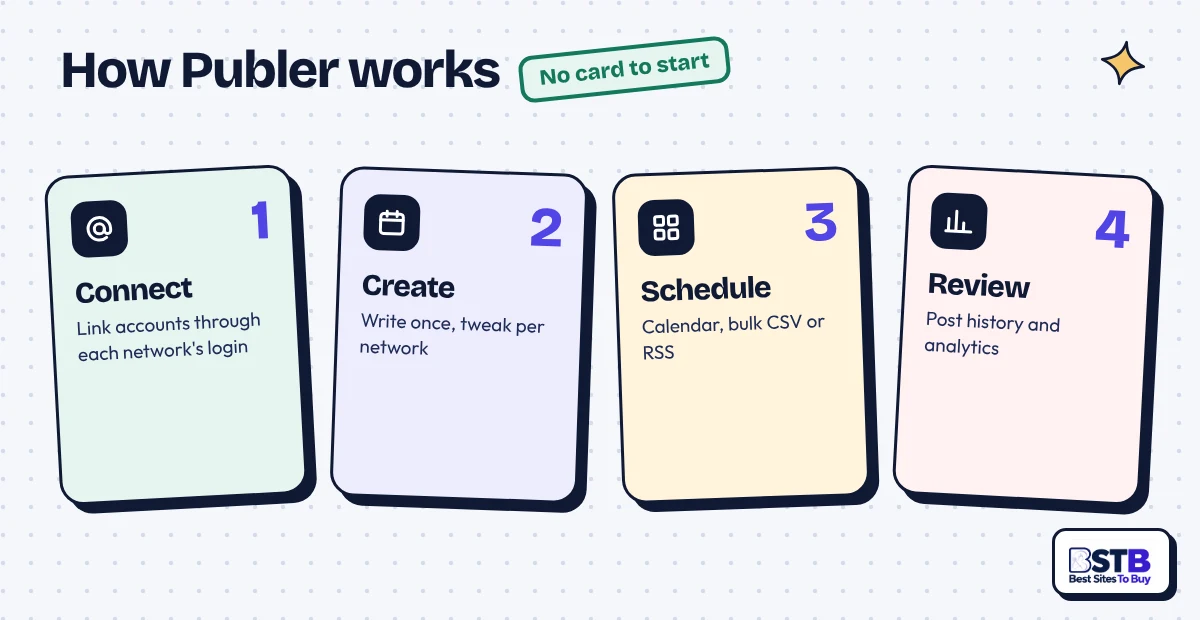
Publer works by connecting your own social accounts through each network's login, then creating, scheduling and reviewing posts from one calendar. Sign-up starts on the free plan, and no card is needed.
Connecting through each network's official login means you are not handing a password to Publer. You can remove its access later from each network's own settings.
Publer is legit and safe to use: a named company runs it, it connects through official logins, and its privacy policy puts data in Frankfurt under GDPR. Its Terms were revised on February 13, 2026 and its privacy policy on July 8, 2026.
We could verify the company names in its Terms and privacy policy, its plans, trials, refund policy and help center on October 21, 2026, but not its user count or how fast live chat answers in practice.
The privacy policy says Publer does not sell personal information for money and deletes data 7 days after you delete your account, though it may share data with sister products Linkie and Kibo for marketing.
Publer is unlikely to get your account banned, because scheduling through official connections is normal, allowed platform use. Its own Terms forbid using it "to spam or post content that is against the social networks' guidelines", and networks can still enforce their own daily posting limits, so do not use bulk tools to flood a profile.
Publer reviews are strongly positive across public platforms. On October 21, 2026 it showed a 4.9 TrustScore from 1,047 reviews on Trustpilot, where 90% were five-star and under 1% one-star, 4.8 out of 5 from 980 reviews on Capterra, and 4.7 out of 5 from 544 reviews on G2.
Trustpilot says Publer replied to 100% of negative reviews, typically within 24 hours. Capterra reviewers praise bulk scheduling, multi-account workspaces, recycling and responsive support. Their complaints: "Occasional bugs or delays in publishing", having to "re-authorize accounts more often than I'd like", analytics that are "minimal with the cheapest plan", and pricing that "increases linearly as you connect more accounts".
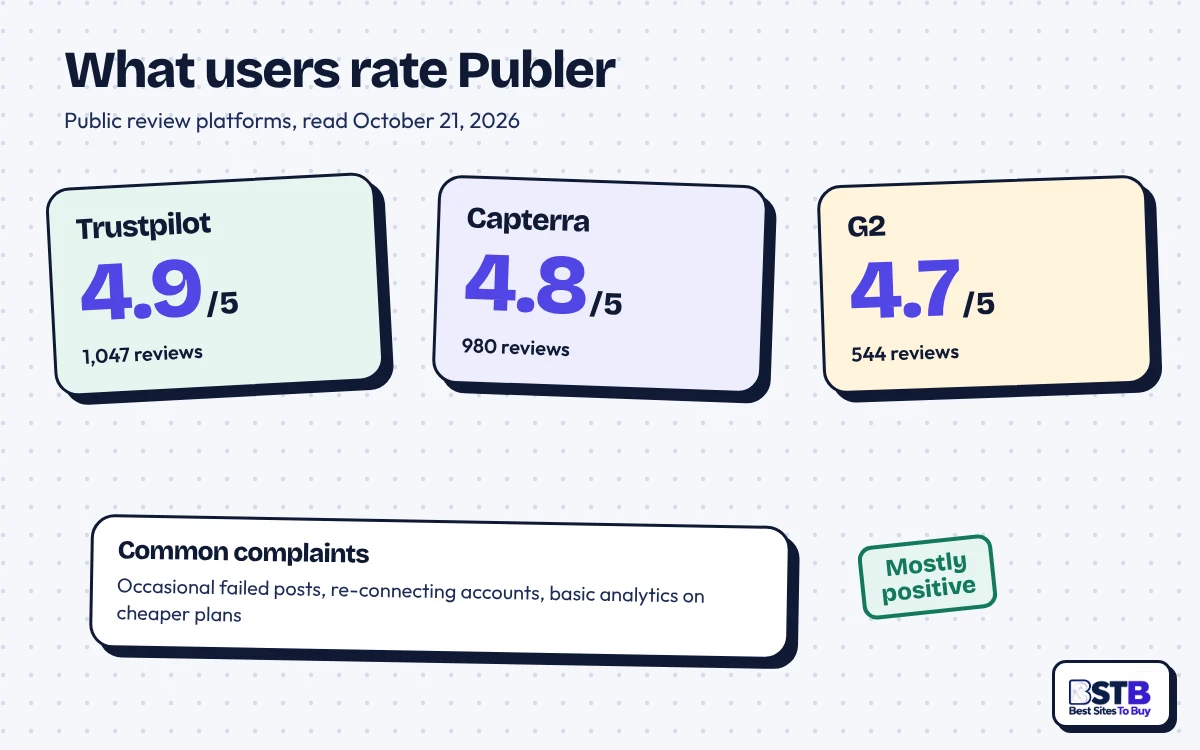
Publer is easy to use for most people, scoring 4.8 out of 5 for ease of use on Capterra, though some reviewers find the interface cluttered. The free plan is the best way to check.
The Reddit post shown above calls the interface "super user-friendly and beginner-friendly", while Trustpilot's summary says getting started "can sometimes feel a bit complex". Capterra reviewers mention a "cluttered" interface, a weaker mobile app and reconnecting accounts; Publer's help center explains how to get notified about failed posts.
Publer is fine for analytics on the Business plan, which adds insights and reports, best times to post, competitor analysis and hashtag analytics, but it is not an analytics-first tool. Capterra reviewers want "deeper reporting on the higher plans". To sanity-check its engagement numbers, use our Instagram engagement rate calculator or our TikTok engagement rate calculator, since tools define engagement rate in slightly different ways.
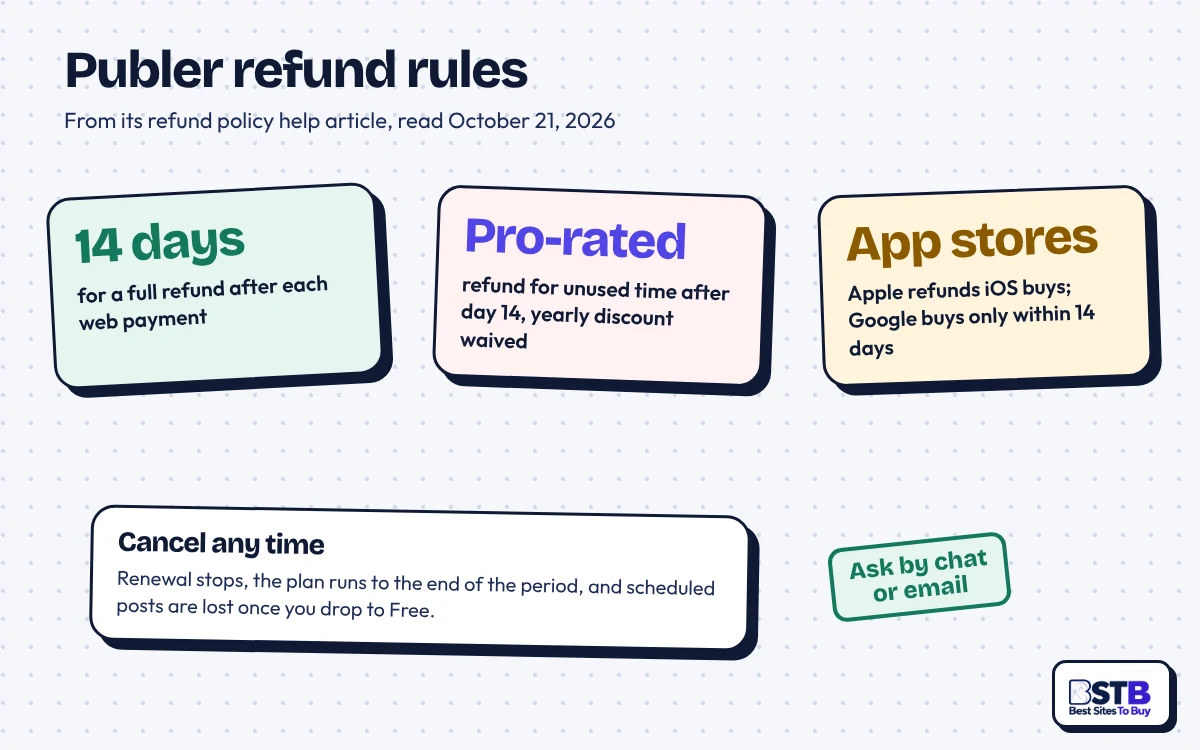
Publer's refund policy gives a full refund if you ask within 14 days of each web payment, and a pro-rated refund for unused time after that, minus the yearly discount. You can cancel any time from Settings, and the plan runs to the end of the period.
| Policy | What Publer says | Watch out for |
|---|---|---|
| Full refund | "For each payment that you make on the web, you have 14 days to request a full refund." | Refunds are issued manually: ask by email or live chat. |
| After 14 days | A refund for the remaining period is still possible, pro-rated. | The yearly-payment discount is waived in the calculation. |
| App stores | iOS purchases are refunded through Apple; Google Play purchases get full refunds within 14 days only. | No refunds on Google Play purchases after 14 days. |
| Cancellation | "Canceling your subscription stops it from renewing automatically." | On Free, "all your scheduled posts will be lost." |
| Pause | Pause for 1, 2 or 3 months and keep posts, insights and data. | Not available for iOS subscriptions. |
The Terms of Service are vaguer, saying fees "may be fully or partially refundable in specific scenarios" and that Publer decides eligibility, while the Enterprise column of the pricing page promises a "14 days money back guarantee". To cancel on the web, open Settings, then Billing, choose "Cancel or pause subscription" and confirm. Ask for a refund in writing at [email protected] if you are inside the window.
Publer customer support runs on 24/5 live chat, email at [email protected] and a multilingual help center, with no phone line or promised reply time.
The contact page offers "24/5 expert support" through live chat but does not say which five days or time zone. Capterra rates customer service 4.7 out of 5, and Trustpilot says Publer replies to every negative review, usually within a day. Use chat for quick questions and email for refunds, so you keep a written record.
Publer's pros and cons come down to a free plan, low prices, bulk scheduling and fair refunds, against plan gating, rising costs at scale and lighter analytics. This Publer review weighs each point against its own plans, help center and Terms, so you can judge the fit for your team.
Publer's biggest advantage is how much scheduling you get for little money: bulk uploads, recycling, RSS and 13 network types from $5 a month.
Publer's main drawback is plan gating: AI Assist, analytics reports and best times all sit on Business. The rest are scale costs and small reliability complaints.
Publer's pros outweigh the cons for most creators, small businesses and agencies that schedule a lot and want a low, flexible price. The cons matter more if you need deep analytics cheaply or manage dozens of accounts. Count your accounts, then pay yearly once you are sure.
The best Publer alternatives are Buffer for the simplest free start, Later for visual planning, Metricool for analytics, SocialPilot for agencies, and Sprout Social or Hootsuite for large teams. Each prices differently, so compare the unit, not just the headline number.
| Tool | Cheapest paid plan | Pricing unit | Free plan or trial | BSTB review |
|---|---|---|---|---|
| Publer | From $5/mo ($4 yearly) | Per account and member | Free plan; 7 or 14-day trial | Rated Good |
| Buffer | $5/channel/mo | Per channel | Free for 3 channels; 14-day trial | Coming soon |
| Later | $18.75/mo billed yearly | 1 set of 8 profiles | 14-day trial | Coming soon |
| Metricool | $20/mo billed yearly | Up to 5 brands | Free forever; no paid trial | Coming soon |
| SocialPilot | $25/mo billed yearly | 7 accounts, 1 user | 14-day trial | Coming soon |
| Sprout Social | $79/seat/mo billed yearly | Per seat, 5 profiles | 30-day trial | Coming soon |
| Hootsuite | From $99/user/mo billed yearly | 10 accounts | 14-day trial; no free plan | Coming soon |
Prices read from each tool's own pricing page on October 21, 2026 (Metricool and Hootsuite on October 16, 2026), in USD. Self-reported, subject to change, and plans differ in features, so compare like for like.
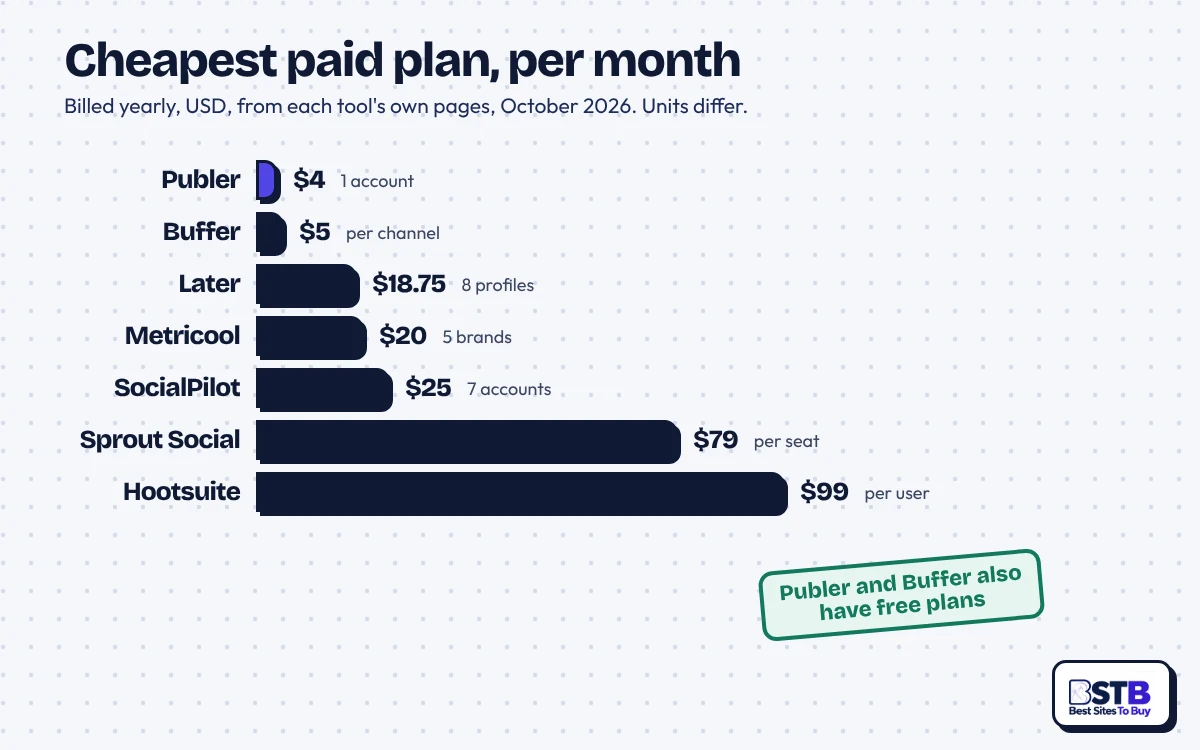
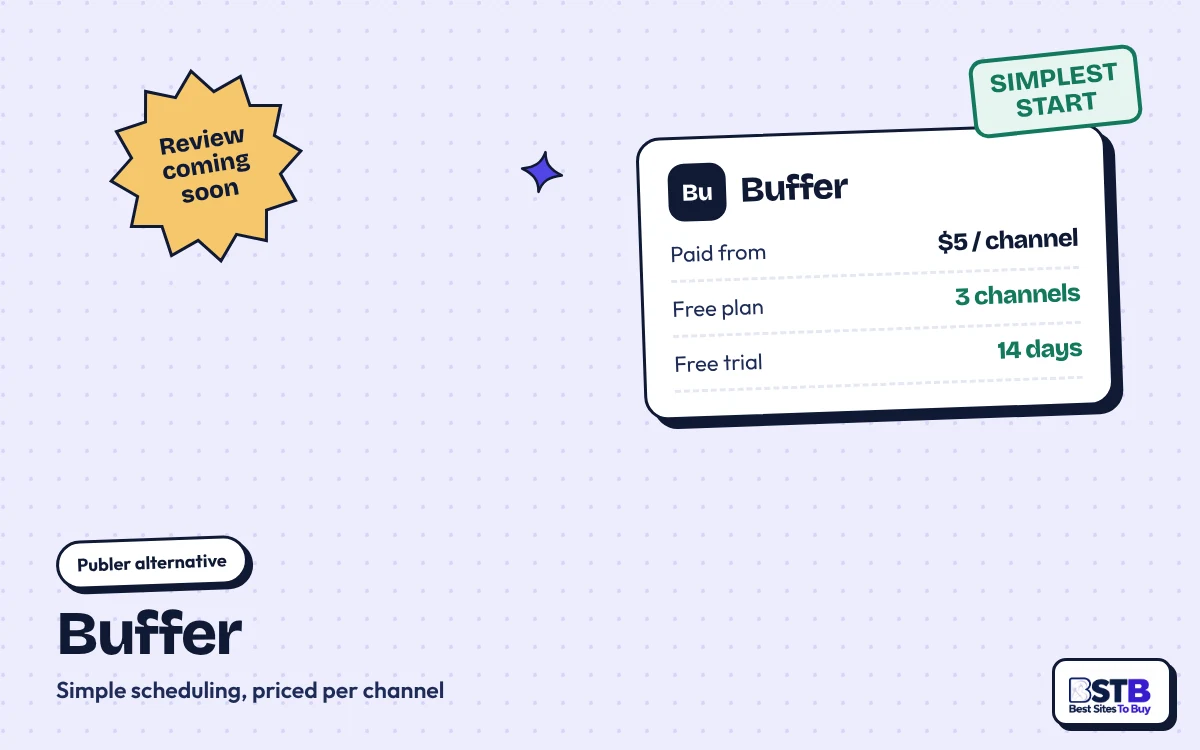
Buffer is a simpler Publer alternative priced per channel: $5 a channel a month on Essentials, with a free plan for three channels and 10 scheduled posts each. Its $10 Team plan adds unlimited team members. Best for: solo users with a few channels.
Buffer review coming soon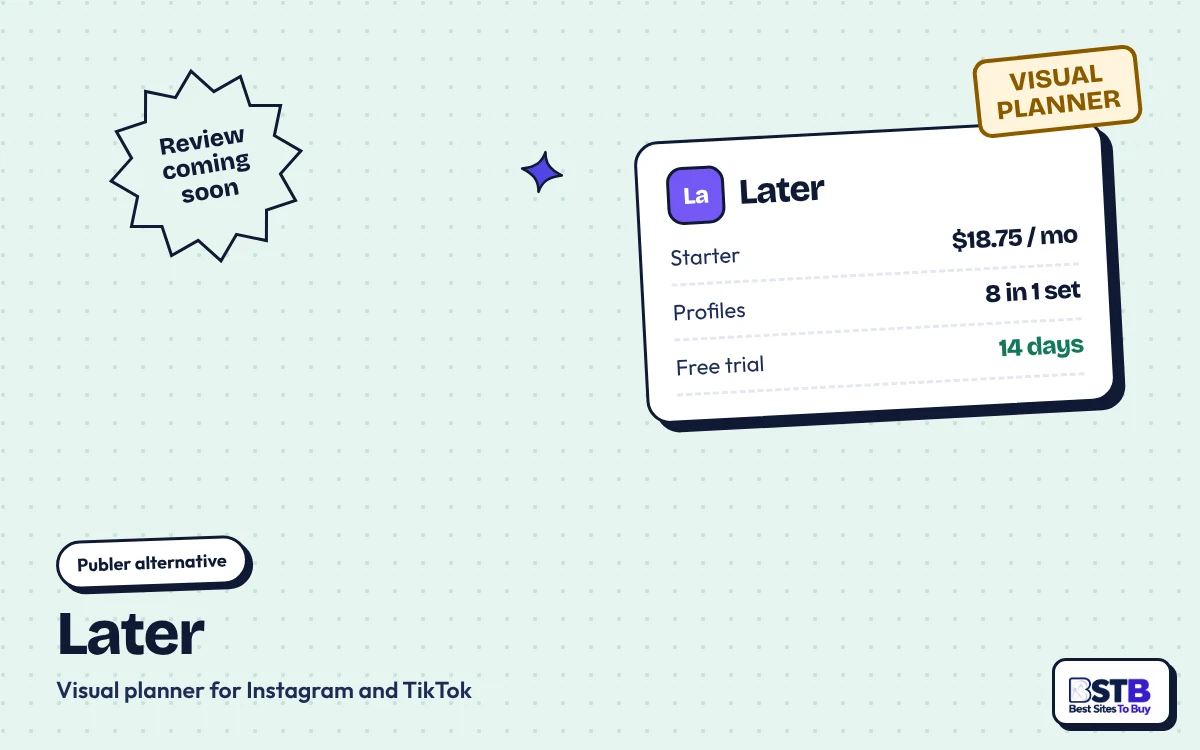
Later starts at $18.75 a month billed yearly for one social set of eight profiles and one user, with 30 posts per profile a month and a 14-day trial. It lists no free plan. Best for: visual planning on Instagram and TikTok.
Later review coming soon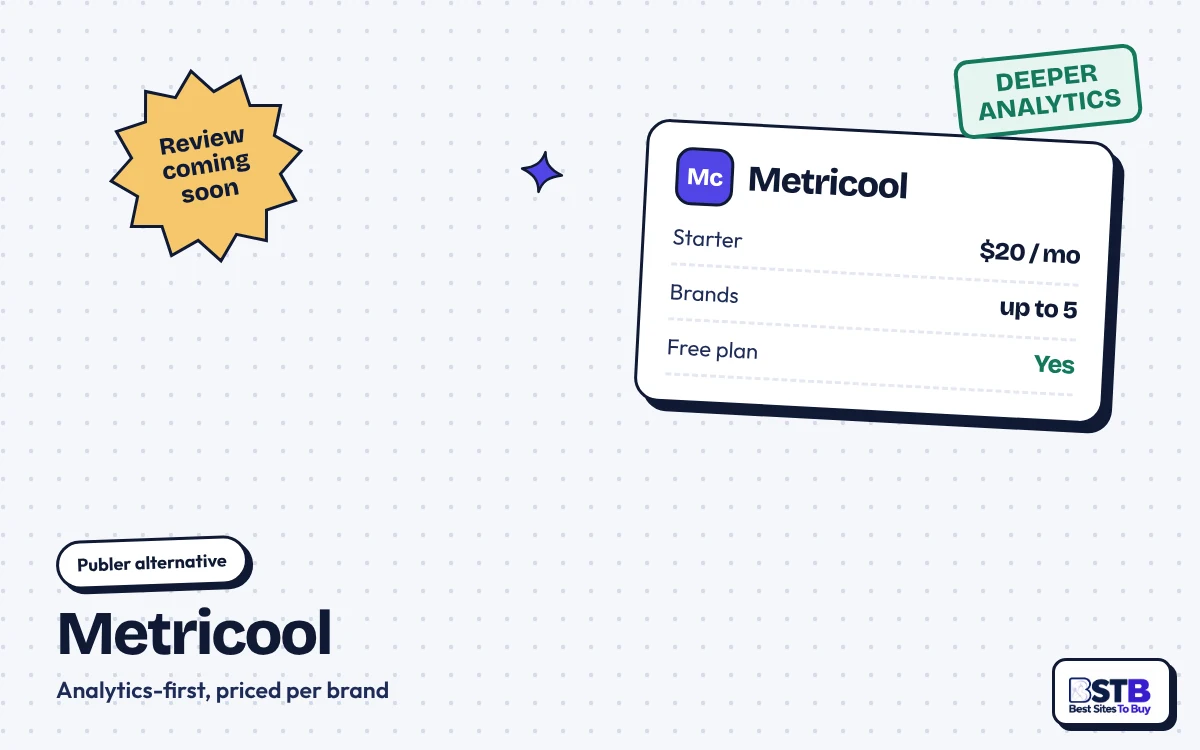
Metricool starts at $20 a month billed yearly for up to five brands, keeps unlimited analytics history on paid plans and has a free-forever plan. X costs $10 a month per account extra. Best for: analytics and reports on a budget.
Metricool review coming soon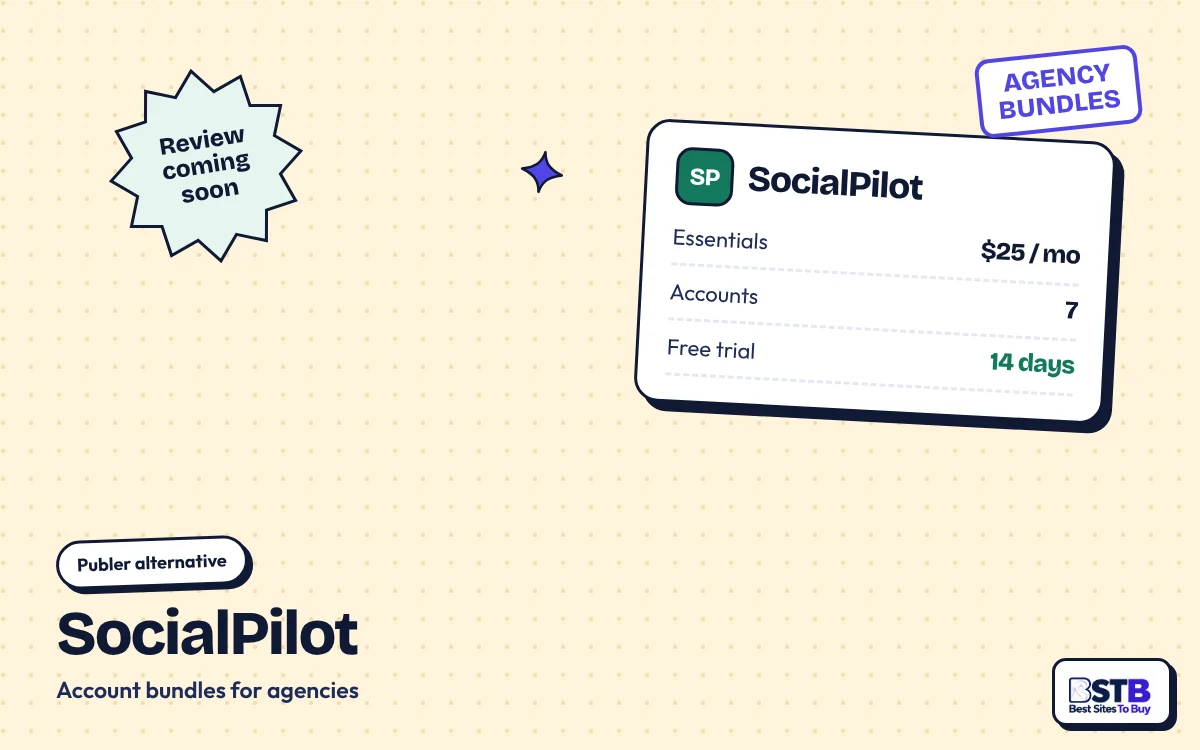
SocialPilot starts at $25 a month billed yearly for seven accounts and one user, rising to $42 for 15 accounts and three users. It offers a 14-day trial with no card and no free plan. Best for: agencies that prefer account bundles.
SocialPilot review coming soon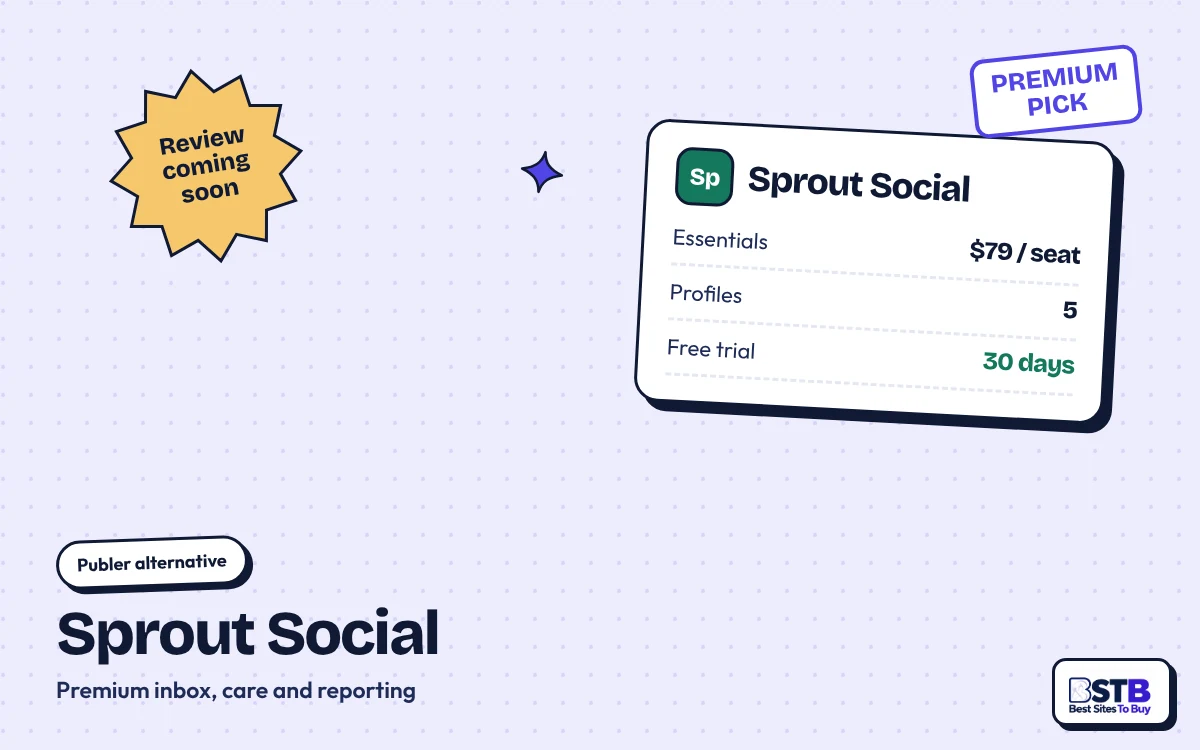
Sprout Social starts at $79 per seat a month billed yearly for five profiles, rising to $399 per seat on Advanced, with a 30-day free trial and no card needed. Best for: larger teams that need a premium inbox and care tools.
Sprout Social review coming soon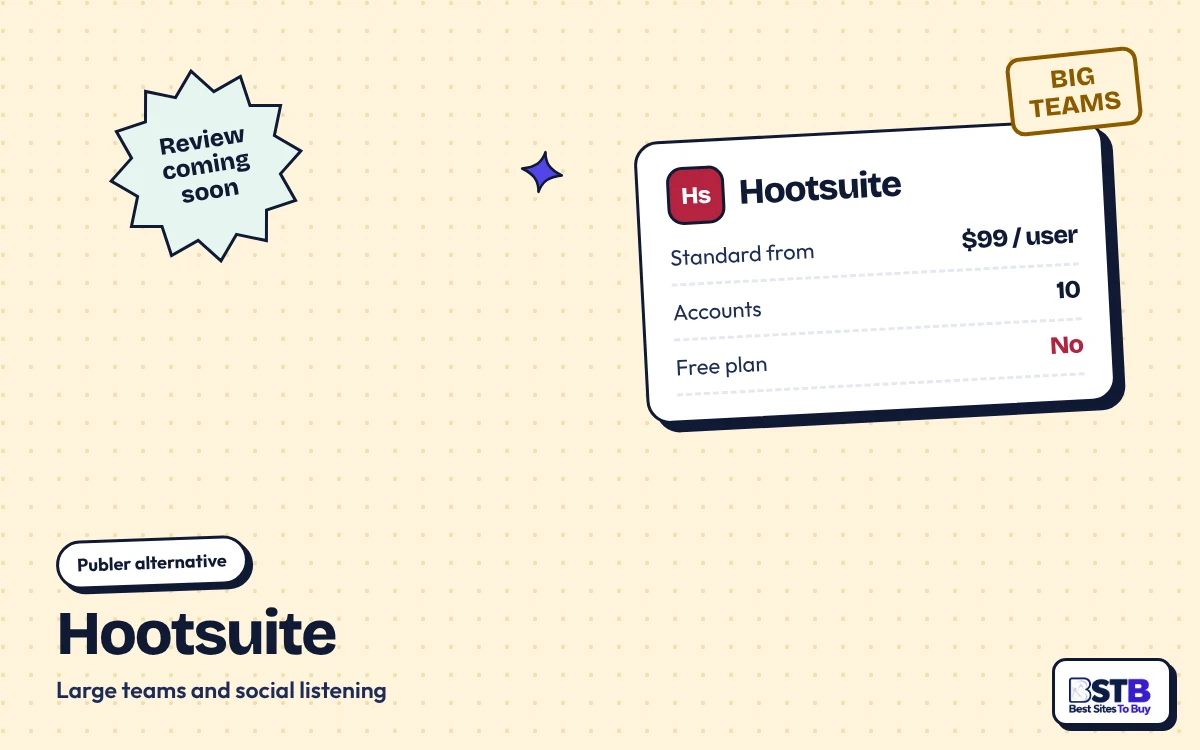
Hootsuite Standard starts from $99 per user a month billed yearly for 10 social accounts, with brand monitoring, a 14-day trial and no free plan. Best for: larger organizations that want social listening.
Hootsuite review coming soonPubler is better than Buffer for bulk scheduling, recycling and many network types, while Buffer is simpler to learn. Both start at about $5 per account or channel a month; Publer makes every 10th account free, and Grok's answer above calls it "often cheaper than Buffer once you go beyond a few channels". Their free plans are close: three channels with 10 scheduled posts each, though Publer's excludes X.
Publer is better than Hootsuite on price, from $5 against from $99 a month, and it has a free plan and a 14-day full refund. Hootsuite suits large teams that need social listening, an advanced inbox and enterprise workflows, and its Terms say cancelling does not entitle you to a refund.
The right Publer alternative depends on your team size and what you need most.
You get more from Publer by bulk scheduling a month at once, recycling evergreen posts, drafting with AI Assist and posting at the best times its Business analytics suggest. All four use features already in the plans, so they cost time rather than money.
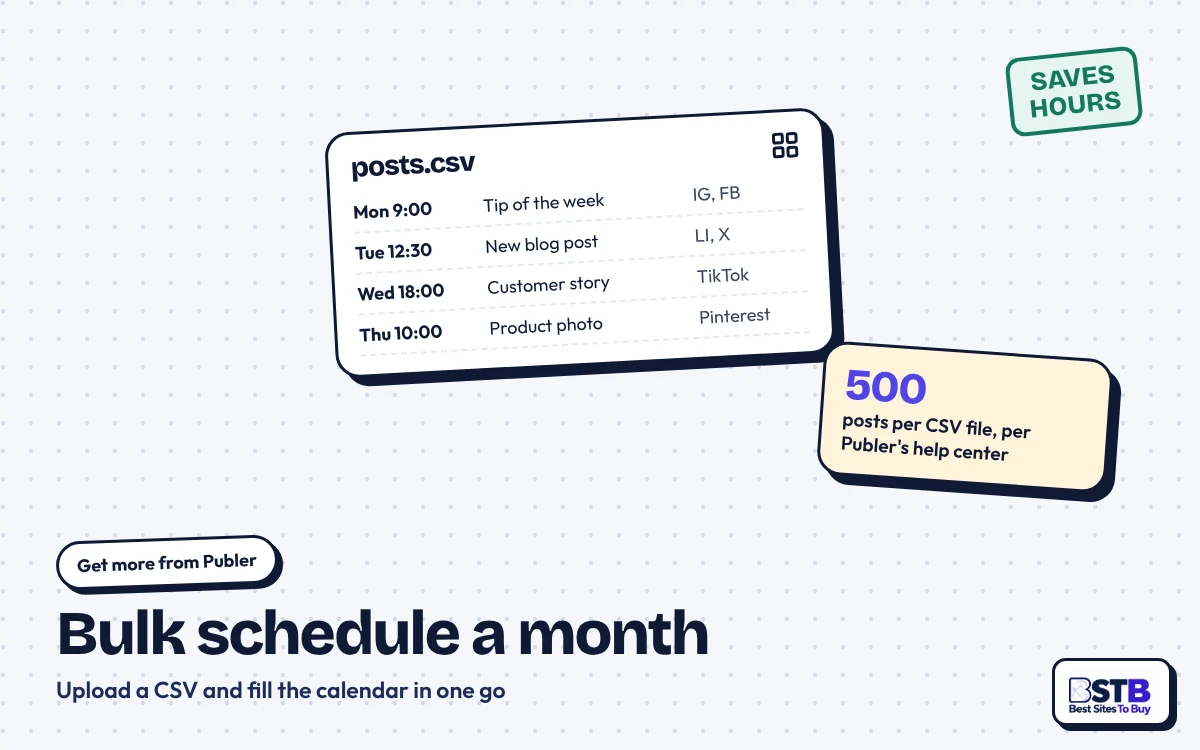
Publer accepts up to 500 posts in one CSV file. Plan a month of posts in a spreadsheet, upload once, then fine-tune in the calendar. Best for: busy creators and agencies with many clients.
Up to 500 posts per CSV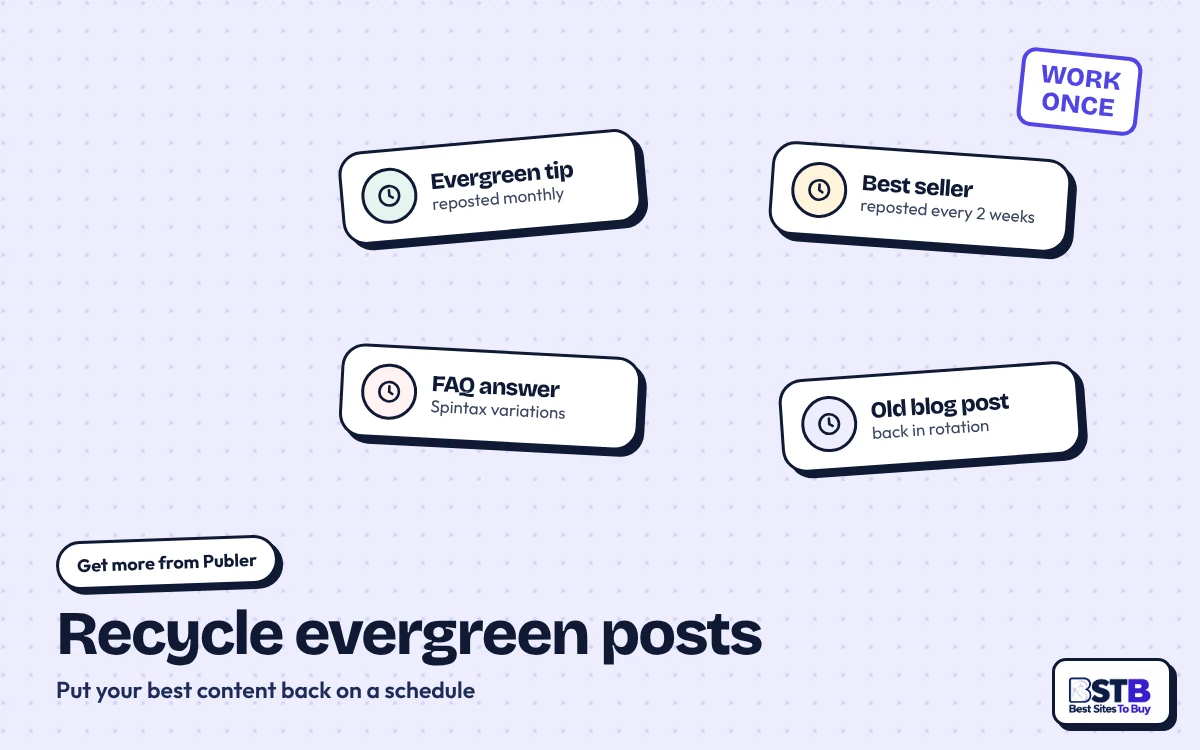
Publer recycling puts your best evergreen posts back on a schedule, and Business adds Spintax so reposts can vary their wording. Best for: blogs, shops and coaches with timeless tips.
Spintax recycling on Business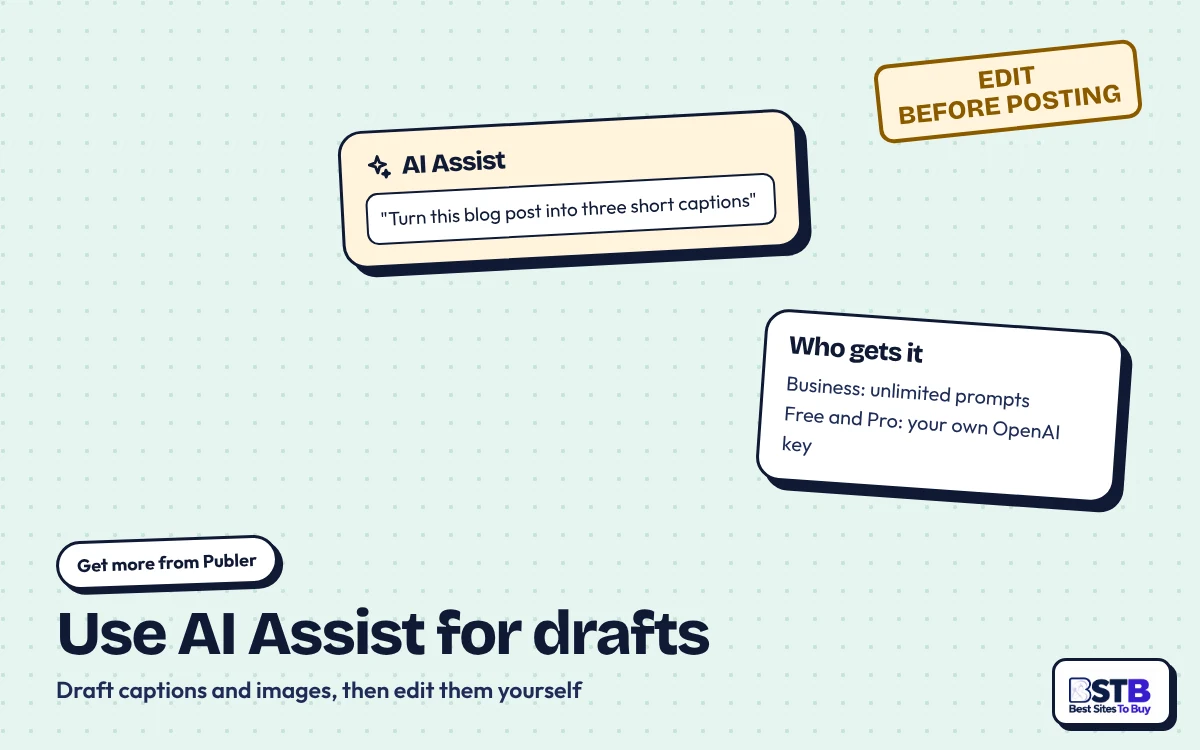
Publer AI Assist drafts captions and images, unlimited on Business or through your own OpenAI key on other plans. Edit every draft in your own voice. Best for: repurposing one idea across networks.
Explore AI tools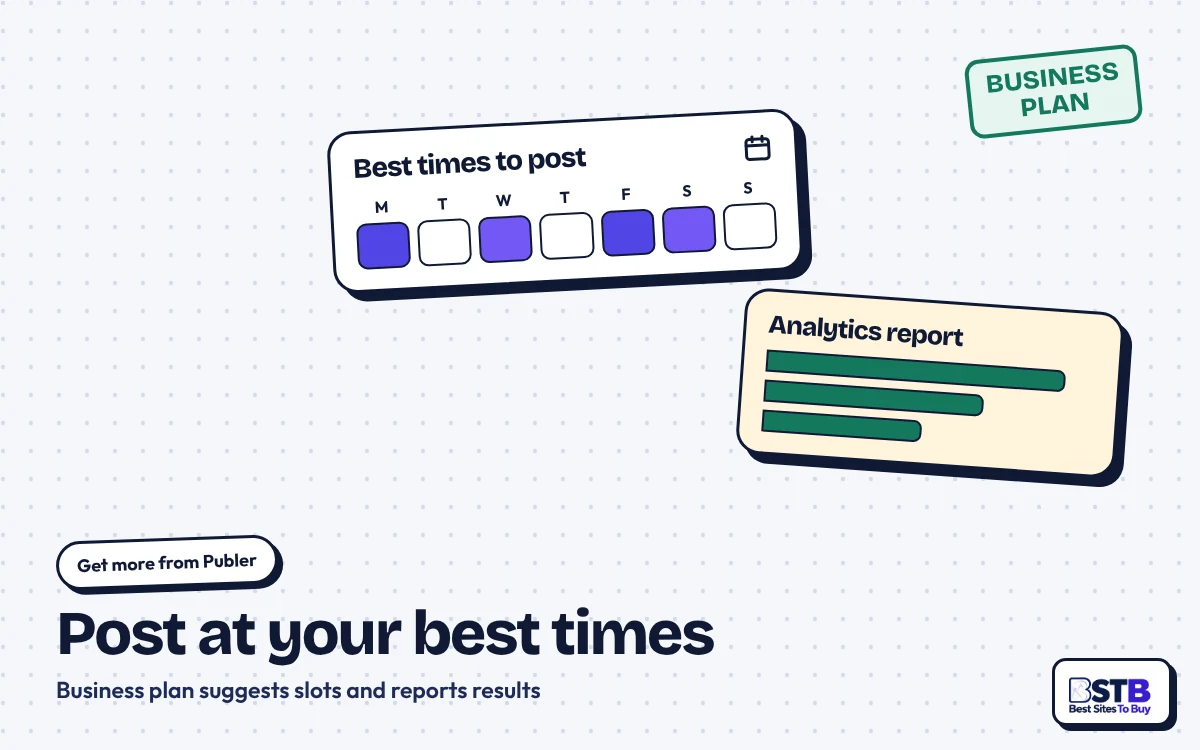
Publer Business suggests best times to post and reports what worked, including competitor and hashtag analysis. Review the report monthly and move your strongest posts into the best slots. Best for: brands that post daily.
Business plan and aboveThe Publer free plan goes further when you plan around its limits.
Publer beats native tools such as Meta Business Suite when you post to several networks or need bulk uploads. A single-network creator may not need it at all. For more on growing organically, see the BSTB blog.
Publer suits creators, small businesses and agencies that post often to several networks and want bulk scheduling at a low price. Teams that need deep analytics on a cheap plan, social listening or one flat price for dozens of accounts should compare other tools first.
Publer is a good fit if you answer yes to most of the five questions below.
Publer is good for creators and small businesses because the free plan covers three accounts and Professional adds unlimited scheduling, RSS and X from $5 a month.
Publer is good for agencies, since paid plans include unlimited workspaces and every 10th account and member is free. Enterprises get volume discounts and 1:1 onboarding, but teams that need social listening may prefer Sprout Social or Hootsuite.
Anyone who needs deep analytics cheaply, listening or a flat price for many accounts should look at other tools before paying for Publer.
Our Publer review rates it Good: a legit, low-cost scheduler with a free plan, strong bulk tools and a 14-day full refund on every web payment. The main things to watch are Business-only AI and analytics and a price that grows with every account.
It does the core jobs well: 13 network types, CSV uploads of up to 500 posts, recycling and RSS automation from $5 a month, with public ratings of 4.7 to 4.9 out of 5. Against that, analytics reports and AI sit on Business, X is paid-only, cancelling to Free deletes scheduled posts, and some users report failed posts. Start free or on a trial, then commit. Our rating: Good.
We reviewed Publer by reading its homepage, pricing page, Terms, privacy policy, contact page and help-center articles on plans, networks, AI, cancellation and refunds on October 21, 2026. We checked its ratings on Trustpilot, G2 and Capterra, read the Reddit and Quora threads and three AI assistants' answers shown above, and compared six rivals using their own pricing pages. We did not use a Publer account for this review. Read how we review every provider.
These 20 Publer FAQs answer whether Publer is legit and worth it, plus its pricing, free plan, networks, AI, refunds, support and alternatives, from pages read on October 21, 2026.
Yes, Publer is legit: its Terms name Kalemi Code in Tirana, Albania, and Kalemi Code LLC in Wyoming, and it publishes plans, a refund policy and a help center.
Publer's own blog says founder Ervin Kalemi built the first version in 2012. Its homepage claims over 500,000 users, which we could not verify. See how we review tools and sellers.
Sign up on publer.com or its official apps, since publer.io now simply redirects there.
Yes, Publer is worth it for most creators, small businesses and agencies, because bulk scheduling, recycling and 13 network types start at $5 a month for one account.
It is less worth it if you need deep analytics on a cheap plan or manage dozens of accounts, where per-account pricing adds up. Compare it with other tools in our BSTB reviews.
Use the free plan or a trial for a week before you pay for a year.
Yes, Publer has a free plan you can use "for as long as you want", covering three social accounts except X, one user and one workspace.
The free plan holds up to 10 scheduled posts per account at a time and keeps only 24 hours of published-post history. Publer's homepage says no credit card is required.
Note your results the day after posting, because Free keeps just 24 hours of history.
Publer costs $0 on the free plan, from $5 a month for Professional and from $10 a month for Business, each for one social account and one user.
The price then rises with every extra account and team member, and Enterprise is priced by quote. Publer's help article says yearly billing is 20% cheaper; prices exclude VAT.
Build your exact quote in Publer's calculator with your real account count.
Publer Business adds unlimited AI prompts, analytics insights and reports, best times to post, competitor and hashtag analysis, Spintax recycling and API access to Professional.
Both plans include unlimited scheduling and drafts, unlimited media storage and workspaces, RSS automation, eternal post history and X. Professional suits solo schedulers; Business suits anyone who reports results.
If a client or boss wants monthly reports, budget for Business from day one.
Yes, Publer offers a 7-day free trial of Professional and a 14-day free trial of Business, on top of its free-forever plan.
Publer's pricing page says you can try "almost all the paid features for free without having to enter your credit card information". Rivals such as Sprout Social offer 30 days.
Test your busiest week of posting during the trial, not a quiet one.
Publer supports 13 network types: Facebook, Instagram Business, X, LinkedIn, Pinterest, Google Business Profile, YouTube, WordPress, TikTok, Telegram, Mastodon, Threads and Bluesky.
Its help center listed them on September 23, 2026, and each network still enforces its own posting limits. For TikTok, check its numbers against our TikTok engagement rate calculator.
Switch Instagram to a Business account before you connect it.
No, the Publer free plan covers three social accounts "except X"; Twitter/X integration starts on the Professional plan, from $5 a month.
Publer's help center lists Twitter accounts as available with a paid subscription only. On paid plans, an X account counts like any other social account in the price.
If X is your main network, use the 7-day Professional trial to check it first.
Yes, Publer AI Assist creates text and images for posts, comments and thumbnails, with unlimited prompts on Business and your own OpenAI key on other plans.
On Free or Professional, you connect your OpenAI account under Settings and Integrations and pay OpenAI for usage. Compare other options in our AI tools for social media directory.
Edit every AI caption in your own voice before it goes live.
Publer is good enough for analytics on the Business plan, which adds insights and reports, best times to post and competitor and hashtag analysis, but it is not analytics-first.
Capterra reviewers call analytics "minimal with the cheapest plan" and want deeper reporting. To double-check engagement figures, use our Instagram engagement rate calculator.
If reporting is your main job, trial Business before committing to a year.
Yes, Publer can bulk schedule up to 500 posts from one CSV file, its help center says, and it also creates posts in bulk from RSS feeds.
Bulk tools are where most reviewers say Publer saves them hours. One Capterra reviewer called the bulk uploader "extremely unstable with video files" in December 2025.
Upload a small test batch first, especially if your posts include video.
Yes, you can cancel Publer any time from Settings, then Billing, then "Cancel or pause subscription", and the plan runs until the period ends.
Cancelling stops automatic renewal, but once you drop to Free, "all your scheduled posts will be lost." If these terms change, contact BSTB and we will re-check them.
Pause rather than cancel if you plan to return, so your queue and old price survive.
Publer gives a full refund if you ask within 14 days of each web payment, and a pro-rated refund for the unused period after that, minus the yearly discount.
Refunds are issued manually through [email protected] or live chat. The Terms say fees "may be fully or partially refundable in specific scenarios", so ask in writing.
Note each payment date, since the 14-day window restarts with every payment.
Publer deletes your scheduled posts once a cancelled plan drops to Free: its help center says "all your scheduled posts will be lost."
You keep full access until the end of the paid or trial period. Resubscribing within 24 hours keeps your data, and pausing for one to three months keeps posts, insights and account data.
Export or copy your queued posts before the period ends if you are leaving for good.
Publer customer support is reachable by 24/5 live chat and by email at [email protected], plus a help center; no phone number or reply time is listed.
Public reviews rate support highly: Capterra gives customer service 4.7 out of 5, and Trustpilot says Publer replied to 100% of negative reviews, typically within 24 hours.
Use email for refunds and billing, so you keep a written record.
Kalemi Code owns Publer, according to its Terms, with an office on Rruga Abdyl Frasheri in Tirana, Albania, and a US entity, Kalemi Code LLC, in Sheridan, Wyoming.
Publer's blog says founder Ervin Kalemi started it in 2012 and funded it with savings, a loan and revenue. Read the BSTB blog for more tool guides.
Check the entity on your invoice, since PayPro Global or Paddle may bill you as reseller.
Yes, Publer is good for agencies, because paid plans include unlimited workspaces and approvals, and every 10th social account and every 10th member is free.
Business adds the reports and best times most clients expect, plus API and MCP access. Compare agency-focused rivals in our reviews hub as new tool reviews go live.
Price your real client count on both Publer and SocialPilot before you choose.
Publer is better than Buffer for bulk scheduling, recycling and network variety, while Buffer is simpler; both start at about $5 per account or channel a month.
Grok's answer above calls Publer "often cheaper than Buffer once you go beyond a few channels", thanks to its 10th-account-free rule. Their free plans are similar in size.
Choose Buffer for simplicity and Publer once bulk uploads and recycling matter.
Publer is better value than Hootsuite for small teams, starting at $5 a month against from $99 billed yearly, while Hootsuite suits large teams that need social listening.
Publer has a free plan and a 14-day full refund; Hootsuite has no free plan, and its Terms say cancelling does not entitle a refund. See how BSTB reviews providers.
Small teams should try Publer's free plan before paying for an enterprise tool.
The best Publer alternatives are Buffer for a simple free start, Later for visual planning, Metricool for analytics, SocialPilot for agencies, and Sprout Social or Hootsuite for large teams.
Each prices differently, by channel, profile set, brand, account bundle, seat or user, so compare the unit. More tools are listed in our social media AI tools category.
Pick by team size first, then by the features you will actually use.
BestSitesToBuy Editorial Team. Researched and fact-checked against Publer's own pages and public user reviews. Spotted something outdated? Tell us and we'll re-check it.
Disclosure: BestSitesToBuy is independent and not affiliated with Publer, Buffer, Later, Metricool, SocialPilot, Sprout Social, Hootsuite or any social network. We may earn a commission from some links; this never affects our ratings. General information, not legal or financial advice. Prices and policies were accurate on October 21, 2026 and may have changed.
Browse all BSTB reviews