
Quick answer: To use Instagram Reels for business, pick one goal, film short vertical videos (9:16) with a strong hook in the first two seconds, add on-screen captions, and end with a call to action. Post consistently, then track views, saves and follows in Instagram Insights. Use the 100+ easy reel ideas below to start.
Learning how to use Instagram Reels for business is one of the fastest ways to reach new customers on Instagram. Reels are short, vertical videos that Instagram shows to people beyond your followers, so even small accounts can grow quickly. You do not need fancy gear, dancing or hours of editing to make them work.
This guide gives you 100+ easy Instagram reel ideas for business, grouped by type, plus niche ideas for salons, restaurants, fitness, travel and real estate. After the ideas, you will learn what Instagram Reels are, the kinds of reels that work best, Reels specs and a simple step-by-step process.
A good business reel has three parts: a hook that stops the scroll, one useful idea and a clear next step. You can film it on any phone in under an hour, and you do not need to dance, follow every trend or show your face. Talking-head tips, product demos, screen recordings and behind-the-scenes clips all work.
This BestSitesToBuy guide is written for small business owners, creators, coaches and social media managers who want more reach without paying for ads. Every reel idea below is grouped by type, so you can pick a format, plan a week of content in minutes and measure which reels bring views, followers and real customers.
100 Easy Instagram Reel Ideas for Business
These easy Instagram reels ideas for business take minutes to film with just your phone. Each reel idea suits small businesses, creators and personal brands. Pick a few that fit your brand, test them over two weeks, and repeat the formats that earn the most views and saves.
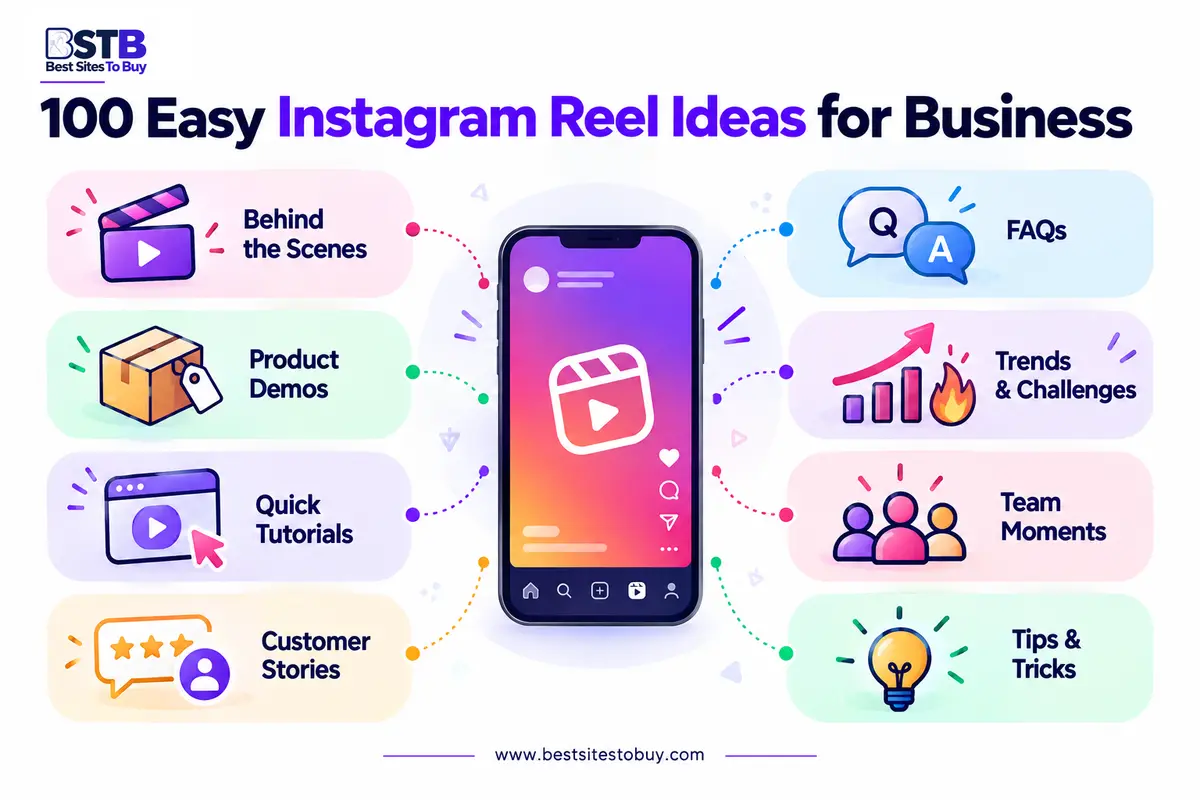
The best business reels mix education, behind-the-scenes moments, products and personality. Rotate between categories so your feed stays fresh and your audience sees different sides of your brand. You can reuse each reel idea many times by changing the topic, product or tip you share.
Easy Reel Ideas You Can Film in Minutes
Easy reel ideas you can film in minutes need no script, no editing skills and no special gear. These quick reels are perfect for busy business owners who want to post consistently.
- Film your morning coffee and add one business tip as on-screen text
- Show a five-second clip of your workspace with a motivational line
- Record your hands typing an idea in your notes app
- Point the camera at your face and answer one common question
- Film a slow pan of your products with trending audio
- Show a “day in five seconds” montage of short clips
- Record yourself thinking, then reveal the answer on screen
- Share a quick before-and-after of a small task
- Film a walking shot while sharing one lesson as a voiceover
- Show a single product spinning on a table with its price
Faceless Instagram Reel Ideas
Faceless Instagram reel ideas let you create engaging reels without showing your face on camera. They work well for shy owners, product brands and accounts that prefer privacy.
- Film your hands packing an order
- Record a screen tutorial of your website or app
- Create a photo slideshow synced to music
- Show a desk setup with text listing your daily routine
- Film a recipe or process from above
- Record nature or city b-roll with a quote overlay
- Show a notebook while writing three quick tips
- Film product close-ups with descriptive captions
- Create a typing reel in Notes or Canva
- Share a voiceover story over calm b-roll footage
Educational Reel Ideas for Business
Educational reel ideas for business teach your audience something useful in under a minute. Helpful reels earn saves and shares, which tells Instagram your content is valuable.
- Share three quick tips your customers always ask about
- Bust a common myth in your industry
- Explain a beginner term in 15 seconds
- Show a mistake to avoid and the fix
- Create a “do this, not that” comparison
- Share a step-by-step mini tutorial
- Answer a frequently asked question from your DMs
- Reveal a tool or app that saves you time
- Show a checklist your customers can screenshot
- Explain how your product or service works in three steps
Behind-the-Scenes Reel Ideas
Behind-the-scenes reel ideas show the real people and process behind your brand. Authentic, unpolished moments build real trust and make followers feel connected to your small business.
- Show how a product is made from start to finish
- Introduce a team member and their role
- Film your workspace setup before opening
- Share a busy day in the life of your business
- Show how you prepare for a product launch
- Record the packing and shipping process
- Reveal a funny mistake or blooper
- Show your planning process for the week
- Film a supplier visit or delivery day
- Share a quiet moment after closing time
Product and Service Reel Ideas
Product and service reel ideas show what you sell in action. Demonstrations and real results help viewers picture using your product, which turns curious scrollers into paying customers.
- Demo your bestselling product in 15 seconds
- Show three ways to use one product
- Unbox a new arrival
- Compare two products side by side
- Show a quick service transformation
- Reveal a new product with a countdown
- Share a “what’s in the box” reel
- Show how to style or use a product
- Highlight a feature most customers miss
- Show a product bundle or gift idea
Trending and Viral Reel Ideas
Trending and viral reel ideas use popular audio, formats and memes, adapted to your niche. Jumping on trends early can boost reach, but always connect the trend to your brand message.
- Use trending audio with a relatable business caption
- Recreate a popular meme format for your industry
- Join a “tell me without telling me” trend
- Use a trending transition to reveal a product
- Try a “point at the text” reel with three tips
- Share an “unpopular opinion” about your industry
- Do a “things I wish I knew” reel
- Use the green screen effect to react to a post
- Create a “rate my setup” style reel
- Reply to a viral question in your niche
Funny and Relatable Reel Ideas
Funny and relatable reel ideas make your brand memorable and shareable. Humor about everyday business struggles connects quickly with audiences and encourages people to tag friends who relate.
- Act out a customer question you hear every day
- Show “expectation vs reality” of running a business
- Share your reaction to a big order coming in
- Film a skit about Monday mornings at work
- Show “how it started vs how it’s going”
- Act out the different types of customers
- Share a relatable work-from-home moment
- Show your face when the coffee runs out
- Film a playful “POV: you just discovered us” reel
- React to a funny comment from your audience
Personal Brand Reel Ideas
Personal brand reel ideas help founders and creators share their story, values and expertise. People buy from people, so showing your personality builds lasting trust with your audience.
- Share why you started your business
- Tell a quick story about a big lesson
- Show your morning or evening routine
- Share three things you are grateful for this week
- Reveal a goal you are working toward
- Introduce yourself in 15 seconds
- Share your favorite book or tool
- Answer “this or that” questions about your work
- Show a milestone celebration
- Share advice you would give your younger self
Social Proof and Testimonial Reel Ideas
Social proof and testimonial reel ideas showcase happy customers and real results. Reviews and success stories reduce doubt and help new viewers trust your brand enough to buy.
- Share a screen recording of a five-star review
- Show a customer before-and-after result
- Feature a customer using your product
- Read a heartfelt message from a client
- Share a case study in three slides
- Celebrate a follower or sales milestone
- Show user-generated content with credit
- Highlight a repeat customer’s story
- Share a press mention or award
- Show the number of orders shipped this month
Seasonal and Holiday Reel Ideas
Seasonal and holiday reel ideas tie your brand to moments people already care about. Plan these reels ahead for holidays, birthdays and sales events to boost timely engagement.
- Share a holiday gift guide using your products
- Film a festive packaging reel
- Celebrate your business birthday or anniversary
- Create a New Year goals reel for your niche
- Share a back-to-school or summer tip
- Film a Black Friday or sale announcement
- Show your holiday decorations at work
- Share a Christmas behind-the-scenes moment
- Create a Valentine’s Day product reel
- Thank your customers at the end of the year
Instagram Reel Ideas by Niche
Instagram reel ideas by niche help you create content your specific audience already searches for. A hair salon, restaurant and real estate agent all need different reel ideas, even though the formats are similar. Niche reels attract followers who are far more likely to become customers.
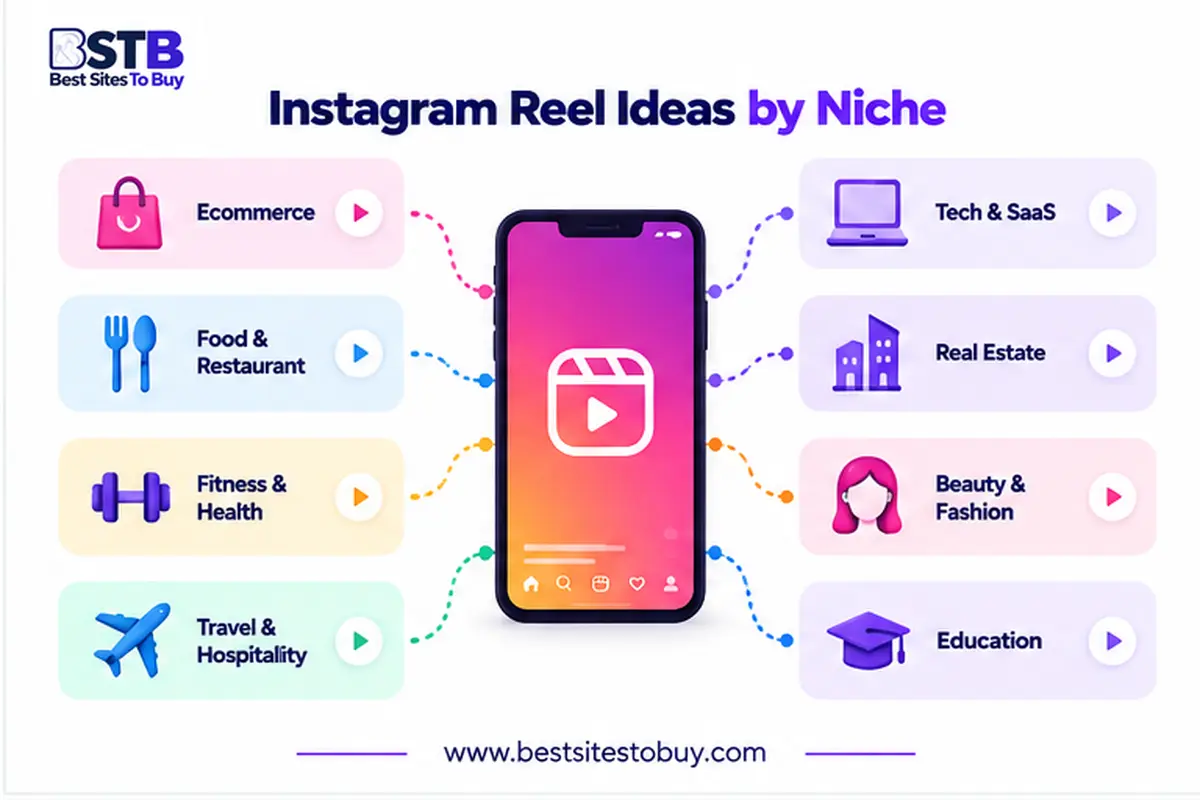
Use the niche ideas below as a starting point, then adapt any of the 100 ideas above to your industry. Adding niche keywords in your caption, on-screen text and hashtags helps Instagram show your reels to the right people searching for your type of business.
Hair Salon and Beauty Reel Ideas
Hair salon and beauty reel ideas showcase transformations, techniques and products. Before-and-after reels perform especially well, because viewers love seeing a dramatic, satisfying change in just seconds.
- Film a full hair transformation in 15 seconds
- Show a quick styling tip clients can try at home
- Share a product you use on every client
- Show a calming time-lapse of a treatment
- Answer “what should I ask my stylist for?”
Restaurant and Food Reel Ideas
Restaurant and food reel ideas make viewers hungry and ready to visit. Close-up shots, sizzling sounds and plating moments are some of the most engaging content on Instagram.
- Film a dish being plated from start to finish
- Show the chef’s favorite item on the menu
- Record the sound of something sizzling
- Share a “what we ate today” staff reel
- Reveal a new seasonal menu item
Fitness Reel Ideas
Fitness reel ideas help trainers and gyms share workouts, tips and progress. Short exercise demos and form corrections are highly saveable, which boosts reach for fitness business reels.
- Show a three-move workout anyone can do
- Correct a common form mistake
- Share a client’s progress with permission
- Film a quick healthy snack idea
- Show a day in the life of a trainer
Travel Reel Ideas
Travel reel ideas suit hotels, tour companies and travel creators. Fast transitions, hidden gems and packing tips inspire viewers to save reels and plan their next trip.
- Share three hidden gems in your city
- Show a fast packing tip reel
- Film a room or venue tour
- Create a “48 hours in” montage
- Show a sunrise or sunset time-lapse
Real Estate Reel Ideas
Real estate reel ideas help agents attract buyers and sellers. Property tours, neighborhood guides and market tips position you as the local expert people want to contact.
- Film a 30-second property tour
- Share a neighborhood highlights reel
- Explain one buying tip for first-time buyers
- Show a staging before-and-after
- Answer a common question about the local market
What Are Instagram Reels?
Instagram Reels are short, vertical videos that people can watch, like, comment on and share in the Reels tab, feed and Explore page. Reels can include music, voiceovers, text, effects and captions. They are designed for entertainment and discovery, so Instagram regularly shows them to non-followers.
For businesses, Instagram Reels are one of the best tools for organic reach. A single strong reel can introduce your brand to thousands of new people who have never seen your account. That reach makes Reels a key part of any modern Instagram marketing strategy.
- Format: short, vertical 9:16 videos.
- Where they appear: the Reels tab, the feed and the Explore page.
- Creative tools: music, voiceovers, text, effects and captions.
- Purpose: entertainment and discovery, often by non-followers.
Why Use Instagram Reels for Business?
Instagram Reels for business help brands reach new audiences, build trust and drive sales with short video. Because Reels are shown beyond your followers, they are often the fastest way for small accounts to grow. Video also explains products and services better than static images can.
Reels also build a personal connection with your audience. Seeing real people, processes and results makes your brand feel trustworthy. When paired with clear calls to action, business reels can drive profile visits, website clicks, DMs and purchases without paying for Instagram ads.
- Reach new people: Reels are recommended beyond your followers.
- Build trust: real people and processes make your brand credible.
- Explain better: video shows products and services clearly.
- Drive action: clear calls to action bring visits, DMs and sales.
How Are Instagram Reels Different From Posts and Stories?
Instagram Reels reach new audiences, feed posts educate and showcase products, and Stories build daily connection with existing followers. Use all three together for a complete Instagram content strategy.
- Reels: reach people who do not follow you yet.
- Posts: educate and showcase products on your grid.
- Stories: build daily connection with your followers.
What Are the Benefits of Instagram Reels for Business?
The main benefits of Instagram Reels for business are wider reach, higher engagement, stronger brand awareness and more profile visits, website clicks and sales. Because Instagram shows Reels to people who do not follow you yet, even a small account can reach thousands of potential customers with one strong video.
Reels also make your products easier to understand. A 20-second demo shows size, texture and results better than a photo, and a quick tutorial proves your expertise. Over time, regular Reels build a recognizable brand personality, which turns casual viewers into followers and followers into loyal customers.
- Wider reach: Reels are shown to non-followers in the Reels tab and Explore.
- Higher engagement: video invites likes, comments, saves and shares.
- Brand awareness: faces, voices and processes make your brand memorable.
- Product clarity: demos and tutorials explain products in seconds.
- Free growth: organic reach without paying for Instagram ads.
- More sales: calls to action drive profile visits, DMs and link clicks.
What Kinds of Reels Can You Create?
There are six main kinds of reels businesses can create easily: talking head, text over video, photo slideshow, voiceover, screen recording and typing reels. Each format suits different goals and comfort levels, so you can create engaging reels whether or not you like being on camera.
Mix these kinds of reels to keep your content varied and avoid burnout. A talking head reel builds personal trust, while a faceless screen recording teaches quickly. Choosing the right format for each reel idea also makes filming faster, because you know exactly what to record.
- Talking head: speak to camera with one quick tip.
- Text over video: bold on-screen text on simple b-roll.
- Photo slideshow: photos synced to music.
- Voiceover: narrate without showing your face.
- Screen recording: walk through an app, website or tutorial.
- Typing reel: type a message on screen to tell a quick story.
How Do You Use Instagram Reels for Business Step by Step?
To use Instagram Reels for business, follow five steps: plan, film, edit, post and measure. Start with one clear goal for each reel, such as education or sales, then create short vertical video with a hook, valuable content and a call to action.
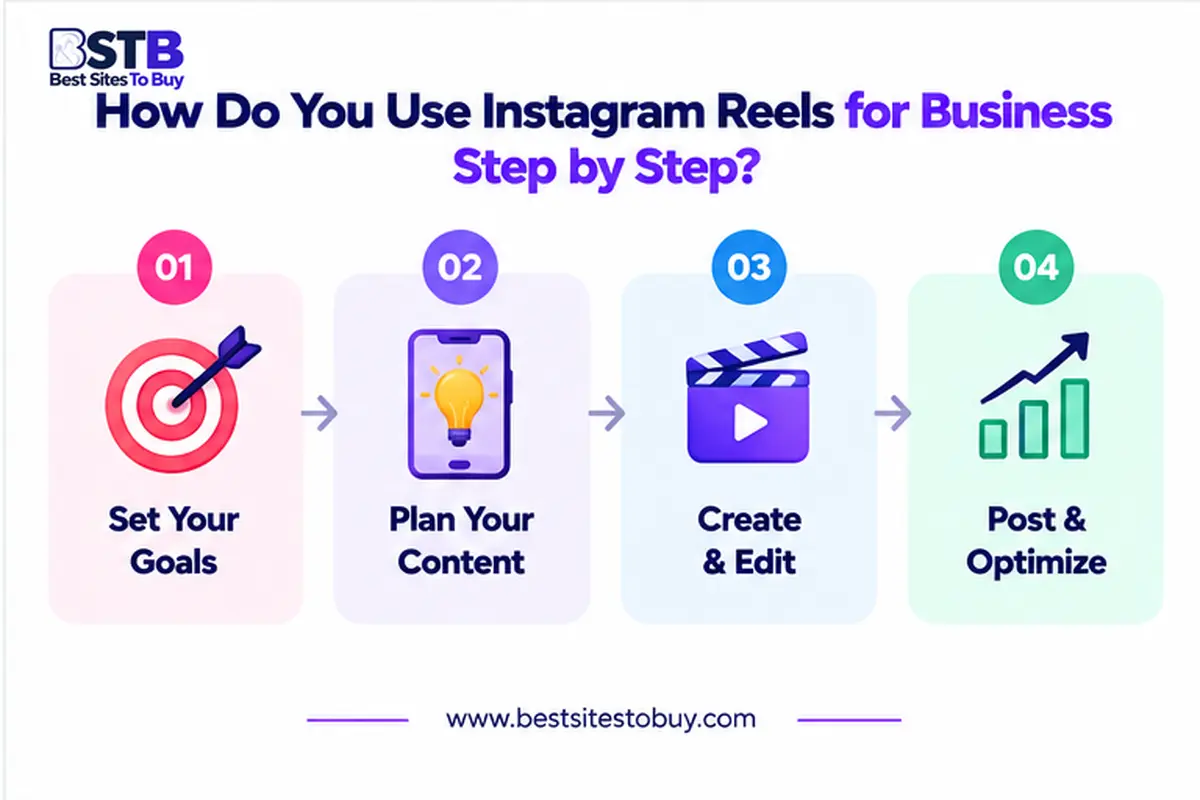
Consistency matters more than perfection when using Instagram Reels for business. Aim for two to four reels each week, and batch film several at once to save time. Review your results monthly and repeat the reel ideas that bring the most views, saves and followers.
- Plan: pick a goal, one idea and a hook.
- Film: shoot vertically in good natural light.
- Edit: trim, then add text, captions and music.
- Post: write a strong caption, a call to action and up to five hashtags.
- Measure: track views, watch time, saves and follows.
Plan Your Instagram Reel
Plan your Instagram Reel by choosing a goal, one reel idea and a simple hook. Write the on-screen text and caption before filming so recording takes only a few minutes.
Film Your Instagram Reel
Film your Instagram Reel vertically in good natural light, holding your phone steady. Record a few extra seconds at the start and end to make editing and transitions easier.
Edit Your Instagram Reel
Edit your Instagram Reel by trimming slow moments, adding on-screen text, captions and music. Instagram’s built-in editor or apps like CapCut make editing quick, even for complete beginners.
Post Your Instagram Reel
Post your Instagram Reel with a strong first caption line, a call to action and up to five relevant hashtags. Choose an eye-catching cover image that matches your feed.
Measure Your Instagram Reel Results
Measure your Instagram Reel results in Instagram Insights by tracking views, watch time, saves, shares and follows. Compare reels monthly to learn which reel ideas and formats work best for your brand.
What Makes a High-Performing Instagram Reel?
A high-performing Instagram Reel has three parts: a hook in the first two seconds, valuable content in the middle, and a clear call to action at the end. This simple structure keeps viewers watching longer, which signals to Instagram that your reel is worth showing to more people.
Every reel idea in this guide fits this anatomy. Even a five-second reel can open with a bold line, deliver one tip and end with “save this.” Planning each part before filming makes your Instagram Reels more engaging and far more likely to convert.
- Hook (first 2 seconds): a bold line or surprising visual.
- Value (middle): one tip, story or demo.
- Call to action (end): follow, save, comment or tap the link.
- Pacing: cut slow moments to keep viewers watching.
The Reel Hook (First 2 Seconds)
The reel hook is the first two seconds that stop people scrolling. Use a bold statement, surprising visual or question on screen, such as “Stop doing this if you sell online.”
The Reel Value (Middle)
The reel value is the middle section where you deliver the tip, story or demo you promised. Keep it fast, clear and focused on one idea per reel.
The Reel Call to Action (End)
The reel call to action tells viewers what to do next, such as follow, save, comment or tap the link. One clear request works better than several.
What Are the Best Instagram Reels Specs?
Instagram Reels specs are simple: use a 9:16 vertical format at 1080 by 1920 pixels, keep important text in the center safe zone, and export as MP4 or MOV. Most business reels perform well between 15 and 60 seconds, though longer reels are allowed.
Add captions to every reel, because many people watch without sound. Keep text away from the bottom and right edges, where Instagram places buttons and captions. Choose a clear cover image, and preview your reel on your phone before posting to make sure everything is readable.
- Aspect ratio: 9:16 vertical.
- Resolution: 1080 x 1920 pixels.
- Length: 15 to 60 seconds suits most business reels.
- File type: MP4 or MOV.
- Safe zone: keep text away from the bottom and right edges.
How Do You Create Engaging Instagram Reels for Brands?
To create engaging Instagram Reels for brands, focus on strong hooks, fast pacing, helpful value and a consistent style. Engaging reels feel natural rather than overly polished, and they speak directly to one audience. Viewers should understand the point within the first few seconds of watching.
Brands that succeed with Reels post consistently, follow trends selectively and respond to comments quickly. Test different reel ideas, hooks and lengths, then double down on what works. Engagement grows when your reels solve problems, entertain or inspire your target audience every single week.
- Strong hook: make the point clear in the first seconds.
- Fast pacing: remove pauses and filler.
- Helpful value: solve one problem per reel.
- Consistent style: use fonts, colors and a voice viewers recognize.
- Quick replies: answer comments to keep conversations going.
How Do You Measure Instagram Reels Performance?
To measure Instagram Reels performance, open Instagram Insights and review views, reach, average watch time, likes, comments, saves, shares and follows from each reel. Watch time and saves are especially important, because they show whether viewers found your reel interesting and valuable enough to keep.
Compare your reels every month to spot patterns. Note which reel ideas, hooks, lengths and posting times bring the best results. Then create more reels in that style. Tracking performance turns random posting into a clear Instagram Reels strategy that keeps improving over time.
- Views and reach: how many people saw the reel.
- Average watch time: how long viewers stayed.
- Saves and shares: strong signs of real value.
- Follows: how many new followers the reel brought.
- Deeper reports: Metricool and Sprout Social track trends over time.
What Are the Best Tools to Create Instagram Reels?
The best tools to create Instagram Reels are Instagram’s built-in editor, CapCut, Canva, Opus Clip, Submagic and Descript, which help you edit faster, add captions and repurpose long videos into short clips for busy business owners and social media managers.
Our team has tested popular options, including Opus Clip for turning long videos into reels, Submagic for auto-captions and Descript for editing. Schedule your reels with Later, and compare more creative reels tools, features and prices in our AI tools reviews.
- Instagram editor: free basics for trimming, text and music.
- CapCut and Canva: templates and more editing control.
- Opus Clip: turns long videos into short reels.
- Submagic: adds accurate auto-captions.
- Descript: edits video by editing the transcript.
- Later: schedules reels in advance.
Final Thoughts on Instagram Reels for Business
Knowing how to use Instagram Reels for business gives you one of the most powerful free growth tools on Instagram. Start with a few easy reel ideas from this list, follow the hook, value and call to action structure, and post consistently each week.
Track your results, repeat what works and keep testing new, innovative reels ideas and formats. With 100+ Instagram reel ideas ready to use, you will never run out of content. Explore the full Instagram marketing strategy guides on BestSitesToBuy to keep growing your brand.